0:24
Explore
00:00:00 / 00:41:19
- Length
- 0:41
- Scenes
- 18 · 2.3 s avg
- Product on screen
- 0:01
- Features shown
- 2
- Call to action
- 0:37 · 89%
- Voiceover
- Yes
- Views
- 48K on X
as of November 22, 2026
Veed’s 0:41 launch film runs 18 scenes, about 2.3 s each. The product shows up at 0:01 and 2 features are revealed. The call to action lands at 0:37 (89% in), over a voiceover. The video alternates a talking-head presenter in a plant-filled office with clean product UI, cutting at about 24 cuts per minute to a 92 BPM pulse. Signature moves are big single-word captions that pop over the presenter, tilted floating cards for results and founder photos, and a circular webcam bubble that keeps the speaker present inside every UI shot.
Footage neededEstimated needs: 4 capture groups — your screens or recordings · 11 filmed passages — shoot, supply or replace · 1 3D passage — build or supply
Is this your launch? to your site or press kit.
More like this
1:26

Wispr Flow - 🚀 Announcing the all new Wispr Flow — the best voice dictation experi
Wispr Flow · Mar 2025
1:00


let agents buy things
Agentcard · Fintech · Aug 2026
Similar soundtrack
Films whose music sounds like this one, voice left out
2:05

Fully Automate Your Product Videos | Clueso Agents
Clueso · Upbeat electronic and indie rock
1:34
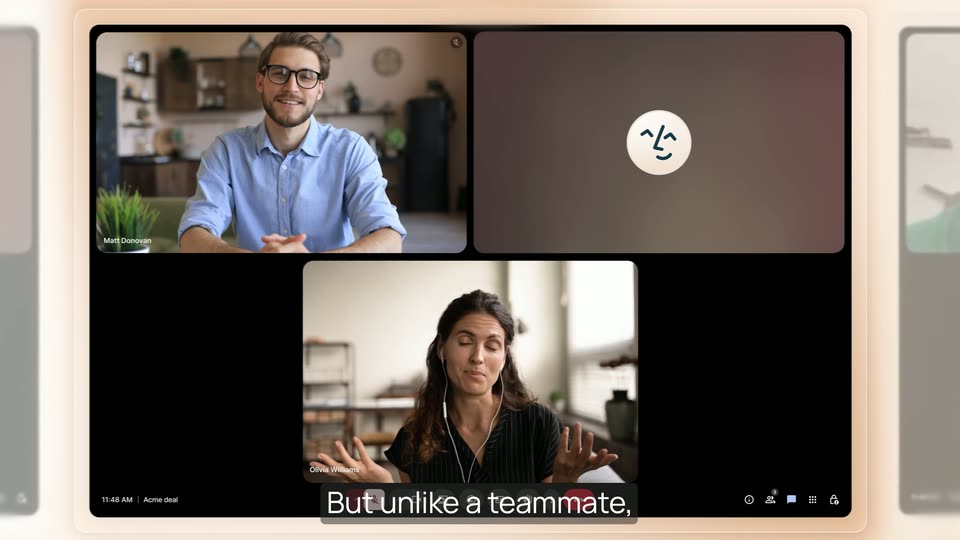

2:10

Abdullah.A - attention spans are pretty short these days this ones worth making t
ServiceUp · Corporate tech promotional
Sabba Keynejad - Introducing the world’s first video editing agent that actually works, scene by scene
· 18 scenes as text
01 · Hook · 0:00–0:01
A man in a white shirt leans close to the camera over a laptop, holding an intense stare. Large white caption text overlays his face, then shrinks to a small centered line as he speaks.
On-screen text: “something”, “we've been working on.”
Techniques: Kinetic type
Camera: Static
02 · Product intro · 0:01–0:04
A man in a cream shirt talks at a laptop inside a video editor. The shot reframes into a rounded preview card above a timeline of purple, blue and green clips, while colored agent cursors dart across the tracks and an edit counter climbs to 64.
On-screen text: “we've been working on.”
Techniques: Cursor demo
Camera: Pull out
03 · Product intro · 0:04–0:05
A bearded man in a cream shirt sits at a table in front of a window with plants, looking down then up as he speaks. The word good pops in large over his right shoulder to match his line.
On-screen text: “good”
Techniques: Kinetic type
Camera: Static
04 · Product intro · 0:05–0:07
A man in a cream shirt sits at a desk with a laptop, gesturing with both hands as he speaks. The locked-off shot frames him in a plant-filled office with windows behind him. A white caption on a dark bar sits at the bottom.
On-screen text: “this very video you're watching right”
Camera: Pull out
05 · Product intro · 0:07–0:09
A white screen shows a bold headline over a rounded prompt bar. A large video preview shrinks into a small thumbnail as the prompt types a request, then a cursor moves to the black send button. A gray caption bar at the bottom carries the voiceover.
On-screen text: “Create video worth posting”, “Edit video clips, generate social ads or bring new ideas to life.”, “this very video you're watching right”, “now was edited with that agent.”
Techniques: Morph, Cursor demo
Camera: Static
06 · Demo · 0:09–0:10
A man in a cream shirt sits in front of a window with plants, gesturing with both hands while talking. A white caption reads across his chest, then a large title appears over him. The camera stays locked off on a medium shot.
On-screen text: “me show”, “how it works”
Camera: Static
07 · Demo · 0:10–0:17
A VEED browser window fills the frame on a blue gradient, with a circular webcam inset of a man in the lower right. Six thumbnails load with spinners, then show durations as the upload completes, and a prompt is typed into the field. Gray subtitles roll at the bottom.
On-screen text: “All I'm going to do is upload some footage”, “of me talking to the camera,”, “and I'm going to give it a prompt to say,”, “make a snappy social media video”
Techniques: Cursor demo
Camera: Static
08 · Demo · 0:17–0:19
A two-panel product interface fills the frame. The left panel's title rewrites itself and the status ticks to Working, while the right panel shows a shifting dot grid and a Thinking label. A circular video of the speaker sits bottom right and gray caption lines swap at the bottom.
On-screen text: “with captions for me.”, “And a few minutes later, I got this very video”
Camera: Static
09 · Demo · 0:19–0:21
A man in a cream shirt sits at a desk with a VEER sticker laptop, gesturing as he talks. A tilted video card floats at the right, its frame flipping from a grayscale face titled EVERYONE'S to a blue face titled THE FUTURE OF, while a caption runs along the bottom.
On-screen text: “EVERYONE'S”, “And a few minutes later, I got this very video”, “THE FUTURE OF”
Camera: Static
10 · Demo · 0:21–0:22
A man with a shaved head and beard in a cream shirt sits at a table, speaking to camera with a lavalier mic clipped to his chest. He is framed from the chest up against a window with potted plants and a city building, an orange couch with a green pillow to the right. A white subtitle caption sits at the bottom center.
On-screen text: “and I think it looks great.”
Camera: Static
11 · Feature reveal · 0:22–0:24
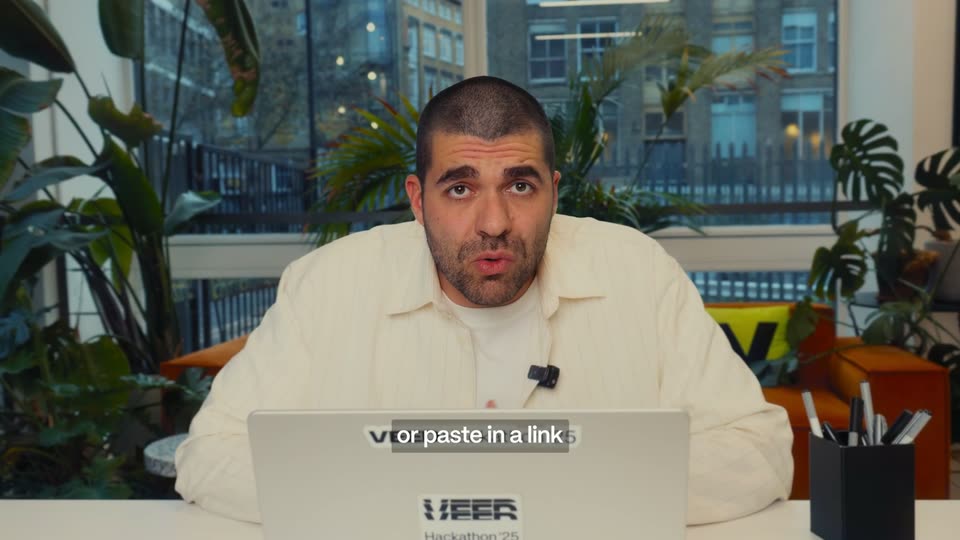
A man in a cream shirt talks behind a laptop, gesturing, with plants and a city window behind him. It cuts to the product UI: a prompt field with a context menu open, a cursor on Paste, and a circular video bubble of the man beside a highlighted phrase.
On-screen text: “You can also start from just an idea,”, “or paste in a link”
Techniques: Cursor demo
Camera: Static
12 · Feature reveal · 0:24–0:28
A context menu with Paste highlighted opens over the input field, then a URL fills the field as the speaker's circular video plays on the right. Gray caption bars appear at the bottom.
On-screen text: “or paste in a link”, “https://www.playstation.com/en-in/games/grand-theft-auto-vi”, “to a product that you might have,”, “and the agent will make that video”
Techniques: Cursor demo
Camera: Static
13 · Feature reveal · 0:28–0:32
A light interface panel fills the left two-thirds, showing body copy, a video card and a row of suggestion chips, while a circular live-action cutout of a talking man sits at the right. In the input field the command 'increase the font size at 06:00' types out letter by letter, and dark caption boxes cycle at the bottom center.
On-screen text: “Need to make a change?”, “Just leave a timestamp comment”, “and it will just get on”, “and do that work for you.”
Techniques: Cursor demo
Camera: Static
14 · Problem · 0:32–0:32
Two men sit on a couch before a glowing blue neon VEED.IO sign. The man in the white hoodie points both index fingers up at it; the man in the green hoodie and cap smiles. The frame starts tilted and levels out.
On-screen text: “I started VEED because video”
Camera: Static
15 · Problem · 0:32–0:33
Two live-action clips of the founders play as tilted photo cards over a green office backdrop: first standing beside a VEED Studio screen at an event, then seated at a table with laptops. A white caption line sits at the bottom.
On-screen text: “I started VEED because video”, “VEED.IO”
Camera: Static
16 · Problem · 0:33–0:34
A tilted laptop in 3D perspective shows a Google Meet grid of eight participants over a stylized desk with plants and a blue blueprint. A white caption scales in at the bottom and holds as the frame stays locked.
On-screen text: “I started VEED because video”, “editing was way too hard,”
Techniques: 3D mockup
Camera: Static
17 · Problem · 0:34–0:37
A man in a cream shirt speaks to camera from a desk with a laptop, gesturing with both hands, plants and a city window behind him. White subtitles on gray bars appear at the bottom, and the framing tightens slightly mid-sentence.
On-screen text: “editing was way too hard,”, “and this is the closest”, “that we have came to fixing that.”
Camera: Push in
18 · CTA · 0:37–0:41
A man in a cream shirt sits at a white desk with a laptop, talking to the camera and gesturing with both hands, at one point pointing down at the machine. A static caption and a changing subtitle line sit over his chest.
On-screen text: “link is down below ↓”, “and let me know what you think and”, “I really hope you enjoy it.”
Camera: Push in