0:58

Rystic: Launch YC
Rystic · B2B · Oct 2026
Treg · Oct 2026 · 1:00 · AI-annotated
Treg’s 1:00 launch film runs 19 scenes, about 3.2 s each. The product is on screen from the first frame and 8 features are revealed. The call to action lands at 0:57 (96% in). Built as a single continuous pipeline on a flat cream field: a pixel-art tagline opens, then each feature is announced by a monospace or serif headline that types in and is followed by a UI card or table that fills row by row, with counters ticking and green check states popping. Pacing is steady and rhythmic at roughly 144 BPM, with signature moves of caret typing, sweeping green scan lines, magenta selection boxes and counting-up numbers, closing on a bar-chart price comparison and a typed CLI
Is this your launch? to your site or press kit.
Rystic · B2B · Oct 2026
Lightreel AI · Sep 2026
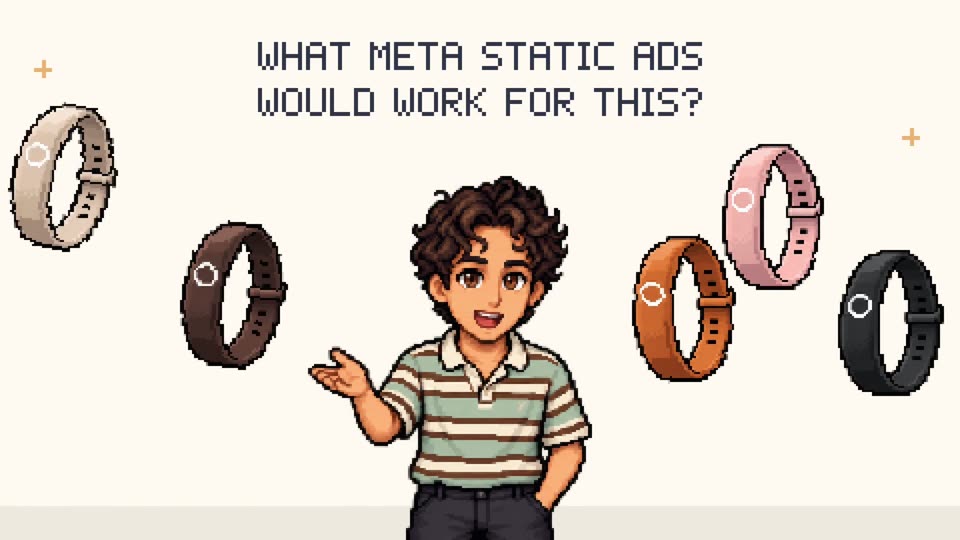
Pixel text 'People search for' appears under the Jev × treg lockup on cream, as four pixel icons pop in: orange invader, purple terminal cloud, red creature, pixel girl. The line then slides into a gray search bar with a yellow prompt, icons settling into a row.
On-screen text: “Jev × treg”, “People search”, “for”
Techniques: Kinetic type
Camera: Static
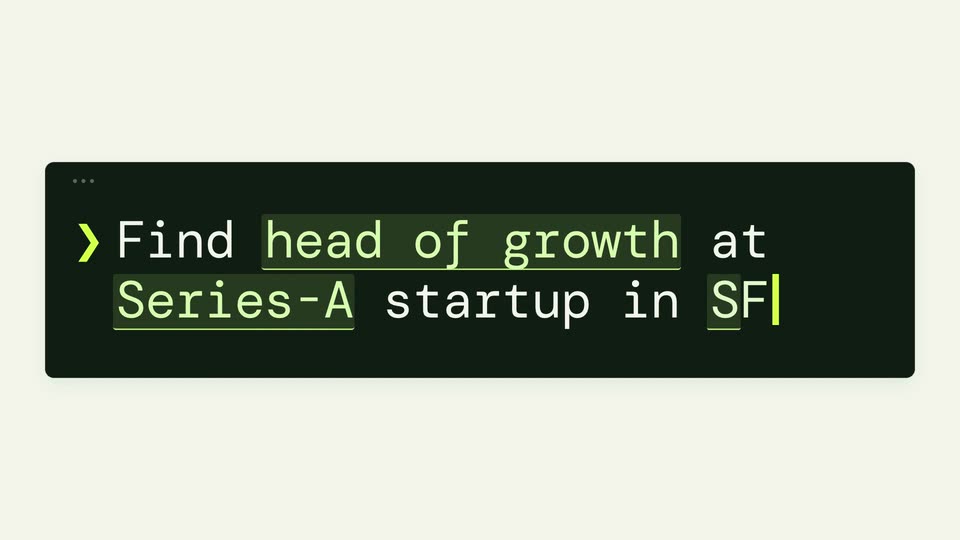
A dark terminal bar with a green prompt and caret sits on a cream background while a large pixelated headline scrolls out of the top. The caret types a job query across two lines, highlighting “head of growth”, “Series-A” and “SF” in green.
On-screen text: “for”, “Find head of growth at Series-A startup in SF”
Techniques: Kinetic type
Camera: Static
A dark rounded terminal card on a cream field shows a green chevron and white monospace text, with key phrases underlined in green. The card slides up and scales down to a thin bar near the top edge.
On-screen text: “Find head of growth at Series-A startup in SF”
Techniques: Kinetic type
Camera: Pull out
A dark terminal bar holds a green monospace prompt at the top. Below, a line types out an agent action, then a grid of vendor names with small colored icons and per-unit prices fades in row by row on a cream background.
Camera: Static
A light screen shows a dark terminal bar at top with the query 'Find head of growth at Series-A startup in SF', key phrases boxed in green. Below, a gradient heading reads 'Treg pulling people-search vendors' over a three-column list of vendor names, icons and prices. Static view.
Camera: Static
On a cream field, a three-column list of tool icons, names and prices sits under a magenta hexagon logo. A green line with circle endpoints sweeps down the rows as they light up green and checkmarks pop in, while the multicolor serif headline reveals word by word above.
On-screen text: “Jev routing the best tools...”
Techniques: Masking, Kinetic type
Camera: Static
Cream background, pink hexagon logo, black headline. Three pale-green rounded cards in a row, each with a colored icon, tool name, price and yellow check badge. The third card crossfades to Crustdata, then the block slides down-right as the headline gains a second line.
On-screen text: “Jev routing the best tools to B+ contacts”
Techniques: Kinetic type
Camera: Static
A headline sits above three source cards and a people-search table. The cards count up from Sourcing to found totals while progress bars fill, and the table below fills row by row, scrolling up as the contact total climbs from 0 to 302.
On-screen text: “Connect Jev to 1B+ contacts”
Camera: Static
A pale green layout holds a black headline, Connect Jev to 1B+ contacts, with a pink cube logo mid-line. Three source cards, Prospeo, Icypeas, Crustdata, drop lines into a people search table showing rows 312 to 320. The composition stays static.
On-screen text: “Connect Jev to 1B+ contacts”
Camera: Static
A candidate table processes row by row as a magenta selection box with a Jev tag travels down the list, statuses flipping to Relevant or Not a match while the counters tick up. The view then scrolls back to the top, leaving only the green-highlighted relevant rows.
On-screen text: “Jev qualifies & shortlist”
Camera: Push in
A white profile card for Mira Chen sits on a cream background. A black logo and a monospace headline type in above it, while three data-source rows with prices and a Checking status fade into the card.
On-screen text: “Find Mira's phone number.”
Techniques: Kinetic type
Camera: Static
On a cream background, a white contact card lists three tools checking for a phone number; Lusha and ContactOut fail in red, Prospeo succeeds in green, then a large green number appears and the card shrinks and slides left.
On-screen text: “Find Mira's phone number.”
Camera: Static
Monospace headline tops a two-column layout. A profile card fills in on the left while three post cards stack up on the right, one per second. Pink lines with a small icon sweep down across the posts, then the headline and lower rows fade.
On-screen text: “And everything about Mira...”
Camera: Static
A headline 'Jev scores Mira' sits above a LinkedIn profile card and a scoring panel. The lead score counts up from 19 to 92 as faint posts fade into fit rows, then the layout cuts to a table of growth leads.
On-screen text: “Jev scores Mira”
Camera: Pull out
A black monospace headline sits above a light product table card. Inside the card, lead scores fill in row by row in green as the counter climbs from 2 to 96, while the list scrolls down through the names.
On-screen text: “Jev scores every lead”
Camera: Pull out
A centered black monospace headline fades in on a cream background, above a small gray caption and a white file card with a green icon. At 1.5s a pale green highlight box appears behind '$1.49'.
On-screen text: “Shortlisted 96 high-potential leads for $1.49”, “Demo shortlist · $1.49 email-finding benchmark”
Techniques: Kinetic type
Camera: Static
A cream card holds the green-and-black monospace headline '85% cheaper than Clay'. A bar chart grows up beneath it: a short green treg bar at $1.49 beside a tall gray Clay bar at $10.34. Two more gray bars for Freckle and Deepline rise as 'Even more on other vendors' appears.
On-screen text: “85% cheaper than Clay”, “$1.49”, “treg”, “$10.34”, “Clay”, “Same 292 name + domain lookups · total email-finding cost”, “Even more on other vendors”, “$11.22”, “Freckle”, “$23.38”
Techniques: Kinetic type
Camera: Static
On a cream background, a list of benefit lines scrolls up, the center line in black and the rest in gray, the top and bottom lines scaling in and out. It cuts to the Jev and treg logo lockup over a green pixel-font line typing in.
On-screen text: “0% Markup”, “Best accuracy”, “No subscription”, “Pay for usage only”, “Cents per call”, “Fully open source”, “Jev × treg”
Techniques: Kinetic type
Camera: Static
On a cream background, the Jev and treg lockup sits above the pixel headline “People search for”. Small icons pop in after “for”: an orange invader, a blue terminal cloud, a red bug, a portrait. A dark terminal bar holds a setup command; a green line draws along the bottom.
On-screen text: “People search for”, “set up treg - treg.to/llms.txt”
Camera: Static