0:48
Data Observability, Reimagined for the Age of AI
Sifflet · May 2025
Teamble · Feb 2025 · 2:26 · Full motion · AI-annotated
Teamble’s 2:26 launch film runs 47 scenes, about 3.1 s each. The product is on screen from the first frame and 3 features are revealed. The call to action lands at 2:14 (92% in). The video opens with a brand sting and a one-line promise, then runs three feature blocks, each opened by a short phrase and demoed through a purple hand cursor tapping chips on tilted 3D cards that straighten toward the camera, with feedback scores counting up. Signature moves are ghosted stacked cards, letter-by-letter typing behind a cursor, and a drifting pink light arc on dark frames, closing on a module recap and the teamble ai logo.
Is this your launch? to your site or press kit.
Sifflet · May 2025
ElevenLabs · AI · Sep 2025
Human Behavior · B2B · May 2025
Films whose music sounds like this one, voice left out
Firecrawl · Electronic Dance Music (House, Tech House)
Mirage · Modern electronic dance music, deep house or tech house.
Knock · Electronic dance music, with elements of trance, house, and tech house
On a near-black field with a soft purple glow rising from the bottom, the wordmark teamble fades in at center, its letters brightening from violet to white on a locked-off frame.
On-screen text: “teamble”
Camera: Static
A dark purple gradient background holds the headline “The People Success Platform”, which slides in and fades up, “The People” in white and “Success Platform” in violet, then holds on a locked-off frame.
On-screen text: “The People Success Platform”
Techniques: Kinetic type
Camera: Static
On a near-black background with a warm orange and purple glow along the bottom, the word Introduces types out letter by letter behind a purple cursor bar, then shrinks upward as teamble ai types in larger beneath it, a thin white line drawing under the logo.
On-screen text: “Introduces”, “teamble ai”, “The People Success Platform”
Techniques: Kinetic type
Camera: Static
On a dark background with a soft purple and orange glow, a rounded pill holds the headline “Introduces teamble ai”, typed letter by letter with a purple cursor. The word “Introduces” and the cursor fade out, leaving “teamble ai” centered and scaled.
On-screen text: “Introduces teamble ai”, “teamble ai”
Techniques: Kinetic type
Camera: Static
Centered on a near-black field, the white-and-purple 'teamble ai' wordmark scales gently while a soft pink-magenta light arc drifts in from the lower left and brightens.
Techniques: Kinetic type
Camera: Static
On a white background with a soft pink blur in the top right, the phrase 'Give your team superpowers' slides left while scaling up, words shifting from gray to a pink-purple gradient. A white pointing-hand icon with a purple outline pops in over 'superpowers'.
On-screen text: “Give your team superpowers”, “Help them”
Techniques: Kinetic type
Camera: Static
On a soft pink and blue gradient, large white bold “Help them” slides across, then “unlock their” appears and scales up out of frame, leaving small purple “potential with” centered.
On-screen text: “eam superpowers”, “Help them”, “unlock their”, “potential with”
Techniques: Kinetic type
Camera: Static
Centered black sans-serif text “potential with” holds on a pale field, then the background opens into concentric purple rounded rings as a white pill with “10x better” slides in. The pill expands into a white card with a gradient sparkle icon and “Feedback” in a red-to-violet gradient.
On-screen text: “unlock their”, “potential with”, “10x better”, “Feedback”
Techniques: Kinetic type, Masking, Morph
Camera: Static
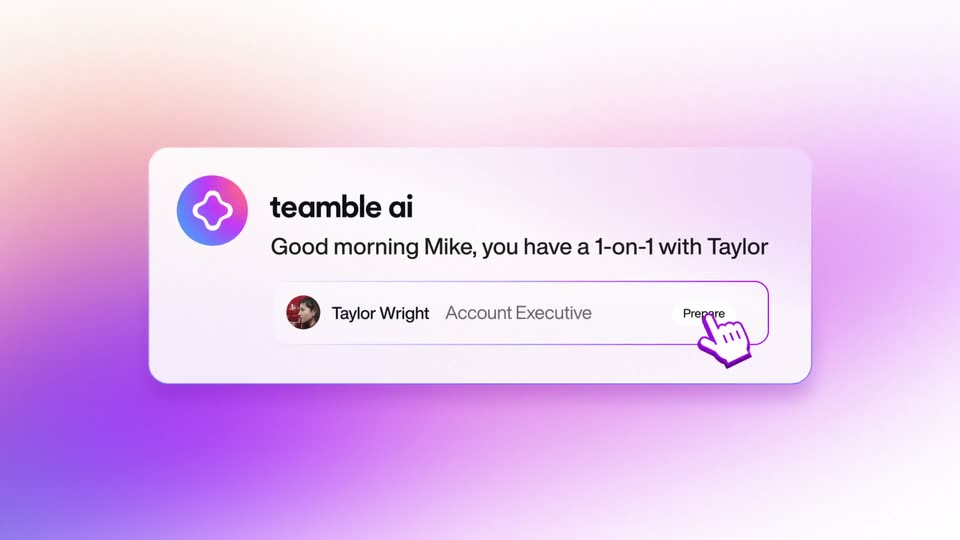
A large static word Feedback is held on a pink-to-purple gradient. A light teamble ai chat card greets Mike about a 1-on-1 with Taylor, while a purple hand cursor slides in and taps the Prepare button.
On-screen text: “Feedback”
Techniques: Cursor demo
Camera: Static
A tilted 3D card of a 1-on-1 prep interface straightens toward camera as a progress bar climbs, a survey card slides in, and an AI Assistant panel types suggestion rows. The view zooms into the assistant card, where a purple hand cursor taps the Help me craft feedback button.
Techniques: 3D mockup, UI zoom, Cursor demo
Camera: Push in
A white feedback card on a dark background; the headline 'Even a simple observation' appears word by word above it. The field fills with 'Taylor stumbled in the client demo.', a purple cursor hovers the 'Help me craft feedback' button, then the card fades and the button scales up.
On-screen text: “Even a simple observation”
Techniques: Kinetic type, Cursor demo, UI zoom
Camera: Static
A white pill button labeled “Help me craft feedback” glows on a dark purple field, a purple cartoon hand cursor hovers at its right edge, and the whole group drifts slowly leftward.
Techniques: Cursor demo
Camera: Static
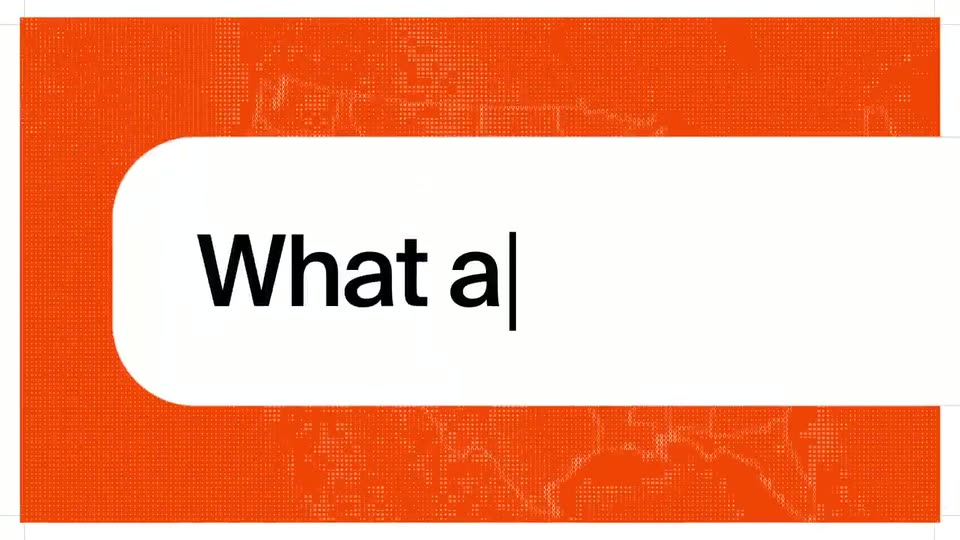
A blurred pink-to-purple gradient fills the frame behind a cream rounded pill, centered. Inside, gradient text types out letter by letter with a thin cursor, and the pill widens to fit the growing sentence.
On-screen text: “Taylor stumbled in the client demo”
Techniques: Kinetic type
Camera: Static
Two white rounded cards float on a soft pink-to-purple gradient. The top card's gradient text scales into focus while the bottom card's red score counts up to 10/100. The stack then scrolls up, sliding the score card to center as a new empty card rises from the bottom.
On-screen text: “Taylor stumbled in the client demo”
Techniques: Kinetic type, Masking
Camera: Static
A white feedback card tilts up from the bottom into a 3D perspective against a pink gradient, its score and metric rows filling in. A purple hand cursor taps the Specificity row while side captions swap from “Turns into” to “10x better feedback”.
On-screen text: “Taylor stumbled in the client demo”, “Turns”, “into”, “10x better”, “feedback”
Techniques: 3D mockup, Cursor demo, Kinetic type
Camera: Pull out
A flat UI card slides up into a dark purple scene, ghosted copies trailing behind, beside a left headline with a magenta sparkle. A purple hand cursor taps the 'Recent client demo' chip, which fills, then types into the field as the score counts up.
On-screen text: “Making feedback specific”
Techniques: Cursor demo
Camera: Static
A white feedback card sits right on a dark purple gradient, a blurred copy stacked behind. A purple hand cursor taps a chip; the score ticks from 24 to 38 and the answer types into the text field. The left headline stays static, then the scene blurs out.
On-screen text: “Following feedback”, “best practices”
Techniques: Cursor demo
Camera: Static
Headline on the left fades in from blur beside a purple sparkle; on the right a white feedback-score card snaps into focus over a blurred duplicate. A hand cursor taps the Reduced credibility chip, the score rises from 38 to 48, and a paragraph types into the answer field.
On-screen text: “Personalizing the feedback for Taylor's role and tenure”
Techniques: Cursor demo
Camera: Static
A white feedback-score card floats in 3D on the right over a dark purple gradient, two blurred cards stacked behind. A cursor taps the Assertive option; the score counts up from 33 to 48. Left headline Emphasizing the candor and tone sits beside pulsing sparkles.
On-screen text: “Emphasizing the candor and tone”
Techniques: 3D mockup, Cursor demo
Camera: Static
A white feedback-score card sits right of a two-line headline on a dark purple field. A hand cursor taps each skill chip in turn, filling it purple, while the card and text sharpen in from blur.
On-screen text: “Highlighting strengths and development areas”
Techniques: Cursor demo
Camera: Static
A white feedback card floats right of center over a blurred duplicate on a purple gradient; the headline 'Making feedback actionable' fades in left. A hand cursor taps two chips, the score rises 48 to 78, and a text box types two steps.
On-screen text: “Making feedback actionable”
Techniques: Cursor demo
Camera: Static
A dark purple backdrop holds a white-and-violet headline at left and a rounded feedback-score card at right. A purple hand cursor taps the first learning clip, a check badge pops and the score climbs to 92, then the cursor slides to the second clip.
On-screen text: “Leveraging a curated Learning & Development library”
Techniques: Cursor demo
Camera: Pull out
On a pink-purple gradient, white text 'Teamble AI' grows word by word into 'Teamble AI helps your managers go from', then 'just managing' appears above two white cards: a feedback note 'Taylor stumbled at the client demo' and a score counting up to 10/100.
On-screen text: “Teamble AI helps your managers go from”, “just managing”
Techniques: Kinetic type
Camera: Static
A white feedback card titled Your AI Enhanced Feedback scrolls up over a pink gradient, its body text revealing an attached video thumbnail and a Teamble AI score bar that counts up from 87 to 92, while a white headline sits above.
On-screen text: “just managing”, “to truly coaching”, “Your initial feedback”, “Taylor stumbled at the client demo”, “Teamble AI score”
Techniques: UI zoom
Camera: Pan
Locked-off dark frame with a soft drifting pink-purple glow. Centered bold type builds a sentence phrase by phrase: large 'Unlock', then 'actionable insights', 'with', and 'teamble ai'.
On-screen text: “Unlock”, “actionable insights”, “with”, “teamble ai”
Techniques: Kinetic type
Camera: Static
A pink-to-purple gradient circle with a white rounded star outline sits centered on a near-black background. The badge scales down from a larger size to a small one, then holds. The brand name teamble ai stays static on the frame.
On-screen text: “teamble ai”
Camera: Static
A product dashboard tilts in 3D perspective over a purple gradient, then the view zooms onto the 360 Review Campaign card while the background dims. A glowing hand cursor glides in and hovers the Show more pill.
Techniques: 3D mockup, UI zoom, Cursor demo
Camera: Push in
A white review card floats on a dark purple gradient. A pixelated hand cursor slides up from the corner to the Actionability tag, which tints pink. The feedback score ticks up from 39 to 42 out of 100.
Techniques: Cursor demo
Camera: Static
A white UI card on a dark purple background shows a 360 Review Campaign panel with a 42/100 AI feedback score and category pills. A purple cartoon hand cursor taps the magenta Actionability pill, then slides down to point at the Marketing and Sales rows.
Techniques: Cursor demo
Camera: Static
A white rounded card on a dark backdrop holds a theme summary. A paragraph types itself into the text box, then two verbatim quote pills fade in below. The card blurs out as a small gradient arrow pill appears in the center.
Techniques: Kinetic type
Camera: Push in
A pink-purple Share it button on a blurred interface expands into a pill holding three contact avatars. A white hand cursor hovers the middle face, which lifts with a Sales VP tag, then the pill shrinks into a glowing checkmark circle.
Techniques: Morph, Cursor demo
Camera: Static
On a soft pink-lavender gradient, the Teamble AI wordmark in a pink-to-purple gradient sits centered, cropped at the right edge. It cuts to a line of large white lowercase text that slides left across the frame: uncovers hidden trends.
On-screen text: “Teamble AI”, “uncovers hidden trends”
Techniques: Kinetic type
Camera: Static
Bold white text reads “Before”, then settles into “Before they become” on a soft purple gradient. “challenges” scales in with a pink-to-blue gradient, the circular teamble ai logo pops in, and a white chat card types out a welcome message.
On-screen text: “Before they become”, “challenges”
Techniques: Kinetic type
Camera: Static
A white notification card with a gradient star logo and the text 'teamble ai' sits on a pink-purple gradient. The camera zooms out from a tight crop to reveal the full card, then pushes in on the circular logo, blurring the rest.
Techniques: UI zoom
Camera: Static
A pink-to-blue gradient fills the frame. A magenta center circle turns purple as Onboarding Survey scales in. Circular headshots orbit thin white rings, some motion-blurred, with small purple dots on the paths. A white card with a lock icon slides up from the bottom.
On-screen text: “Onboarding Survey”, “Start Onboarding Survey”
Techniques: Morph
Camera: Pull out
A field of white survey cards, each with a round avatar and a question, floats over a pink-to-purple gradient. The cards drift slowly at different depths, some blurring out of focus, while the white headline crossfades from “Analyze key themes” to “From all types of feedback.”
On-screen text: “Analyze key themes”, “From all types of feedback”
Techniques: Parallax
Camera: Push in
On a pink-to-blue gradient, white feedback cards with avatars and question text float and rearrange while the top headline swaps from one phrase to another. The cards shift position and the layout reorganizes across the short transition.
On-screen text: “From all types of feedback”, “Onboarding”
Techniques: Parallax
Camera: Static
A dark backdrop holds a centered headline while four offset white bars with colored score cells slide and merge into a single rounded data card. The card settles with row labels on the left and a four-column heatmap of blue and purple cells on the right.
On-screen text: “Onboarding Survey Insights”
Techniques: Morph
Camera: Pull out
A dark UI card titled Onboarding Survey AI Insights shows a weekly score table. Two white pill bars for Experience and Operations overlay it, then shrink and morph into a smaller Acme Co card with a dotted field and a 1.4 badge, while the table fades out.
Techniques: Morph
Camera: Pull out
A white pill bar with a purple glow floats on a dark background, holding the label Operations, a magenta tile reading 1.4 and a blue tile reading 4.5. The Acme Co. logo and the word Benchmarks sit above it, and the composition drifts slowly upward.
Camera: Static
A 3D mockup of two rounded bars on a purple gradient. The top bar shows Policies, a magenta 14 tile and a blue 4.5 tile; the bottom bar reads AI insights. The background brightens as a white hand cursor slides in to hover over AI insights.
Techniques: 3D mockup, Cursor demo
Camera: Pull out
A rounded lavender card with a pink-to-purple sparkle icon scales up and slides into the center over a soft pink and blue gradient, sharpening from a soft blur. It carries the label Teamble AI insights and a two-line note on RTO policy dissatisfaction.
On-screen text: “Teamble AI insights”, “Dissatisfaction with RTO policy changes, citing lack of flexibility and impact on work life balance”
Techniques: Kinetic type
Camera: Static
On a soft pink-to-violet gradient, a rounded Teamble AI insights banner with a gradient icon holds a two-line RTO summary at the top. Below, three white cards with circular headshots stack one by one, each fading in while its quote text types out.
Techniques: Kinetic type
Camera: Static
A soft pink-purple gradient holds a centered two-line headline. A white pill button labeled 'Create report' with a pointing hand icon scales in beneath it, pauses, then the button and headline fade out, leaving the empty gradient.
On-screen text: “Drive strategic people decisions”, “with Teamble AI”, “Create report”
Camera: Static
On a soft pink-to-purple gradient, the white teamble wordmark sharpens from a blur and slides up as the tagline slides in below. Five glossy purple 3D spheres with white icons (mountain, star, heart, document, book) pop in in a row, each labeled, then the first sphere shrinks away.
On-screen text: “teamble”, “The People Success Platform”, “Objectives”, “Feedback”, “Engagement”, “Performance”, “Learning”
Techniques: Kinetic type
Camera: Static
On a dark purple field, a row of five glowing line icons lights up one by one, each labeled below. A headline sits above. The row fades out as the lowercase teamble wordmark slides into the center with a soft purple halo.
On-screen text: “Now supercharged with AI”, “Objectives”, “Feedback”, “Engagement”, “Performance”, “Learning”, “teamble”, “The People Success Platform”
Techniques: Light sweep
Camera: Static
On a dark purple gradient, the teamble ai wordmark scales up to center, white with a purple ai and a soft glow. The tagline fades in beneath it and both hold as the sign-off on a locked-off frame.
On-screen text: “teamble ai”, “Unlock high performance with smarter feedback”
Techniques: Kinetic type
Camera: Static