2:00
The all-new ELANTRA – My Dynamic Move | Main Film
Hyundai · Nov 2026
Tavus’s 1:20 launch film runs 42 scenes, about 1.9 s each. The product shows up at 0:36 and 2 features are revealed. The call to action lands at 1:07 (84% in), over a voiceover. The video is built as a two-act story: a dim, cinematic 1985 narrative (Charlie trapped in a computer) that flips at the 'Present Day' mark into a bright, grid-based product demo, with the tonal shift carried by a hard cut from teal-lit interiors to a cream-and-pink gradient. Pacing runs steady at about 122 bpm with frequent cuts in the demo act, and the signature moves are locked-off live-action shots framed inside a beige CRT bezel, drifting video tiles on a graph-paper grid, and 3D cards that
Is this your launch? to your site or press kit.
Hyundai · Nov 2026
Sila · B2B · Aug 2026
Stripe · Finance · May 2023
A young man in a green hoodie turns from profile to face the camera in a dim room lit by a warm desk lamp, speaking. A white caption appears at the bottom of the locked-off frame.
On-screen text: “You might remember me.”
Camera: Static
A tight close-up of two hands typing on a beige vintage keyboard in dim light, shallow focus. A small burst of white sparks flickers on the keys. Subtitles appear at the bottom.
On-screen text: “You might remember me.”, “My name's Charlie.”
Techniques: Particles
Camera: Static
A long-haired man in a pale, overexposed interior speaks to camera, then the view shifts up into a blown-out white ceiling and arch as the caption swaps. The frame stays locked off and washed in bright light.
On-screen text: “My name's Charlie.”, “I'm the one who got sucked”
Camera: Pan
A woman in a dark suit with a badge bends forward on the right in a dim teal-lit room, while a man on the left films her with a camera on a tripod. A warm lamp glows on a side table. White subtitles run along the bottom.
On-screen text: “I'm the one who got sucked”, “into a machine back in 1985”
Camera: Static
A dim green-lit bedroom holds a cluttered desk with a vintage CRT monitor showing a young man in a video call. Posters and a glowing red lamp fill the walls and desk. The frame stays locked off while a white subtitle sits at the bottom.
On-screen text: “into a machine back in 1985”
Camera: Static
A dim, green-lit close-up of a wall outlet. A hand grips the plug and yanks it free, then a bright white-purple flash fills the frame. A white caption sits at the bottom.
On-screen text: “into a machine back in 1985”, “and have been in here ever since.”
Camera: Static
A vertical glowing panel with drifting purple particles resolves into a dim, green-lit desk. A vintage all-in-one computer sits center, its screen showing a man making a peace sign; science posters and a red lamp fill the background.
On-screen text: “and have been in here ever since.”, “From in here,”
Techniques: Particles
Camera: Static
A dim, blue-lit closet interior holds a vintage beige all-in-one computer on a shelf, framed by hanging clothes on both sides. The locked-off shot stays still as small white serif captions fade in at the bottom center.
On-screen text: “From in here,”, “all I wanted was someone to talk to.”
Camera: Static
A dark, cramped room holds an old beige CRT monitor and keyboard on a desk, framed by hanging clothes. The locked-off shot stays still while white serif subtitles cycle at the bottom, the last line scaling in.
On-screen text: “all I wanted was someone to talk to.”, “And the machine was all I had.”, “And it couldn't understand me.”
Camera: Static
A locked-off shot of a garage sale table holds a vintage beige computer and a red rotary phone, two people sorting items in the blurred background. A serif 'Present Day' title and white subtitles sit below, then a cut jumps to the computer's rear power switch and a screwdriver.
On-screen text: “And it couldn't understand me.”, “Present Day”, “It didn't speak my language.”, “So I taught the machine how to be more like.”
Camera: Static
A tight, soft-focus close-up of a finger reaching in and flipping a black ON/OFF power toggle on a beige machine. A white cylinder sits blurred in the foreground right. White captions sit along the bottom edge of the locked-off frame.
On-screen text: “Present Day”, “It didn't speak my language.”, “So I taught the machine how to be more like.”
Camera: Push in
Extreme close-up of a finger flipping a small switch on a cream appliance panel, then a cut to a bearded man with round glasses looking down, a beige fridge and wall behind him. A subtitle sits at the bottom of the frame.
On-screen text: “So I taught the machine how to be more like.”
Camera: Static
A boxy beige CRT monitor with a dark, empty screen fills the frame, centered against a blurred workshop background. A white caption line sits at the bottom. The shot holds still on the monitor.
On-screen text: “So I taught the machine how to be more like.”
Camera: Push in
A beige CRT television fills the frame, its screen showing grainy, static-laden footage of a dark-haired young man in a white shirt and dark vest speaking toward the camera. A wall with pinned papers sits behind him. A white caption holds at the bottom edge. The shot is locked off.
On-screen text: “To see, to hear.”
Camera: Static
A bearded man in round glasses and a cream jacket sits in a dim room, gazing downward. The camera slowly pushes in on his face while white subtitles appear at the bottom. A whiteboard and an old beige monitor sit blurred behind him.
On-screen text: “To see, to hear.”, “To remember.”, “To respond and react the way a human would.”
Camera: Push in
A beige vintage monitor stands centered in a blurred office. Its screen shows a dark-haired young man with a startled look, then cuts to a woman in a red top speaking to camera. A white caption line sits below the bezel while the frame stays locked off.
On-screen text: “To respond and react the way a human would.”
Camera: Static
A woman with long dark hair in a red sleeveless top speaks to camera, framed inside a beige CRT monitor bezel against a soft kitchen backdrop. White subtitles appear centered at the bottom of the screen.
On-screen text: “To respond and react the way a human would.”, “I called them PALs.”
Camera: Static
A beige CRT television sits on a blurred shelf, its screen showing a gray-haired man in a white shirt, black vest and bow tie standing in a room with framed art and a bookshelf. The frame is locked-off and still; a white caption is centered on the lower bezel.
On-screen text: “I called them PALs.”
Techniques: 3D mockup
Camera: Static
A vintage beige TV is centered against a blurred backdrop, its screen showing a woman in a black shirt speaking in a poster-lined room with a wardrobe. A white caption sits below the set. The frame stays locked with no camera move.
On-screen text: “I called them PALs.”
Camera: Static
A man in a brown knit sweater speaks to camera, framed inside a beige vintage television monitor, locked-off shot. A white subtitle sits at the bottom of the frame.
On-screen text: “I called them PALs.”
Camera: Static
A woman in a gray sweater speaks from a couch inside a beige CRT television frame; the screen then cuts to a close-up of two hands, one in a red sleeve. A white subtitle sits centered at the bottom of the frame.
On-screen text: “I called them PALs.”
Camera: Static
A large video tile of a man, with a 3D animated girl overlaid, splits into a collage of smaller tiles of people and the girl on a white grid. The tiles drift as the camera pulls back to reveal more. Subtitles sit at the bottom.
On-screen text: “I didn't just build PALs for myself, though.”, “I want everyone to have the perfect assistant.”
Techniques: Split screen
Camera: Pull out
A white graph-paper background holds a scattered collage of small video clips: a man in a blue shirt, a man in a gray blazer, an animated girl, a gray-haired woman, and a man in a green sweater. The tiles drift and shrink slowly.
On-screen text: “I want everyone to have the perfect assistant.”
Camera: Push in
A video call window rests on a grid-paper backdrop. A man in a navy zip-up sits at a desk with a notebook, lamp and globe; a small tile shows a student, a white assistant panel floats top right. The window nudges right as two centered subtitles swap below.
On-screen text: “I want everyone to have the perfect assistant.”, “Every kid to have a personalized tutor”
Camera: Push in
A woman in a gray cardigan speaks from the center of a video call window, a boy appears in a small inset at the lower right, and a colorful bar chart floats at the right, all framed on a white grid. Subtitles at the bottom swap between two lines.
On-screen text: “Every kid to have a personalized tutor”, “Everyone to have someone to talk to.”
Camera: Static
A locked-off video call window on a white grid background shows a doctor in a white coat centered, a masked man in a small bottom-right tile, and a pain-rating form card on the right. Captions swap below the frame.
On-screen text: “Everyone to have someone to talk to.”, “Whatever they need.”
Camera: Static
A cream-to-pink gradient holds the PAL Maker wordmark and head icon, fading from faint to solid black above a sans tagline. Bottom captions swap: Whatever they need., With PAL Maker,, I can help you make the perfect PAL for you too. Corners keep tavus.io and 2026.
On-screen text: “tavus.io”, “2026”, “Jack”, “Patient Intake Assistant”, “Whatever they need.”, “PAL Maker”, “A no code way to build and deploy human-like AI”, “With PAL Maker,”, “I can help you make the perfect PAL for you too.”
Camera: Static
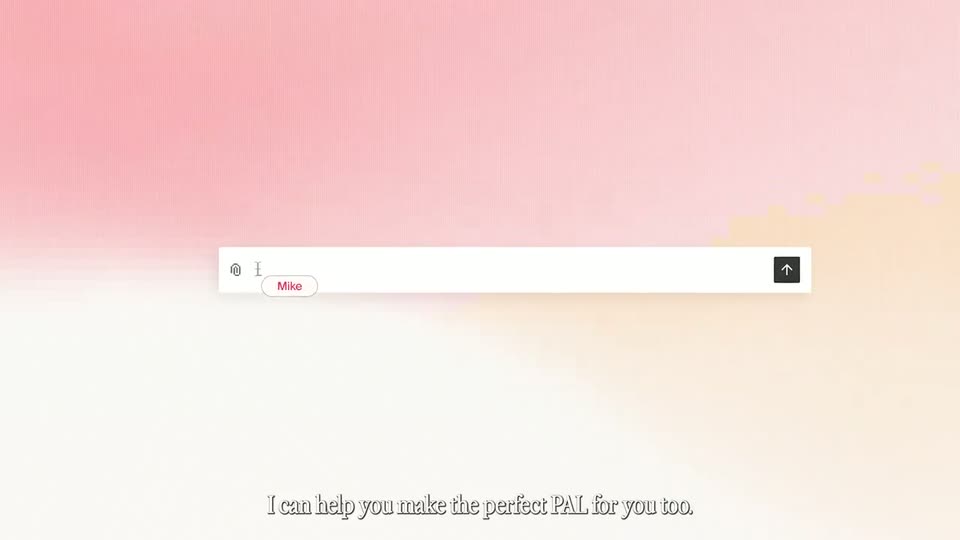
A white prompt bar scales up from a small pill to full width on a pink-to-cream gradient, as the text '@create me a Onboard' types in and a dark send button appears at the right. A pink 'Mike' chip sits below the bar while a serif caption reads at the bottom.
On-screen text: “I can help you make the perfect PAL for you too.”
Techniques: UI zoom
Camera: Static
A white prompt bar holding the typed line Create me a Onboarding PAL and a pink Mike chip slides off to the left across a soft peach-pink gradient, a cursor hovering near the black send button. The bottom caption crossfades from I can help you make the perfect PAL for you too. to Tell me what you want.
On-screen text: “I can help you make the perfect PAL for you too.”, “Tell me what you want.”
Techniques: Kinetic type
Camera: Static
A flat product interface on a cream background: a white input bar with a black send button and cursor pointer settles to center, then a green dot and avatar join the 'Thinking...' label. The bar expands into a tall white panel with icon buttons and a prompt field typing 'Create me a Onboarding PAL', while a caption sits at the bottom.
On-screen text: “Tell me what you want.”, “The way that you would describe a person.”
Techniques: Cursor demo, UI zoom
Camera: Static
A chat card with a Thinking header and a user prompt sits centered on a dotted cream field. The assistant's reply types out line by line, ending with the word guidance. The bottom caption swaps from one line to the next.
On-screen text: “The way that you would describe a person.”, “And I build the whole thing while we talk”
Camera: Pull out
A white onboarding document for Alex slowly zooms in on a light gray backdrop, then a New Deployment modal pops over the blurred page with a cursor resting on the Share a link row, and a pink pixel mosaic rises from the bottom, covering the frame.
On-screen text: “When it's ready, you can share it with the world.”, “And your PALs can go wherever you need them.”, “Send one to your meetings.”
Techniques: UI zoom, Cursor demo
Camera: Static
A Google Meet window fills the frame with four participants in a 2x2 grid, two waving and talking. A control bar with a red end-call button sits below. A white bottom caption reads “Send one to your meetings.” then swaps to “Put one on your website.”
On-screen text: “Send one to your meetings.”, “Put one on your website.”
Camera: Static
A browser window mockup sits centered on a cream background, locked off. Inside, a video player shows a man in a light blue suit speaking, flanked by a menu sidebar and a chapter list. Subtitle captions swap at the bottom edge.
On-screen text: “Put one on your website.”, “Connect it to the tools”
Camera: Pull out
A tilted 3D presentation card floats on a cream background. A dark blue recap slide slides left out of frame, revealing a white metrics dashboard with four colored stat tiles and two participant photos pinned to the corners.
On-screen text: “Connect it to the tools”, “and information that you rely on,”, “and they simply are there whenever you need them”
Techniques: 3D mockup
Camera: Static
A white metrics dashboard card with four stat tiles and a blue status banner is shown, then the scene cuts to a woman in a tan jacket at a desk adjusting a necklace. A white outlined subtitle runs along the bottom throughout.
On-screen text: “and they simply are there whenever you need them”
Camera: Push in
A video call window shows a woman in a tan blazer speaking at a desk, with a small second participant tile in the top-left corner. A dark analytics card with a line chart and a stats list slides in on the right while subtitles run along the bottom.
On-screen text: “and they simply are there whenever you need them”, “Whoever you've imagined from a nurse”
Camera: Pull out
Slightly rotated, overlapping video-call tiles of various people float on a plain off-white background and shuffle to new positions, while a serif caption runs along the bottom.
On-screen text: “Whoever you've imagined from a nurse”, “who guides you the morning”
Camera: Pan
A vertical stack of 3D video tiles shuffles in place, the doctor tile sliding up as a small pain-rating card fades in beside her. The caption “after surgery” holds at the bottom.
On-screen text: “after surgery”
Techniques: 3D mockup
Camera: Static
A vertical stack of rounded video tiles scrolls upward on a white background, cycling filmed people and one 3D animated character, each with a small quiz card floating at the side. White subtitles swap at the bottom.
On-screen text: “after surgery”, “to a coach that you can roleplay”, “a complex situation with.”, “Let's bring them to life.”, “Just tell me in a few words”, “and we'll build your PAL, together”
Techniques: Parallax
Camera: Pan
A pink serif wordmark fades in on a cream background: first PAL, then Maker, with the small line Available now at tavus.io appearing beneath. The lockup holds static as the closing card.
On-screen text: “and we'll build your PAL, together”, “PAL Maker”, “Available now at tavus.io”
Techniques: Kinetic type
Camera: Static
A white TAVUS wordmark with a square icon of two facing face profiles fades in at center on black, then a thin serif tagline fades in below it; both hold static.
On-screen text: “the human computing company”
Camera: Static