1:28
Sutrix (YC F26)
Sutrix · Healthcare · Nov 2026
Tasklet · Oct 2026 · 1:43 · Full motion · AI-annotated
Tasklet’s 1:43 launch film runs 35 scenes, about 2.9 s each. The product shows up at 0:17. The call to action lands at 1:36 (94% in). The video builds from a slow rim-lit 3D orbit of a dark phone into a fast montage of the Tasklet interface, where a locked two-pane layout cross-fades through dozens of agent tasks. Its signature moves are the 3D tilt of the phone mockup, the typed-in chat and dashboard content, and the hard cuts on pure black accented by a single green.
Is this your launch? to your site or press kit.
Sutrix · Healthcare · Nov 2026
Input Systems · Oct 2026
Films whose music sounds like this one, voice left out
GoPro · Cinematic trailer music blended with electronic dance elements
Kling AI · Cinematic trailer music
DJI · Cinematic hybrid orchestral and electronic
Extreme close-up of a dark phone's rounded corner on black, a bright rim light glinting on the metal edge. The camera slowly orbits and pulls back to reveal the side buttons, then the full front of the device standing in 3D perspective.
Techniques: 3D mockup
Camera: Static
A dark smartphone stands centered on a black background, lit by a faint blue rim. Its screen fades from off to on, revealing a status bar and a small red dot at the center. The device stays static and front-facing.
Techniques: 3D mockup
Camera: Static
A dark phone mockup floats on black, tilting in 3D. On its screen, a briefcase, owl and calendar emojis arc into place above the green Tasklet checkmark logo. The bottom button flips to Signing in... as the emojis scatter and fall away.
Techniques: 3D mockup
Camera: Static
A flat black phone shows the green Tasklet logo and a Signing in button, then the device fades out, leaving the logo centered on black as it scales up.
Camera: Static
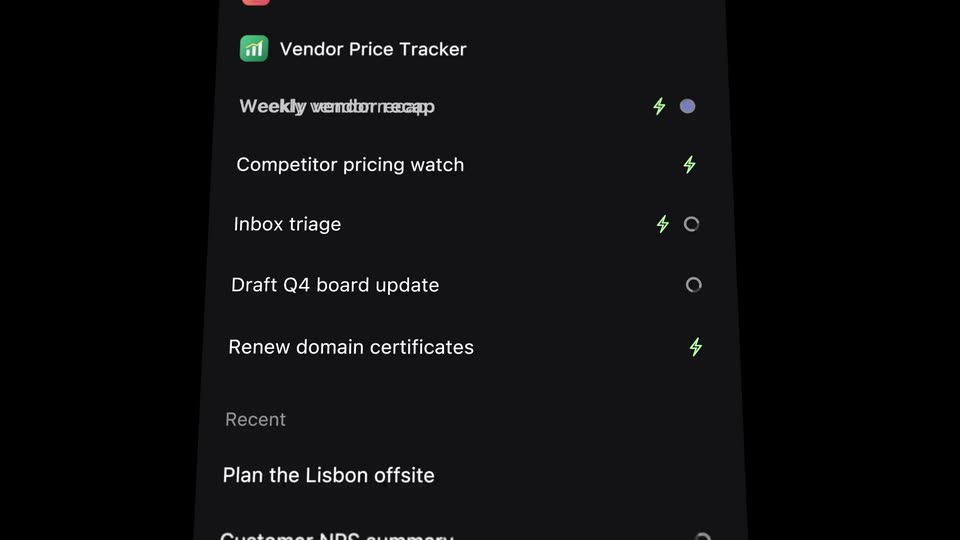
A dark phone mockup tilts in 3D on black, showing circular agent avatars labeled Owlfred, Briefly, Gearhart, Penny. The camera swings to front and zooms into the screen, scrolling a task list, then the bottom input morphs into a voice waveform as a dictated request types out.
Techniques: 3D mockup, UI zoom, Morph
Camera: Pull out
A flat dark phone screen on black scrolls a chat thread list upward and locks onto the Weekly vendor report conversation. A message bubble sits above a pulsing typing indicator while the frame holds.
Camera: Static
A dark chat UI on a phone centered on black. Status lines and a vendor report with a table and checkboxes type in, a voice message requests weekly delivery, and an automation card confirms it. The phone then slides left to a thread list.
Techniques: Kinetic type, UI zoom
Camera: Pull out
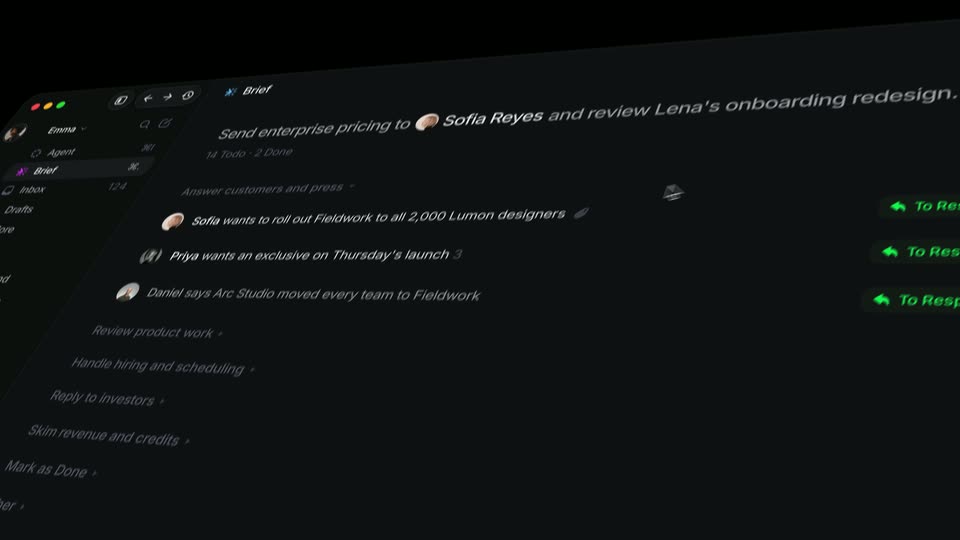
A dark inbox app fills a narrow phone panel centered on black, then the view zooms out to a wider window, revealing the message list on the left beside an empty dark panel on the right.
Techniques: UI zoom
Camera: Pull out
A dark chat interface for the AI assistant Owlfred sits centered on black, with a faint duplicate panel behind it. The view steadily zooms in from the full two-pane layout to a tight close-up of the message bar, where a voice recording waveform and typed prompt fill the input.
Techniques: UI zoom
Camera: Push in
A dark assistant screen shows a greeting and a pulsing voice waveform, then pulls back into a tilted 3D window with a left sidebar, a chat thread and a markdown run-of-show document. The sidebar collapses and the view pushes into the document's table and checklist.
Techniques: 3D mockup, UI zoom
Camera: Pull out
A static two-panel product view: a chat thread about a cloud spend spike on the left, and a Cloud Spend dashboard on the right with an orange line chart, four cost cards, and two breakdown lists. The frame holds on the full interface with no motion.
Techniques: Split screen
Camera: Static
A dark two-pane product screen holds static. The left pane shows a chat thread about vendor price changes; the right pane shows a dashboard with four stat cards, a multi-line chart and a grid of vendor prices.
Camera: Static
A dark product dashboard fills the frame, split into a left chat thread and a right report panel. The report shows a Phishing Drill title, four stat cards, a funnel bar list, a team chart, a fake email card and follow-up rows. The view holds static with no camera move.
Camera: Static
A dark two-panel product screen holds still. The left pane shows a chat thread with an Inbox Triage card and a follow-up field; the right pane lists inbox counts, a needs-you queue and three drafts-ready rows.
Camera: Static
A dark two-panel interface fills the frame, locked off. The left chat and right dashboard swap from a certificate-renewal task to an NPS summary, the task title scaling as it changes.
Camera: Static
A dark dashboard fills the frame, split into a chat digest on the left and a data board on the right. The two panes swap content from a hiring pipeline board with candidate cards to an invoice aging view with a bar chart and invoice list.
On-screen text: “Hiring Pipeline”
Techniques: Split screen
Camera: Static
A dark UI dashboard for a tax prep project is shown. Initially, a chat panel with task messages is visible on the left, side-by-side with the dashboard. The chat panel fades out, leaving the dashboard full-screen with a checklist of tax tasks and status cards.
On-screen text: “Quarterly tax prep”, “7 of 11 tasks are done, and we're on track for Oct 20.”, “The Form 941 draft needs your approval: $145,380, fully deposited”, “12 receipts under $75 still need a memo”, “Two W-9s are missing, from Vandelley Imports and Hodli Point”, “New York sales tax was filed on Sep 18.”, “Send Wonka the final notice”, “Approve the 941”, “Approved and scheduled to file on Oct 15. I'll chase the two W-9s again tomorrow.”, “And the receipts?: I sent the 12 people a one-tap form to add a memo. Four have replied so far. When is the next deadline after this?: Texas and Pennsylvania sa”
Camera: Static
A dark two-panel interface swaps content: the left chat thread moves from a Volvo lease question to a cash-sweep request, while the right detail card transitions from a Lease Buyout summary with a bar chart to a Cash Sweep dashboard with totals, a bank list and a ladder table.
Camera: Static
A dark software interface displays a chat log on the left and a data dashboard on the right. The content switches from a room usage report to a laptop refresh inventory.
Camera: Static
A dark chat panel and a preview pane sit side by side. The pair swaps from a parking-ticket thread with a ticket photo on gray to a bracket review thread showing a metallic 3D bracket on white.
Techniques: Split screen
Camera: Static
A dark two-panel app view. The left chat thread and right document swap content: a launch-day conversation paired with a Product Hunt calendar gives way to a network-cutover thread paired with a Gantt chart, the top bar label updating to match.
Camera: Static
A dark two-panel app interface. The left chat panel and right preview panel swap content: first a 3D kraft box with a navy band and the northbeam logo, then a settings redesign document with before and after columns.
Techniques: 3D mockup
Camera: Static
A dark two-panel app screen shows a chat thread beside a deal dashboard with stat tiles, a request list and a pink bar chart. The right panel and the top status pill swap to a reference-match view with teal progress bars and a candidate list.
Camera: Static
A dark two-pane agent interface sits on black. The left chat and the right document swap from a flight-tracking example, with a browser showing a flight page, to a sales-commissions example, with a spreadsheet of rep payouts.
Camera: Static
A dark two-panel interface shows a chat thread on the left and an attached file on the right. The view cuts from a checkout bug thread with a payment screen recording to a pentest thread with a penetration test PDF.
Camera: Static
A two-pane product interface sits on a black background. The left chat pane and the right document pane cross-fade from a jury-duty topic to a renewal-prep topic. On the right, a pink line chart draws left to right and a red alert box appears.
Camera: Static
A dark chat pane and a preview pane sit side by side in one app window. The view swaps from a kiosk thread, showing a 3D oak-and-steel kiosk render, to a rack thread, showing a color-coded rack elevation diagram. Left messages and right preview change together.
Techniques: 3D mockup
Camera: Static
A split interface shows a task log on the left and a preview pane on the right. The left log swaps from a Lisbon restaurant booking to a trophy order, and the right pane switches from a browser map view to a 3D crystal obelisk render.
Techniques: Split screen, 3D mockup
Camera: Static
A two-pane app interface on a black background: a dark chat thread on the left and a light document on the right. The right document switches from a contract-renewal table to a database cutover runbook while the left thread updates to a Runbook conversation.
Camera: Static
On a black background, two rounded panels sit side by side: a chat window on the left and a browser window on the right. The frame stays locked as the chat messages and the open document swap to a new example.
Camera: Static
A locked-off two-pane interface fills the frame. The left pane holds a chat thread discussing Linear pricing; the right pane shows a browser window on the Linear pricing page, its Q4 2026 board update headline in large white type. The shot stays static.
Camera: Static
A two-pane product screen swaps its content: the left chat changes from an Oregon RFP thread to a Lisbon 2026 sustainability thread, while the right document shifts from a compliance matrix to a conference page that reveals a street photo and a membership card.
Camera: Static
A dark two-pane app window sits static. The left pane holds a chat thread titled 3PL market brief with message bubbles and a Follow up input bar. The right pane displays a document, Market brief: mid-size 3PL operators, with a metrics table and bulleted sections.
Camera: Static
Black screen, locked-off. White serif text “Do Anything.” appears centered, then “Anywhere.” drops in below it. The two lines hold briefly, then the frame cuts to black.
On-screen text: “Do Anything.”, “Anywhere.”
Techniques: Kinetic type
Camera: Static
A dark rounded-square icon with a green T and checkmark fades in at center on a black background, holds with a small white URL line beneath it, then fades out to black.
On-screen text: “tasklet.ai/download”
Camera: Static