0:32
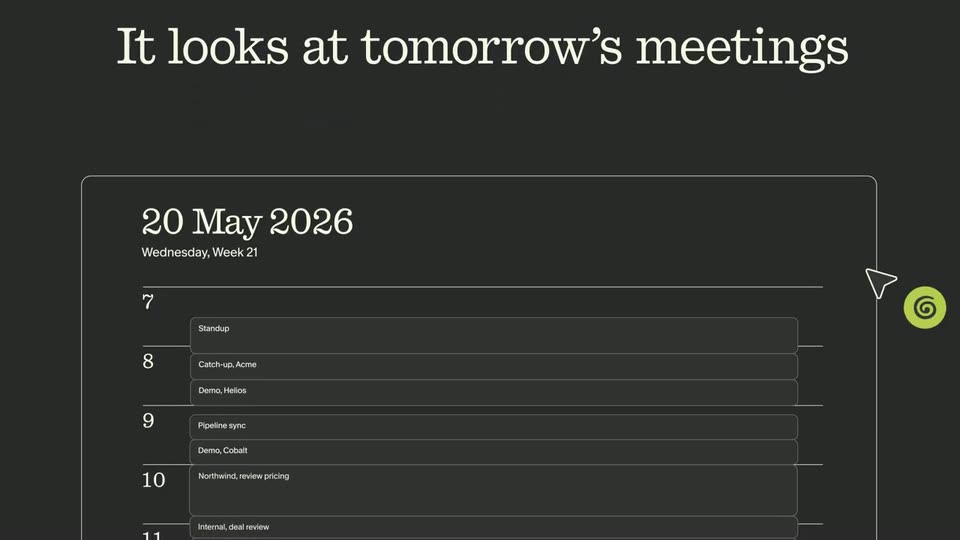

Granola - No more frantic Googling right before a meeting. Introducing Briefs.
Granola · Productivity · May 2026
Supermemory · Oct 2026 · 0:40 · AI-annotated
Supermemory’s 0:40 launch film runs 7 scenes, about 5.8 s each. The product is on screen from the first frame and 3 features are revealed. There is no explicit call to action; a voiceover carries the film. The video is one continuous 3D journey through a particle memory graph, with the camera drifting, tilting and diving while tooltips and panels ease in to name each node type. Slow cuts and shallow focus keep the pace meditative, and the piece closes on a locked logo card.
Is this your launch? to your site or press kit.
Granola · Productivity · May 2026
Loom · Productivity · Jan 2023
A dark interface shows a circular graph of glowing blue and green dots, the agent's memory map. The cluster drifts slowly while a loading tag at the top left fades out and zoom controls sit in the corner.
Techniques: Particles
Camera: Pull out
A sphere of glowing blue dots, dotted with concentric rings and a few green ones at the core, floats in a dark blue haze. The camera tilts from front to top-down, pulling focus so the lower rim blurs and the top edge brightens.
On-screen text: “Legend”, “Center”, “Z”, “0”
Techniques: Particles
Camera: Push in
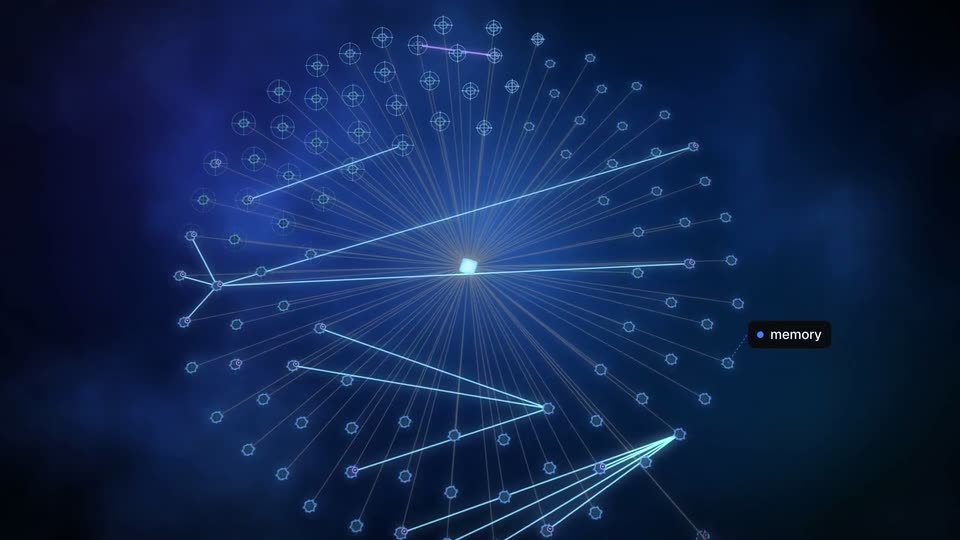
A dark blue particle tunnel resolves into a radial network of glowing lines linking a central white square to hexagonal nodes. Tooltips labeled document and memory pop up at nodes, then the camera pushes in on a highlighted node.
On-screen text: “document”, “memory”
Techniques: Particles, Parallax
Camera: Push in
Dark blue 3D node graph: hexagonal nodes joined by thin cyan lines, a cursor hovers one node with an “update” tooltip, a pink line links it downward. A dark panel eases in at right listing v1 to v3 versions and “v1 Superseded,” tied to the node by a dashed line.
Techniques: 3D mockup, Cursor demo
Camera: Static
A dark blue field of glowing dots forms circular clusters; thin light-blue and pink lines with small hexagon nodes link across it from a small white rectangle on the right, then the lines fade, leaving the drifting dots.
Techniques: Particles
Camera: Pull out
A cyan beam sweeps through a dark blue dot field as a 'related' tooltip pops up. The camera dives into a cluster that becomes a rotating 3D sphere of glowing rings; thin lines draw a mesh across it, then the sphere blurs behind the supermemory logo.
On-screen text: “related”, “recent (< 24h)”, “supermemory”
Techniques: Particles, Light sweep, 3D mockup, Parallax
Camera: Pull out
A white supermemory wordmark with an arrow mark sits centered over a blurred dark blue circular shape. The lockup holds still on a locked-off frame, with the soft bokeh dots behind it remaining out of focus.
On-screen text: “supermemory”
Camera: Static