

1:43
Explore
Loom - 🆕 Need a better way to keep track of looms you want to get back to?
Loom · Jan 2023 · 0:21 · AI-annotated
- Length
- 0:21
- Scenes
- 10 · 2.1 s avg
- Product on screen
- 0:00
- Features shown
- 2
- Voiceover
- No
00:00:00 / 00:21:00
Loom’s 0:21 launch film runs 10 scenes, about 2.1 s each. The product is on screen from the first frame and 2 features are revealed. There is no explicit call to action. The video is built as a series of short beats: a static dark title card announces each idea, then a UI or 3D mockup demo plays out, with the camera zooming into interface details. The persistent corner logo and the deep indigo field keep the look consistent, while fades and slide-ins keep the pace calm and legible.
No filming indicatedEstimated needs: 2 capture groups — your screens or recordings · 1 official logo — reused across the film · 2 3D passages — build or supply
Is this your launch? to your site or press kit.
More like this


0:28
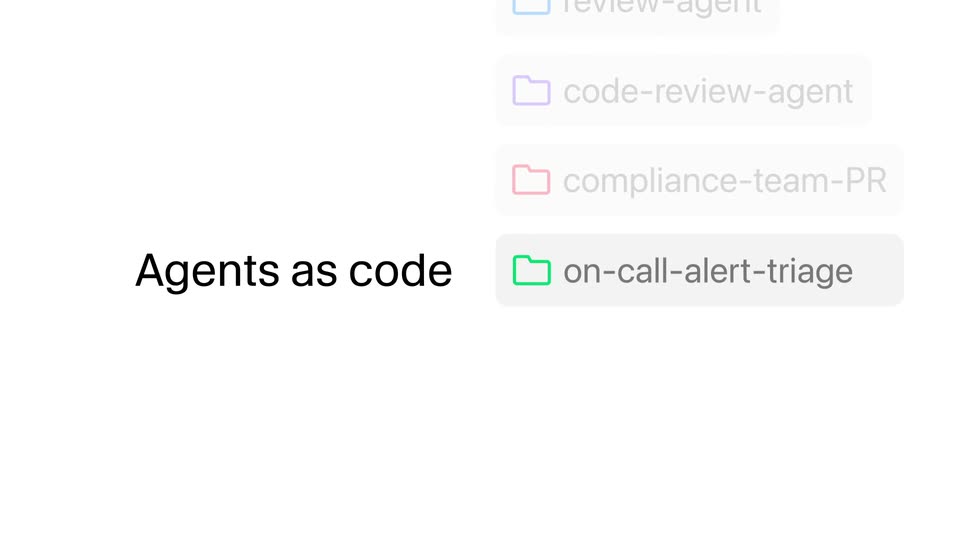

Cursor - The Agent SDK is now available. Define agents as code, with prompts
Cursor · Developer tools · Oct 2026
0:53


October 2026 Launch: BYO Agents
Airtable · Productivity · Oct 2026
Loom - 🆕 Need a better way to keep track of looms you want to get back to?, scene by scene
· 10 scenes as text
01 · Product intro · 0:00–0:02
On a dark indigo field, two centered lines of light lavender sans-serif text fade in from black, a small “Introducing” above a large “Watch Later”. The frame stays locked off.
On-screen text: “Introducing”, “Watch Later”
Camera: Static
02 · Product intro · 0:02–0:02
A dark purple title card holds the Loom logo top left and centered gray text reading Introducing Watch Later. The frame is static, then the text fades out as a faint interface card begins to appear.
On-screen text: “Introducing”, “Watch Later”
Camera: Static
03 · Product intro · 0:02–0:05
A chat window mockup sits on a dark purple field, the Loom logo top left. A Loom video card scales up in the center, its thumbnail gaining a colorful gradient border and a Watch Later button. The frame then zooms into the button as a white cursor hovers over it.
Techniques: Cursor demo, UI zoom
Camera: Push in
04 · Feature reveal · 0:05–0:07
On a dark purple field, a two-line white headline, Easily save videos and set reminders, sits centered under the Loom logo in the top-left corner. The text holds static for about two seconds, then fades out, leaving the logo alone on the plain background.
On-screen text: “Easily save videos”, “and set reminders”
Camera: Static
05 · Feature reveal · 0:07–0:09
A white Loom notification card fades in at the center of a dark purple background, then a phone showing the app's analytics screen fades in behind it. Large white sans-serif text reads “Easily save videos and set reminders.”
On-screen text: “Easily save videos”, “and set reminders”
Camera: Static
06 · Feature reveal · 0:09–0:11
A 3D phone mockup sits centered on a dark purple field with the Loom logo top-left. The camera zooms into the top of the screen, framing the Q2 Analytics card with its bar chart and a woman's avatar above the Deja Harris post.
Techniques: 3D mockup, UI zoom
Camera: Push in
07 · Feature reveal · 0:11–0:13
On a dark indigo field, the Loom logo sits top left while a two-line headline, View and manage your watch list, slides up from below and settles sharp in the center.
On-screen text: “View and manage”, “your watch list”
Techniques: Kinetic type
Camera: Static
08 · Feature reveal · 0:13–0:16
A white sidebar panel slides in from the right over a dark purple field, then the view pulls back to a tilted browser window showing the Loom Watch Later page. A cursor hovers the Watch Later item as the tagline slides in.
On-screen text: “View and manage”, “your watch list”
Techniques: 3D mockup, Cursor demo, Kinetic type
Camera: Pull out
09 · Feature reveal · 0:16–0:17
A browser window showing the Loom Watch Later page fades out against a dark purple background, leaving the Loom logo fixed in the top-left corner as the sign-off.
Camera: Static
10 · Outro · 0:17–0:21
On a dark purple field, the headline “So you never lose track of a loom” slides in as two centered light-gray lines and holds. It fades out, the Loom logo, a purple sunburst mark with a white wordmark, appears centered, then the frame fades to black.
On-screen text: “So you never lose track of a loom”
Techniques: Kinetic type
Camera: Static