
0:42
Explore
Superhuman AI: Instant Reply
Superhuman · Feb 2024 · 0:52 · Code only · AI-annotated
- Length
- 0:52
- Scenes
- 13 · 4.0 s avg
- Product on screen
- 0:00
- Features shown
- 1
- Call to action
- 0:47 · 91%
- Voiceover
- No
- Views
- 6.3K on YouTube
as of November 28, 2026
00:00:00 / 00:52:06
- Length
- 0:52
- Scenes
- 13 · 4.0 s avg
- Product on screen
- 0:00
- Features shown
- 1
- Call to action
- 0:47 · 91%
- Voiceover
- No
- Views
- 6.3K on YouTube
as of November 28, 2026
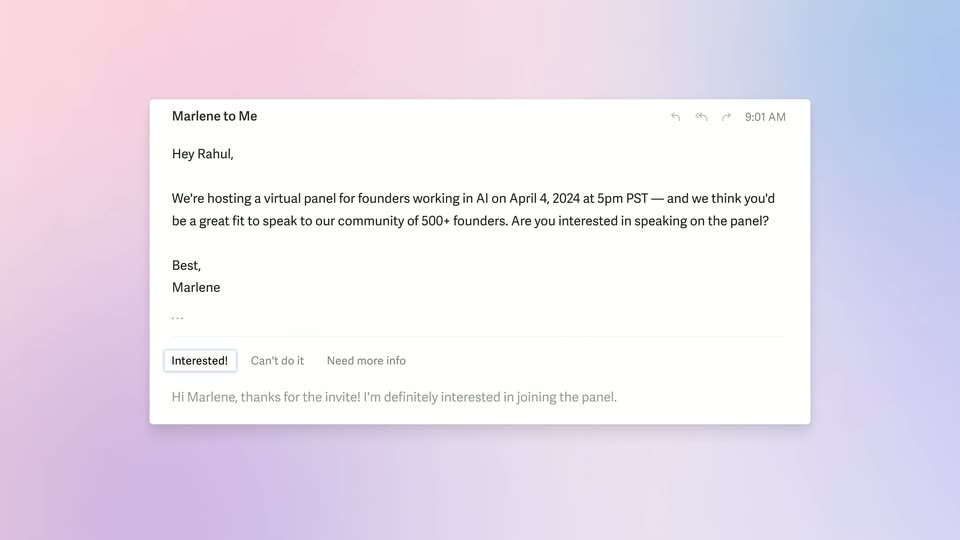
Superhuman’s 0:52 launch film runs 13 scenes, about 4.0 s each. The product is on screen from the first frame and 1 feature is revealed. The call to action lands at 0:47 (91% in). The video alternates full-bleed gradient title cards with flat white email mockups that ease in, type out draft replies, and settle into stacked sent cards. Pacing is slow and even at about three cuts per minute, with crossfades, ghosted double-exposures, and centered text fades as the signature moves.
No filming indicatedEstimated needs: 1 capture group — your screens or recordings · 1 official logo — reused across the film
Is this your launch? to your site or press kit.
More like this

1:40

ElevenLabs Developers - Introducing creative tools in ElevenLabs MCP. Available now in: Code
ElevenLabs · AI · Sep 2026
2:32

Now available in Microsoft 365 Copilot: Researcher and Analyst agents
Microsoft · AI · Jun 2025
Similar soundtrack
Films whose music sounds like this one, voice left out
1:26

Best AI Saas Product Launch Video | Snowfire
Snowfire · Modern funk, disco, and electronic dance music
1:03
Otter.ai - Introducing Meeting GenAI ✨ Say goodbye to lost insights and hello
Otter · Electronic dance, funk
0:29

Introducing Exodus Pay
Exodus · Modern funk, disco, and electronic dance music with a high-energy, upbeat mood.
Superhuman AI: Instant Reply, scene by scene
· 13 scenes as text
01 · Product intro · 0:00–0:02
A gradient-outlined diamond mark, pink to cyan, scales up from a tiny point to full size in the center of a dark purple gradient field, holds, then fades to black.
Camera: Static
02 · Hook · 0:02–0:10
Grey sans-serif lines fade in and out one at a time on a dark purple gradient, then the background crossfades to a warm orange-to-violet gradient as the title Instant Reply and the Superhuman ai badge settle in.
On-screen text: “Imagine waking up”, “to an inbox...”, “where every email..”, “already has a draft reply.”, “Instant Reply”, “Superhuman ai”
Techniques: Kinetic type
Camera: Static
03 · Feature reveal · 0:10–0:25
The email client window zooms into a single “Marlene to Me” message card. Three reply chips appear, and selecting each one types a matching draft. The draft then converts into a sent “Me to Marlene” card below the original.
Techniques: UI zoom
Camera: Static
04 · Feature reveal · 0:25–0:28
On an orange-to-purple gradient, the white headline 'Reply twice as fast' holds center over a fading email card, then a lighter second line 'with Instant Reply' appears below it. A second email card with quick-reply chips fades in behind the text.
On-screen text: “Reply twice as fast”, “with Instant Reply”
Camera: Static
05 · Feature reveal · 0:28–0:31
A flat white email card on a soft pink-to-blue gradient. It eases in with a brief ghosted double-exposure, showing an email from Mike and three quick-reply chips. A reply with a Send button appears below. The card then fades out to the bare gradient.
Camera: Static
06 · Feature reveal · 0:31–0:32
A white email card sits centered on a soft pink-to-blue gradient, holding still. The message from Amelia asks Rahul to review materials; three quick-reply chips sit below with the middle one outlined, and a grayed-out draft reply fills the bottom.
Camera: Static
07 · Feature reveal · 0:32–0:34
On a pink-to-blue gradient, a white email card from Amelia sits above a reply card. A draft suggestion line with three chips and send buttons fades out, and the two cards settle apart with a visible gap.
Camera: Static
08 · Feature reveal · 0:34–0:36
A white email thread card sits centered on a soft pink-to-blue gradient. The card crossfades between two states: an incoming Spanish customer message with quick-reply chips, then a sent reply, the body text dissolving and the footer switching from reply shortcuts to Send, Send later and Remind me buttons.
Camera: Static
09 · Feature reveal · 0:36–0:37
Two white email cards sit stacked on a soft pink-to-blue gradient. The top card reads a Spanish message from Ana to Me, the lower card shows the short reply from Me to Ana. The composition holds still with no movement.
Camera: Static
10 · Feature reveal · 0:37–0:38
A white email card floats centered on a soft pink-to-blue gradient. It shows Lorilyn's note to the team confirming the launch, with three quick-reply chips beneath a divider; “Awesome!” is highlighted and a caret blinks inside it, while a gray reply line sits below. The shot holds static.
Camera: Static
11 · Feature reveal · 0:38–0:40
On a pastel gradient, a white email card reads Lorilyn to Team. A second reply card, Me to Lorilyn, fades and slides into place beneath it, its Send, Send later and Remind me buttons dissolving out.
Camera: Static
12 · Other · 0:40–0:47
On a teal-to-purple gradient, the Superhuman ai wordmark fades in, then the centered words Reply, Summarize and and more... cycle one after another with crossfades. The two-line headline Get 4 hours back every single week fades in, holds, and fades out.
On-screen text: “Superhuman ai”, “Reply”, “Summarize”, “and more...”, “Get 4 hours back”, “every single week”
Techniques: Kinetic type
Camera: Static
13 · CTA · 0:47–0:52
A defocused purple-teal gradient holds the tagline lines around the URL, then the frame settles to a dark navy field where only SUPERHUMAN.COM remains, centered and static while the background drifts slowly.
On-screen text: “Get 4 hours back”, “SUPERHUMAN.COM”, “every single week”
Camera: Static