1:57
Superhuman AI
Superhuman · Productivity · May 2023
Superhuman · Oct 2024 · 1:25 · AI-annotated
Superhuman’s 1:25 launch film runs 26 scenes, about 3.3 s each. The product is on screen from the first frame and 2 features are revealed. The call to action lands at 1:12 (85% in). A product launch built as a calm, confident sequence: a serene mountain lake opens and closes the piece, while crisp white UI panels demo three scheduling flows against a dark blue-purple gradient. Pacing is steady and unhurried, driven by slow scale-ins, sliding text lines, and a recurring hand cursor that taps each action, ending on a time-saved promise and the superhuman.com URL.
Is this your launch? to your site or press kit.
Superhuman · Productivity · May 2023
Google · AI · Mar 2010
Films whose music sounds like this one, voice left out
Airtable · Funk, Disco, Nu-Disco
Arcade · Modern funk and disco with electronic dance music elements
Spline · Electronic dance music
A locked-off wide shot of a forested mountain lake under a cloudy sunset sky. White text “Superhuman ai” fades in at center, then is replaced by “Instant Event”, which scales up across the frame.
On-screen text: “Superhuman ai”, “Instant Event”
Techniques: Kinetic type
Camera: Static
A dark mountain-and-lake landscape at dusk fills the frame. The white word Schedule sits centered and scales as the footage fades to a near-black gradient, while a smaller gray line, at the crack of, slides in beneath it.
On-screen text: “Schedule”, “at the crack of”
Techniques: Kinetic type
Camera: Static
On a dark blue-purple gradient, the light gray line “at the speed of thought” sits centered as its last letter slides into place, then a dark line “Hyperfusion <> Superhuman” slides in along the top.
On-screen text: “at the speed of thought”, “Hyperfusion <> Superhuman”
Techniques: Kinetic type
Camera: Static
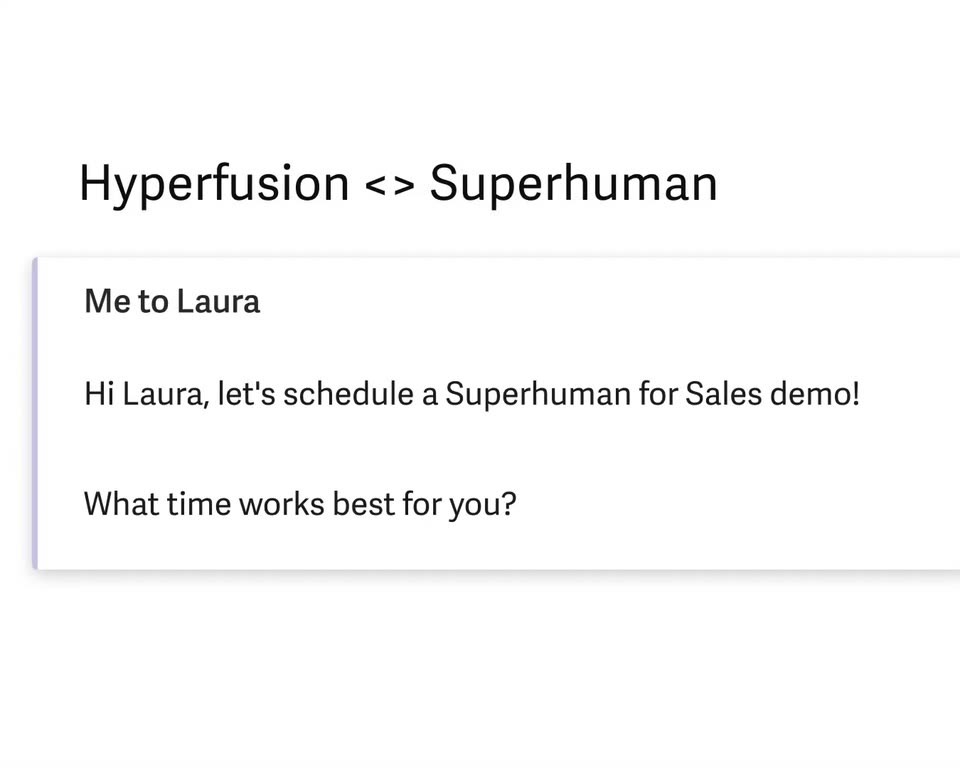
A white message card with a left accent bar rises into frame beneath a dark heading. The email preview lines fade from faint gray to solid black, settling into place.
On-screen text: “Hyperfusion <> Superhuman”
Techniques: Kinetic type
Camera: Static
A white interface mockup: the heading slides in above a message line, then a reply card slides up with a proposed time and two action labels. A purple action label appears as the camera zooms in on it.
On-screen text: “Hyperfusion <> Superhuman”
Techniques: Kinetic type, UI zoom
Camera: Push in
A white event card scrolls upward, pushing a faint gray suggestion line off the top edge. The centered purple 'Create event: Nov 15' label lightens as a hand cursor taps the date.
Techniques: Cursor demo
Camera: Static
A light calendar event card scrolls upward, revealing the title, attendees, time, link and description, then a hand cursor moves to the purple SAVE button and clicks it.
Techniques: Cursor demo
Camera: Pan
A white toast banner with a blue left accent is centered on a dark gradient background. The label Event scheduled. and a gray close X fade in from low opacity to full. The frame stays locked off.
Camera: Static
On a dark gradient background, a gray rectangle frames the white line “Find the perfect time” at center. The rectangle and first line fade out as the gray line “for you and your team” fades in at the same position.
On-screen text: “Find the perfect time”, “for you and your team”
Camera: Static
A near-black background fades to light gray while the headline “Holiday Campaign Support” slides in from the left in dark gray sans-serif, settling in the upper third of the frame.
On-screen text: “Holiday Campaign Support”
Techniques: Kinetic type
Camera: Static
A black sans headline and a white email card with a purple left edge slide up from below into place on a pale gray background, leaving a brief motion-blur trail. The card holds a short team message with a blue link.
On-screen text: “Holiday Campaign Support”
Techniques: Kinetic type
Camera: Static
A white email thread titled Holiday Campaign Support shows a message from Me. A reply card slides in with sender names, a question, and quick-reply chips, then the view zooms into the purple Create event: Nov 7 chip.
Techniques: UI zoom
Camera: Push in
A hand cursor moves onto the 'Create event: Nov 7' label and clicks it. The event form fills in: a calendar icon, a title, and a list of names appearing line by line. The frame then zooms to the When and Meet rows.
Techniques: Cursor demo, UI zoom
Camera: Pull out
The calendar view scrolls down past the meeting header, listing attendee names and a Meet link, into the day grid where light blue and solid blue event blocks for Lunch, Holiday Campaign Support, and Onboarding fill the afternoon.
Camera: Pan
A weekly calendar grid with pale event blocks scrolls down, revealing a purple SAVE button at the lower left. A hand cursor hovers over it. A blue Holiday Campaign Support bar sits elevated across the grid.
Techniques: Cursor demo
Camera: Pan
A white toast banner with a thin blue bar on its left edge sits centered on a dark gradient background. The gray message and a close icon fade in, then hold on a locked-off frame.
Camera: Static
A dark toast reading “Event scheduled.” fades out at center, then the headline “Ask AI to schedule for you” scales up on a dark gradient background.
On-screen text: “Ask AI to schedule for you”
Techniques: Kinetic type
Camera: Static
A dark gradient background holds a centered white headline that scales in gently while the frame stays locked.
On-screen text: “Ask AI to schedule for you”
Techniques: Kinetic type
Camera: Static
A white sans-serif headline scales in over a dark gradient, its left edge still clipped by a vertical wipe. It cuts to a dark chat thread titled SSO Availability, showing a message from Laura to Me and an @mention input field.
On-screen text: “Ask AI to schedule for you”
Techniques: Kinetic type, Masking
Camera: Static
A chat interface fades in from a dimmed state. The heading SSO Availability tops a message card from Laura asking for SSO details, while an empty reply field with a text caret sits at the bottom.
Camera: Static
A light chat UI shows a message from Laura under the title SSO Availability. The composer types an @Allie mention, the thread scrolls to post it, Allie replies, then a second reply is typed and sent as the screen fades to white.
Camera: Push in
A white Ask AI dialog floats on a dark gradient. A command is typed into the field, a rainbow-bordered Thinking chip appears, then the panel expands to reveal an answer and a meeting card with avatars. A hand cursor clicks the SAVE button.
Techniques: Kinetic type, Morph, Cursor demo
Camera: Pan
A white notification bar with a blue accent edge is centered on a dark gradient background. The label “Event scheduled.” and a gray close icon fade in from low opacity, then hold still.
Camera: Static
A translucent gray notification bar reading “Event scheduled” with a close icon fades out on a dark gradient background, leaving the centered “Superhuman ai” wordmark, with “ai” set in a rounded square chip.
On-screen text: “Superhuman ai”
Camera: Static
White words cycle vertically through the center of a dark gradient field. Each term slides up and out as the next rises from below, passing through the middle at a steady pace.
On-screen text: “Schedule”, “Search”, “Summarize”, “Reply”, “...and more”
Techniques: Kinetic type
Camera: Static
Locked-off wide shot of a mountain lake and forested valley at dusk, clouds drifting across the sky in time-lapse. Centered white text lines appear in sequence: '...and more', 'Get 4 hours back', 'every single week', then 'superhuman.com' holds as the frame fades to black.
On-screen text: “Reply”, “...and more”, “Get 4 hours back”, “every single week”, “superhuman.com”
Techniques: Kinetic type
Camera: Pan