
1:34
Explore
bolt.new - Introducing Figma to Bolt Go from Figma to pixel-perfect full stack
StackBlitz · Mar 2025 · 0:16 · AI-annotated
- Length
- 0:16
- Scenes
- 9 · 1.9 s avg
- Product on screen
- 0:00
- Features shown
- 2
- Call to action
- 0:13 · 81%
- Voiceover
- No
00:00:00 / 00:16:21
StackBlitz’s 0:16 launch film runs 9 scenes, about 1.9 s each. The product is on screen from the first frame and 2 features are revealed. The call to action lands at 0:13 (81% in). A three-step tutorial built as numbered headline cards alternating with 3D-tilted window demos, each step landing on a visible payoff such as the generated music app. The style is defined by a near-black stage, a logo morph from Figma to bolt, typing cursors, and locked-off gradient CTA bookends.
No filming indicatedEstimated needs: 4 capture groups — your screens or recordings · 2 3D passages — build or supply
Is this your launch? to your site or press kit.
More like this
bolt.new - Introducing Figma to Bolt Go from Figma to pixel-perfect full stack, scene by scene
· 9 scenes as text
01 · Product intro · 0:00–0:01
A locked-off dark frame shows the colorful Figma mark and a white lowercase b logo side by side. Below them sits a gradient-bordered pill button reading Import from Figma with a hand cursor icon.
Camera: Static
02 · Product intro · 0:01–0:02
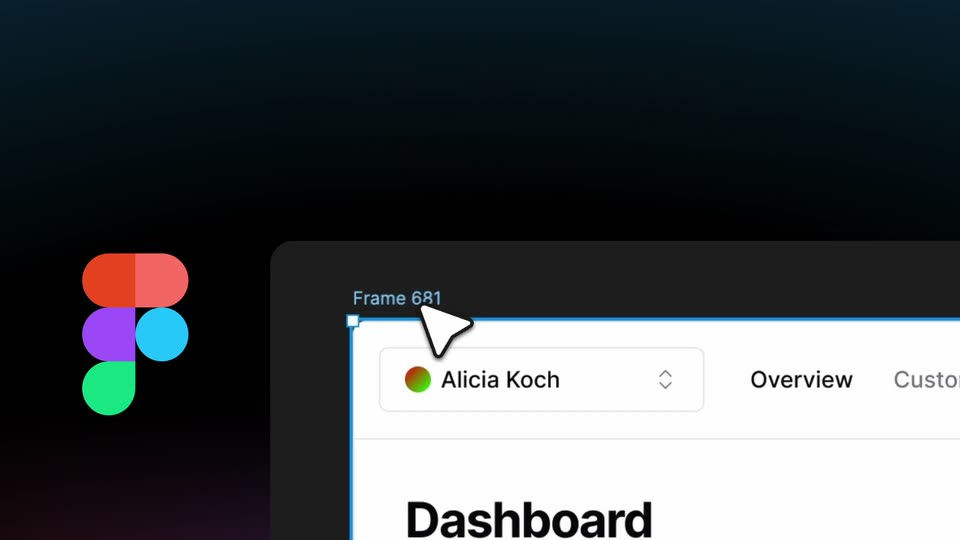
A near-black frame holds the colorful four-shape brand logo at the lower left. A blurred white interface panel fades in across the right half, its contents out of focus.
Camera: Static
03 · Feature reveal · 0:02–0:04
A dark scene with the heading “1. Select the frame” above a tilted 3D browser window showing a dashboard UI. Two cursors glide toward the top-left corner of the frame, where a small white selection handle pops in.
On-screen text: “1. Select the frame”
Techniques: 3D mockup, Cursor demo
Camera: Static
04 · Feature reveal · 0:04–0:07
A dark frame shows a Figma logo beside a browser address bar holding a Figma URL. The instruction “2. Put bolt.new before the Figma URL” appears above as the domain bolt.new inserts itself into the bar, then the instruction fades out.
On-screen text: “2. Put bolt.new”, “before the Figma URL”, “https://bolt.new/figma.com/”
Camera: Static
05 · Feature reveal · 0:07–0:08
A dark frame holds a code editor window with a file tree and highlighted code. A cursor slides from the Code tab to the Preview tab. On the left, a multicolor rounded logo morphs into a white lowercase b. The headline You have an app! appears at the top.
On-screen text: “You have an app!”
Techniques: Cursor demo, Morph
Camera: Pan
06 · Feature reveal · 0:08–0:10
On a dark stage, a white b logo sits at left beneath a bold white headline. A music app window, tilted in 3D perspective, fills the right; its sidebar and Listen Now page settle from a brief ghosted overlap into a clean layout, a cursor on the Preview tab.
On-screen text: “You have an app!”
Techniques: 3D mockup
Camera: Static
07 · Feature reveal · 0:10–0:11
A dark scene with the white headline “You have an app!” above a flat browser window mockup of a music app; the window's sidebar and album grid scroll vertically while a white “b” logo sits at the left edge and a cursor moves over the cards.
On-screen text: “You have an app!”
Techniques: Cursor demo
Camera: Static
08 · Feature reveal · 0:11–0:13
A white lowercase b logo sits left of a dark prompt box on a black gradient, where the text implement the remaining pages types out with a blinking caret. Above, the headline 3. Continue building! slides down into place.
On-screen text: “3. Continue building!”
Techniques: Kinetic type
Camera: Static
09 · CTA · 0:13–0:16
On a near-black background, the multicolor Figma mark and a white lowercase b logo fade in side by side, then a gradient pill button labeled Import from Figma appears below with a white hand cursor resting on it. The frame stays locked off.
Techniques: Cursor demo
Camera: Static