0:21
Aniket Pawar - Seeing a lot of screenshots tagging @rauchg about exhausting Vercel l
Vercel Doctor · Sep 2026
Polymarket · Feb 2026 · 0:11 · AI-annotated
Polymarket’s 0:11 launch film runs 7 scenes, about 1.7 s each. The product is on screen from the first frame and 2 features are revealed. There is no explicit call to action. One continuous terminal session carries the whole video: a 3D-tilted window levels out as the setup completes, and each feature is announced by a command typed character by character before its output scrolls in. Pacing is steady and mechanical, built on typing, blinking cursors and table scrolls rather than cuts.
Is this your launch? to your site or press kit.
Vercel Doctor · Sep 2026
Poth Labs · B2B · Jul 2026
Suno · AI · Sep 2025
A black macOS terminal window floats in 3D perspective over a textured blue field, its left edge dropping a soft shadow. The prompt line types out the command polymarket setup one character at a time behind a blinking cursor.
Techniques: 3D mockup, Kinetic type
Camera: Static
A black terminal window tilts in 3D perspective on a textured blue background. A pixelated blue POLYMARKET wordmark tops the screen, and below, the wallet prompt blinks as a y is typed and the Enter private key line appears.
Techniques: 3D mockup
Camera: Static
A black terminal window sits on a textured blue background, showing a finished wallet setup with step headers and a final prompt. A mouse pointer fades out and a text cursor blinks at the bottom line.
On-screen text: “Preview – use small amounts only, at your own risk.”
Camera: Static
A black macOS terminal window on a blue background displays completed setup output, wallet addresses and a next-steps list. At the bottom prompt, the command polymarket markets list --active true --limit 25 is typed in, and a fresh cursor line appears beneath it.
Techniques: Cursor demo
Camera: Static
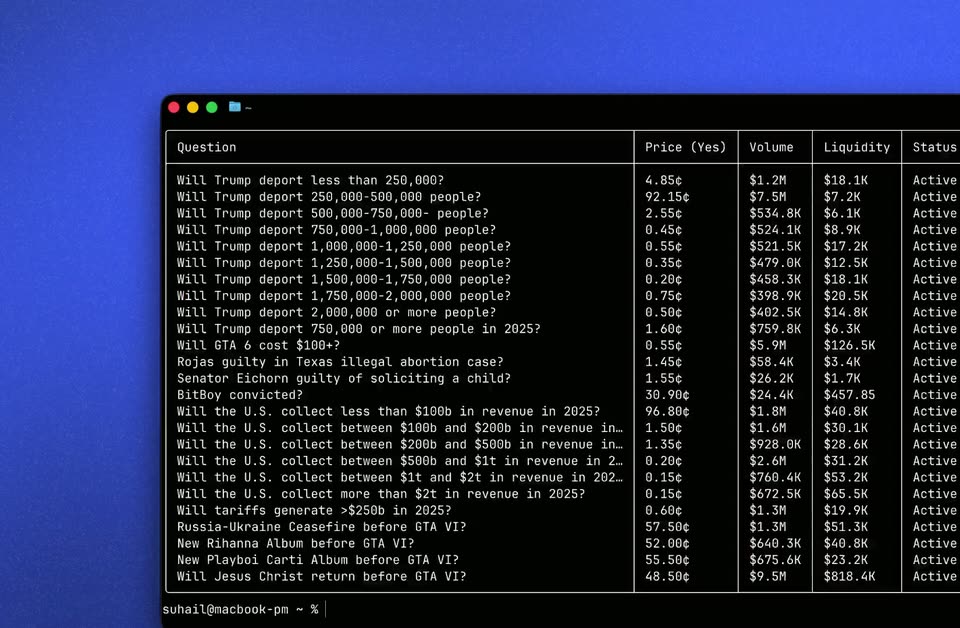
A flat macOS terminal window sits on a blue textured backdrop, showing a prediction-market table with question rows and price, volume and liquidity columns. A mouse cursor glides from the lower rows up to the column header.
Techniques: Cursor demo
Camera: Static
A macOS terminal window sits on a blue textured backdrop, showing a table of prediction market questions with columns for price, volume, liquidity and status. The window holds still while a block cursor blinks at the prompt line.
Camera: Static
A macOS terminal window on a blue field shows a scrolling list of prediction-market rows, then a polymarket order command types in and prints a MATCHED result with order ID and success flag.
Camera: Static