0:40
Mercury - Meet Mercury Code. A senior software developer-grade AI agent, built
Mercury Agent · Sep 2026
Vercel Doctor · Sep 2026 · 0:21 · AI-annotated
Vercel Doctor’s 0:21 launch film runs 7 scenes, about 3.1 s each. The product is on screen from the first frame and 2 features are revealed. There is no explicit call to action. The video is one continuous terminal-style demo: a typed install command, a scrolling file list and a line-by-line error reveal, all in monospace on near-black and paced by text animation rather than cuts. Its signature move is the color-coded score badge, a square face icon with a segmented bar that fills red for a critical score and flips to a green smile at 100/100, carrying the red-to-green state change that resolves the whole narrative.
Is this your launch? to your site or press kit.
Mercury Agent · Sep 2026
Caution · B2B
Flux Theory · Consumer · Oct 2026
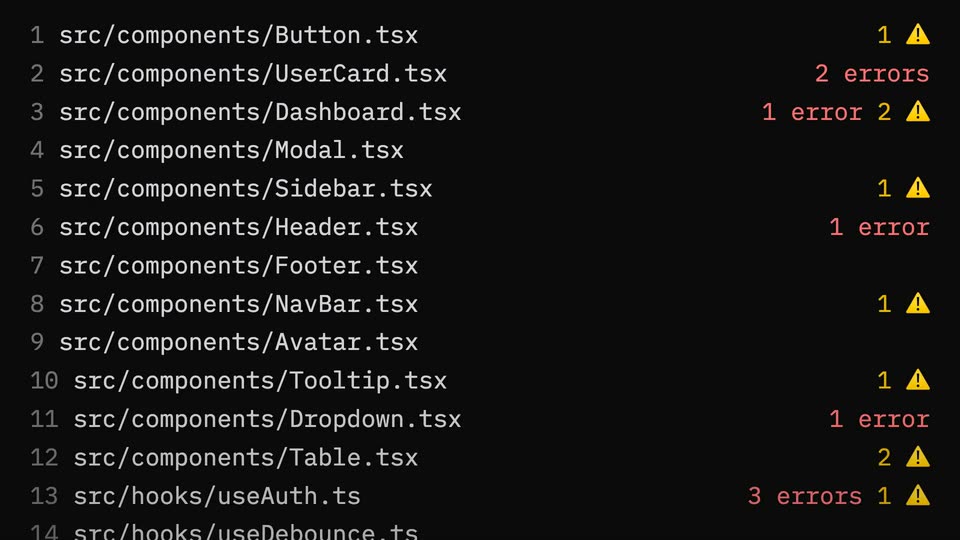
A black terminal screen shows the command $ npx -y vercel-doctor@latest typed out character by character behind a block caret, then cuts to a numbered list of four component file paths with red error counts and yellow warning icons on the right.
Techniques: Kinetic type
Camera: Static
A numbered list of source file paths in monospace type scrolls down a black background, rows tagged with red error counts and yellow warning triangles. A large gray headline fades in at the bottom.
On-screen text: “Fix 100+ Next.js issues”
Camera: Static
A black terminal screen lists numbered file paths with red error counts and yellow warning triangles, scrolling upward through the list. A white caption at the bottom holds, then disappears as the scroll continues.
On-screen text: “Scan for Next.js issues”
Camera: Pan
A red sad-face icon and a monospace score counting from 22 to 42 / 100 Critical sit on black above a segmented bar filling with red. The group shrinks to the top-left as a gray line reads 22 errors across 18 files in 2.1s.
On-screen text: “42 / 100 Critical”, “22 errors across 18 files in 2.1s”
Techniques: Kinetic type
Camera: Static
A dark code-audit screen keeps a red score and progress bar fixed at the top. Below, error lines populate one by one, each marked with a red x. A large monospace label at the bottom fades in, holds, then fades out.
Camera: Static
A black terminal shows a Claude Code header with an orange pixel robot. Red error lines flip one by one to green checkmarks with strikethrough, ending on 'All issues fixed'. A red score badge with two x marks bookends the sequence at the top.
Camera: Static
On a black background, a square line icon holds a sad face with X eyes beside a score readout and a segmented bar. The number scales through a low Critical value, then the icon turns green, the face becomes a happy smile, the score reads a full Great value and the bar fills solid green.
On-screen text: “32 / 100 Critical”, “100 / 100 Great”
Techniques: Kinetic type
Camera: Static