2:36

Real-time steering of AI agents | Stacktrace.AI
Stacktrace · B2B · Nov 2026
SlashVibe’s 1:13 launch film runs 40 scenes, about 1.8 s each. The product shows up at 0:05 and 7 features are revealed, with social proof. The call to action lands at 1:08 (92% in), over a voiceover. The film opens by clearing a cluttered desk, then introduces the device and lands each feature in two to four second beats at about 21 cuts per minute, alternating live action desk shots with gray 3D renders. Signature moves are objects peeling or dissolving off the monitor, the clamshell lid folding open and shut, and translucent panels that type the user's words in real time.
Is this your launch? to your site or press kit.
Stacktrace · B2B · Nov 2026
WithAI · May 2026
Hallmark · May 2026
A filmed office desk holds an iMac with a light app screen and a vertical monitor of code, flanked by a lamp, headphones and a flip clock. The camera pushes in slowly on the setup. A white caption sits at the bottom.
On-screen text: “This is where you put Al to work”
Camera: Push in
A bright desk holds an iMac with a project board, a code monitor, keyboard and mouse. The headphones, microphone and small black keyboard disappear in sequence, clearing the desk while the caption stays locked at the bottom.
On-screen text: “Let's make room for a better way to work”
Camera: Static
A white rectangular controller rises from the bottom edge and tilts into the center, floating and slowly rotating against a blurred room with a bright window. The caption stays locked at the bottom.
On-screen text: “Meet SlashVibe”
Techniques: 3D mockup
Camera: Static
A small white rectangular controller with a top slot and three buttons floats mid-frame, rotating slowly in 3D against a blurred room with a bright window. A caption at the bottom reads the product name, then swaps to a tagline.
On-screen text: “Meet SlashVibe”, “A physical controller for your AI agents”
Techniques: 3D mockup
Camera: Static
A hand lifts the lid of a small silver desktop device on a beige desk mat, opening it to reveal a dark screen and a row of buttons. The screen shows a green cursor, then white text. A keyboard sits blurred in the background.
On-screen text: “A physical controller for your AI agents”
Camera: Push in
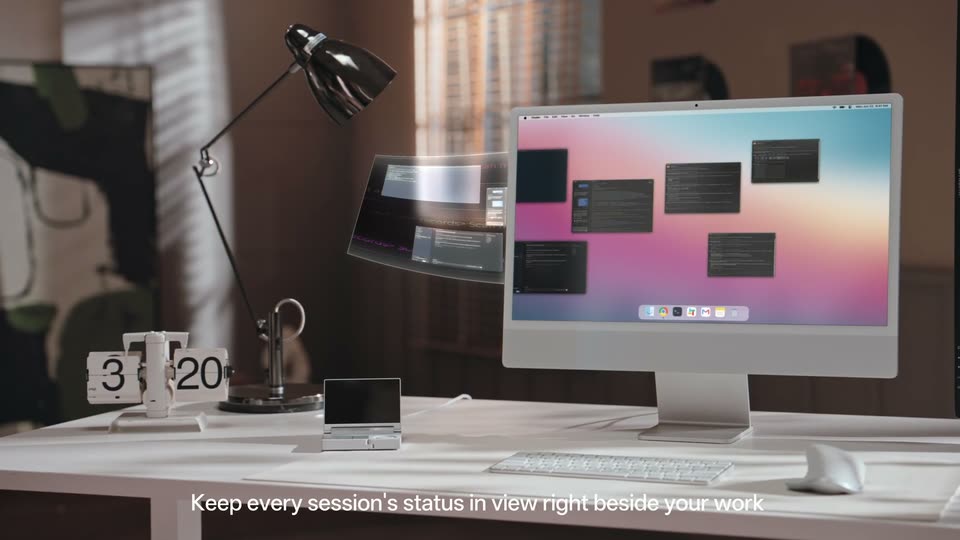
A lit desk holds a monitor with floating chat windows over a gradient wallpaper. A curved sheet of session-status text peels out from the screen and settles to the left, beside a small black display on a stand. A caption sits at the bottom.
On-screen text: “Keep every session's status in view right beside your work”
Techniques: 3D mockup
Camera: Static
A locked-off shot of a sunlit desk with a desktop computer, black lamp, flip clock and a small monitor showing a dark app. A translucent curved glass ribbon on the left dissolves out in the first second. A white caption sits at the bottom.
On-screen text: “Keep every session's status in view right beside your work”
Camera: Static
A laptop sits at a low angle in a blurred office, its screen showing a task list with blue WORKING labels and a highlighted row. The frame is locked off with shallow depth of field, and a white caption sits at the bottom.
On-screen text: “Keep every session's status in view right beside your work”
Camera: Static
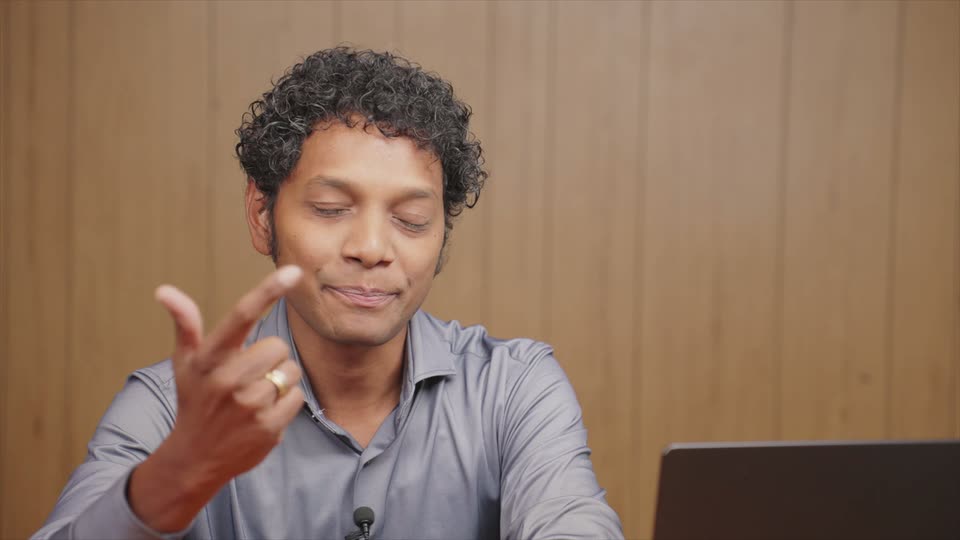
A man in a tan shirt sits at a desk with hands clasped, looking down and speaking. The shot is framed behind the blurred back of an iMac and a laptop, with a potted plant at the right edge. Soft daylight, shallow depth of field.
Camera: Static
An open silver clamshell device sits on a white desk, its tilted screen listing tasks with green and blue WORKING tags. A hand enters from the right and presses a button on the ribbed base.
Camera: Static
A hand types on a retro 3D terminal shown in perspective while rounded app icons drift at varying depths around it. White bold text reads 'Works with 20+ AI AGENTS' over the device, with a small caption at the bottom swapping lines.
On-screen text: “Works with”, “20+ AI AGENTS”, “When a session needs you”, “it moves into focus”
Techniques: 3D mockup, Parallax
Camera: Push in
A man in a beige shirt sits in a gray chair at a white desk, seen from behind, facing a monitor with an open software window. A black lamp, a flip clock and a phone sit on the desk. The locked-off frame holds still while a caption sits at the bottom.
On-screen text: “it moves into focus”
Camera: Static
A laptop screen at an angle with shallow focus shows a dark task list scrolling upward, revealing a green DONE row and then a Migration audit complete report. The frame stays locked while the interface content moves.
Camera: Static
A small hinged gadget with a dark screen rests on a pale desk, angled in 3D perspective. A hand's index finger presses a round green button on its body while the screen holds a migration audit report. The white caption One flick fades in at the bottom.
On-screen text: “One flick”
Techniques: 3D mockup
Camera: Static
Hands work a trackpad and mouse at a desk with an iMac code editor, a vertical code monitor, and a tablet on a stand. A flip clock reads 3 20. A dark terminal window fills the iMac screen. The caption and you're in sits at the bottom.
On-screen text: “and you're in”
Camera: Static
A macro close-up of a white desktop device with a circular dial and icon keys, its tilted screen showing a code terminal. A hand enters from the right and turns the dial while a blurred monitor and keyboard sit in the background.
Camera: Pull out
Top-down view of a white desk where a hand taps a small white keypad with a rotary dial. An e-paper display on a stand shows a dark terminal, its green and white code lines updating as the keys are pressed.
Camera: Static
A locked-off close-up shows a hand on a small white desktop device with three icon buttons and a rotary dial, the thumb turning the dial. Shallow depth of field on a beige textured surface, with a caption centered at the bottom.
On-screen text: “Actually check openvibe”
Camera: Static
A man sits at a desk in a bright office, typing at two monitors. A dark rounded command bar with a prompt and mic icon appears top left, typing out his words, while the same sentence is captioned in white at the bottom.
On-screen text: “Actually check openvibe”, “Actually check openvibe server for the feedback API”, “server for the feedback API”
Techniques: Kinetic type
Camera: Static
A man works at a sunlit desk with an iMac showing a code editor and a vertical monitor of code; his hands rest on a trackpad and mouse beside a flip clock and a small terminal device. The camera holds a locked-off wide shot.
On-screen text: “server for the feedback API”
Camera: Static
A stand-mounted mini display on a white desk shows a task list, a highlight stepping down the rows one by one. A hand works a mouse at the right beside a keyboard, while the frame stays locked off.
Camera: Static
A man in a beige shirt sits at a bright desk with two monitors, one showing code, and types on a slim keyboard. A flip clock on the desk shows 20 while a caption reads Pricing page with Stripe.
On-screen text: “Pricing page with Stripe”, “20”
Camera: Static
A man in a tan shirt sits at a white desk in a bright windowed office, leaning back with eyes closed. He lifts a small silver device with a round button into view and looks at it. Two monitors, a keyboard and a mug sit on the desk; a blurred calendar card rests in the foreground.
Camera: Static
A man in a beige shirt holds a small silver device with a round dial and a green dot, pointing at it with his index finger. His other hand lifts away as the device stays centered, shot with shallow focus against a blurred interior with a cup and papers.
Camera: Push in
A white modular unit with a round dial and a green indicator floats in a neutral gray space. The camera swings in and tilts to a close-up of the dial, its dotted texture and tick marks filling the frame.
Techniques: 3D mockup, UI zoom
Camera: Static
A white boxy device with a round speaker grille and two green LED dots rests on a gray surface. The camera orbits the corner, revealing side vents and a cluster of circular speaker holes.
Techniques: 3D mockup
Camera: Push in
Polished metal switch frames with coiled springs rest on a matte gray surface in a 3D render. The camera drifts sideways along the row of parts, shallow focus blurring the frames in the background.
Techniques: 3D mockup, Parallax
Camera: Push in
A 3D render of a brushed-metal controller with three buttons, each marked with a power, signal, and loop icon. The camera glides along the top edge, the brand name S/ashVibe printed on the front face.
Techniques: 3D mockup
Camera: Pull out
Extreme close-up of the white key base of a small monitor device, the S/ashVibe label on its front edge, then the camera pulls back to reveal the whole unit: a black screen on a white keyboard base, standing on a plain gray background.
Camera: Pull out
Locked-off shallow-focus shot of a desk: a small laptop-like device on a stand shows a task list under a floating metrics bar, then swaps to a chat note beside a small 3D character in headphones. A blurred person on the phone and a flip clock sit in the background while bottom captions change.
On-screen text: “And you can create your own widgets”, “features and themes”, “Make SlashVibe work the way you want”
Techniques: 3D mockup
Camera: Static
A small white portable turntable sits on a pale desk in a softly blurred room, its screen showing a black vinyl with a teal triangle and the track title. The camera holds a locked-off medium shot while a white caption stays at the bottom of the frame.
On-screen text: “Make SlashVibe work the way you want”
Camera: Static
A man reclines in a white office chair in a sunlit studio, holding a small white device as he speaks. Two other men enter from the sides, one leaning on the desk, one standing with a mug, while white captions run along the bottom.
On-screen text: “Make SlashVibe work the way you want”, “On your desk or in your hand”, “the same controls stay within reach”
Camera: Static
A bearded man in profile holds a white handheld remote with a round dial and four numbered buttons, tilting it between vertical and horizontal as he talks. The desk, monitor and mug behind him stay soft and out of focus.
Camera: Pan
Close profile of a man in a beige shirt holding a white button-and-dial controller to his mouth as he speaks. A floating text editor panel above him types his words in real time, while white subtitles appear at the bottom.
On-screen text: “Hey guys”, “this thing”, “really ties my whole agent setup together”
Camera: Pan
A man reclines in an office chair, holding a small white controller and gesturing, as a translucent message panel floats above him and its line finishes typing. The panel then slides to the bottom edge, and a white caption sits below him at first.
On-screen text: “really ties my whole agent setup together”
Camera: Static
A Slack-style chat interface tilts in 3D on a pale gray backdrop. A message from Alex Miller appears, reaction pills pop in and their counts climb, then Jake's reply slides in from the left while the camera holds a slight angled drift.
Techniques: 3D mockup
Camera: Push in
A silver device with a tilted dark screen rests on a white desk in shallow focus. A hand enters from the right and presses the flat base of the device. The shot stays locked off at desk level.
On-screen text: “It's your Al agent controller”
Camera: Static
A hand lowers a small dark screen panel, folding it flat onto a silver desktop controller with a circular dial and keys. The device sits on a white desk with a blurred monitor and keyboard behind it. A white caption holds at the bottom.
On-screen text: “It's your AI agent controller”
Camera: Static
A silver hinged device marked S/ashVibe sits on a plain gray surface; its lid lifts open to reveal a black screen, a rotary dial and a green indicator. The caption “It's your AI agent controller” is added over the shot.
On-screen text: “It's your AI agent controller”
Techniques: 3D mockup
Camera: Static
A silver clamshell device with a black screen sits on a gray surface, camera locked off. The words Tactile, Parts and Responsive appear on the screen in turn, then the S/ashVibe logo scales in. A headline, a waitlist button and a URL fade in around the device.
On-screen text: “Coming to Kickstarter Oct 27”, “Join the Waitlist”, “slashvibe.ai”
Techniques: 3D mockup, Kinetic type
Camera: Static