0:56
Explore
00:00:00 / 01:29:38
- Length
- 1:29
- Scenes
- 28 · 3.2 s avg
- Product on screen
- 0:07
- Features shown
- 4
- Voiceover
- Yes
- Views
- 7 on YouTube
as of November 23, 2026
Shire’s 1:29 launch film runs 28 scenes, about 3.2 s each. The product shows up at 0:07 and 4 features are revealed. There is no explicit call to action; a voiceover carries the film. The video opens on raw security-camera footage of a busy restaurant, then layers yellow detection boxes and status labels over the same feeds before cutting to clean dashboard and POS screens that react to those detections. Pacing is steady and demo-driven, with each feature introduced by a single voiceover line and shown end to end, and the signature move is the blur-and-snap reframe that turns a live camera feed into an annotated intelligence layer.
Footage neededEstimated needs: 4 capture groups — your screens or recordings · 1 official logo — reused across the film · 8 filmed passages — shoot, supply or replace
Is this your launch? to your site or press kit.
More like this
1:19
Judgment Labs - Is your Jev-as-a-judge, LLM-as-a-judge, or agent-as-a-judge checking
Judgment Labs · Nov 2026
2:04

Claude | Computer use for orchestrating tasks
Anthropic · AI · Oct 2024
Similar soundtrack
Films whose music sounds like this one, voice left out
2:01

Dawn Industries (YC S26) - VIM for Robot Automation
Dawn Industries · Corporate tech presentation
1:50
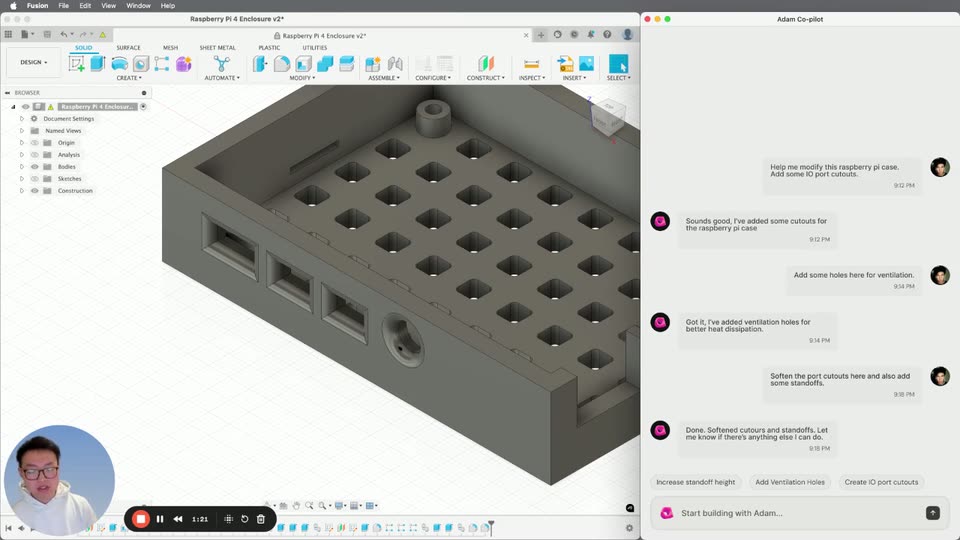

Adam Co-pilot
Adam · Technical product demonstration
3:02
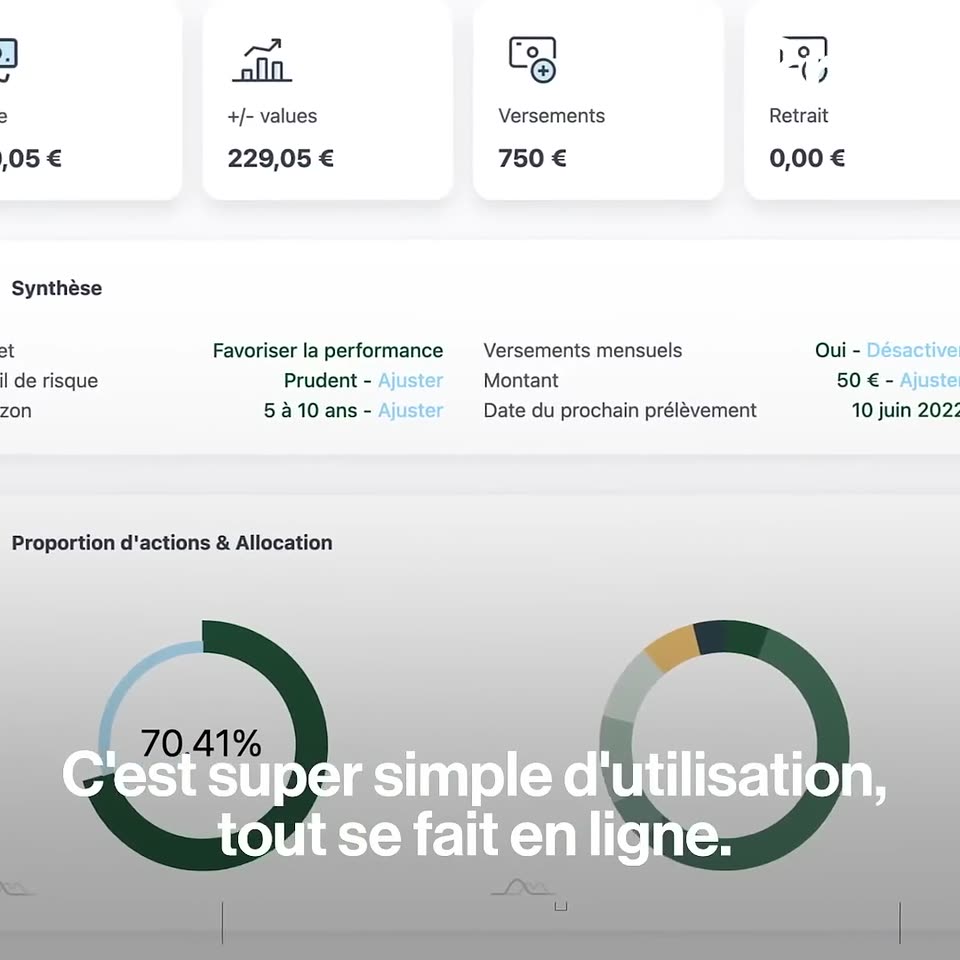

Brut. x Goodvest - Quitter la banque traditionnelle pour l'investissement responsable
Goodvest · Corporate explainer / Podcast
Shire Latest Demo, scene by scene
· 28 scenes as text
01 · Problem · 0:00–0:03
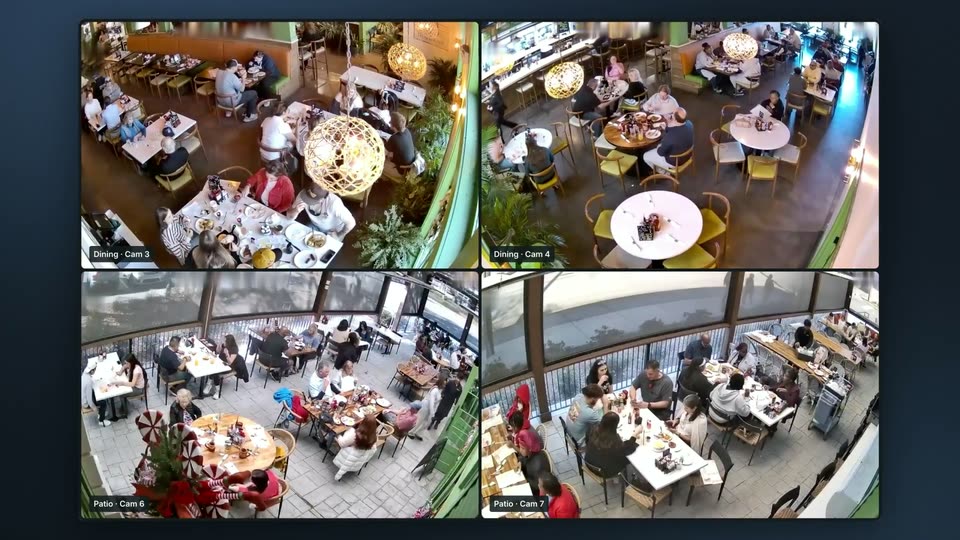
High-angle locked-off view of a busy restaurant dining room, diners seated at white-clothed tables beneath a woven globe pendant light. A woman in a red jacket lifts her arm mid-conversation while others eat and talk. A small camera label sits in the lower-left corner.
On-screen text: “Dining·Cam 3”
Camera: Static
02 · Problem · 0:03–0:07
Locked-off high-angle security camera view of a restaurant patio with diners seated at white tables. A fast reframe at the end reveals a four-panel grid showing several camera angles of the same patio at once.
Techniques: Split screen
Camera: Pull out
03 · Feature reveal · 0:07–0:09
A four-panel grid of restaurant security feeds fills the frame, showing two dining rooms and two patios from above. The clip opens blurred and tilted, then snaps into a steady, aligned layout. Small camera labels sit in the lower corners of each panel.
Techniques: Split screen
Camera: Pull out
04 · Feature reveal · 0:09–0:10
A 2x2 grid of four restaurant camera feeds, each with yellow bounding boxes and occupancy labels around tables. The grid holds steady, then blurs into a radial zoom transition.
Techniques: Split screen
Camera: Push in
05 · Feature reveal · 0:10–0:11
Overhead view of a restaurant dining room. Translucent yellow detection boxes with status labels sit over each table, one red box marks a dirty table. The shot reframes from a tight blurred crop to a wider settled view.
Camera: Push in
06 · Feature reveal · 0:11–0:14
An overhead shot of a busy restaurant pans across the dining room. Yellow and green bounding boxes outline individual tables, each tagged with a status label such as occupied, dirty, clean, or guests dining.
On-screen text: “Table 10”, “Table 9: dirty”, “Table 8: occupied”, “Table 2: occupied”, “Table 1”, “Table 14”, “Table 13: occupied”, “Table 12: occupied”, “Table 3: Guests dining”, “Table 20: occupied (78%) Table 24: occupied (84%) Table 21: occupied (73%) Table 22: clean (70%) Table 20: occupied (81%) Table 23: occupied Table 15: occupied(”
Camera: Pan
07 · Feature reveal · 0:14–0:15
A locked-off high-angle shot of a café patio, several people seated at wooden tables on a stone floor. A small green label box reading 'Ready to order' sits over the central table, marking its detected state.
On-screen text: “Ready to order”
Camera: Static
08 · Feature reveal · 0:15–0:17
An overhead locked-off shot of four people seated around a round wooden table in a cafe, drinks and phones on the surface. A blue caption box at the lower center reads 'Ready to order', then switches to 'Ready to pay'.
On-screen text: “Ready to order”, “Ready to pay”
Camera: Static
09 · Feature reveal · 0:17–0:19
Overhead locked-off shot of six people seated around a white restaurant table, most looking down at phones. A dark caption box reading Check back suggested sits in the lower center, static throughout the clip.
On-screen text: “Check back suggested”
Camera: Static
10 · Feature reveal · 0:19–0:21
A fixed overhead fisheye camera looks down on a green-walled restaurant full of plants and a flower-trimmed reception desk. Three guests walk across the bare floor and pause near the entrance.
Camera: Static
11 · Feature reveal · 0:21–0:26
A restaurant floor plan fills the right, tables colored by status with small initial badges. A cursor glides across the map and taps table 4; the left panel flips from a waitlist card showing Rivera to a Table 4 detail card, then back.
Techniques: Cursor demo
Camera: Static
12 · Feature reveal · 0:26–0:27
A close-up of a restaurant floor plan, with tables as colored tiles and a waitlist stats panel on the left, zooms out to reveal the full host dashboard window floating on a dark background. A small tooltip hovers over the top bar.
Techniques: UI zoom
Camera: Pull out
13 · Feature reveal · 0:27–0:27
A dashboard screen of the Shire host app holds steady. A floor plan fills the right side, its tables shown as colored squares and circles grouped into named sections, while a left sidebar and top status bar frame the view. No motion is visible.
Camera: Static
14 · Feature reveal · 0:27–0:32
A 2x2 grid of four overhead camera feeds shows a restaurant dining room and patio. Yellow bounding boxes with table labels track occupied tables in each view. The grid slowly pushes in, enlarging the labels.
Techniques: Split screen, UI zoom
Camera: Push in
15 · Feature reveal · 0:32–0:33
A 2x2 grid of overhead restaurant camera feeds shows yellow bounding boxes around tables with occupancy labels. A white floor plan panel with numbered table tiles fades in over the grid.
Camera: Static
16 · Feature reveal · 0:33–0:40
A restaurant floor plan fills the screen as a payment toast slides in top right and table 34 lights up with an orange ring and Pay tag. The view zooms into the right wing, then a cursor drifts to the Open button.
Techniques: UI zoom, Cursor demo
Camera: Push in
17 · Feature reveal · 0:40–0:42
A POS alert page slides into place from stacked layers, then holds. It shows the Table 34 ready-to-pay alert, its reasoning box, a grid of timestamped camera snapshots of a diner, and an unpaid check card on the right. A cursor moves across the snapshots.
Techniques: Cursor demo
Camera: Pull out
18 · Feature reveal · 0:42–0:45
An enlarged saved camera photo of a restaurant table sits in a modal over a dimmed alert page; a cursor hovers on the image, then the modal closes to reveal the full alert view with the check total and action buttons on the right.
Techniques: UI zoom
Camera: Pull out
19 · Feature reveal · 0:45–0:47
A point-of-sale screen fills the frame, split into an order panel, a quick menu list and a menu grid over a bottom action bar. A small loading spinner pulses near the menu items while an orange ready-to-pay badge holds at the top.
Camera: Static
20 · Feature reveal · 0:47–0:48
A dark point-of-sale screen displays an order list and a card payment panel with a numeric keypad. The view zooms in and pans right to frame the payment panel and its Take Payment button.
Techniques: UI zoom
Camera: Push in
21 · Feature reveal · 0:48–0:51
A dark point-of-sale screen shows an order panel beside a payment panel. The payment panel cycles states: a keypad with the 7 key circled, a blue dotted sphere with “Present card,” a processing spinner, then a green check and “Approved” with a green “Continue working” button.
Camera: Static
22 · Feature reveal · 0:51–0:52
A white payment-receipt card sits centered on a soft white-to-lavender gradient. It shows a green check circle, the total $49.16, a seat line item, and three stacked buttons ending in a green Done bar. The frame holds still.
Camera: Static
23 · Feature reveal · 0:52–1:00
A dark dashboard shows a camera alert list beside a floor-plan map. A cursor clicks the Ready to pay filter, collapsing the list to one row. The frame pulls back to reveal the full app window with a sidebar, then blurs as a notification card slides in at lower left.
Techniques: Cursor demo, UI zoom
Camera: Push in
24 · Feature reveal · 1:00–1:07
A dark alert card reading “Pineapple juice is out” fills the left panel. A cursor clicks “Open alerts”, and the card expands into a full inventory screen with a left sidebar and a two-column detail table.
Techniques: Cursor demo
Camera: Pull out
25 · Feature reveal · 1:07–1:20
A dark dashboard zooms into the Ask Quincy chat panel while the cursor types a reorder request. A review card appears; the cursor checks the 86 box, picks house card, clicks Approve, and the view cuts to a purchase preview.
Techniques: UI zoom, Cursor demo
Camera: Push in
26 · Feature reveal · 1:20–1:26
A dark AI assistant panel shows a purchase preview for two cases of pineapple juice, then the view zooms out to the full inventory table with stock levels and the open purchase order. The Shire logo and URL fade in over the dimmed screen as a sign-off.
On-screen text: “Shire”, “AI restaurant POS and floor intelligence”, “shireintelligence.com”
Techniques: UI zoom, Cursor demo
Camera: Pull out
27 · Outro · 1:26–1:28
A dimmed inventory interface fades out, leaving the Shire logo and wordmark centered on a dark blue gradient. The tagline and URL sit below and hold still through the rest of the clip.
On-screen text: “AI restaurant POS and floor intelligence”, “shireintelligence.com”
Camera: Static
28 · Outro · 1:28–1:29
A dark navy sign-off card shows the Shire logo, a blue robot face in a rounded square beside the gray wordmark, with the tagline and URL centered below. The card holds, then fades to black.
On-screen text: “AI restaurant POS and floor intelligence”, “shireintelligence.com”
Camera: Static