0:50
Explore
00:00:00 / 01:19:06
- Length
- 1:19
- Scenes
- 30 · 2.6 s avg
- Product on screen
- 0:17
- Features shown
- 1
- Call to action
- 1:15 · 96%
- Voiceover
- No
- Views
- 5.1K on X
as of November 22, 2026
Scenario’s 1:19 launch film runs 30 scenes, about 2.6 s each. The product shows up at 0:17 and 1 feature is revealed. The call to action lands at 1:15 (96% in). A deadpan comedy skit frames the feature: a live-action traffic jam becomes a 3D model that typed prompts reshape in real time, cutting between street, viewport, and render. Signature moves: prompt cards sliding in as the model morphs, material toggles flipping wireframe and normal maps, and recurring gags (the spilled coffee cup, the traffic light) that survive each transformation.
Footage neededEstimated needs: 1 capture group — your screens or recordings · 12 filmed passages — shoot, supply or replace · 10 3D passages — build or supply
Is this your launch? to your site or press kit.
More like this


Emm | scenario.com - Introducing Scenario 3D Edit, the most precise 3D editing tool ever b, scene by scene
· 30 scenes as text
01 · Hook · 0:00–0:02
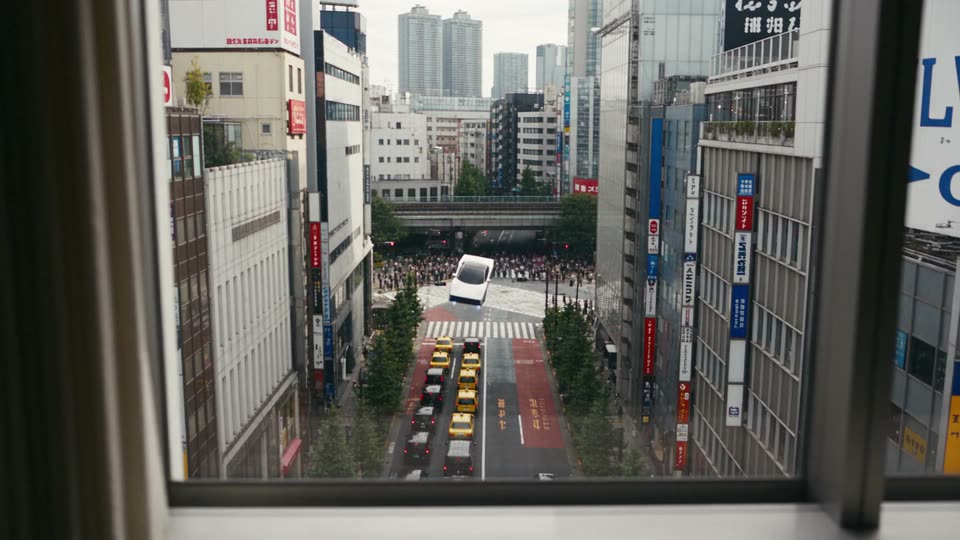
A high-angle street shot shows a crowded crosswalk with pedestrians moving across the frame. A white car with a glass canopy and red rear light strip waits in the lane, while the camera pushes in toward it.
Techniques: Parallax
Camera: Static
02 · Hook · 0:02–0:05
A white angular vehicle creeps toward a low static camera on a city street, its black front grille and white hood filling the frame. Blurred pedestrians cross the crosswalk in the foreground while yellow taxis queue behind the car, and the driver's hands stay on the wheel.
Techniques: Parallax
Camera: Push in
03 · Hook · 0:05–0:09
A woman in a dark suit sits in the driver's seat, gripping the wheel, then releases it and rests her hand on the center console. A dashboard screen shows a map, a coffee cup sits in the holder, and blurred pedestrians move past the window.
Camera: Static
04 · Hook · 0:09–0:10
A locked-off wide shot of a busy Japanese street: a dense crowd of suited commuters walks toward the camera, a white car sits in the road behind them, glass towers and red billboards frame both sides.
Camera: Static
05 · Hook · 0:10–0:13
A crowded Tokyo street fills the frame as commuters raise phones to film. A white car with a T logo lifts off the road, blue thrusters glowing under its wheels, then tilts and flies away into the sky, shrinking to a distant red streak.
Techniques: 3D mockup
Camera: Static
06 · Hook · 0:13–0:17
A laughing woman in a navy blazer sits in the driver's seat of a moving car while a white coffee cup hovers and tilts mid-air, shedding brown droplets; her grin snaps into a shocked gasp.
On-screen text: “1”
Techniques: Particles
Camera: Static
07 · Feature reveal · 0:17–0:21
A white convertible floats and rotates above a crowded Tokyo crossing, framed by a window, then descends toward the street. The view tightens as a white editing panel slides up, showing a prompt being typed and a roadster.glb tag.
Techniques: 3D mockup
Camera: Push in
08 · Feature reveal · 0:21–0:22
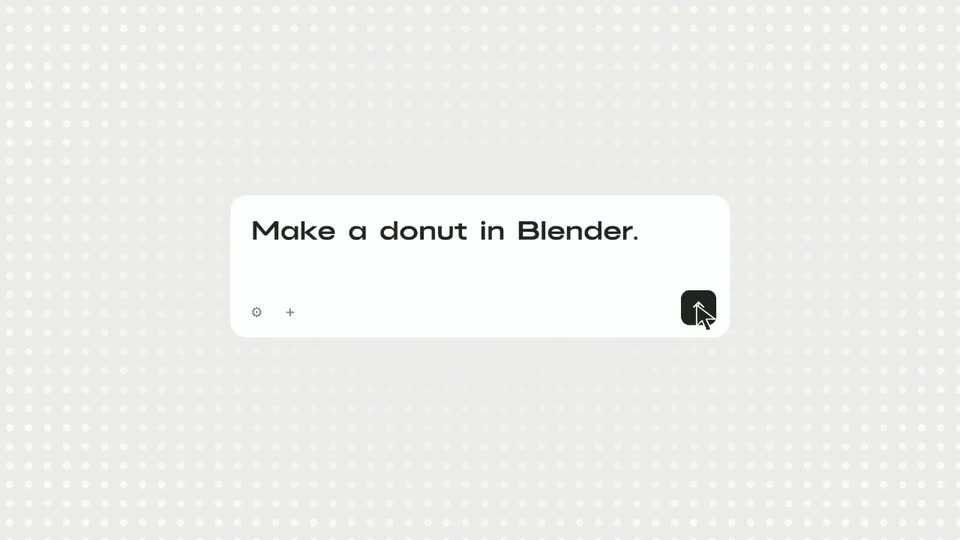
A high-angle city intersection with a white car in the crosswalk, overlaid by a white prompt card at the bottom. The car morphs into a white airplane as the prompt field types out the command.
Techniques: Morph
Camera: Push in
09 · Feature reveal · 0:22–0:26
A dark 3D editor screen frames a flying-car model on a reflective floor. A cursor flips the Wireframe toggle, then selects Normal and Original materials, switching the body from gray mesh to rainbow shading to its pink textured finish.
Techniques: 3D mockup, Cursor demo
Camera: Push in
10 · Feature reveal · 0:26–0:27
A dark 3D modeling interface with left and right control panels frames a pink wireframe car and a blue jet engine on a green floor plane, the view slowly pushing in on the models.
Techniques: 3D mockup
Camera: Push in
11 · Feature reveal · 0:27–0:29
A low-angle 3D street canyon packed with yellow taxis, a dark car model hovers in the center and drifts back toward the sun flare. A small edit panel types a prompt in the top-left corner as the car recedes.
Techniques: 3D mockup
Camera: Static
12 · Feature reveal · 0:29–0:32
A white winged car hovers over a hazy city at golden hour. A prompt card types 'Retract the wheels.' beside a wireframe inset highlighting the wheels, which fold into the body. The card then moves top right and types 'Fold in' as the wings close.
Techniques: 3D mockup
Camera: Push in
13 · Feature reveal · 0:32–0:33
A close-up of a white car's side mirror folds flat against the dark window. In the top right, a 3D editor card shows the command and a wireframe model of the car, with the mirror highlighted in blue.
Techniques: 3D mockup
Camera: Static
14 · Feature reveal · 0:33–0:34
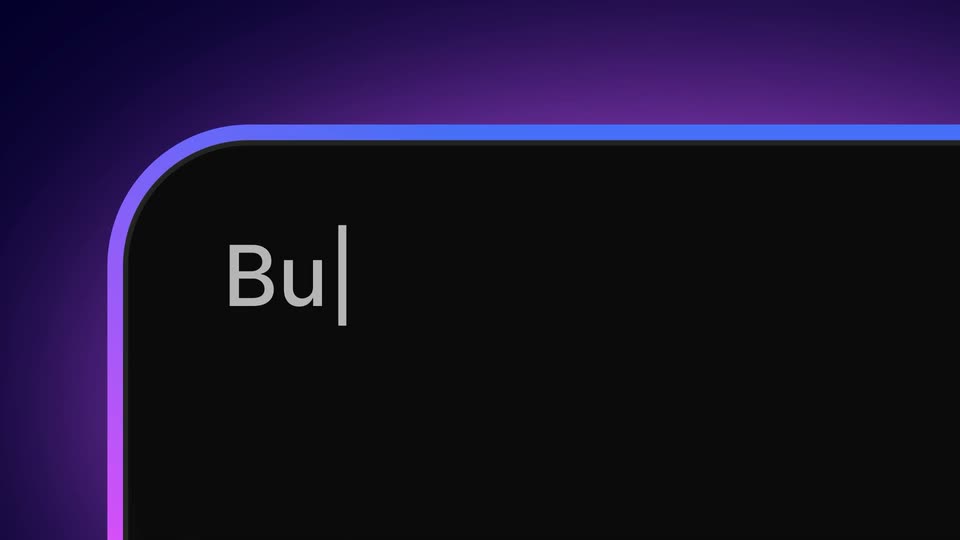
A locked-off close-up of a silver car's side mirror and window at sunset. A white prompt card sits in the top-left corner, where the text 'Add racing stripes.' types out character by character next to an Edit button.
Camera: Static
15 · Feature reveal · 0:34–0:36
A white 3D car rests in perspective view with a prompt card floating at the left. Two dark blue stripes paint across the hood as the card moves to the top right corner.
Techniques: 3D mockup
Camera: Static
16 · Feature reveal · 0:36–0:40
A winged flying car glides over a hazy sunset city. A top-right panel types the prompt 'Add two more engines' beside a wireframe preview; a second pod grows on each wing, the panels fade, and blue rear thrusters flare as the craft pulls away.
Techniques: 3D mockup
Camera: Push in
17 · Feature reveal · 0:40–0:42
A low forward view from a vehicle's hood looks out over a flat field at golden hour. The sun flares in the upper right, casting a diagonal streak, while two silver cowl shapes with a blue center stripe frame the bottom edge. The field drifts slowly past the lens.
Camera: Static
18 · Feature reveal · 0:42–0:44
A woman in a dark blazer and lanyard sits in the back seat of a car, mouth open in shock, as a large white aircraft glides past the window. The interior shot opens with motion blur and settles as she stares forward.
Camera: Static
19 · Feature reveal · 0:44–0:47
A white flying car with jet pods on its wings is seen from behind, drifting forward toward a red traffic light hung from a drone, above a vast field of hovering vehicles over a sunlit city. The camera pushes in slowly.
Techniques: 3D mockup, Parallax
Camera: Static
20 · Feature reveal · 0:47–0:52
A woman in a navy blazer sits in a car's driver seat, a vertical touchscreen beside her. She yawns, closes her eyes, slumps forward to rest her hand on the console, then sits upright. Outside the window, a desert fills with hovering winged cars.
Camera: Static
21 · Feature reveal · 0:52–0:54
A rounded white prompt card hovers over a hazy 3D city of flying vehicles, a white winged car in the foreground. The prompt “Make it a submarine.” sits with a blinking cursor, then the frame fades to black.
Camera: Push in
22 · Feature reveal · 0:54–0:57
A dark 3D viewer UI frames a low-poly car model with submarine fins on a reflective floor. A cursor clicks the Normal button and toggles Wireframe, shifting the model from matte gray to a pink-and-blue wireframe. Side panels list scene and asset details.
Techniques: 3D mockup, Cursor demo
Camera: Static
23 · Feature reveal · 0:57–0:58
A white 3D car model sits in a dark viewport between two control panels. The cursor clicks the Material toggle, switching the body from white to a pink and green normal map. A prompt box in the top right reads “Remove the wings.”
Techniques: 3D mockup, Cursor demo
Camera: Static
24 · Feature reveal · 0:58–1:00
In a dark 3D viewer UI, a wireframe car sits between two settings panels as a “Remove the wings.” toast fades out. The cursor clicks the Original material button, and the model switches to a white solid render with dark glass and stripes.
Techniques: Cursor demo
Camera: Static
25 · Feature reveal · 1:00–1:04
A white boat with a dark canopy and a rear fin floats on hazy water in front of a suspension bridge and skyline. It tips forward and dives beneath the surface, throwing up a white splash that settles into ripples.
Camera: Static
26 · Feature reveal · 1:04–1:06
A white muscle car with twin blue stripes sinks through murky green water, headlights glowing, as the camera pushes in from a wide shot to a tight view of the hood. A stream of bubbles rises from the car to the rippling surface above.
Techniques: 3D mockup, Particles
Camera: Push in
27 · Feature reveal · 1:06–1:10
Under murky green water, rows of white winged cars sit on a sandy seabed, red taillights glowing, a red traffic light standing to the right. Fish drift past as the camera slowly pushes in on the centered lead car.
On-screen text: “北”
Techniques: 3D mockup, Parallax
Camera: Push in
28 · Feature reveal · 1:10–1:14
A woman in a navy blazer and white earbuds sits in the driver's seat, hands off the wheel, and lifts a white paper cup to drink. A green screen fills the window behind her, showing a vehicle with red taillights. The camera holds a steady side profile.
Camera: Static
29 · Feature reveal · 1:14–1:15
A woman in a dark blazer and white earbuds sits in the driver's seat holding two paper cups, then slowly leans forward and down toward the steering wheel. A vehicle with red taillights rests in the foggy green background through the window.
Camera: Static
30 · CTA · 1:15–1:19
Centered on black, the white headline Scenario 3D Edit fades in above a gray subline and the scenario logo with a stacked-layers mark. The lockup holds, then the whole card fades out to black.
On-screen text: “Scenario 3D Edit”, “Edit 3D models with a prompt. Out now.”
Camera: Static