0:24
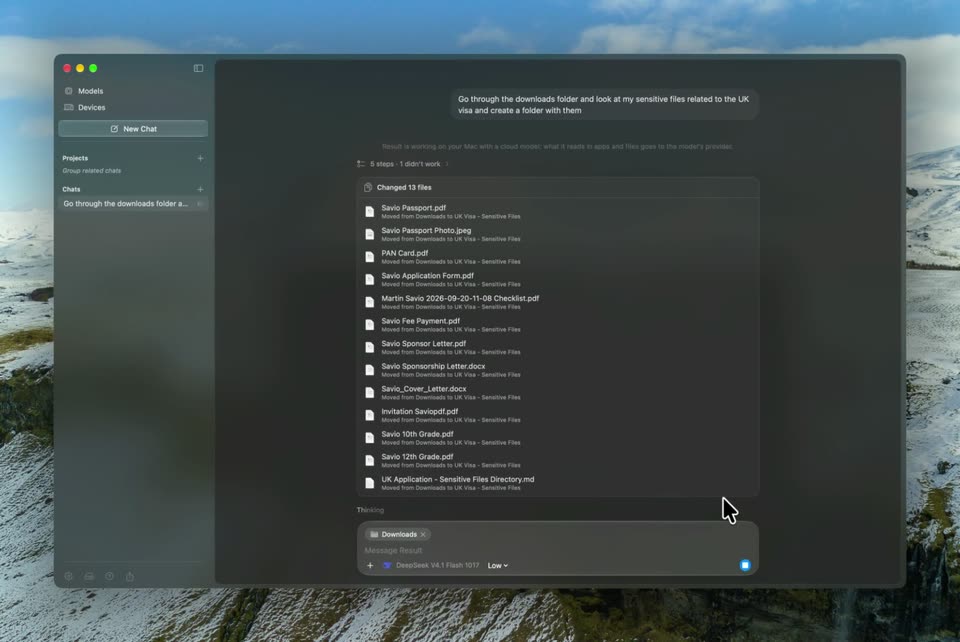

Result - Today we’re launching Result v1.1 for Mac. Your on-device agent can
Result · Consumer · Nov 2026
Rotato · Apr 2024 · 0:51 · AI-annotated
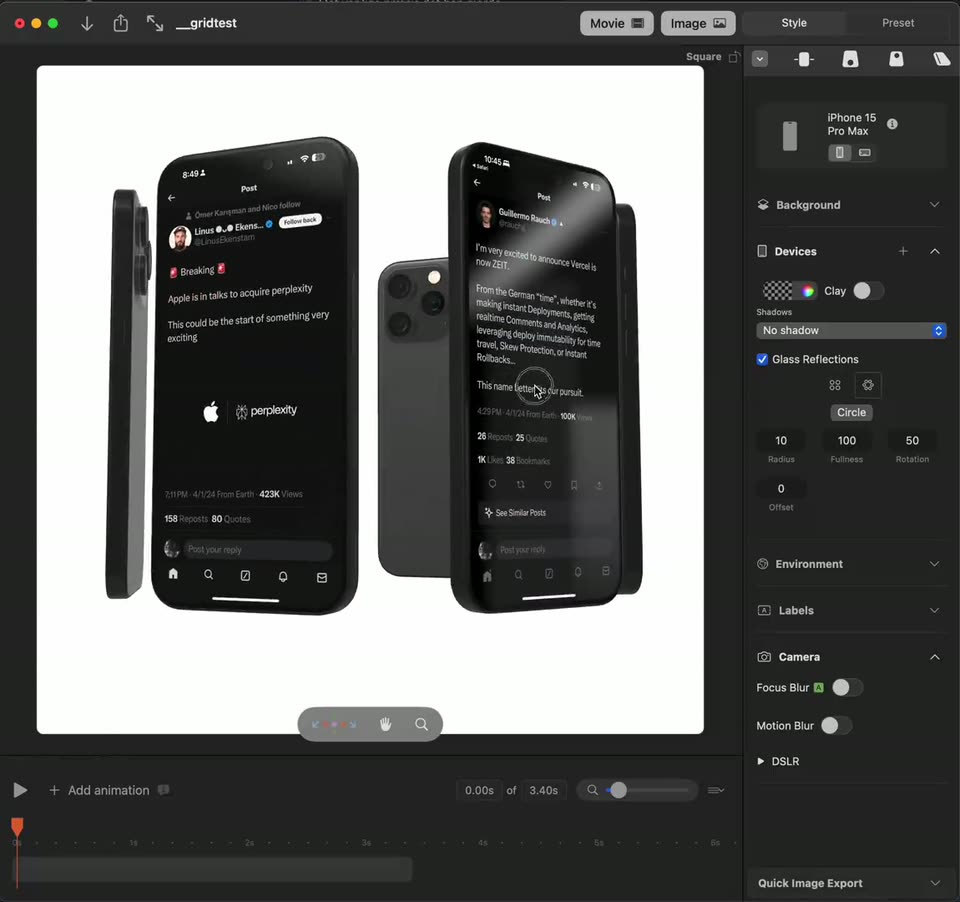
Rotato’s 0:51 launch film runs 19 scenes, about 2.7 s each. The product shows up at 0:01. There is no explicit call to action. One continuous screen recording that opens on a finished 3D wall of phone mockups, then steps inside the editor to show glass reflection sliders, 3D rotation and timeline scrubbing, and ends on the movie export dialog. Pacing is slow and cursor driven, with the canvas updating live as each control is touched, so the whole piece reads as a single unbroken workflow.
Is this your launch? to your site or press kit.
Result · Consumer · Nov 2026
GitCafe · B2B · Aug 2026
A flat grid of black phone mockups showing social media posts fills a white background, then the camera tilts and pulls back to reveal the wall of screens in 3D perspective, drifting across the posts. A cursor hovers over one phone near the end.
Techniques: 3D mockup, Cursor demo
Camera: Push in
On a white canvas, a fan of iPhone mockups with dark social posts rotates in 3D as the cursor taps the Circle glass-reflection option and drags the Fullness slider in the right panel, live-updating the arrangement.
Techniques: 3D mockup, Cursor demo
Camera: Static
A design tool window fills the frame, its canvas holding a curved 3D stack of phone screens showing a social feed, with a white card of geometric shapes at the center. The right panel lists device and reflection settings while a cursor hovers near the radius slider.
Techniques: 3D mockup
Camera: Static
Inside a dark design-tool interface, three black iPhone mockups float in 3D perspective on a light canvas; the center phone shows a social post with a photo of a cube on a magnet. The view reframes to the phones' camera backs as the cursor drifts across the canvas.
Techniques: 3D mockup, Cursor demo, UI zoom
Camera: Static
Five phone mockups displaying dark social media posts sit in a tilted row on a white canvas. The view starts tight on the center two phones and pulls back to reveal the full arc of devices.
Techniques: UI zoom, 3D mockup
Camera: Static
A dark design app fills the frame, its white canvas holding a row of black iPhone mockups tilted in 3D. A cursor works the right-hand sliders, then drags the phones to rotate and spread them through the depth, settling into a diagonal column.
Techniques: 3D mockup, Cursor demo
Camera: Static
A screen capture of a mockup editor zooms into a phone showing a dark-mode social post, then pans right to reveal two more phone mockups on the white canvas. A cursor moves across the canvas while the timeline playhead advances along the bottom.
Techniques: UI zoom, Cursor demo
Camera: Pan
A dark design-app interface fills the frame, its canvas holding tilted iPhone mockups with social posts. The view zooms in on one phone showing a Breaking post about Apple acquiring Perplexity, while a cursor moves across the canvas.
Techniques: 3D mockup, UI zoom, Cursor demo
Camera: Static
Inside a dark design app, an iPhone mockup resolves from a ghosted double into a steady 3D tilt on the canvas, its glass screen showing a breaking post about Apple and Perplexity with both logos; a cursor hovers near the timeline below.
Techniques: 3D mockup, Cursor demo
Camera: Static
A 3D mockup tool canvas shows two angled iPhone mockups displaying a social feed on a dark glossy surface. The camera pans left, revealing the second phone and its post. The right panel lists device, background and camera settings.
Techniques: 3D mockup
Camera: Static
Inside a dark design tool, overlapping phone mockups in 3D perspective scroll left across the canvas, each showing a dark-mode social media post, while the right panel lists device and camera settings.
Techniques: 3D mockup
Camera: Static
A design tool window fills the frame. Its canvas plays a 3D scene of overlapping iPhone mockups showing social posts; the view drifts across them, revealing a Breaking post, while the timeline scrubber advances.
Techniques: 3D mockup, Parallax
Camera: Static
A dark mockup app window shows an iPhone mockup whose screen cycles through breaking-news posts. The canvas then pans and zooms out to reveal a second phone beside it, while a cursor scrubs the timeline at the bottom.
Techniques: Cursor demo, UI zoom
Camera: Pan
Inside a design tool's canvas, an iPhone mockup in 3D perspective rotates before a white backdrop, cycling through dark social media posts with glass reflections, a second phone sits behind it, and the style panel stays fixed on the right.
Techniques: 3D mockup
Camera: Pan
A screen recording of a design tool displays a phone mockup holding a social media post. A format dropdown stays open at the top right while the cursor drifts down and rests on the blue Continue button.
Techniques: Cursor demo
Camera: Static
A macOS save dialog sits over a design app displaying a phone mockup of a tweet. The filename field is typed from “gridtest” to “apri” as the sidebar selection and file list switch, with a cursor moving over the list.
Techniques: Cursor demo
Camera: Static
A locked-off dark editor window centers a Rendering modal; its percentage and progress bar climb from 0% to 93% while phone mockups of social posts cycle in the preview, then the modal becomes Your movie has been saved with buttons, a cursor drifting nearby.
Techniques: Cursor demo
Camera: Pan
A dark app window holds a saved-movie dialog whose video preview plays phone mockups scrolling through social posts. A cursor drifts to the blue Done button and clicks, dismissing the dialog to reveal the canvas with a large phone mockup and a right-side properties panel.
Techniques: Cursor demo
Camera: Push in
A dark design-tool interface frames a 3D iPhone mockup showing a tweet announcing Vercel is now ZEIT, with a second phone edge at right. A cursor travels up from the timeline to hover the Style tab.
Techniques: 3D mockup, Cursor demo
Camera: Static