3:27

PlanetScale - Neki is now available.
Neki · Sep 2026
Rive · Dec 2021 · 0:49 · Full motion · AI-annotated
Rive’s 0:49 launch film runs 19 scenes, about 2.6 s each. The product is on screen from the first frame and 3 features are revealed. The call to action lands at 0:34 (69% in), over a voiceover. The video is built as a feature walkthrough: a gradient-to-white logo reveal, then short demo beats for raster graphics, sketch imports, and mesh deformations, each cut between full-bleed character loops and locked-off editor screenshots on a dark charcoal stage. Pacing runs at about 15 cuts per minute on a 140 bpm pulse, with colorful character art carrying the eye against the dark UI, and it closes on a channel-page scroll and a static Rive.app card.
Is this your launch? to your site or press kit.
Neki · Sep 2026
Framer · Design · Oct 2025
Films whose music sounds like this one, voice left out
Bambu Lab · Electronic, Orchestral, Funk-Rock
Framer · Electronic dance music
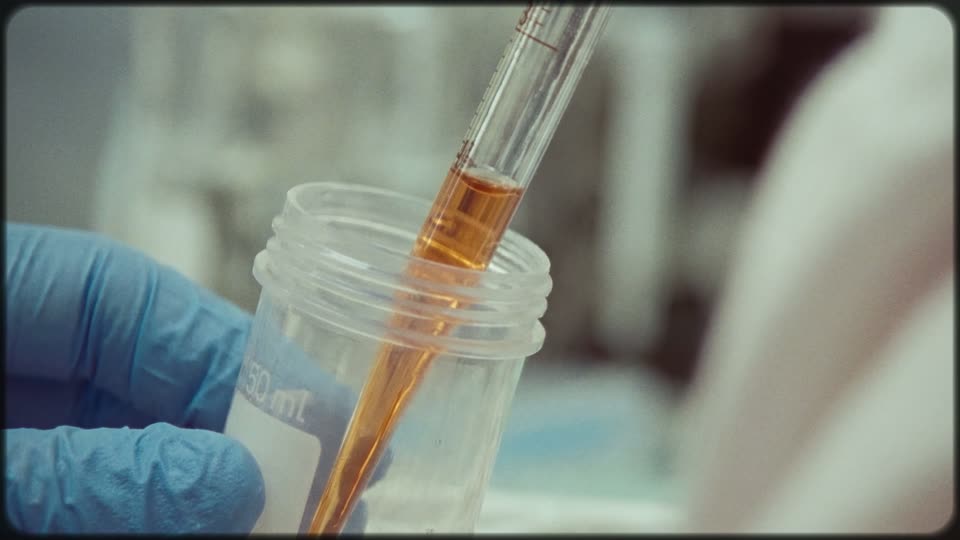
ChemPilot.ai · Electronic
On a black background, thin glowing lines and dots in the center expand and morph into a row of four glossy spheres in pink and purple, with small cyan dashes at each end.
Techniques: Morph
Camera: Static
On a near-black background, the wordmark RIVE forms from colored gradient shapes: an orange bowl, a blue disc, a purple block, each paired with thin white strokes. The color fills dissolve, leaving the clean white letters centered and still.
On-screen text: “RIVE”
Techniques: Morph
Camera: Static
The RIVE wordmark sits centered on black, then dissolves into a dark preview pane where a small 3D cartoon monkey in a purple suit floats above a soft shadow.
On-screen text: “RIVE”
Camera: Static
A 3D cartoon character in a magenta helmet bobs and rotates in a pale blue sky, mouth open, as clouds drift past at different depths. The animation plays in a vertical preview window of the editor, with a timeline and layer list below, camera locked off.
Techniques: Parallax
Camera: Pull out
A dark design tool shows a red bird on a teal artboard; its head tilts down and its eyes go from wide to sleepy. A cut reveals a black artboard with a glowing pink and purple isometric cube icon. The left layer tree and bottom state diagram update to match.
Techniques: 3D mockup
Camera: Static
A dark motion-tool interface frames the canvas, where a glowing 3D icon of two stacked rounded tiles, pink below and lavender above with a white bracket, rotates slowly in isometric view. Side panels list layers and a state graph.
Techniques: 3D mockup
Camera: Static
A 3D cartoon man in a black cap, sunglasses and a red-black checkered shirt runs in place facing right against a teal-to-purple gradient, his body bobbing over a soft elliptical shadow.
Camera: Static
A design tool screen shows a space illustration: a girl and a teddy bear at a window, ships drifting over a planet. The cursor drags the selected layer and a red arc appears, while the ship and star layers slide at different speeds.
Techniques: Cursor demo, Parallax
Camera: Static
A locked-off view of the design app shows a white canvas holding a cartoon sketch: a bearded top-hat man with a BAT speech bubble, a gray smoke puff, and a rough bat-winged figure. The dark editor chrome frames the artboard.
Camera: Static
A locked-off view of the design tool's canvas shows a cartoon vampire on a blue panel, his arms spreading outward in a flap loop while his mouth opens. Layer, animation, and node panels frame the canvas; a cursor hovers at lower left.
Camera: Static
Locked-off screen of a motion design tool: the canvas holds a 3D red dragon while the timeline playhead advances, then the character swaps to a 2D cartoon figure with a backpack and the layer panel expands with bone entries.
Camera: Static
The dark product interface holds still while a bearded cartoon figure on the center canvas runs through a loop of poses, his body and basket smearing with motion blur, then the figure vanishes and the screen dims.
Camera: Static
A neon 3D scene fades in from black. A woman with pink and blue hair, in a red jacket with glowing blue lines, holds a tablet on the right. On the left, a pink flying vehicle marked 119 hovers over a teal-lit city. Her hair and the lights shift subtly.
Camera: Static
A stylized female character in a cream robe and red boots stands on a dark gray canvas, holding a round shield, then cuts to a second character in red with a dark cape. A cursor hovers near each figure, which idle with subtle sway and hair movement.
On-screen text: “119”, “4”
Camera: Static
A red, caped robot figure hovers at center on a flat gray backdrop, its hand thrusters emitting flickering teal jets while a matching glow shimmers on the ground. The figure bobs gently; a small numeral 4 slides on screen.
On-screen text: “4”
Camera: Static
A red-haired woman in a black bodysuit with yellow accents stands centered on a flat lavender background. She holds a relaxed pose with arms folded, her hair and body shifting subtly in a slow idle loop.
On-screen text: “ax,”
Camera: Static
A dark design canvas shows a space illustration: a girl hugging a teddy bear at a window, ships floating outside. The view pulls back to reveal the layer and property panels. A cursor clicks a ship layer, drawing a selection box around it.
Techniques: UI zoom, Cursor demo
Camera: Pull out
A dark YouTube channel page for Rive scrolls down at a steady pace. The RIVE banner and channel header slide up out of frame, revealing the featured video and rows of tutorial thumbnails with titles and view counts.
Camera: Static
A white “Rive.app” sits centered on a near-black background, held perfectly still as a closing card while the voiceover signs off.
On-screen text: “Rive.app”
Camera: Static