
2:05
Explore
00:00:00 / 00:24:04
- Length
- 0:24
- Scenes
- 12 · 2.0 s avg
- Product on screen
- 0:00
- Features shown
- 1
- Voiceover
- No
- Views
- 1.6K on YouTube
as of November 27, 2026
Rive’s 0:24 launch film runs 12 scenes, about 2.0 s each. The product shows up at 0:00 and 1 feature is revealed. There is no explicit call to action. The video is built as a tight feature drop: an abstract bezier bumper, a locked title card, then a single continuous screen-recording of the graph editor where the red easing curve is the visual anchor, closed by the same bumper and a scaling logo. Its style is defined by a near-black palette, a single red accent, wide geometric type, and shallow-focus 3D curves that bookend the flat UI.
No filming indicatedEstimated needs: 1 capture group — your screens or recordings · 1 official logo — reused across the film · 2 graphic passages — draw or supply
Is this your launch? to your site or press kit.
More like this
3:12

Introducing GPT-4
OpenAI · AI · Mar 2023
2:57

Introducing the new iPhone 18 Pro
Apple · Hardware · Sep 2026
Similar soundtrack
Films whose music sounds like this one, voice left out
0:36


Introducing Yenmo - Loan Against Investments
Yenmo · Lo-fi hip-hop
0:14


Flux Theory | Deep Cleansing Body Wash with Blue Clay for Women & Men | The Sage - 250 ml
Flux Theory · Pop, Electronic
0:37

Agents, meet the Figma canvas
Figma · Modern funk
New feature alert: Auto Bezier for the Graph Editor, scene by scene
· 12 scenes as text
01 · Hook · 0:00–0:00
On a dark background, a red bezier curve with white control points and handles morphs into a deep U shape while a white horizontal line slides downward. Thin 3D rods and nodes sit in shallow focus, the top line softly blurred.
Techniques: Morph
Camera: Static
02 · Feature reveal · 0:00–0:04
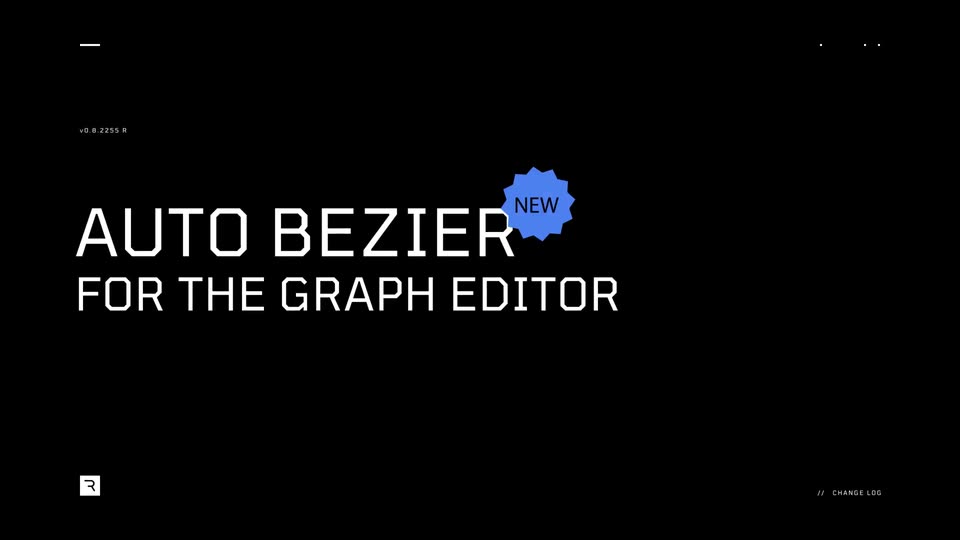
A black title card holds the white headline AUTO BEZIER FOR THE GRAPH EDITOR, framed by small corner captions and a starburst NEW badge that shifts from green to blue. The frame stays locked off throughout.
On-screen text: “v0.8.2255 R”, “// CHANGE LOG”, “AUTO BEZIER”, “FOR THE GRAPH EDITOR”, “NEW”
Camera: Static
03 · Feature reveal · 0:04–0:04
A dark animation-tool interface fills the frame. A red ellipse sits on a black canvas with selection handles, the cursor drags its right handle while the timeline and position readout update.
Techniques: Cursor demo
Camera: Static
04 · Feature reveal · 0:04–0:09
A dark motion-design tool fills the frame. A cursor sets two position keyframes on a red circle, the playhead scrubs to show the circle sliding right along a dotted path, then the cursor drags a keyframe point to bend the easing curve.
Techniques: Cursor demo
Camera: Static
05 · Feature reveal · 0:09–0:12
A dark vector editor fills the screen. A red circle with a dotted horizontal path sits on the canvas. A cursor drags keyframe handles on the timeline graph below, reshaping the red curve, while one dotted segment highlights blue.
Techniques: Cursor demo
Camera: Static
06 · Feature reveal · 0:12–0:13
Dark editor interface: a red circle on a black canvas with a horizontal blue ruler, above a keyframe graph. A cursor clicks the auto-bezier icon in the Interpolation panel, and the red graph line changes from straight segments to a smooth curve with white handles.
Techniques: Cursor demo
Camera: Static
07 · Feature reveal · 0:13–0:14
A dark motion-graphics interface fills the frame: a red bezier curve with keyframe dots on the left, an interpolation properties panel on the right. A white cursor rests beside the auto-bezier toggle. The view holds still.
Camera: Static
08 · Feature reveal · 0:14–0:15
A dark graph editor shows a red bezier curve with keyframe dots under a blue playhead on the left. A right panel lists interpolation options; a cursor hovers a circular 33% gauge. As the cursor moves, the red curve eases into a smooth S shape.
Techniques: Cursor demo
Camera: Static
09 · Feature reveal · 0:15–0:19
A dark design-tool interface fills the frame. A cursor drags two bezier handles in the bottom timeline graph, and the red circle plus its dotted motion path on the black canvas update in sync as the position value in the right panel changes.
Techniques: Cursor demo
Camera: Static
10 · Feature reveal · 0:19–0:19
A dark design-tool interface fills the frame. A red ellipse sits on the canvas inside a selection box with a blue control line to its left, while a timeline graph with a red keyframe curve and a cursor anchor the lower panel. The view eases out slightly.
Camera: Static
11 · Other · 0:19–0:21
A shallow-focus 3D scene of white node lines and a red ribbon curve drifting across a dark space; a blurred horizontal rail with small dots crosses the frame, and a tiny 3M mark sits on it. The camera tracks slowly along the rail as the lines and ribbon undulate.
Techniques: Parallax
Camera: Static
12 · Outro · 0:21–0:24
A light gray rounded square holding a bold black R with a small white diamond at its center sits on a black field, then scales down evenly toward the middle until the frame goes dark.
On-screen text: “R”
Techniques: Kinetic type
Camera: Static