0:38
Explore
Remotion - Create videos programmatically in React
Remotion · Feb 2021 · 1:37 · Full motion · AI-annotated
- Length
- 1:37
- Scenes
- 32 · 3.1 s avg
- Product on screen
- 0:16
- Features shown
- 5
- Call to action
- 1:17 · 79%
- Voiceover
- Yes
- Views
- 78K on YouTube
as of November 26, 2026
00:00:00 / 01:37:20
- Length
- 1:37
- Scenes
- 32 · 3.1 s avg
- Product on screen
- 0:16
- Features shown
- 5
- Call to action
- 1:17 · 79%
- Voiceover
- Yes
- Views
- 78K on YouTube
as of November 26, 2026
Remotion’s 1:37 launch film runs 32 scenes, about 3.1 s each. The product shows up at 0:16 and 5 features are revealed. The call to action lands at 1:17 (79% in), over a voiceover. The video opens with a self-referential hook (the trailer is itself written in React), names ReMotion, then walks the workflow as a chain of short code-and-UI demos, each cut to a steady ~121 bpm pulse. Its signature look is flat off-white cards with bold sans headlines and blue gradient accents, punctuated by 3D-tilted browser and editor windows that rotate flat into the frame.
No filming indicatedEstimated needs: 6 capture groups — your screens or recordings · 1 official logo — reused across the film · 2 graphic passages — draw or supply · 2 3D passages — build or supply
Is this your launch? to your site or press kit.
More like this
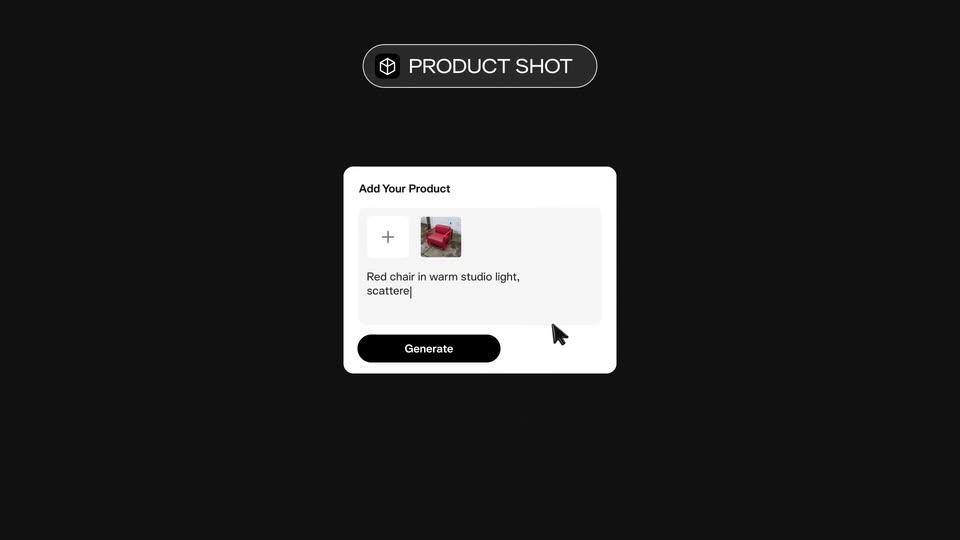

Similar soundtrack
Films whose music sounds like this one, voice left out
0:58

udio - Udio v1.5 is here with advanced tools for creators! Make extraordinar
Udio · Electronic pop
1:48
Christoph Nakazawa - We open sourced Void v1.1.11 and we made a music video for it.
Void · Indie pop, alternative rock, and electronic dance
0:35
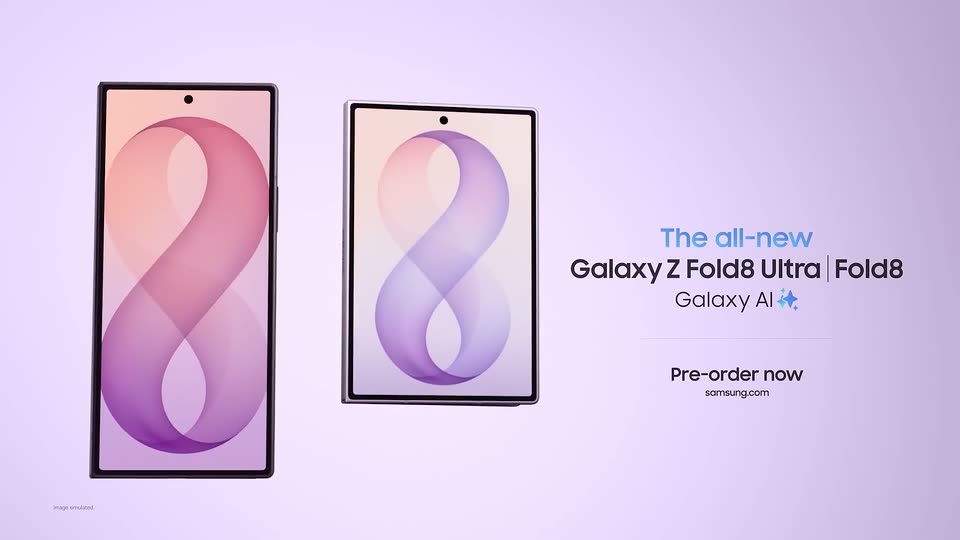

All-new Unfolds | Galaxy Z Fold8 Ultra and Fold8 | Samsung
Samsung · Electronic dance music with Latin and pop influences
Remotion - Create videos programmatically in React, scene by scene
· 32 scenes as text
01 · Hook · 0:00–0:04
On a white background, a blue ribbon stroke draws itself into an interlocking knot logo. The black headline “This video is” scales in, then “made with React” slides in below, and both lines slide out to the left.
On-screen text: “This video is”, “made with React”
Techniques: Kinetic type, Morph
Camera: Pull out
02 · Hook · 0:04–0:06
A browser window showing a GitHub repository page sits in 3D perspective and rotates toward the camera, flattening from a tilted angle to a straight-on view. A faint duplicate of the window trails behind and dissolves as it turns.
Techniques: 3D mockup
Camera: Push in
03 · Hook · 0:06–0:07
A pale background holds a centered rounded button with a git-fork icon and the label Fork. The button fades and scales in, then a cursor glides up and turns into a hand pointer beneath the text.
Techniques: Cursor demo
Camera: Static
04 · Hook · 0:07–0:08
A browser window showing a Fork logo and an open DevTools panel sits tilted in 3D perspective. A dark code editor window slides up from the bottom edge and settles in front, its TypeScript code filling the lower half of the frame.
Techniques: 3D mockup
Camera: Pull out
05 · Hook · 0:08–0:09
A dark code editor window with a file tree on the left and TypeScript code fills the frame, a browser window peeking out above it. The editor window scales up slightly over the clip.
Camera: Static
06 · Hook · 0:09–0:10
A dark code editor window sits centered on black, then slides left and shrinks as a light GitHub pull-request window slides in from the right, the two panels ending side by side.
Techniques: Split screen
Camera: Pan
07 · Hook · 0:10–0:11
Two flat browser windows of a GitHub pull request page sit stacked on a white background. The front window slides up and to the right off frame, revealing the full page behind, which then settles centered.
Camera: Push in
08 · Hook · 0:11–0:14
A centered black headline reads “This video is” on a plain off-white background while a blue ribbon loop draws itself and rotates behind the text. The second line, “made with React”, pops in letter by letter beneath it.
On-screen text: “This video is”, “made with React”
Techniques: Kinetic type
Camera: Static
09 · Hook · 0:14–0:16
On a pale off-white background, the line 'How to write a' fades from light gray to dark while 'video in React?' slides up from below to settle into a centered two-line lockup. The frame stays locked off throughout.
On-screen text: “How to write a”, “video in React?”
Techniques: Kinetic type
Camera: Static
10 · Product intro · 0:16–0:17
A flat blue field with a white vertical panel on the left edge. The panel wipes away to the left as the white word Introducing slides leftward to settle dead center.
On-screen text: “Introducing”
Techniques: Masking, Kinetic type
Camera: Static
11 · Product intro · 0:17–0:18
The white word Introducing sits centered on a blue gradient, then the gradient morphs into a large blue rounded triangle on a pale field. The triangle's center inverts to white, and the shape resolves into a white rounded-triangle outline.
On-screen text: “Introducing”
Techniques: Kinetic type, Morph
Camera: Pull out
12 · Product intro · 0:18–0:21
A layered blue rounded triangle holds center on a pale blue field, then slides left and shrinks as the black word Remotion appears to its right on a white background, locking off as a logo.
On-screen text: “Remotion”
Camera: Pull out
13 · Demo · 0:21–0:22
A light code card labeled Video.tsx holds a short TypeScript snippet in color syntax. The blue Remotion blob and black wordmark sit over it, then fade out to leave the code alone.
Camera: Static
14 · Demo · 0:22–0:28
A rounded code editor card labeled Video.tsx sits on a light gray field. The card scales up over the first seconds, then four attribute lines appear one after another inside the Composition tag: durationInFrames, fps, width, height.
Techniques: Kinetic type
Camera: Static
15 · Demo · 0:28–0:36
A white code editor card titled MyVideo.tsx sits centered on a light background; a line of code fades in, a frame counter ticks up, then more code fills the card. The card shrinks to the top-left as large colored technology names fade in on both sides.
On-screen text: “HTML”, “CSS”, “JS”, “SVG”, “Three.JS”, “styled-components”, “Tailwind”, “Bootstrap”
Techniques: Kinetic type
Camera: Static
16 · Demo · 0:36–0:38
Two columns of technology names in bold multicolored sans on a plain off-white field. The words drift slightly and settle into even line spacing as the clip ends.
On-screen text: “HTML”, “CSS”, “JS”, “SVG”, “Canvas”, “WebGL”, “Three.JS”, “styled-components”, “Tailwind”, “Bootstrap”
Techniques: Kinetic type
Camera: Static
17 · Feature reveal · 0:38–0:44
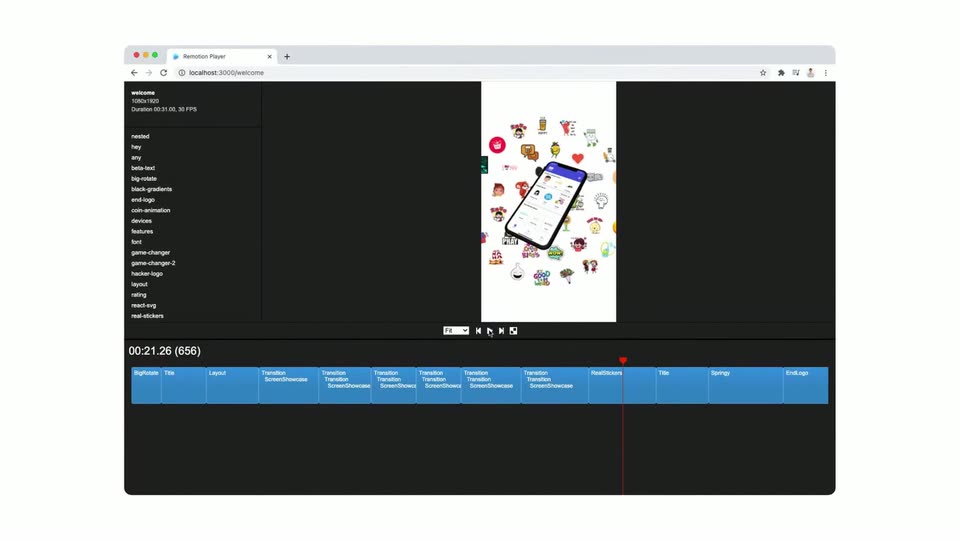
A browser window displays the Re:Motion player: a scene list on the left, a phone mockup ringed by cartoon stickers in the center, and a blue clip timeline below. A cursor drags the red playhead across the timeline as the timecode counts up and the preview scrubs.
Techniques: Cursor demo
Camera: Static
18 · Feature reveal · 0:44–0:50
A split screen shows a dark code editor on the left and a live preview on the right. The preview displays two columns of colored technology names that scale up and down while the timeline scrubber advances, demonstrating edits made during playback.
Techniques: Split screen
Camera: Static
19 · Feature reveal · 0:50–0:54
A dark terminal window with monospace build output sits centered on a light gray field. It slides left and grows as the log lines appear one by one, and a video file icon with an out.mp4 tag scales in at the right.
Techniques: Kinetic type
Camera: Pan
20 · Feature reveal · 0:54–0:57
A small video player labeled out.mp4 exits left while the green heading Server-side rendering and the black line Examples included for slide in from the right, settling center above three black icons labeled Node.JS, Docker, Actions. The frame then holds.
On-screen text: “Server-side rendering”, “Examples included for”, “Node.JS”, “Docker”, “Actions”
Techniques: Kinetic type
Camera: Static
21 · Feature reveal · 0:57–1:01
A blue rounded-square icon fills its interior from a sparse row of small squares into a full 4x4 grid of blue tiles, centered above the static caption “Multithreaded rendering”. The icon and caption hold, then fade out.
On-screen text: “Multithreaded rendering”
Techniques: Morph
Camera: Static
22 · Other · 1:01–1:02
A uniform off-white field fills the frame, completely static with no text, logo, or motion, serving as a blank transition beat while the voiceover begins.
Camera: Static
23 · Other · 1:02–1:03
On a white background, an orange heading reads Benefits of programming above a black list of feature names. The block slides in from the left while the list scrolls down, revealing more items such as Git version control and Package ecosystem.
On-screen text: “Benefits of programming”, “Type safety”, “Testability”, “Server-side rendering”, “Continuous rendering”, “Git version control”, “Parametrization”, “Fast Refresh”, “Package ecosystem”
Techniques: Kinetic type
Camera: Static
24 · Other · 1:03–1:07
Two columns of text on a white background. The left orange-gradient heading and its list are already set, while the right blue-gradient heading and list blur in from soft focus, sharpening and darkening until the full list is crisp by the second second.
On-screen text: “Benefits of programming”, “Type safety”, “Testability”, “Server-side rendering”, “Continuous rendering”, “Continuous delivery”, “Git version control”, “Parametrization”, “Fast Refresh”, “Package ecosystem”
Techniques: Kinetic type
Camera: Static
25 · Pricing · 1:07–1:12
A blue logo mark and faint feature labels dissolve, revealing a centered black “Open source” headline with a GitHub repo line below, held static on an off-white field.
On-screen text: “Open source”, “JonnyBurger/remotion”
Camera: Static
26 · Pricing · 1:12–1:13
The word Free in a blue to cyan gradient bold sans-serif slides into the center of a pale background, then locks off as a static card.
On-screen text: “Free”
Techniques: Kinetic type
Camera: Static
27 · Pricing · 1:13–1:17
On a white card, the blue gradient word Free sits centered above a two-line black subtitle. The layout then splits into two columns: Free shifts left while Licensing model in pink gradient slides in from the right with its own two-line subtitle.
On-screen text: “Free”, “For individuals, small companies,”, “non-profits & education”, “Licensing model”, “with support, for companies with”, “3 or more people”
Techniques: Kinetic type
Camera: Static
28 · CTA · 1:17–1:18
A blue gradient panel slides from right to left across a white frame, sweeping over a blue headline and two lines of gray body copy that exit left. The camera stays locked off.
On-screen text: “Free”, “For individuals, small companies,”, “non-profits & education”
Techniques: Kinetic type
Camera: Static
29 · CTA · 1:18–1:24
A dark terminal chip with 'yarn create video' sits centered on white; a hand-drawn arrow and the note 'Yes, this actually works!' sketch in below. The scene slides left as a flat browser mockup of the docs page enters from the right.
On-screen text: “Yes, this actually works!”, “www.remotion.dev”
Camera: Pan
30 · CTA · 1:24–1:28
A flat browser window showing the Remotion docs page, “Animating properties,” sits centered on a white field beneath a bold “www.remotion.dev” headline. The window eases in, holds steady, then slides out to the right.
On-screen text: “www.remotion.dev”
Camera: Pan
31 · CTA · 1:28–1:29
On a pale gray background, a white rounded card scales up on the left, holding a blue gradient play icon above the lines “Create your first video:” and “yarn create video”. A blank white card pops in at the top right and fades out.
Camera: Push in
32 · CTA · 1:29–1:37
Three white rounded cards on a light gray field. The left card holds a blue gradient play mark above the create command; the right cards list the docs URL and the repo. A colored line traces each card border in turn, then the right cards slide off to the right.
On-screen text: “Create your first video:”, “yarn create video”, “Read the documentation:”, “remotion.dev”, “This video is open source:”, “github.com/JonnyBurger/remotion-trailer”
Techniques: Light sweep
Camera: Static