0:52

Cheng-Wei Hu - Today, we are officially launching @WonderingApp backed by @ycombina
Wondering · Consumer · Jul 2026
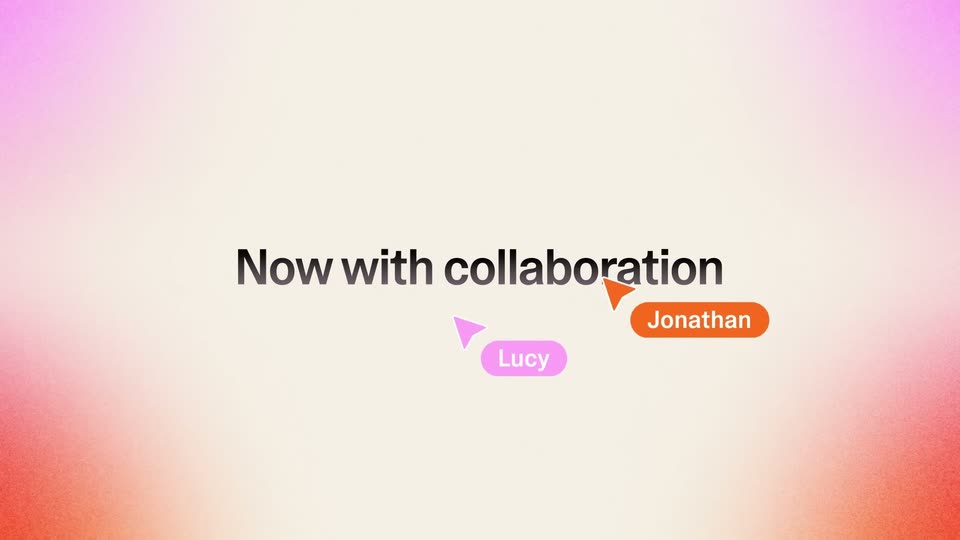
Canva’s 4:14 launch film runs 78 scenes, about 3.3 s each. The product shows up at 0:05 and 6 features are revealed, with social proof. The call to action lands at 4:11 (99% in), over a voiceover. The video cuts between locked-off keynote shots and fast motion-graphics demos, moving from problem to reveal to a rapid feature montage. Signature moves include 3D-tilted interface mockups, icon morphs, and named collaborator cursors drifting over the UI.
Is this your launch? to your site or press kit.
Wondering · Consumer · Jul 2026
Lovable · Developer tools · Apr 2025
Canva · Design · Oct 2025
Films whose music sounds like this one, voice left out
Galaxy Z Fold7 · Modern electronic
Ledger · Modern electronic, corporate tech launch
DJI · Upbeat electronic, indie rock, and funk/soul
A glossy 3D globe with green landmasses and blue oceans rotates in the center of a white-to-purple gradient background. The white text 2025 sits still beneath it.
On-screen text: “2025”
Camera: Static
A 3D Earth globe floats on a white-to-purple gradient, “2025” below. The title “Canva World Tour” assembles with the globe as its “o,” then shrinks to the top while the globe grows to center and rotates. A 3D @ symbol, play badge, “Brand Strategy” card and green squiggle orbit it.
On-screen text: “2025”, “Canva World Tour”, “Brand Strategy”
Techniques: Kinetic type
Camera: Push in
A white-to-purple gradient card with the Canva World Tour logo at top. The magenta “Canva” and white “Video 2.0” slide up into the center and lock off, with “2025” settling at the bottom of the frame.
On-screen text: “Canva”, “Video 2.0”, “2025”
Techniques: Kinetic type
Camera: Static
A presenter in a red jacket stands center stage before a large screen showing a green-on-blue world map, gesturing with both hands as he speaks. A white lower third with his name and title appears at the bottom left.
On-screen text: “2025”, “Canva World Tour”, “Video 2.0”, “Phil Haeusler”, “STAFF MACHINE LEARNING ENGINEER HE/HIM”
Camera: Pull out
A presenter in a red jacket gestures on a colorful stage beside a large screen showing the static line 'Imagination should never be limited by tools or skills.' A rotating globe sits behind him, a lower-third names him Phil Haeusler, and audience silhouettes fill the foreground.
On-screen text: “Phil Haeusler”, “STAFF MACHINE LEARNING ENGINEER HE/HIM”, “Imagination should never be”, “limited by tools or skills”
Camera: Static
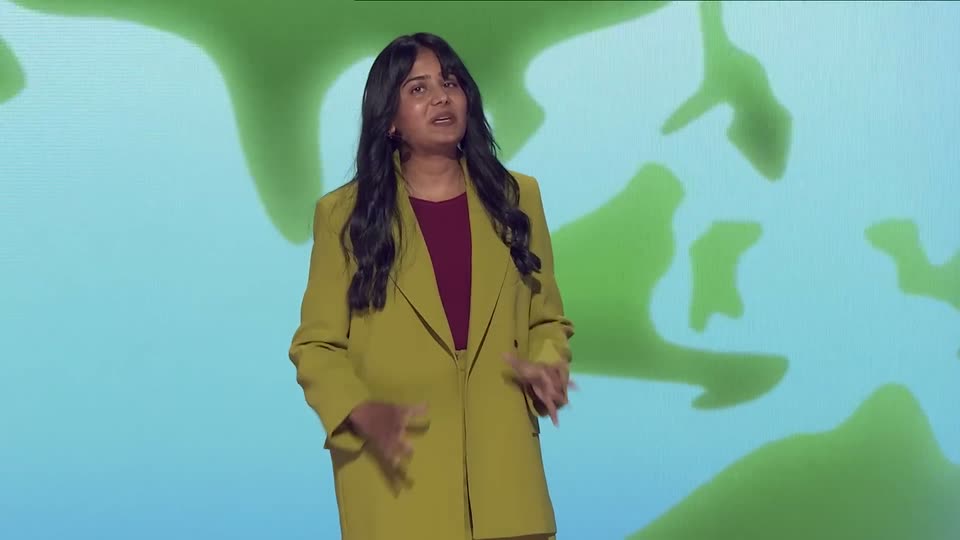
A presenter in a red jacket stands center stage before a large screen of slowly shifting green and light-blue organic shapes, speaking and gesturing with open hands. The camera holds a locked-off medium shot.
On-screen text: “Imagination should never be”, “limited by tools or skills”
Camera: Pull out
A presenter in a red jacket stands on stage, gesturing, beside a large screen holding a two-line tagline over a blue gradient. A stylized globe rotates slowly to his left, and audience silhouettes fill the foreground. Locked-off wide shot.
On-screen text: “Imagination should never be limited by tools or skills”
Camera: Static
A presenter in a red jacket stands on a stage with glowing orange, purple, and cyan arches and a globe graphic, facing a seated audience. On the right, a large screen shows a tagline, then a white card labeled “The Simple Tools” scales in with a slight tilt.
On-screen text: “Imagination should never be limited by tools or skills”, “The Simple Tools”
Camera: Static
On a colorful stage with a globe backdrop, a presenter in a red jacket gestures at center left. A large screen to his right holds a tilted white card with the words The Simple Tools over a faint figure icon. The audience sits in silhouette in the foreground.
On-screen text: “The Simple Tools”
Techniques: Kinetic type
Camera: Static
A man in a red jacket stands center stage before a screen of soft green and light blue shapes, speaking and gesturing with both hands. The words 'The Simple Tools' scale in one by one.
On-screen text: “The”, “Simple”, “Tools”
Techniques: Kinetic type
Camera: Pull out
A presenter in a red jacket gestures on a colorful stage with a globe backdrop, beside a large screen showing a white card titled The Simple Tools. A navy card titled The Professional Tools slides in from the right to overlap it. The audience fills the foreground.
On-screen text: “The Simple Tools”, “The Professional Tools”
Camera: Static
A young man in a red zip jacket stands center stage before a light-blue screen showing a slowly rotating green globe, gesturing with both hands as he speaks. The camera holds a locked-off medium shot.
On-screen text: “The”, “Tools”, “Professional”, “Si”
Camera: Pull out
A presenter in a red jacket stands on a keynote stage beside a large screen. Two tilted cards, one white and one dark, slide apart to reveal a centered line of text. The audience is silhouetted in the foreground, and the camera stays locked off.
On-screen text: “The Professional Tools”, “The Simple Tools”, “Content creators deserve something better”
Techniques: Masking
Camera: Static
A presenter in a red jacket stands center stage, gesturing while speaking, in front of a large screen showing a slowly shifting green-and-blue map. Locked-off medium shot, steady pace.
On-screen text: “Content creators deserve something better”
Camera: Pull out
A presenter in a red jacket stands on a stage before concentric neon arches and a globe, audience silhouettes in the foreground. The screen at right cuts from a text slide to a video call tile of a woman in a white shirt.
On-screen text: “Content creators deserve something better”, “Profe”, “Tc”
Camera: Static
A vertical video of a woman in a white zip-up top talks and gestures, centered on a purple-to-teal gradient. A purple name tag reading Phil with a cursor arrow appears at the lower right, sliding in and out of the frame.
On-screen text: “Phil”
Camera: Push in
A phone-shaped card on a purple background expands to full frame, revealing a woman making peace signs in front of a colorful Canva World Tour truck. A purple 'Phil' name tag with a cursor arrow appears at bottom right, then turns blue.
On-screen text: “Phil”
Techniques: Masking
Camera: Static
A woman in a cream zip vest and card-patterned pants stands center frame on a crowded New York street, speaking to camera and gesturing with both hands. Pedestrians walk past a draped table while tall buildings fill the background in bright daylight.
Camera: Static
A woman in a white denim jacket stands centered before a white gallery wall hung with three woven tapestries, speaking to camera. The frame is locked off with a shallow depth of field; only her mouth and slight head movement change.
On-screen text: “HEUXRD”
Camera: Static
A smiling woman in a white zip-up top points down with both hands inside a vertical video card, framed by a purple-to-cyan gradient. She gestures toward the lower edge while speaking to the camera.
Camera: Static
A man in a light blue shirt stands center frame before a rainbow Canva World Tour booth, gesturing with both hands as he speaks. Colorful cubes and seated attendees fill the background on a patch of green turf. The camera holds a locked-off wide shot.
Camera: Push in
A woman in a white t-shirt and glasses stands centered before a dark corrugated metal wall, holding a small round device up near her chest. She smiles and speaks to camera in a locked-off medium shot.
Camera: Push in
A person in a dark blue shirt and glasses stands centered before a warm-lit wooden shelf wall, gesturing with both hands while speaking. The medium shot stays static, with colorful floor cushions blurred in the foreground.
Camera: Static
A woman in a cream zip top and card-print pants stands center frame on a crowded city street, speaking to camera and gesturing with both hands. Pedestrians and a blue MTA bus move past her in the background, some blurred by motion.
Camera: Static
A woman in a black Texas t-shirt stands center frame in front of a rainbow-painted mobile booth, gesturing with both hands then shaping a heart with her fingers. People and colorful cube seats fill the event lawn behind her as the camera slowly pushes in.
Camera: Push in
A smiling woman with braces in a white jacket stands before colorful woven tapestries and talks to camera. The shot then frames as a rounded card with a blue-purple gradient edge while a purple cursor drops a small purple 'Phil' name badge into the lower right.
On-screen text: “Phil”
Techniques: Cursor demo
Camera: Static
A smiling woman in a white shirt waves both hands at the camera inside a rounded card on a blue-purple gradient. A small purple cursor with a speech bubble reading Phil slides in at the lower right.
On-screen text: “Phil”
Camera: Pull out
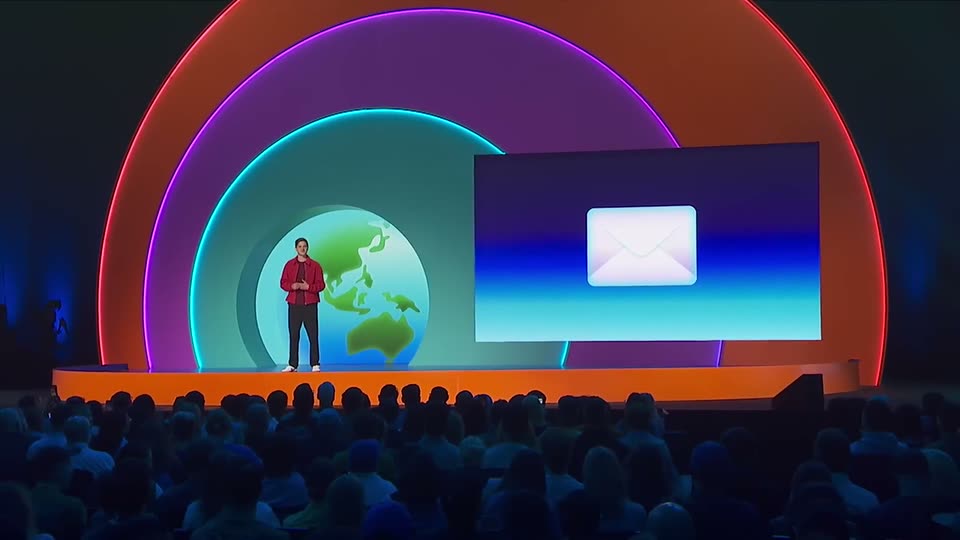
A man in a red jacket presents on an orange stage framed by neon arches and a globe. The screen at right shows a video call window that morphs into a white envelope icon on a blue gradient. Silhouetted audience in the foreground.
Techniques: Morph
Camera: Static
A presenter in a red jacket stands center stage before a large screen showing a slowly panning green and blue Earth map. He speaks into a headset mic, gesturing with open hands, then clasps them and turns his head to the side.
On-screen text: “D”
Camera: Static
A band performs on a stage lit in blue against a purple circular backdrop. A guitarist in a purple jacket stands left, a cap-wearing performer moves center near a monitor, while a drummer and bassist fill the right. A bright stage light glows in the lower right corner.
Camera: Static
A drummer in dark clothing plays a drum kit under blue stage lights, seen from the side. A crowd and an orange wall fill the background as other band members stand behind the kit.
Camera: Static
A presenter in a red jacket stands on stage beside a large screen showing a white envelope on a blue gradient. The envelope tilts, then morphs into a pink video camera icon as small sparkles pop out around it. Silhouetted audience members film from the front.
Techniques: Morph, Particles
Camera: Static
A presenter in a red jacket stands at left on a teal and orange stage, a purple play-button logo behind him. A wide screen at right shows a pink “Video 2.0” editing card with a split video preview and a “Joe” bubble. The audience films from the front.
Camera: Static
A wide locked-off shot of a dark conference hall. A speaker stands center stage before a large screen showing a video player, framed by concentric orange, purple and teal arches and a magenta play button. The seated audience fills the foreground in shadow.
Camera: Pull out
A wide shot of a seated audience in a dark hall washed in purple light. Rows of attendees clap and smile toward the stage, a man in glasses at the center and a bearded man beside him clapping. The camera holds nearly still with a slight drift.
Camera: Pull out
A presenter in a red jacket stands on a stage, gesturing, left of a large screen showing a Video 2.0 editing card with a video clip, a T field, a Joe bubble and a waveform. The audience raises phones. The frame is locked.
On-screen text: “Video 2.0”
Camera: Static
A packed conference audience sits in tiered rows under shifting magenta and blue stage lighting. Several attendees clap while a woman on the right holds up a phone, the crowd turning from deep purple to brighter blue as the light changes.
Camera: Static
A man in a red jacket stands center stage before a large purple screen showing a white logo mark. He speaks into a headset mic, gesturing with both hands, then turns his head to the side.
Camera: Static
A static wide shot of a live event stage lit in pink and blue, a seated crowd in the foreground and a presenter in red before a concentric-arch set. The large screen at right switches from a vlog interface to a two-person video call.
Camera: Push in
A man in a brown cardigan gestures beside a ring light, then the frame pulls back into a pink editing interface: his clip is a rounded panel on the left, a second clip of a man with a tablet on the right, a purple waveform bar below.
Techniques: UI zoom
Camera: Pull out
A flat interface layout with the magenta word Video top left and white reimagined bottom right. Two video windows show a man gesturing beside a ring light and a man in headphones holding a phone. Name tags Evie, Dom, Keely, a text tool icon and a purple audio waveform bar float over the panels, drifting slowly.
On-screen text: “Video”, “reimagined”
Techniques: Parallax
Camera: Pull out
A purple to white gradient fills the frame while rounded video clips of a man tilt and drift around the edges. The white headline scales up at the center, building word by word, then settles smaller as the clips rotate into the corners.
On-screen text: “From clips”, “to your feed”
Techniques: Kinetic type, Parallax
Camera: Push in
On a pink gradient, a white prompt card settles into center while loose video thumbnails fly in and dock into a row. The field types out a topic, a name chip and a purple arrow button pop in, and a large magenta word scales up at the lower right.
On-screen text: “seconds”
Techniques: Kinetic type, Masking
Camera: Push in
A purple circle with a white right-pointing arrow holds a blue cursor icon at its lower edge. A thin purple line draws itself into an L-shaped corner on a white and pink background. A blue pill with the white name Jamie slides in along the bottom.
On-screen text: “Jamie”
Camera: Static
A soft blue-and-lilac gradient fills the frame while the purple text “Creating your video...” sits static at center, preceded by a four-pointed sparkle icon. The name Jamie slides off at the start, leaving the loading line alone.
On-screen text: “Jamie”, “Creating your video...”
Camera: Static
A phone mockup on a pink gradient with floating purple stars. The app screen shows a blank loading state, then the finished video of a man with headphones appears under orange script text, while the stars drift slowly.
On-screen text: “Creating your video...”
Techniques: Parallax, UI zoom
Camera: Static
A phone mockup on a pink gradient shows a vertical video cycling through clips of a man, with a fixed orange title and label overlay. The phone then tilts into 3D perspective, revealing its side edge.
Techniques: 3D mockup
Camera: Static
A cylindrical strip of vertical video templates rotates in 3D against a pink-to-white gradient, while the white headline “Scroll-stopping templates” appears across the center of the frame.
On-screen text: “Scroll-stopping templates”
Techniques: 3D mockup
Camera: Push in
A diagonal row of tilted phone screens in 3D perspective scrolls rightward across a pink gradient, each playing a lifestyle clip, while the white “Made for” and magenta “every trend” headlines fade in at the top left and bottom right.
On-screen text: “Made for”, “every trend”
Techniques: 3D mockup
Camera: Push in
A pink gradient fills the frame as a fanned arc of photo cards sweeps diagonally, framed by white “Made for” and magenta “every trend”. The fan collapses into two side video panels on a white background, revealing centered magenta “Edit like a pro” with a blue collaborator cursor.
On-screen text: “Made for”, “every trend”, “Edit like a pro”
Techniques: Morph
Camera: Pull out
A video editor timeline scrolls right past 1s and 2s ruler marks as a clip of a man at a desk plays; a blue Dom comment tag scales up over the clip while a cyan track label reads New product boxing and a purple waveform runs along the bottom.
On-screen text: “Edit like a pro”
Camera: Pan
A close-up of a video editor timeline. The playhead travels right across the 1s and 2s ruler. A teal text clip labeled New product boxing sits over two video tracks; an orange Evie tag slides in at its right end and a blue Dom tag scales in below. A purple waveform lines the bottom.
Camera: Pull out
The Canva video editor fills the frame: a preview plays a man taping a box under an orange headline, while blue and orange collaborator cursors hop around the canvas. The timeline ruler ticks along below as the playhead advances.
Techniques: Cursor demo, UI zoom
Camera: Pull out
The full Canva editor zooms into the prompt field, where “Unpacking blue beanies from a cardboard box” is typed out. The Dom cursor label drops to the Generate video button, and a generated clip of hands pulling a blue beanie from a cardboard box fills the preview.
Techniques: UI zoom, Cursor demo
Camera: Push in
A pair of hands lifts the flaps of a cardboard box filled with blue packing material against a brick wall. A blue chat bubble labeled Dom sits at right, then a tilted 3D phone mockup of the same shot rotates in over the footage.
On-screen text: “Dom”
Techniques: 3D mockup
Camera: Static
The Canva editor fills the frame: a preview shows a man taping a box under “New product boxing” text, beside a clip of hands holding a blue folded item. A cursor labeled Dom moves below that clip and blue sparkles pop in as the view reframes wider.
Techniques: Cursor demo, UI zoom
Camera: Pull out
A vertical stack of social media icons scrolls upward behind the pink text Share everywhere, the black TikTok icon holding the center at the largest size. The background is a soft pink-to-white gradient, and the text stays fixed.
On-screen text: “Share”, “everywhere”
Camera: Static
On a white field with soft pink corners, the pink lowercase wordmark 'watermark free' holds still. A yellow raised-hand emoji and a teal megaphone pop in, scale up, and settle in the gap between the two words.
On-screen text: “watermark free”
Camera: Static
A purple-to-teal gradient fills the frame as the white Canva Video wordmark reveals in the center. A horizontal mask opens across the script and sans lettering while the type scales up to full size.
On-screen text: “Canva Video”
Techniques: Kinetic type, Masking
Camera: Static
A high wide shot of a conference stage: a presenter stands on a circular platform under colorful arches, a screen reads Canva Video, the audience fills the dark foreground. Stage lights flash and a pink circle with a video icon fades in beside the screen.
On-screen text: “Canva Video”
Camera: Push in
A man in a red jacket and dark shirt stands center stage before a large purple screen showing a white logo shape. He speaks into a headset microphone, gesturing with both hands and briefly clasping them in front of him.
On-screen text: “Canva Video”
Camera: Static
A presenter in a red jacket stands on a stage before a large magenta circle with a white logo. To his right, a big screen cycles through a grid of photos and short clips of people with small caption labels. The audience sits in silhouette in the foreground.
Camera: Static
A presenter in a red zip jacket stands center frame before a magenta LED wall showing a large white logo mark. He gestures with both hands at chest level while speaking into a headset mic. Medium shot, static camera, even stage lighting.
Camera: Static
A presenter stands on a stage of orange, purple and teal arches, a white camera icon glowing in a purple circle behind him, before a seated audience. The screen beside him switches from a mosaic of video thumbnails to a phone mockup with a prompt bar and image grid.
Camera: Push in
A presenter in a red jacket stands left of a bright stage while a large screen right cycles a phone mockup through media selection, vibe options, and a generated video preview; audience heads fill the foreground.
Camera: Static
A phone mockup on a teal-to-orange gradient shows a video editor: a 'GOLDEN HOUR in motion' preview above a timeline of text layers and clips. A pink 'Aliaksei' tag slides along the timeline, selects a text layer, then jumps to the share icon, opening a sheet of social icons.
Techniques: Cursor demo
Camera: Static
A man in a red jacket and dark shirt stands center stage before a large purple screen showing a white graphic. He speaks into a headset mic, gesturing with both hands at waist level. The shot is a static medium frame.
Camera: Static
A presenter in a red shirt stands on a colorful stage before a giant screen showing the Canva video editor. Name tags pop onto thumbnails in the uploads panel as a clip lands on the timeline, and a cursor clicks the timeline.
Techniques: Cursor demo
Camera: Static
The Canva editor reframes from the full workspace onto the timeline. A cursor labeled Adela drags an audio clip from the media strip into a purple waveform track, then moves up to the play button.
Techniques: UI zoom, Cursor demo
Camera: Static
A tilted Canva editor sits on an abstract teal and magenta backdrop. Inside the preview, a top-down clip of a person on a rug plays as yellow title text and star ratings pop in. Two named cursors, Chloe and Adela, drift from the canvas center to the lower corners.
Techniques: Cursor demo
Camera: Static
A tilted Canva editor window floats over a teal-to-orange gradient. In the preview, a man in a brown cardigan dances while two named cursors, Chloe and Adela, hover over the frame. Text, video and audio tracks fill the timeline below.
Techniques: 3D mockup, Cursor demo
Camera: Static
A man in a red jacket stands center frame against a purple stage backdrop with a large white logo, gesturing with both hands as he speaks. Medium shot, static camera.
Camera: Static
A presenter in a red jacket gestures on a stage of concentric colored arcs. A screen beside him runs a Canva editor: a caption panel slides out, then white captions 'We're here at Mount Cosciusco' pop onto a clip of a woman in ski goggles. Silhouetted audience fills the foreground.
Camera: Static
The Canva editor sits tilted in 3D over a pink and teal gradient. A video frame shows a masked red-haired person with a white caption box, and a timeline below holds two caption tracks above a thumbnail strip.
Techniques: 3D mockup
Camera: Static
The Canva video editor sits tilted in 3D over a gradient backdrop. A tagged cursor clicks the Captions text style, switching the caption font to a serif, then opens the Elements panel and drags a yellow blob shape onto the video frame.
Techniques: 3D mockup, Cursor demo
Camera: Static
A tilted Canva editor window in 3D perspective shows the elements panel on the left and a video preview on the right. A blue gradient rises from the bottom of the frame and wipes the interface out of view.
Techniques: 3D mockup
Camera: Static
A blue-to-purple gradient fills the frame behind the centered white Canva script wordmark. The dot above the final letter settles into place while the URL canva.com/launches holds steady beneath the logo.
On-screen text: “canva.com/launches”
Camera: Static
The white Canva script logo and the URL canva.com/launches hold centered on a gradient background that shifts from violet to blue and back to purple.
On-screen text: “canva.com/launches”
Camera: Static