1:06
Paul Klein IV - Your agents suck when using the web because 85% of it doesn't have an
Browserbase · Apr 2026
Relume’s 1:20 launch film runs 32 scenes, about 2.5 s each. The product shows up at 0:08 and 4 features are revealed. The call to action lands at 1:13 (91% in), over a voiceover. The video is built as short text cards handing off to UI demos, with each feature (style, character, scene) following the same beat: references in, extraction tags pop, asset saved, prompt typed, results fan out. Its signature moves are the tilting photo cards, the blur-to-focus headline reveals, and small pill labels popping around a single image on a cream gradient.
Is this your launch? to your site or press kit.
Browserbase · Apr 2026
Wondering · Consumer · Jul 2026
A rounded photo card of a blond man against blue sky sits under the headline “This is Leo.” The card tilts and swaps to him drinking from a cup, then a card of another man stacks on top as the headline changes to “Still Leo.” and “Leo?”
On-screen text: “This is Leo.”, “Still Leo.”, “Leo?”
Camera: Pan
A plain cream background holds the black word Leo? centered at the top. Below it, a stack of rounded photo cards shows a young man with blonde dreadlocks in a blue sweatshirt, hand on his chin against a blue sky. The frame stays locked off.
On-screen text: “Leo?”
Camera: Static
On a cream gradient background, a fanned stack of rounded photo cards sits in 3D perspective under the caption Leo?. A new card with a different man slides up from the front as the caption blurs into Not Leo.
On-screen text: “Leo?”, “Not Leo.”
Techniques: 3D mockup
Camera: Static
A fanned stack of three photo cards floats on a cream gradient, the top card showing a person with short blonde hair against blue sky. The stack eases into place with a slight rotation. The black headline “Not Leo.” scales in at the top center on a locked-off frame.
On-screen text: “Not Leo.”
Techniques: Kinetic type
Camera: Static
A soft cream-to-peach gradient fills the frame. Four rounded photo cards, each showing a person against a blue sky, sit in the corners and gently drift and tilt. Centered gray text reads “AI images drift.” and resolves from a horizontal blur.
On-screen text: “AI images drift.”
Camera: Static
A cream-to-peach gradient holds the gray word Introducing centered. It crossfades into an orange rounded-square icon above the black Relume Studio wordmark. The lockup then splits, Studio sliding left and Relume sliding right with motion blur.
On-screen text: “Introducing”, “Relume Studio”
Techniques: Kinetic type
Camera: Static
A light gradient background holds a three-line headline that builds word by word, each term fading in with a soft blur. Small rounded photo icons, a mug, a face and a room, sit inline between the words. The orange Arc logo marks the brand after 'Studio'.
On-screen text: “Studio locks in your”, “style, people”, “and places.”
Techniques: Kinetic type
Camera: Static
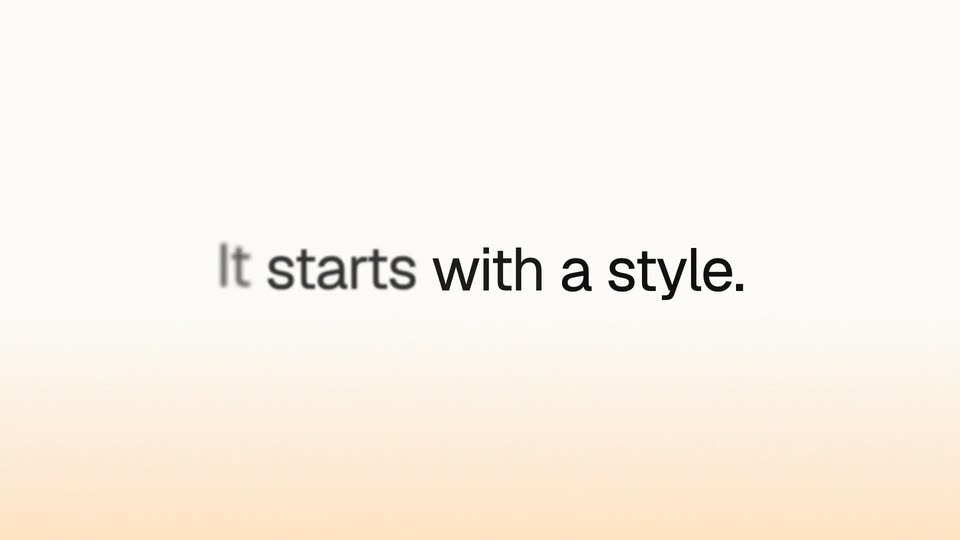
A centered sentence on a cream-to-peach gradient. The line begins out of focus and sharpens into a crisp lock-up, with a faint blurred shape above it. The frame stays static for the duration.
On-screen text: “It starts with a style.”
Camera: Static
Three rounded photo cards of women in athletic wear fade in and sharpen on a cream background, settling side by side, while a white pill reading 3 references added scales in above them.
Camera: Static
Three tilted photo cards of women in activewear snap into a straight row on a cream gradient. A yellow sparkle icon pops above them as the headline Extracting style settles in, replacing the small 3 references added pill.
On-screen text: “3 references added”, “Extracting style”
Camera: Pull out
An orange app icon and the headline “Extracting style” top a cream background above three vertical photos of women in activewear. White pill labels, Studio Lighting, Soft film grain, Muted earth tones, 35mm · shallow focus, pop in around the cards while the photos take on a shifting color tint.
On-screen text: “Extracting style”, “Studio Lighting”, “Soft film grain”, “Muted earth tones”, “35mm · shallow focus”
Camera: Static
A white rounded card on a cream background holds three fitness photos that sharpen from a blurred blend as small gray style labels fade out. A green 'Style saved' toast pops above and the caption 'White Floor Motion' fades in below. The card then shrinks to a blank white panel with an orange up-arrow button.
On-screen text: “White Floor Motion”
Camera: Pull out
A white card sits centered on a peach gradient. A pill with a thumbnail and the label White Floor Motion tops it, and the text Stretching before a class types out with an orange caret. The card shrinks as two athlete photos slide in from the left and right edges.
Techniques: Kinetic type
Camera: Static
A white rounded prompt card floats on a cream backdrop; a caret types 'Friends doing a workout', clears, then types 'Post workout' as rounded photos of people in activewear stretching and sitting pop in around the card's edges.
Techniques: Kinetic type
Camera: Static
A dark gray headline, 'Images that stay on style every time,' begins out of focus and sharpens, with three small photo thumbnails to its right. The block then swaps to 'One photo of you' above a tilted polaroid of a woman in a white tank top.
On-screen text: “Images that”, “stay on style”, “every time.”, “One photo of you”
Techniques: Kinetic type
Camera: Static
A centered black headline sits above a tilted polaroid of a woman in a white tank top on a peach gradient. The card scales up and rotates upright while a soft blur clears on the text.
On-screen text: “One photo of Lee.”
Camera: Static
A rounded portrait of a woman in a park sits under an orange app icon and the heading Extracting Lee on a cream gradient. White pill tags pop in around the card, then it morphs into a grid of several shots of the same woman as the heading blurs out.
On-screen text: “Extracting Lee”, “Casually dressed”, “Soft complexion”, “Mid 20's”, “Around 5'6”
Techniques: Morph
Camera: Static
A white character sheet card sits centered on a cream gradient, holding a headshot, three full-body views and six expression thumbnails. A “Character saved” toast hovers above. The card then scales down and blurs into a small thumbnail as an empty upload panel with a pink arrow button appears.
Camera: Pull out
Under a bold “Style + Character” headline, a white prompt card holds two chips, a style thumbnail and a portrait of a person, while a typed line is rewritten from “White Floor Motion” to “Lee doing”. An orange up-arrow button sits at the card’s bottom right on a cream gradient.
On-screen text: “Style + Character”
Camera: Static
In a white input card, a cursor types 'Lee doing stretches' beneath chips labeled White Floor Motion and Lee. The line clears, the card fades, and a motion-blurred figure in a green top sits and stretches on the left.
On-screen text: “Style + Character”
Techniques: Cursor demo
Camera: Pull out
Three rounded photo cards sit on a soft cream gradient, each showing a woman in sage-green activewear: drinking from a shaker, chatting with a friend, and stretching. The cards hover at staggered heights and drift slowly, the center card floating higher than the flanking ones.
Techniques: Parallax
Camera: Static
Three lines of dark gray text sharpen in from a blur on a cream-to-peach gradient, a small photo of a woman's head pops in beside the word faces, then a white tablet tilted in 3D rises from below, its screen showing a living room photo.
On-screen text: “Images that remember faces every time.”
Techniques: Kinetic type, 3D mockup
Camera: Static
A white photo-frame card floats in 3D over a cream gradient, tilting to cycle through angles of a sunlit beige room with a chair and potted plant. The headline Lock in a scene holds at the top while Extracting Scene and a small orange icon fade in below.
On-screen text: “Lock in a scene”, “Extracting Scene”
Techniques: 3D mockup
Camera: Static
A rendered minimalist room fills a rounded card under the heading “Extracting Scene” while white tag pills pop in around its edges. The card then widens, splitting into a main view plus three angle thumbnails as a “Scene saved” badge and the title “Sunlit Window Lounge” appear.
On-screen text: “Extracting Scene”, “Ceiling window”, “Mediterranean”, “Minimalism”, “Natural limestone”, “Calm”, “Scene saved”, “Sunlit Window Lounge”
Techniques: Kinetic type, UI zoom, Split screen
Camera: Pull out
A green-check 'Scene saved' toast sits above a blurred interior render that splits into two panels, then the view pulls back into a white card listing two saved-scene thumbnails with labels and an orange arrow button.
Techniques: Morph
Camera: Static
On a cream gradient, a white composer card holds three chips (two room thumbnails and a contact) that slide and scale into a clean horizontal row. Above, the black headline sharpens from a blur into focus. An orange up-arrow button sits in the card's lower-right corner.
On-screen text: “Now all together”
Camera: Static
A white rounded card with three image chips and a line of typed text sits under the black headline, with an orange send button in the corner. The card blurs and fades out as a small burst of orange and yellow confetti pops in the center.
On-screen text: “Now all together”
Techniques: Particles
Camera: Static
Three rounded video cards of a woman in a home sit on a cream gradient around centered text. Your Studio scales in as confetti bursts, then keeps it on brand. appears. Both lines blur out and Then drop scales in over the blurred cards.
On-screen text: “Your Studio”, “keeps it on brand.”, “Then drop”
Techniques: Kinetic type, Particles
Camera: Static
On a white-to-peach gradient, a two-line black headline sits centered, its second line settling from light gray to solid as a pink cube icon pops in beside it. A 3D website card then slides in from the right, angled toward the viewer.
On-screen text: “Then drop”, “it into your website”
Techniques: Kinetic type, 3D mockup
Camera: Static
A flat yoga-studio webpage mockup sits on the right over a cream gradient, with a black sans-serif headline 'Polished in seconds' fixed on the left. The page scrolls down through its sections as the photos fade in, then the frame blurs out.
On-screen text: “Polished in seconds”
Camera: Pan
A two-line headline sits centered on a soft white-to-peach gradient. The text starts blurred and faint, then sharpens and gains contrast over the first second. “Ready to hit” stays light gray; “Publish!” reads dark. The frame is locked off with no camera move.
On-screen text: “Ready to hit”, “Publish!”
Techniques: Kinetic type
Camera: Static
A ring of photos and illustrations frames a cream center. An orange rounded-square logo appears, then the black two-line headline 'Images that stay on brand.' blurs into focus and holds.
On-screen text: “Images that stay on brand.”
Camera: Static