
0:34
Explore
David Haz - Introducing React Bits 2.0 The library you know, rebuilt. Components
React Bits · Oct 2026 · 0:37 · AI-annotated
- Length
- 0:37
- Scenes
- 30 · 1.3 s avg
- Product on screen
- 0:04
- Features shown
- 3
- Call to action
- 0:34 · 91%
- Voiceover
- Yes
00:00:00 / 00:37:50
React Bits’s 0:37 launch film runs 30 scenes, about 1.3 s each. The product shows up at 0:04 and 3 features are revealed. The call to action lands at 0:34 (91% in), over a voiceover. A launch video built as a fast-cut montage: a word-by-word hook over live footage, a rapid tour of reworked UI components, then three short feature demos, closing on a glitched URL card. The style is defined by a pale off-white base with near-black interludes, bold geometric sans headlines framed by corner brackets, and a signature red-cyan chromatic glitch that punctuates every transition.
Footage neededEstimated needs: 2 capture groups — your screens or recordings · 1 official logo — reused across the film · 3 filmed passages — shoot, supply or replace · 10 graphic passages — draw or supply · 6 3D passages — build or supply
Is this your launch? to your site or press kit.
More like this

David Haz - Introducing React Bits 2.0 The library you know, rebuilt. Components, scene by scene
· 30 scenes as text
01 · Hook · 0:00–0:00
A blue ink bloom diffuses outward through a white field of drifting particles while the white headline Your next holds steady at the center of the frame.
On-screen text: “Your next”
Techniques: Particles
Camera: Push in
02 · Hook · 0:00–0:01
A sky of soft clouds, lit gold at the horizon, fills the frame under a fine grid of white dots and plus marks. The word website holds centered in white bold sans, framed by small square selection handles, with a faint offset echo.
On-screen text: “website”
Camera: Push in
03 · Hook · 0:01–0:01
Yellow wildflowers fill the frame against a blue sky, shot from below with a heavy grainy film texture. Centered white lowercase text reads starts with, enclosed in thin corner brackets.
On-screen text: “website”, “starts with”
Camera: Push in
04 · Hook · 0:01–0:02
A dark rippling liquid surface with shimmering light and tiny drifting glyphs fills the frame. The white lowercase words “a little” sit centered and static over the moving water.
On-screen text: “starts with”, “a little”
Techniques: Particles
Camera: Push in
05 · Hook · 0:02–0:03
A soft-focus close-up of an orange butterfly on green foliage fills the frame. The white word magic sits centered over it while small asterisks and corner brackets draw in around it. The smaller phrase a little appears above.
On-screen text: “a little”, “magic”
Camera: Push in
06 · Hook · 0:03–0:04
The word magic sits centered in black lowercase type over a white field, framed by soft blue light streaks. Small black squares and dashed sparkles appear around it, with a tiny asterisk forming above the text.
On-screen text: “magic”
Camera: Static
07 · Demo · 0:04–0:05
A dark chat input box framed by a rippling cyan electric border. Light gray sans-serif prompt text reads 'Write a launch post for our new electric borders. Keep it short and upbeat.' Paperclip and 'Fast' controls sit left, mic and send button right. Text resolves from a vertical blur.
Camera: Static
08 · Demo · 0:05–0:07
A stream of purple wireframe shards flows diagonally across a dark field scattered with small plus markers, then a hard cut to a glitching field of concentric curved lines with RGB color fringing.
Techniques: Particles
Camera: Pull out
09 · Demo · 0:07–0:08
A plain white background holds the headline “Text Animations” in black bold sans, edged with a red-blue chromatic split and horizontal glitch slices. The word blurs and slides up as “Components” resolves in the same centered style.
On-screen text: “Text Animations”, “Components”
Techniques: Kinetic type
Camera: Static
10 · Demo · 0:08–0:09
A white card shows the black word Micro centered, then it is replaced by the larger word Backgrounds, which scales into place. The centered text then switches to the blue phrase Fully reworked. The frame stays locked off.
On-screen text: “Micro”, “Backgrounds”, “Fully reworked.”
Techniques: Kinetic type
Camera: Static
11 · Demo · 0:09–0:10
Four photo cards fan out in 3D perspective on a white background, the front card showing a sunset sky. Each card carries a small icon and a name, and the stack spreads gently to the right.
Techniques: 3D mockup
Camera: Static
12 · Demo · 0:10–0:11
A pale dotted background hosts a grid of white rounded feature cards. The cards and dot texture drift at slightly different speeds while titles such as Realtime collaboration and Automated workflows settle into their final positions.
Techniques: Parallax
Camera: Pull out
13 · Demo · 0:11–0:12
A blue folder icon holding two white cards labeled 'Launch plan' and 'Brand guidelines' sits centered on a plain off-white field. A pink flower built from a fine dot pattern blooms behind it, growing from a partial shape to full bloom, while the right card slides into place.
Camera: Push in
14 · Demo · 0:12–0:13
A rounded file list on a near-white background shifts vertically inside a soft panel. The rows slide down and back up as a new audio file row, Ambient loop.wav, slides into view at the bottom, completing the list.
Camera: Static
15 · Demo · 0:13–0:13
A black field of white halftone dots forms a swirling abstract shape. The dot texture ripples and brightens as the form expands, filling more of the frame over the half second.
Camera: Static
16 · Demo · 0:13–0:14
A dark void holds a ribbon of purple particles that undulates in a gentle wave, its upper edge glowing white. Soft out-of-focus dots drift through the background as the ribbon shifts slowly toward the right.
Techniques: Particles
Camera: Static
17 · Demo · 0:14–0:14
A dark field of glowing blue contour lines forms a topographic map with a central peak and scattered cross markers. The number 5 scales in over the terrain while the camera holds a locked-off frame.
On-screen text: “5”
Camera: Static
18 · Demo · 0:14–0:15
Diagonal blurred light bands drift across a near-black background, brightening from faint streaks to defined diagonal beams as the clip progresses.
Techniques: Light sweep
Camera: Push in
19 · Demo · 0:15–0:15
A low-angle 3D grid of beveled square tiles curves into the distance, lit in magenta and blue. The tiled surface ripples like a slow wave while the far edges fall into soft focus.
Camera: Static
20 · Demo · 0:15–0:17
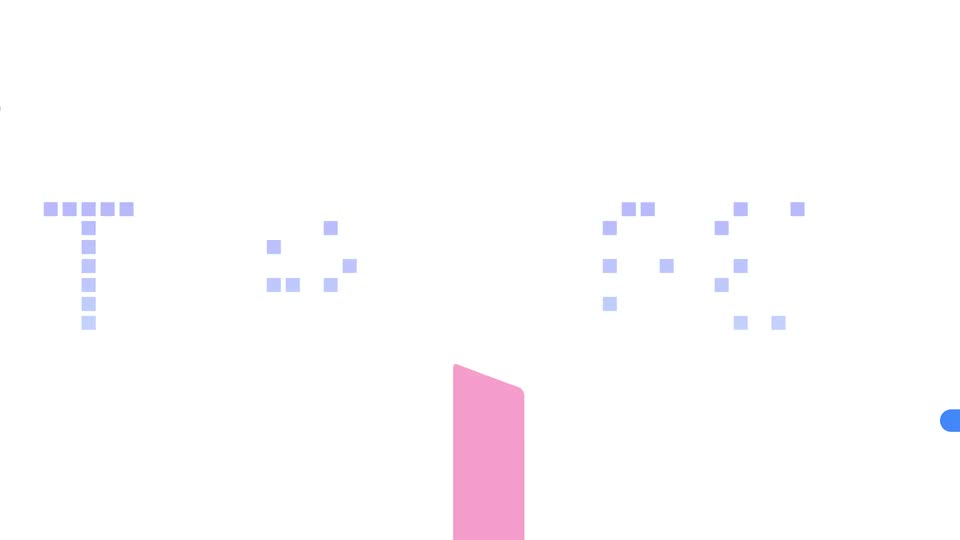
A pale, grainy backdrop with a soft warm glow holds a small black heading above three large tool names. Texture Lab scales in and the lines settle from light gray to black, framed by tiny square corner marks, as Background Studio joins as the third line.
On-screen text: “New design tools”, “Texture Lab”, “Shape Magic”, “Background Studio”
Techniques: Kinetic type
Camera: Static
21 · Demo · 0:17–0:19
A white mask slides left to reveal a map editor UI: blue contour lines on white, with preset and customize panels on the right. The interface blurs out and the tagline “Completely redesigned.” appears centered with a chromatic aberration glitch.
On-screen text: “Completely redesigned.”
Techniques: Masking, Kinetic type
Camera: Push in
22 · Feature reveal · 0:19–0:21
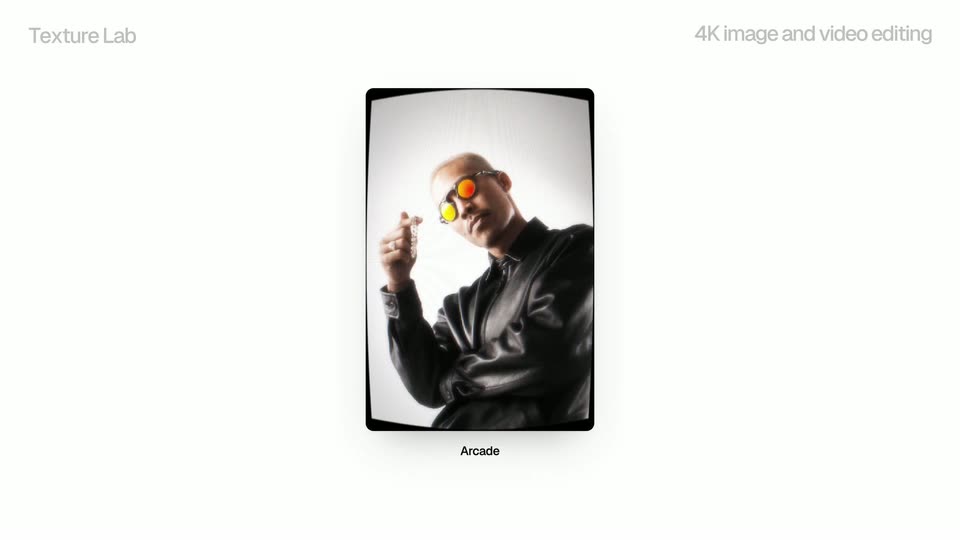
A vertical mockup card floats on a pale background, holding a portrait of a man in a leather jacket rendered as a coarse dot-matrix texture. The texture refines into a finer outline style while the caption below swaps from Dot matrix / Rain to Outline type / Blocks.
On-screen text: “Texture Lab”, “4K image and video editing”, “Dot matrix”, “Rain”, “Outline type”, “Blocks”
Camera: Static
23 · Feature reveal · 0:21–0:24
An angled 3D panel of the editing interface scrolls down through a grid of face thumbnails with orange goggles, each under a small label, beside a column of green matrix code, all in shallow focus.
On-screen text: “Texture Lab”, “4K image and video editing”
Techniques: 3D mockup
Camera: Push in
24 · Feature reveal · 0:24–0:25
A white Terminal settings panel sits tilted in 3D, its Strength, Size, Density and Glow sliders pulsing with a chromatic glitch. A dark pill button at the top left flips from Work to Export while a small 3D monitor in the corner shows a grid of green plus signs.
On-screen text: “Soft type”, “Rain”, “Color type”
Techniques: 3D mockup
Camera: Static
25 · Feature reveal · 0:25–0:27
A curved-arc logo in thermal chrome morphs into a four-blade pinwheel in liquid chrome on a white field, the material caption below switching from Thermal Chrome to Liquid Chrome Quicksilver. Gray headers Shape Magic and Style your logos with materials stay fixed in the top corners.
On-screen text: “Shape Magic”, “Style your logos with materials”, “Thermal Chrome”, “Liquid Chrome Quicksilver”
Techniques: Morph
Camera: Static
26 · Feature reveal · 0:27–0:29
A light two-column grid of material swatches scrolls diagonally down and right. Each rounded card holds a glossy 3D sphere and a label, passing Smoke, Metal, Studio chrome, Quicksilver, Brushed metal and Obsidian.
Camera: Pull out
27 · Feature reveal · 0:29–0:31
A tablet mockup centered on a light gray field shows animated topographic line art that shifts from multicolor contours to pink lines with an orange glow band. The caption below crossfades from Topography in Ridgeline to Topography in Dunes while static gray headlines sit at the top.
On-screen text: “Background Studio”, “Tune backgrounds, export 4K video”, “Topography in Ridgeline”, “Topography in Dunes”
Techniques: 3D mockup
Camera: Static
28 · Feature reveal · 0:31–0:34
A locked-off close-up of a settings panel in 3D perspective lists color presets with colored dots. The selection highlight slides from Ember to Alpenglow while the topographic contour lines on the left shift from red to pink.
On-screen text: “Background Studio”, “Tune backgrounds, export 4K video”, “Topography in Atlas”
Techniques: 3D mockup
Camera: Push in
29 · CTA · 0:34–0:35
A faint lavender React atom logo sits on a white background while the centered URL reactbits.dev glitches with red and cyan chromatic aberration, the color split widening at mid-clip before returning to solid dark blue.
On-screen text: “reactbits.dev”
Techniques: Kinetic type
Camera: Static
30 · Outro · 0:35–0:37
A large faint React atom mark fills the off-white frame while the centered URL reactbits.dev scales in. The text starts with a cyan and magenta split, then settles into dark navy.
On-screen text: “reactbits.dev”
Techniques: Kinetic type
Camera: Static