2:05
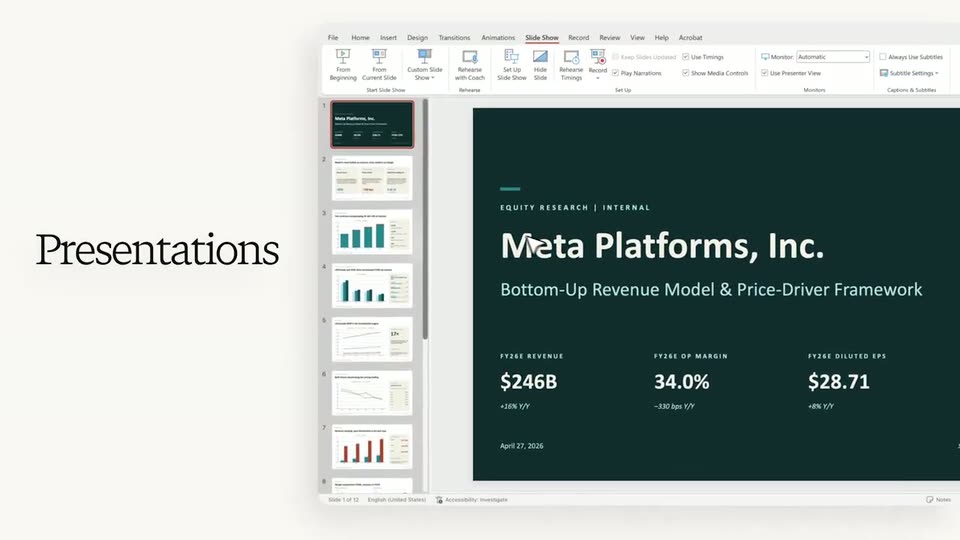

Perplexity - Today we're launching Perplexity Computer for Professional Finance.
Perplexity · AI · May 2026
Ramp · Nov 2026 · 0:33 · Full motion · AI-annotated
Ramp’s 0:33 launch film runs 23 scenes, about 1.5 s each. The product is on screen from the first frame and 4 features are revealed. There is no explicit call to action. The video is built as a run of centered headline title cards that blur into focus, each announcing a feature before a quick UI demo, all cut at a brisk pace of about 27 cuts per minute. Its signature moves are the drifting frosted pastel glass panels, the morphing dot cluster icon, and the soft blur to sharp text reveals on a clean cream ground.
Is this your launch? to your site or press kit.
Perplexity · AI · May 2026
Apple · Hardware · Oct 2026
Perplexity · AI · Oct 2025
Films whose music sounds like this one, voice left out
Sonos · Electronic Dance Music
Finary · Electronic dance music with Latin rhythms
Zora · Electronic dance music
Large black word Glass sits centered on a cream field, with by ramp and a small ramp mark beneath. Thin gray line-drawn rounded rectangles drift slowly across the background, some carrying soft blurred edges, passing behind the still text.
On-screen text: “Glass”, “by ramp”
Camera: Static
A title card holds Glass in huge black bold sans-serif over frosted pastel glass panels in green, blue, tan and purple. Below it, by ramp and a small logo mark sit in smaller black type. The text stays sharp while the background blurs softly in a locked-off frame.
On-screen text: “Glass”, “by ramp”
Camera: Push in
A white productivity app interface is held in a slight 3D tilt against a soft cream backdrop, with thin orange lines at left and a blue gradient panel edge at right. The card eases into a locked-off frame, settling over two list cards under a 'What's on your mind?' prompt.
On-screen text: “Glass”, “by ramp”
Techniques: 3D mockup
Camera: Static
A centered dark gray headline reads “The AI workspace” on a pale cream background. The text sharpens from a soft blur into focus while rounded gradient shapes sit in the top left and bottom right corners.
On-screen text: “The AI workspace”
Camera: Static
On white, the black words 'designed for' sit centered inside a loose ring of eight small pastel icons: speech bubble, speaker, bar chart, plant, pencil, bag, envelope, palette. A fast zoom pushes into the ring as the words scale up into oversized lines of department names, with the icons now dotting the gaps between words.
On-screen text: “designed for”, “X”, “man Resources”, “DesignFinan”, “rketing”, “Produc”, “SalesLegal”
Techniques: Kinetic type, UI zoom
Camera: Push in
Black headline “your entire company” sits centered on white while soft gradient blobs in peach, green, blue and lilac drift around it. The text scales in as the rounded shapes float and shift position behind the letters.
On-screen text: “your entire company”
Techniques: Kinetic type
Camera: Static
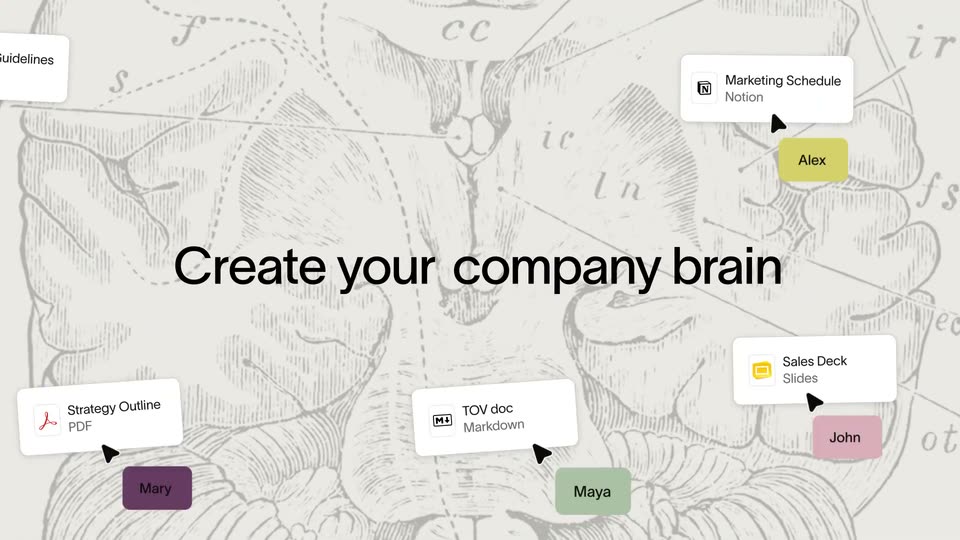
A vintage engraved brain illustration fills the frame as the black headline 'Create your company brain' scales down from a large two-word state to a centered line. Document chips (Figma, Notion, PDF, Slides, Markdown) and colored name tags pop in around the text with small pointer arrows.
On-screen text: “Create your company brain”
Techniques: Kinetic type
Camera: Push in
On a beige field, floating resource cards and colored name tags drift inward, then settle into a dashed panel showing a green checkmark and a row of app icons. The tags slide to the corners as the panel locks in.
Camera: Static
Dark gray text reading 'Build on team knowledge' centers on a white background with large, soft green circles in the corners. The text scales up and sharpens from a slight blur.
On-screen text: “Build on team knowledge”
Techniques: Kinetic type
Camera: Static
A white field holds two large mint-green circles with thin gold rims at the top-left and bottom-right corners. In the center, six black dots form a cluster, one at the middle and five around it; the dots ease into place with a brief offset shadow.
Camera: Static
A dot-cluster logo morphs through three arrangements at center as the headline cycles from Building Sales Proposal to Checking schedules to Tailoring messaging, each paired with a sub-line and app icon. Two textured green circles drift slowly in the corners.
On-screen text: “Building Sales Proposal”, “Sales Proposal Template”, “Google Slides”, “Checking schedules”, “GTM Finance 2026 SOT”, “Google Sheets”, “Tailoring messaging”, “Brand Messaging and Guidelines”, “Notion”
Techniques: Morph
Camera: Static
A white title card holds the heading Tailoring messaging beside a dot-cluster logo, with a small Notion icon and the caption Brand Messaging and Guidelines below. Soft green translucent circles sit in the top-left and bottom-right corners. The whole composition fades to white.
On-screen text: “Tailoring messaging”, “Brand Messaging and Guidelines”, “Notion”
Camera: Static
A dense grid of Ramp website mockups fills the frame, each showing a different landing page with headlines and the ramp logo. The wall of interface views scrolls diagonally, the screens drifting past and overlapping at the edges.
Camera: Pull out
On a white background, a white rounded square and a blue rounded square sit side by side, both starting soft and coming into focus. The centered black text sharpens from blur to crisp over the same beat, the frame locked off.
On-screen text: “Collaborate together”
Camera: Static
A close-up of a chat interface on a cream background. The list of join notifications scrolls upward as message bubbles from Maya Chen and John Green appear, settling on a typing indicator above the input bar.
On-screen text: “Collaborate together”
Camera: Pull out
A light chat screen holds a user prompt with a document chip; the assistant bubble shows a loading state labeled “Updating deck,” then swaps to “All done, here you are” with a file chip, the list nudging up. The “Work on anything” input bar stays fixed at the bottom.
Camera: Static
Black sans-serif headline reads “Across the tools you already use” on a white background, while two soft lavender shapes drift slowly at the left and top-right edges.
On-screen text: “Across the tools you already use”
Camera: Static
A dark chat screen stays locked off. A message from Shaun Smith sits above a rich-text editor where the line “what needs unblocking” is typed, then the mention “@Glass” appears wrapped in a blue highlight box.
On-screen text: “Across the tools you already use”
Camera: Static
A light email compose window shows the body reading Share the meeting notes @Glass above a blue Send button, then cuts to a dark chat editor with Check this with TOV doc @Glass. The @Glass mention glows cyan and scales up to fill the frame.
Techniques: Kinetic type
Camera: Static
A light chat reply screen cuts to an email compose screen. Both show a blue highlighted @Glass mention in the message body, with the mention scaling briefly.
On-screen text: “Glass”
Techniques: Kinetic type
Camera: Push in
A close-up of a light gray interface zooms in on a blue tag. The tag, reading '@Glass' in white, scales up, pushing the adjacent gray text off-screen to the left.
Techniques: UI zoom
Camera: Static
The word Glass scales in on black, centered over a white field with pastel glass panels in the corners, by ramp and the ramp mark below. The title blurs out as the tagline Where knowledge compounds blurs in at center and holds.
On-screen text: “Glass”, “by ramp”, “Where knowledge compounds”
Techniques: Kinetic type
Camera: Static
The black lowercase ramp wordmark and its curved mark sit centered on white, held still, while soft gradient shapes in green, blue, peach and lavender drift slowly along the frame edges.
Techniques: Parallax
Camera: Pull out