1:00

Meet Miro Lite, the free online visual workspace for teams
Miro · Productivity · Nov 2020
Rakazo · Nov 2026 · 0:31 · AI-annotated
Rakazo’s 0:31 launch film runs 25 scenes, about 1.2 s each. The product is on screen from the first frame and 5 features are revealed. There is no explicit call to action; a voiceover carries the film. A rapid chain of single-feature beats, each pairing a dark floating UI card on a cream field with a one-line headline that builds word by word and tints one word orange. Signature moves: 3D-tilted app windows that rotate flat into focus, the orange ghost mascot bookending the film, and an even, brisk cut rhythm at roughly 136 bpm.
Is this your launch? to your site or press kit.
Miro · Productivity · Nov 2020
Shopify · Business software · May 2026
ClickUp · Productivity · Oct 2026
A small orange 3D ghost with two dark eyes sits centered on a pale peach gradient and scales up to fill the middle of the frame. The charcoal word Meet appears to its left, and the product name starts to draw in on its right.
On-screen text: “Meet”, “Ricasso”
Camera: Static
A plain off-white background holds a centered lockup: the black word “Meet” on the left, the word “rakazo” on the right, with a small orange blob mascot, two black eyes and stubby arms, sitting between them. The frame is locked off and the elements stay still.
On-screen text: “Meet rakazo”
Camera: Static
A dark chat-app window sits tilted and blurred in 3D behind a large black “Meet rakazo” headline. It rotates flat and sharpens into focus as a tagline reveals beneath it on a cream background.
On-screen text: “Meet rakazo”, “The open source Grok”
Techniques: 3D mockup
Camera: Static
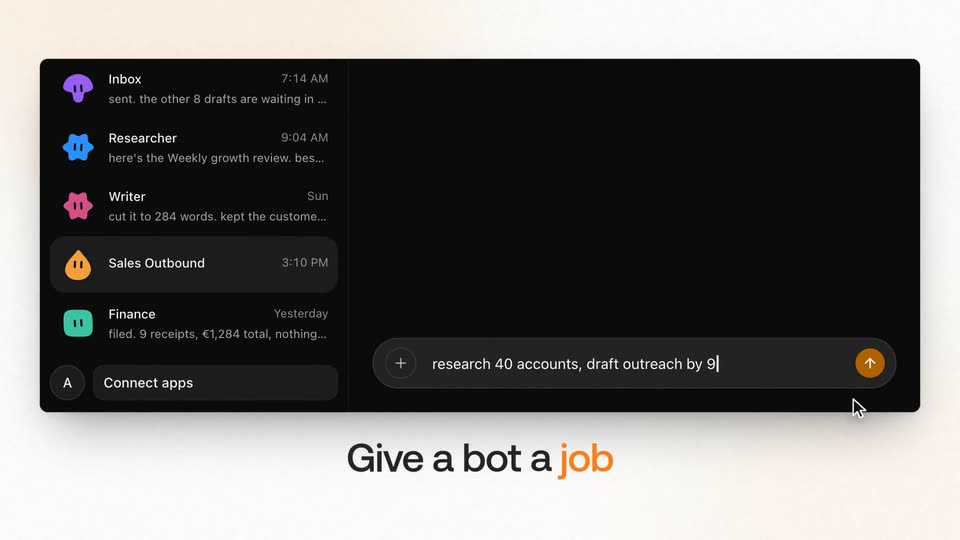
A dark messaging app window on a cream background zooms in as a cursor types a task into the input bar and sends it, producing a message bubble. A large headline below swaps from one phrase to another, with a single word highlighted in orange.
On-screen text: “The open source Grok Bot alternative”, “Give a bot a job”
Techniques: UI zoom, Cursor demo
Camera: Static
A dark chat app window fills the frame on a cream backdrop, then shrinks and slides left as a white window enters from the right. Below, the headline resolves into focus, with the final word in orange.
On-screen text: “It gets its own computer”
Techniques: Kinetic type
Camera: Static
The right panel of a dark agent interface zooms up into a white card showing a browser window, while the chat side fades to black. A cursor hovers over the page, and the caption It gets its own computer sits below on a light background.
On-screen text: “It gets its own computer”
Techniques: UI zoom, Cursor demo
Camera: Static
A 3D-tilted browser window on a plain off-white background displays the Orbit Freight site. The page scrolls down from the hero map to a newsroom list, while a static black caption reads below.
On-screen text: “It gets its own computer”
Techniques: 3D mockup
Camera: Static
A browser window mockup on a cream background shows a newsroom page; a cursor hovers over a highlighted press release headline, then the page blurs as a Schedule task dialog pops up in the center. A black caption below reads It gets its own computer.
On-screen text: “It gets its own computer”
Techniques: Cursor demo
Camera: Static
A dark routines panel with tabs and a Morning sweep entry sits on a cream background. A cursor glides in to hover the schedule time as the caption Put it on a schedule fades in below the panel.
On-screen text: “Put it on a schedule”
Techniques: Cursor demo
Camera: Static
A dark routine list fades out as a night clock screen flashes in, then a new schedule settings panel appears on the right.
On-screen text: “Put it on a schedule”
Camera: Static
On a dark starry night with a crescent moon, a large white clock rolls from 11:05 PM to 3:55 AM beside a dark scheduling panel set to Weekdays at 6:00 AM, while the caption fades in at the bottom.
On-screen text: “It works while you sleep”
Techniques: Kinetic type
Camera: Static
A starry night sky lightens to pale gray as the illustrated sun fills in and the clock changes from 6:56 to 6:00. A flat schedule panel with a run history holds still on the right. The bottom caption fades to gray.
On-screen text: “It works while you sleep”
Techniques: Morph
Camera: Static
A dark chat card with two timestamped message bubbles sits on a cream background, above the centered headline “It works while you sleep”. The frame holds, then the card and text defocus into a soft blur as a transition.
On-screen text: “It works while you sleep”
Camera: Static
A dark chat window reframes from the full app into the conversation, an orange message bubble glowing, while the headline Multiplayer settles from a blurred orange echo into solid black beneath the frame.
On-screen text: “Multiplayer”
Techniques: UI zoom, Kinetic type
Camera: Static
A dark rounded chat card floats on a cream background, its message thread including one orange highlighted line. The large black word Multiplayer sits centered beneath the card. The scene holds static with no motion.
On-screen text: “Multiplayer”
Camera: Static
A dark chat panel with message bubbles crossfades into a members list showing three teammates, while the caption Multiplayer below blurs and fades out.
On-screen text: “Multiplayer”
Camera: Static
A dark team-settings panel on a cream background shows a members list; a cursor clicks the Invite button and a tooltip reading Invite link copied slides in at the lower right. Below the panel, the headline Share a space holds, with the word space tinted orange before fading to white.
On-screen text: “Share a space”
Techniques: Cursor demo
Camera: Static
A dark inbox panel sits on a cream field. An orange outline on the top row holds while the outline on the second row fades away, and a gray caption fades in beneath the panel.
On-screen text: “Or keep it private”
Camera: Push in
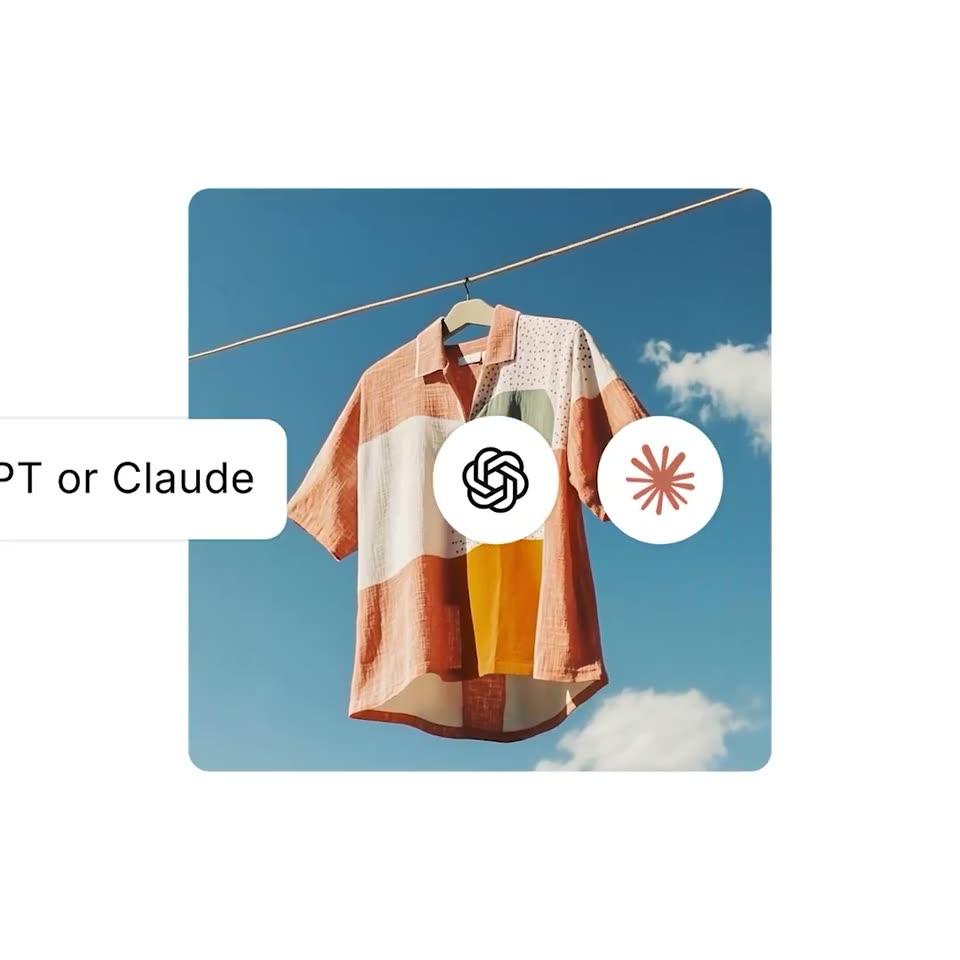
A dark rounded settings panel on a cream background swaps its provider card from a ChatGPT sign-in row to an Anthropic sign-in row, with a cursor resting on the button. Below, a caption builds word by word into “Your ChatGPT or Claude subscription.”
On-screen text: “Your ChatGPT or Claude subscription”
Techniques: Cursor demo, Kinetic type
Camera: Static
A dark rounded card holds a vertical list of AI provider names that scrolls upward while a second column fades out. The caption Or any model sits below in a warm gradient. The card then slides left to reveal a phone showing a chat thread.
On-screen text: “Or any model”
Techniques: Masking
Camera: Static
A dark phone mockup showing a chat thread with orange and gray message bubbles sits on a cream background. It rotates in 3D to reveal its side edge and buttons, while the headline 'On every device' sits below it.
On-screen text: “On every device”
Techniques: 3D mockup
Camera: Static
A 3D tablet mockup on a cream backdrop rotates into a steady front view, its screen showing a conversation list beside a chat thread, with the caption On every device centered below.
On-screen text: “On every device”
Techniques: 3D mockup
Camera: Static
Two pricing cards, Free and $15/mo, sit side by side on a cream background. Below them the orange caption $15/mo stays put as the brown word hosted slides in from the right at the end.
On-screen text: “$15/mo”, “hosted”
Techniques: Kinetic type
Camera: Static
A dark terminal window on a cream background fills with checkmarked setup lines, while a headline below swaps from $15/mo hosted to Or self-host with one prompt. The window then blurs as an orange ghost with two eyes bounces in at the top.
On-screen text: “$15/mo hosted”, “Or self-host with one prompt”
Camera: Static
The rakazo lockup, an orange rounded blob mascot beside a black lowercase wordmark, sits centered on a soft off-white background. The tagline “AI teammates you actually own” fades in below with “actually own” in orange, then “rakazo.com” fades in beneath as the full sign-off holds.
On-screen text: “AI teammates you actually own”, “rakazo.com”
Camera: Static