0:44

Perplexity - Starting today, all Perplexity users have access to SEC data across S
Perplexity · AI · Jun 2025
QuiverAI · Feb 2026 · 0:30 · AI-annotated
QuiverAI’s 0:30 launch film runs 23 scenes, about 1.3 s each. The product shows up at 0:10 and 2 features are revealed. The call to action lands at 0:23 (77% in). The video chains a logo construction opener into two prompt-driven demos (variations, then wordmark) and closes on the brand lockup over a URL, cutting fast at roughly 118 BPM. Signature moves are self-drawing vector strokes with a traveling glow, wireframe morphs, 3D mockup wipes, and type that reshapes in place.
Is this your launch? to your site or press kit.
Perplexity · AI · Jun 2025
Pulse · Oct 2026
A tablet editor frame holds a photo of an open sketchbook on a desk. A blue vector path draws itself over the pencil sketch, tracing the hexagon outline and inner hook shape, then holds steady.
Camera: Pull out
A thin white hexagon outline with an angular G-shaped mark inside is drawn on against a black background. A bright glow travels along the strokes as the lines complete over one second.
Techniques: Light sweep
Camera: Static
A thin black hexagon outline holds a small angular open mark at the center of a white field. Faint dashed guide lines radiate outward from the logo in several directions. The composition stays fixed.
Camera: Static
Thin light-gray lines form angular wireframe shapes with small node dots at the vertices on a black field. The line structure drifts slowly, edges and corners sliding across the frame.
Camera: Static
On a black field, thin gray lines marked with white vertex dots redraw from a scattered angular wireframe into a centered hexagon. Inside it a smaller S-shaped line with blue dots forms, and a white cursor tip slides in at the lower right.
Techniques: Morph
Camera: Static
A hexagonal logo mark with vector selection handles sits on a black canvas. A white cursor moves over the shape, then drags a rainbow color slider below it, shifting the fill from flat blue to a pink-red gradient.
Techniques: Cursor demo
Camera: Static
A white hexagonal logo with a red inner mark sits on a pink-to-purple gradient inside a blue selection box with corner handles. A cursor drags the bottom-right handle, scaling the logo up until the box disappears and the mark fills the frame.
Techniques: Cursor demo
Camera: Static
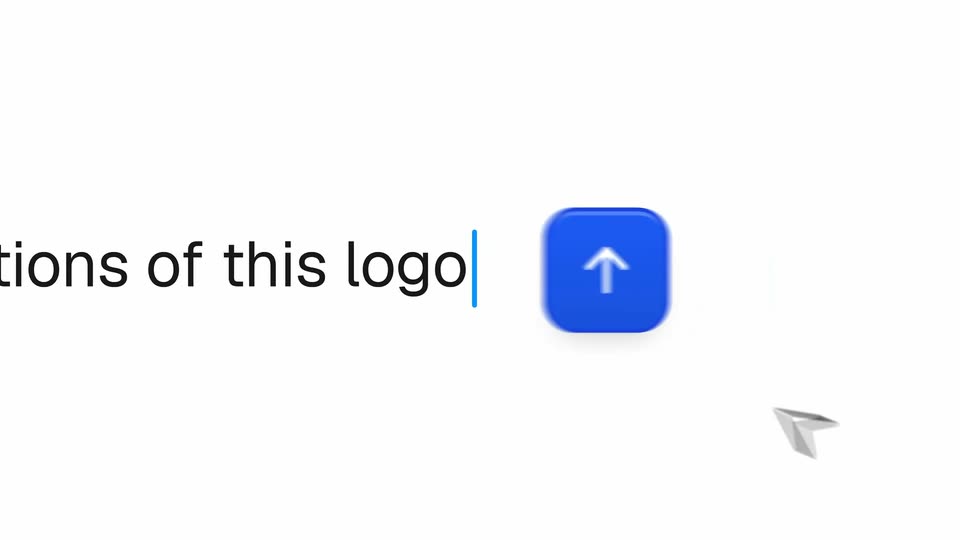
A red gradient app icon sits left of a line that types 'create variations of this logo' behind a blue cursor. The line then slides left as a blue arrow button scales in and a mouse pointer moves onto it.
On-screen text: “create variations of this logo”
Techniques: Kinetic type, Cursor demo
Camera: Static
On a pale off-white field, a blue rounded-square app icon with a white up arrow and a white cursor arrow slides down and shrinks toward the bottom center. A caption with a blue caret sits at the left edge.
On-screen text: “tions of this logo|”
Camera: Static
A pink-to-purple gradient card slides up from the bottom and centers on a black field. A white hexagonal mark with a pink chevron inside appears at its center as the gray backdrop cuts to black.
Camera: Static
A rounded card with a pink-to-purple gradient holds a white hexagonal logo. The card tilts into 3D perspective with motion blur as the logo rotates through a bright horizontal glint.
Techniques: 3D mockup, Light sweep
Camera: Static
A laptop lid in 3D perspective sits on a black background, its surface shifting from a purple to a blue gradient while the white logo in the center morphs from a flat hexagon mark into a three-dimensional cube, with a soft reflection below.
Techniques: 3D mockup, Morph
Camera: Static
A rounded panel with a soft teal, red and cream gradient rotates in 3D on black. A white hexagon badge holding a stylized A mark moves from the center to the top edge. A faint reflection and a small cursor arrow sit beneath the panel at the start.
Techniques: 3D mockup
Camera: Push in
A white hexagonal logo with a black A-shaped mark sits on a black background. A small pointer at the top flicks away as the mark settles into place, then the whole logo shrinks and drifts upward.
Techniques: Morph
Camera: Static
A teal brand poster with a white hexagon logo lies on a rattan surface beside a black patterned card. The poster slides down to reveal a paper cup catching espresso from a machine.
On-screen text: “Lorem”
Techniques: Masking
Camera: Static
A locked-off shot of a cafe window with a frosted hexagonal logo and the wordmark on the glass, then a hard cut to a street-side digital billboard showing the same logo on a black screen, wordmark at top and 'Arrow' at the bottom.
On-screen text: “Lorem”, “Arrow”
Camera: Static
A framed logo poster on a sunlit wooden wall wipes away from the left, revealing a hand holding a black ziplock bag stamped with the same hexagonal mark.
On-screen text: “Arrow”
Techniques: Masking
Camera: Static
A close-up of a black hexagonal logo on a white woven surface pulls back to reveal a large street billboard. The billboard shows the logo between two bold LOREM words, with a small credit in the top right corner.
On-screen text: “LOREM LOREM”, “Arrow * QuiverAl”
Techniques: 3D mockup
Camera: Static
A white rounded input box with a black icon and a blue up-arrow button rests on a faint dotted grid. The gray placeholder text dissolves while the words Add a wordmark to this logo type in character by character.
Techniques: Kinetic type
Camera: Static
A white prompt card reading “Add a wordmark to this logo” slides up and out as the dotted background darkens, revealing a large white outlined wordmark “lorem” beside an enlarged outline of the logo mark.
Camera: Static
A centered white outline word lorem sits on black, then the letters inflate into solid rounded white type as a partial white shape slides out left.
On-screen text: “lorem”
Techniques: Kinetic type, Morph
Camera: Static
On a black field, the word lorem in a high-contrast white serif sits centered. By the midpoint the lettering reshapes into a plump rounded sans with a capital L, the strokes swelling and the serifs dropping out while the word stays locked in place.
On-screen text: “lorem”, “Lorem”
Techniques: Kinetic type, Morph
Camera: Static
On black, the white QuiverAI lockup sits in a blue selection box with corner handles and dashed guides, a cursor arrow at its corner. The wordmark is removed and the box shrinks to the icon. The box and guides fade, leaving the mark centered above the monospace URL quiver.ai.
On-screen text: “quiver.ai”
Techniques: Cursor demo
Camera: Static