1:47
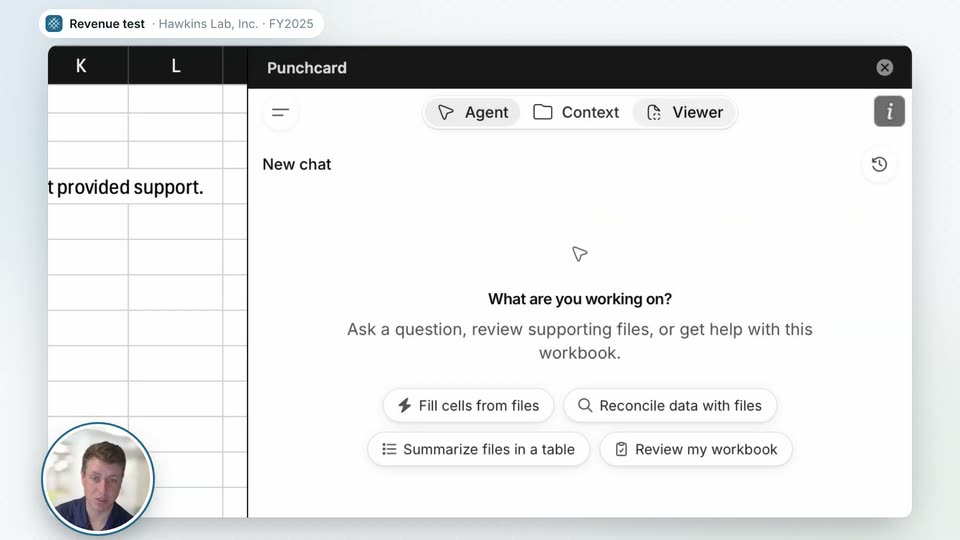

Punchcard in Excel: Verify agent work like a formula
Punchcard · B2B · Nov 2026
Promi’s 0:54 launch film runs 12 scenes, about 4.5 s each. The product is on screen from the first frame and 3 features are revealed. There is no explicit call to action; a voiceover carries the film. The video alternates a locked-off talking head with flat, high-contrast screen recordings, moving from the product pitch to three feature demos (digital twins, studies, Figma import) under one continuous voiceover. Its signature moves are the diagonal white wipes between UI states and the blur-then-focus framing that isolates a single sharp panel at a time.
Is this your launch? to your site or press kit.
Punchcard · B2B · Nov 2026
Cal.com · Productivity · Aug 2022
On black, the white Promi wordmark and its loop-and-slash icon scale up to center frame. A white triangle then wipes in from the top right corner.
On-screen text: “Promi”
Techniques: Kinetic type, Masking
Camera: Static
A man in a black T-shirt sits centered, speaking to the camera in a room with a white floor lamp to his left and a stack of books to his right. The locked-off frame holds on him as he talks and gestures slightly.
Camera: Static
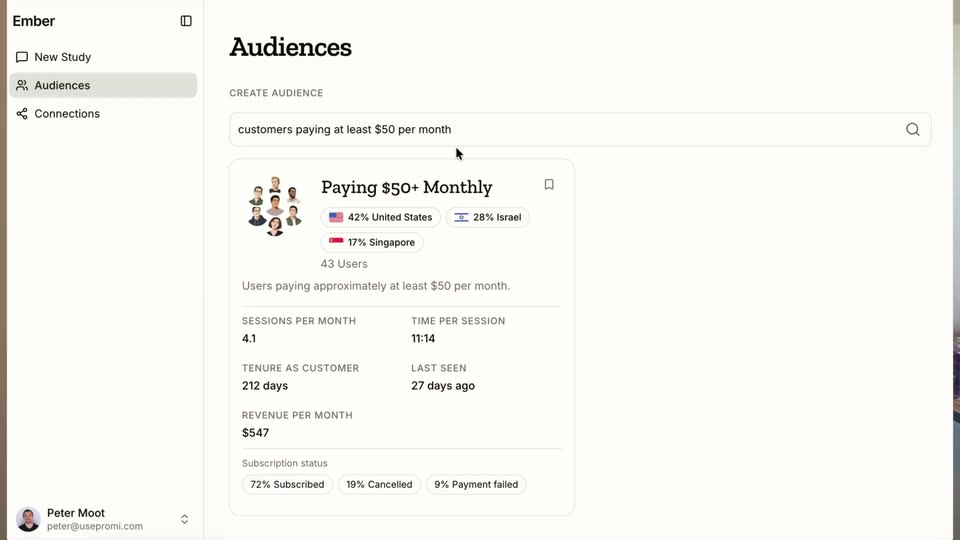
A flat screen recording of the Ember Audiences page. A caret types a segment query into the field; the user cluster fades and a 'Paying $50+ Monthly' card with flags and stats fills in. A cursor moves to the bookmark icon.
Techniques: Cursor demo
Camera: Static
The Audiences page of the Ember interface fills the frame. The view scrolls down from the create-audience field and a cluster of user avatars to two saved-audience cards showing statistics. A dark toast notification pops in at the bottom confirming a save, while a cursor hovers near the avatars.
Techniques: Cursor demo
Camera: Pan
A sharp right-hand panel of a SaaS dashboard scrolls down through persona cards with avatars, flag tags and metrics, while the rest of the app stays blurred behind it. A cursor hovers and scrolls the list.
Techniques: Cursor demo
Camera: Pan
A diagonal wipe reveals the Ember interface, which scrolls up as the assistant types a reply and a task card slides in. A second question types itself, the cursor flips a toggle, then clicks Run Study, collapsing the card into a Thinking indicator.
Techniques: Masking, Cursor demo
Camera: Static
The Ember app shows a study in progress with a Thinking indicator, then a diagonal white wipe sweeps across to reveal a report card. The card holds a mouse-movement heatmap, a glowing red-orange blob and a white cursor path, overlaid on a website screenshot.
Techniques: Masking
Camera: Static
A study screen opens on a heatmap panel, then scrolls up to a report card listing findings and a P0 fix, while a cursor drifts down to rest on the Open Report button.
On-screen text: “Know how your customers will react”
Techniques: UI zoom, Cursor demo
Camera: Pan
A report panel fills the right half in sharp focus while a study list blurs on the left. Green and red progress bars mark task outcomes and key insights, and a cursor rests over the blurred list.
Camera: Static
A blurred task list sits on the left while a sharp report panel on the right plays a screen recording: a cursor clicks a time slot, the booking card scrolls to a details form, and the name and email fields fill in.
Techniques: Split screen, Cursor demo
Camera: Static
A Figma canvas holds a dashboard frame while a floating AI panel on the right previews a mouse heatmap. A cursor clicks the Click toggle, the panel switches to first clicks with red dots, and matching markers fade onto the canvas frame. A toast confirms the heatmap was added.
Techniques: Cursor demo
Camera: Static
A design-tool screen with a Promi panel wipes away on a diagonal mask to reveal a man in a black T-shirt, seated before a plain wall, a floor lamp and a stack of books. He faces the camera and speaks, gesturing once with his right hand.
Techniques: Masking
Camera: Pull out