1:00

horizontal. (YC F26): AI agents that run factory operations
horizontal. · Industrials · Oct 2026
Plurai · Nov 2026 · 1:37 · AI-annotated
Plurai’s 1:37 launch film runs 43 scenes, about 2.3 s each. The product is on screen from the first frame and 9 features are revealed. The call to action lands at 1:30 (93% in), over a voiceover. The video is built as a tab-by-tab product tour: a logo open, a one-line problem statement, then each feature (coding agent, digital twin, scenarios, evals, run, gaps and fixes, CI/CD, replay, models) announced by a short headline and demoed as a flat UI card floating on a blurred teal field, closing on a free-tier CTA and the logo. Pacing is even at about 11 cuts per minute, with signature moves such as the persistent bottom caption pill, count-up counters, ticking checklists, and the morphing
Is this your launch? to your site or press kit.
horizontal. · Industrials · Oct 2026
Perplexity · AI · May 2024
OpenAI · AI · Sep 2026
The white plurai wordmark holds centered on a blurred dark teal field, then the letters fade away leaving the p mark, which scales up and morphs into a large rounded p shape.
On-screen text: “plurai”
Techniques: Morph
Camera: Static
An extreme close-up of a white letterform on a dark teal gradient defocuses, then the frame settles on a centered UI card labeled Customer Support Agent, with a white caption pill below it.
On-screen text: “Your agent has endless ways to fail.”
Techniques: UI zoom
Camera: Static
Centered on a blurred blue background, a white chat card plays a support conversation: agent asks about Saturday, customer replies 11 works, agent confirms the booking. A bottom caption reads Your agent has endless ways to fail., then swaps to Plurai finds the critical ones.
On-screen text: “Your agent has endless ways to fail.”, “Plurai finds the critical ones”
Camera: Pan
Two flat UI cards float over a blurred teal gradient. The left card is a support chat whose overlapping text resolves into a clean three-bubble conversation, while a right card fades in showing a tool-calls list. A dark caption pill holds at the bottom.
On-screen text: “and helps you fix them before production.”
Camera: Static
Two flat white UI panels sit on a blurred teal gradient. The left panel shows a simulated support chat ending in a pink error note; the right panel lists two tool calls each badged not called. A dark caption pill at the bottom carries the line, then fades out.
On-screen text: “and helps you fix them before production.”
Camera: Static
A flat white chat card and a smaller tool-calls panel sit on a blurred blue background. The chat shows an agent, customer, and a pink error note; the panel lists two uncalled tools. Both cards fade to transparency.
Camera: Static
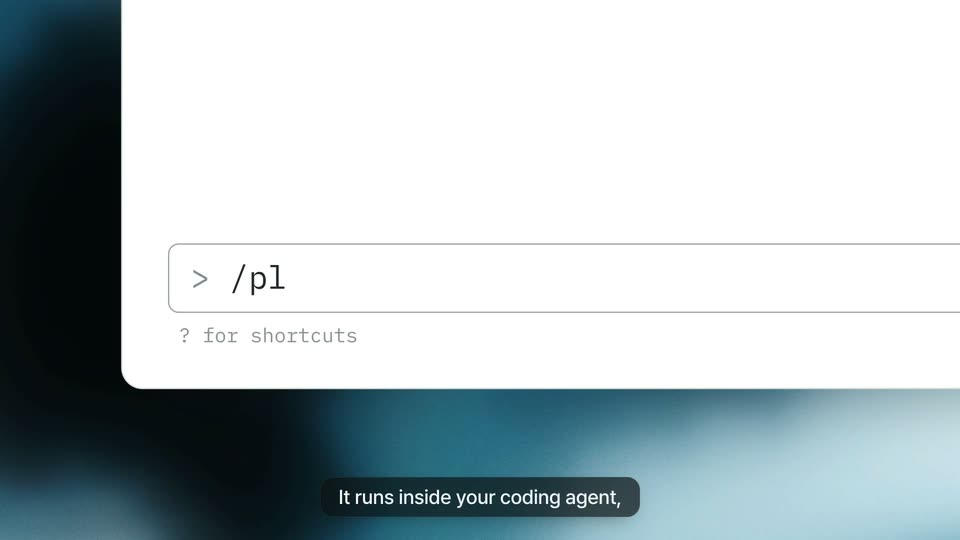
A flat macOS terminal window fades in over a blurred blue-teal background, showing a pixel-art crab icon and a Claude Code welcome block with a prompt line. A dark caption pill at the bottom holds the line about the coding agent.
On-screen text: “It runs inside your coding agent,”
Camera: Static
Close-up of a white window on a dark teal gradient. The command field types out a '/plurai:simulation simulate' string after a '>' prompt, with a gray shortcuts hint beneath. A dark caption pill at the bottom swaps between two lines of narration.
On-screen text: “It runs inside your coding agent,”, “right where your agent's code lives.”
Camera: Static
A Claude Code terminal window sits on a blurred blue backdrop. The command /plurai:simulation simulate runs, and status lines appear one by one as the agent reads the script and wires up the digital twin. A bottom caption reads 'right where your agent's code lives.' and fades out.
On-screen text: “right where your agent's code lives.”
Camera: Static
A dark grid-filled dashboard with a white tab strip across the top, the Scan tab active. A gray heading reads at the upper left while a rounded caption pill at the bottom center shows the line in sync with the voiceover.
On-screen text: “We scan your agent and the world around it,”
Camera: Static
A dark dashboard builds a node graph: a live agent card on the left links to a mock environment panel on the right that draws in with tool tags. A cursor hovers CancelOrder, opening a detail card, while counters tick up and bottom captions cycle.
On-screen text: “We scan your agent and the world around it,”, “then wire up its digital twin.”, “Agent real, tools against a seeded world,”, “knowledge base mapped to a local corpus.”
Techniques: Cursor demo
Camera: Pull out
A dark knowledge-base dashboard fills the frame, a grid of markdown document cards under a white tab bar. Teal highlights light up rows across the cards as the cursor drifts, then slides up to the Suite tab. A caption pill fades in at the bottom center.
On-screen text: “knowledge base mapped to a local corpus.”, “Now let's see it in action.”
Techniques: Cursor demo
Camera: Pan
A test-suite dashboard fades in under a top tab bar, the cursor resting on the Suite tab, showing scenario labels and large counters. A caption pill appears at the bottom.
On-screen text: “We map every path a conversation can take”
Techniques: Cursor demo
Camera: Static
A test-suite screen shows a flow graph of labeled nodes linked by thin lines, with three scenario cards sliding up below. The eval counter counts down to 21 while a cursor glides across the cards. A dark caption pill at the bottom updates with each voiceover line.
On-screen text: “We map every path a conversation can take”, “and engineer the coverage,”, “the interactions that matter, not guesses.”
Techniques: Cursor demo
Camera: Static
A product dashboard shows a test suite with an agent flow graph and three scenario cards. The right card is outlined in white and a cursor hovers over it. A dark caption pill with white text fades in at the bottom, then fades out.
On-screen text: “the interactions that matter, not guesses.”
Techniques: Cursor demo
Camera: Static
A test-suite interface shows a flow graph and two scenario cards on the left. A right-hand detail panel slides in, revealing a scenario brief with a persona profile. A dark caption pill at the bottom reads the line about synthetic users.
On-screen text: “Each scenario gets a synthetic user.”
Camera: Static
A split view of a test suite dashboard and a detailed scenario panel. The right panel scrolls to show a user persona and a cursor clicks a file attachment, while captions appear at the bottom.
On-screen text: “Each scenario gets a synthetic user.”, “They won't go easy,”
Techniques: Cursor demo
Camera: Static
A dimmed product screen shows a test-suite view with a persona panel open on the right. A cursor hovers over a document chip as a faint document with codes and a QR pattern fades in behind the panel, and a caption pill sits at the bottom.
On-screen text: “and they bring their own documents.”
Techniques: Cursor demo
Camera: Static
A British Airways boarding pass scales up and centers over a test-suite dashboard, its route, seat and barcode filling the frame. A dark caption pill holds at the bottom. The interface behind stays still while the document grows into view.
On-screen text: “and they bring their own documents.”
Camera: Push in
A British Airways boarding pass for a Boston to London flight is held centered over a blurred product dashboard, with a small gray tag above it. A dark caption bar at the bottom reads and they bring their own documents. The frame stays static.
On-screen text: “and they bring their own documents.”
Camera: Static
A test-suite dashboard shows a flow graph and three scenario cards under a row of tabs. A cursor clicks the Evals tab and the screen dims.
Techniques: Cursor demo
Camera: Static
A light dashboard UI shows a top tab bar and the heading Your test suite with large 7 and 21 counters. Three columns of labeled eval cards fade in from left to right beneath the heading, and a dark rounded caption pill rises at the bottom center.
On-screen text: “Evals are generated from your agent's own rules,”
Camera: Static
A light product dashboard displays a test suite in three columns of labeled cards. A cursor hovers over the Guardrails card, opening a white tooltip that lists two rule names. A dark rounded caption bar with white text sits at the bottom edge.
On-screen text: “Evals are generated from your agent's own rules,”
Techniques: Cursor demo
Camera: Static
A white eval card overlays a dimmed dashboard, listing two rules with quotes. The cursor moves to the second rule as small line-number chips fade in below each quote, and a dark caption pill at the bottom swaps its text mid-scene.
On-screen text: “Evals are generated from your agent's own rules,”, “trace to the line they check,”
Techniques: Cursor demo
Camera: Static
A flat dashboard titled 'Your test suite' dims behind a centered terminal modal that fades in, types a command, prints a result line, then fades out to reveal the grid of scenario and eval columns. A dark rounded caption pill appears at the bottom.
On-screen text: “full auto, or ask for anything interactively.”
Camera: Static
A light test-suite dashboard fills the frame. The Evals counter at top right ticks from 21 to 22 as a new row, No Promised Callback Times, appears in the Truthfulness card with a green highlight. A dark caption pill at the bottom then fades out.
On-screen text: “full auto, or ask for anything interactively.”
Camera: Static
A flat results table fills in as a score counter climbs from 0 to 69, with green checks and red crosses popping into three attempt columns row by row. A cursor drifts across the rows while a dark caption pill at the bottom cycles through three phrases.
On-screen text: “Synthetic users run every scenario”, “three times for consistency,”, “in one isolated sandbox.”
Techniques: Cursor demo
Camera: Static
A light results table lists seven simulated support cases with pass and fail icons per attempt and a score column. A cursor hovers a red fail cell as the Run tab highlights and the passed counter rolls up to three. A dark caption pill sits at the bottom.
On-screen text: “in one isolated sandbox.”
Techniques: Cursor demo
Camera: Static
A two-pane results screen: a case list left, a conversation detail right. A cursor clicks a red X, the panel swaps to the chat, and the Identity Gate pill expands to show gap, reasoning and impact. A bottom caption states the takeaway.
On-screen text: “Every failure comes with reasoning and impact,”, “in your observability tools too.”
Techniques: Cursor demo
Camera: Static
A flat product dashboard cuts from a results table to a Gaps and fixes header showing severity counts, with a cursor resting on the tab. A gray caption pill with white text rises into the lower center.
On-screen text: “It all comes together as gaps:”
Techniques: Cursor demo
Camera: Static
A product dashboard shows a top pipeline bar and a 'Gaps and fixes' table with severity, gap and fix columns. A cursor hovers the final pipeline step as the table rows fade in to full view, while a dark caption pill sits at the bottom.
On-screen text: “It all comes together as gaps:”
Techniques: Cursor demo
Camera: Static
A light gray product dashboard displays a Gaps and fixes table with severity rows and counts. The top critical row sits in a white highlight card while a cursor hovers over its text. A dark rounded caption at the bottom reads It all comes together as gaps:
On-screen text: “It all comes together as gaps:”
Techniques: Cursor demo
Camera: Static
A product table on a light background shows a Gaps and fixes list. The top critical row expands to reveal where it broke and the proposed fix, while a cursor hovers over the text and a caption pill fades in at the bottom.
On-screen text: “what broke, the impact, and how to fix it.”
Techniques: Cursor demo
Camera: Static
A terminal window opens centered over a dimmed dashboard, its blur clearing to sharp. Inside, a command runs, a red diff line turns green, and a five-item checklist ticks off one by one. A dark caption pill at the bottom carries the voiceover.
On-screen text: “Apply the fixes from your coding agent”, “and watch them get checked off.”
Camera: Static
A pull request card floats on a soft blue gradient. The check rows tick from pending to successful, the status line flips to All checks have passed, and a cursor glides onto the green Squash and merge button as a caption swaps at the bottom.
On-screen text: “Run it from your branch,”, “or headless in CICD.”
Techniques: 3D mockup, Cursor demo
Camera: Static
A GitHub pull request panel with passed checks sits on a blurred teal background. A cursor rests on the Squash and merge button as a thin circular ring spins around it, and a dark caption pill at the bottom reads “or headless in CI/CD.”
On-screen text: “or headless in CI/CD.”
Techniques: Cursor demo
Camera: Static
A white pull request card floats over a blurred blue background, its check rows all marked green with a cursor resting on the Squash and merge button. Below the card, a dark pill caption reads or headless in CI/CD., fading in and then out.
On-screen text: “or headless in CI/CD.”
Techniques: Cursor demo
Camera: Static
A pull request card showing passed checks and a cursor on the merge button defocuses, and the headline Always close the loop. with a smaller subline fades in over the soft blue gradient background.
On-screen text: “Always close the loop.”, “Re-run any production conversation — deterministic, from the middle.”
Camera: Static
A dark panel over a blurred blue field shows a trace chart. Lines draw left to right for Production and three Replays, each ending in a red X at turn 5, flagged by a pink note. A With fix row then draws past it with blue checks. Bottom captions swap with the voiceover.
On-screen text: “Always close the loop.”, “Re-run any production conversation — deterministic, from the middle.”, “And Replay always closes the loop.”, “Re-run production traces,”, “deterministic from the middle,”, “so a failure never repeats.”, “Fails at the same turn, every time.”
Camera: Static
A dark panel showing a replay timeline and the headline Always close the loop crossfades into a second panel with an agent topology list and the headline Your agent, only better. A white caption fades in at the bottom.
On-screen text: “Always close the loop.”, “Re-run any production conversation — deterministic, from the middle.”, “Your agent, only better.”, “Your topology, straight from the Scan — high-volume sub-agents switched to Plural models.”, “We can also switch your agent's”
Camera: Static
A dark UI panel shows an agent topology on the left while sub-agent chips highlight in sequence. The right column fades in with an accuracy line and a large cost figure counting up to 40x lower.
On-screen text: “We can also switch your agent's”, “high-volume sub-agents to Plural models,”, “accuracy on par with the frontier model,”, “at 40x lower cost, with NVIDIA.”
Techniques: Kinetic type
Camera: Static
A dark card on a blue gradient carries the headline “Your agent, only better.” over an agent-topology schematic and a cost stat of “40× lower”. A circular mask opens to white, tilting the card, as the bottom caption switches to “Get started free today”.
On-screen text: “Your agent, only better.”, “at 40× lower cost, with NVIDIA.”, “Get started free today.”
Techniques: Masking
Camera: Pull out
On a blurred dark teal gradient, the white pluralai logo mark scales down from large to a small centered mark as two captions swap at the bottom, then the full lowercase wordmark appears and its p loops through a morph before settling.
On-screen text: “Get started free today.”, “No credit card required.”
Techniques: Morph
Camera: Pull out