0:39
Editwhiz | Motion Designer - Launch video for Slice
Slice · Aug 2026
Plexe’s 0:46 launch film runs 23 scenes, about 2.0 s each. The product shows up at 0:16 and 1 feature is revealed. There is no explicit call to action. A 47 second problem-to-solution arc: typed text cards on a dark navy gradient set up the pain, UI screens then zoom in and out to walk through the three-step model builder, and a rapid montage of use-case dashboards closes the demo before the robot lockup. The signature moves are the typewriter text with a blinking cursor, 3D-tilted interface cards flanked by dimmed side panels, and bright green pills marking money.
Is this your launch? to your site or press kit.
Slice · Aug 2026
Runway · AI · Jun 2026
Samsung · Sep 2026
Films whose music sounds like this one, voice left out
Rork · Electronic dance music
Infisical · Electronic dance music (deep house / UK garage influences)
A dark navy gradient holds one line of white sans-serif text that types out “Your data holds millions in” behind a cursor, then the line swaps to lowercase “untapped revenue”, which settles from white into bright green.
On-screen text: “Your data holds millions in”, “untapped revenue”
Techniques: Kinetic type
Camera: Static
Two tilted backlog screens float in 3D on a dark navy background. A large green 'untapped revenue' headline sits across them as a white italic '*your ML backlog' caption types out at bottom right, then the view zooms through the screens into a flat list close-up.
On-screen text: “untapped revenue”, “*your ML backlog”
Techniques: 3D mockup, Kinetic type, UI zoom
Camera: Push in
A white table of project rows scrolls upward at a steady pace. Each row pairs a department title on the left, a green pill with a dollar figure in the middle, and a status tag with a dropdown arrow on the right.
Camera: Static
A tilted project board with green dollar pills and status labels fills the background. Illustrated error dialogs reading Error : overloaded pop in one after another, piling across the screen at varied angles as the view slowly pans.
Techniques: Parallax
Camera: Static
White text types out word by word on a dark blue gradient background. The line 'But your data is a mess' fills in, then gives way to 'and the model takes months to build', each with a blinking cursor at the end.
On-screen text: “But your data is a mess”, “and the model takes months to build”
Techniques: Kinetic type
Camera: Static
On a near-black background, the teal phrase is typed out letter by letter, ending with a thin vertical cursor bar, then holds centered in the frame.
On-screen text: “... or does it?”
Techniques: Kinetic type
Camera: Static
A dark near-black frame with a faint blue glow at the left edge. The line “With Plexe, just say what you need” holds centered, the first phrase in mint teal and the rest in white, both in a clean sans-serif. The text stays locked and still.
On-screen text: “With Plexe, just say what you need”
Camera: Static
A light Create Model screen sits small and centered on a dark navy field, then the frame zooms in until it fills the view. The interface shows a left sidebar and a form with a model intent box, a name field and a blue Next button.
Techniques: UI zoom
Camera: Static
A white form card sits on a light gray background. A text field types out a model purpose, then the model name field fills in below it. The view scrolls down to a blue Next button as a hand cursor moves onto it and clicks.
On-screen text: “Build a custom AI model for your specific needs in a few simple steps”
Techniques: Cursor demo
Camera: Push in
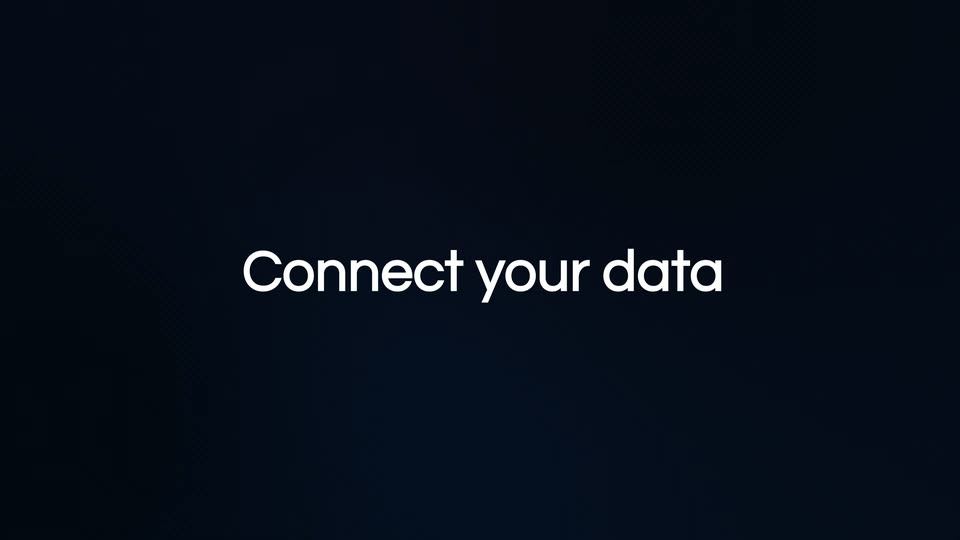
The headline “Connect your data” sits centered on a near-black navy field, scaling up gently to settle in place. No other elements move; the frame stays locked.
On-screen text: “Connect your data”
Techniques: Kinetic type
Camera: Static
A product interface window floats on a dark background, showing a Create Model screen with a database table list. The window pushes in slowly while a large headline scales in over it.
On-screen text: “Connect your data”
Techniques: Kinetic type
Camera: Push in
A product interface shows a database table list. A cursor moves down the rows, checking the Users and Purchases tables, then the view zooms in and scrolls to a blue Next button, which the cursor clicks.
Techniques: UI zoom, Cursor demo
Camera: Push in
A white line of text reads “It’s that easy” on a near-black background. The line shrinks toward the center as a soft glow blooms behind it, settling into a quiet sign-off.
On-screen text: “It's that easy”
Techniques: Kinetic type
Camera: Static
The Plexe Create Model interface sits locked-off on a dark background, showing the Review and configure panel with a model overview list and a blue Create Model button. A tagline reads It's that easy over the static screen.
On-screen text: “It's that easy”
Camera: Static
A light settings panel displays a model overview form with data source and deployment rows. The view zooms in on the blue Create Model button at the bottom while a white hand cursor hovers over it.
Techniques: UI zoom, Cursor demo
Camera: Push in
A white sans-serif headline reading “Endless possibilities” sits centered on a near-black background, locked off and static for the duration of the shot.
On-screen text: “Endless possibilities”
Camera: Static
A white skincare-routine modal with four pastel product cards and an Add All to Cart button floats centered on a dark field, framed by dimmed admin panels sliding at the edges. Below it, the caption Recommend the right products. Every time. sits still in white.
On-screen text: “Recommend the right products. Every time.”
Techniques: Parallax
Camera: Push in
A row of white analytics dashboards sits in 3D perspective on a dark stage, the dimmed side cards angled away. The center card rotates out and a new dashboard, Risk Trends, slides into focus while the white headline stays fixed at the bottom.
On-screen text: “Spot churn before it happens.”
Techniques: 3D mockup, Parallax
Camera: Pull out
A white trading dashboard with metric cards, line charts and a trades table sits centered on a dark background, flanked by two dimmed dashboards at the edges. A white headline reads below the interface. The frame is locked and static.
On-screen text: “Catch fraud the second it strikes.”
Camera: Static
A white Customer Churn Dashboard card sits centered on a dark navy field, a dimmed statement card peeking at the left edge. Below it the tagline fades in from faint gray to white while the camera holds still.
On-screen text: “Predict the market. Trade smarter.”
Camera: Static
A dark navy background holds the centered white line Build ML models with a prompt while a faint light card slides out of frame on the left. The line then swaps to a typing animation that spells Unlock your data's potential behind a blinking cursor, fading to black.
On-screen text: “Build ML models with a prompt”, “Unlock your data's potential”
Techniques: Kinetic type
Camera: Static
A white robot icon holds left of center on a near-black field while the tagline types out letter by letter to its right with a blinking cursor, then the whole lockup fades to black.
On-screen text: “AI to build your AI”
Techniques: Kinetic type
Camera: Static
A plain black background holds a centered tagline with the brand logo placed near it. The frame stays locked and static for the full duration, with no motion, animation or camera move.
On-screen text: “Al to build your Al”
Camera: Static