1:05

Kuli - AI agent for Influencer Discovery
Kuli · Jan 2026
Pavoot’s 1:02 launch film runs 26 scenes, about 2.4 s each. The product shows up at 0:32 and 5 features are revealed, with social proof. There is no explicit call to action; a voiceover carries the film. A dream-to-reality arc: a live-action vision of the perfect event, a problem beat with the exhausted host, then a fast UI montage where checkmark pills accumulate as each feature unlocks. Signature moves are glassy translucent cards dissolving into place, monospace captions typing along the bottom, and a pale mint palette that unifies live action and interface.
Is this your launch? to your site or press kit.
Kuli · Jan 2026
Roma · Consumer · Nov 2026
Films whose music sounds like this one, voice left out
Freepik · Ambient electronic
Runway · Modern electronic
A tight shot on a name badge on a blue blazer pulls back to reveal a woman holding a tablet in a bright conference hall. She greets a man, and the pair walk away from the camera as a glassy attendee profile card fades in at left. Subtitles run along the bottom.
On-screen text: “Imagine organizing your dream event where every attendee walks away a customer”, “where your team knows exactly who is in the room”, “and guides them to things they actually care about.”
Camera: Pull out
In a bright exhibition hall, a man and a woman walk toward a drone booth where two presenters stand behind a counter with a black drone and a screen showing it in flight. The camera holds a locked-off wide shot.
On-screen text: “and guides them to things they actually care about.”, “Every interaction is relevant and intentional.”
Camera: Static
A trade-show booth with staff and visitors around a white table holding black drones; a wall screen shows a drone over mountains. A translucent Interaction Note card fades in at left, and a white subtitle sits at the bottom.
On-screen text: “Every interaction is relevant and intentional,”, “Interaction Note”, “Alex Morgan”, “Interest: Drones”, “Interested in our aerial AI release”, “Will leave SF in 3 days”
Camera: Static
In a busy conference hall, two attendees walk toward a stage screen showing a drone. On the left, a translucent UI card dissolves from a generic event agenda into a personalized list titled Recommended for Alex, its frame igniting with a neon blue glow.
On-screen text: “Every interface is relevant and intuitive for them.”, “and it feels like the event was built just for them.”
Techniques: Morph
Camera: Static
A man in a green shirt walks into a living room, sits on a gray sofa, and looks down at his phone. White subtitles sit at the bottom while the locked-off frame holds on the couch and coffee table.
On-screen text: “And when they get home,”, “they receive a message that feels personal”
Camera: Static
A man in profile smiles while holding a phone that displays an email thread with a Book a meeting button. Above the phone, a three-step diagram of Event, Follow-Up and Meeting icons sits with the Meeting circle glowing blue. White subtitles run along the bottom of the frame.
On-screen text: “And when they get home,”, “they receive a message that feels personal”, “and take action!”
Camera: Push in
A man in profile holds a phone showing an email with a teal Book a meeting button. Three step icons labeled Event, Follow-Up, Meeting float above the phone, the last one glowing blue. His thumb taps the button as a white caption fades in at the bottom of the frame.
On-screen text: “Event”, “Follow-Up”, “Meeting”, “But for most events, this is still just a dream.”
Techniques: 3D mockup
Camera: Static
Over-the-shoulder shot of a person holding a phone with a white chat screen, in front of a blurred conference hall. The camera slowly pulls back to reveal the booths and crowd, while a caption sits at the bottom.
On-screen text: “But for most events, this is still just a dream.”
Camera: Static
A woman in a blue blazer lifts her head from a desk where she was asleep, her hand on the laptop trackpad, and studies the screen with a focused look. The laptop shows a dense spreadsheet. A blurred office lobby fills the background.
Camera: Static
A woman in a blue blazer leans over a laptop, staring at the screen with a startled expression. The camera pans left past her shoulder to reveal a crowded conference hall where attendees network before large display screens. Subtitles appear at the bottom.
On-screen text: “You can't assign a dedicated person”, “to every attendee.”
Camera: Pull out
A laptop on a desk displays a blurred spreadsheet list, with a crowd of people standing and talking in the soft-focus background. A man in a blue suit sits at the right edge beside a notebook and pen. A white caption line sits at the bottom.
On-screen text: “You can't assign a dedicated person to every attendee.”
Camera: Push in
A laptop on a desk in a blurred office shows a kanban board; a CMO notification bubble with an avatar sits at the top right. The view zooms into the screen, the bubble staying sharp over the blurred board.
On-screen text: “Not without Pavoot.”
Techniques: UI zoom
Camera: Push in
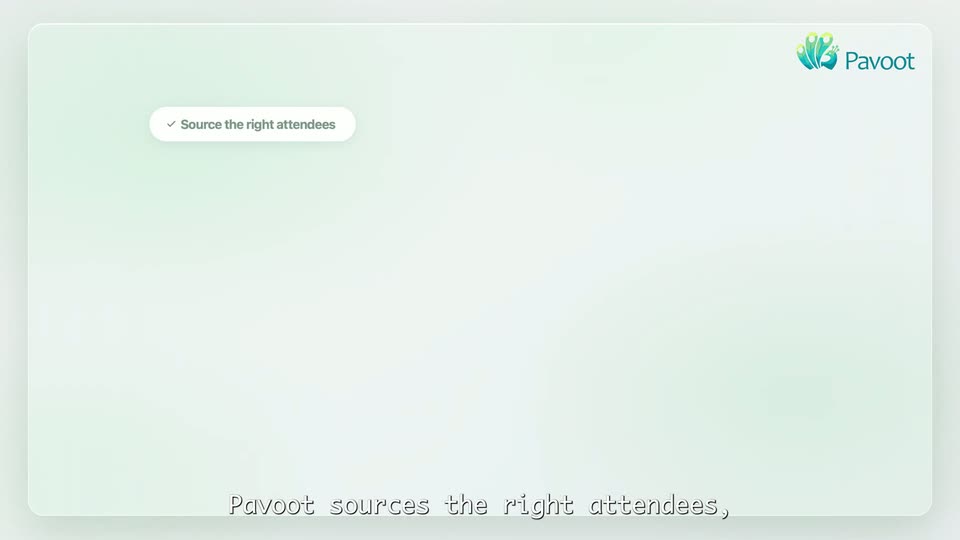
A pale mint-to-white gradient frame with the Pavoot logo top right. A white pill labeled 'Source the right attendees' slides from center to the top-left corner as a dense attendee table with avatars, roles, companies, interest tags and background blurbs fades in. A monospace caption runs along the bottom.
On-screen text: “Pavoot sources the right attendees,”, “Not without Pavoot.”
Camera: Static
A flat product screen shows an attendee table scrolling upward as a second checkmark pill slides in at the top. The table then resolves into a circular avatar cluster labeled Financial Services, 676 people, while an outlined caption at the bottom changes to the next line.
On-screen text: “Pavoot sources the right attendees,”, “understands what they care about”
Techniques: Kinetic type
Camera: Static
A light mint interface shows four circular clusters of attendee photos labeled by industry, with two checkmark badges top left and the Pavoot logo top right. The clusters drift slowly downward as a white monospace caption sits along the bottom.
On-screen text: “and helps you build personalized event experiences”
Camera: Static
A light green dashboard displays audience segments on the left as event idea cards populate the right column.
On-screen text: “and helps you build personalized event experiences”
Camera: Static
A light product dashboard lists attendee groups with interest tags on the left and event idea cards on the right. A white outlined caption types word by word along the bottom as an invite preview panel slides in on the right edge.
On-screen text: “and helps you build personalized event experiences”, “and invitations around your guests.”
Techniques: Kinetic type
Camera: Static
A flat product dashboard fills the frame, with a left column of avatar groups, a middle column of event idea cards, and a right column showing a sample invitation email. The teal Live Demo Session card is highlighted. At the bottom, a monospace caption types out word by word with a block cursor.
On-screen text: “and invitations around your guests.”, “and every attendee feels like a VIP”
Techniques: Kinetic type
Camera: Static
Static wide 3D render of a crowded convention floor with event booths and a main stage. Four glowing circular badges, each ringed with face avatars and a headcount, scale in over the crowd. A white caption sits centered at the bottom.
On-screen text: “So every attendee feels like a VIP.”
Camera: Static
Split layout: a white notes panel on the left lists four team note cards that fade in one by one, while a wide conference hall shot on the right shows people talking under glowing blue arcs. A leaf logo and a follow-up pill appear over the photo.
On-screen text: “NOTES TAKEN BY YOUR TEAM”, “FOLLOW-UPS GENERATED BY PAVOT”, “Every conversation and note is captured”
Techniques: Split screen
Camera: Static
A two-column view shows a notes list on the left and generated follow-up cards on the right, linked by curved colored lines to a glowing Pavoot logo at center over a blurred conference hall. A monospace caption at the bottom swaps phrases to match the voiceover.
On-screen text: “Every conversation and note is captured”, “and transformed into a personal follow up.”
Camera: Static
On a pale mint panel, the Pavoot logo and a 'With Pavoot you get' pill sit above the headline 'MORE', whose second word cycles through ENGAGEMENT, MEETINGS, PIPELINE, ROI with a matching underline. Right, a white 'Growth over time' card draws a rising teal line with a glowing tip dot.
On-screen text: “With Pavoot you get”, “MORE”, “ENGAGEMENT”, “Growth over time”, “MEETINGS”, “PIPELINE”, “ROI”
Techniques: Kinetic type
Camera: Static
A soft green gradient holds the Pavoot logo, a small pill and the headline MORE ROI beside a white card whose teal line graph rises to a dot. The frame then cuts to the center, where bold dark green text types out Don't behind a thin teal caret.
On-screen text: “With Pavoot you get”, “MORE”, “ROI”, “Growth over time”, “Don't”
Techniques: Kinetic type
Camera: Static
On a pale green rounded panel, centered text types out letter by letter behind a teal caret. The first line, in dark bold sans, reads 'Don't just host.', then a second line in teal completes as 'Close.' The frame stays locked off.
On-screen text: “Don't just host.”, “Close.”
Techniques: Kinetic type
Camera: Static
On a pale green gradient background, the tagline “Don't just host. Close.” sits centered in bold sans-serif, then the frame clears and the Pavoot butterfly logo with its blue wordmark scales up from the center as a sign-off.
On-screen text: “Don't just host.”, “Close.”
Camera: Static
The Pavoot logo, a teal and lime peacock mark beside the teal wordmark, sits centered on a pale mint card. The tagline fades in beneath it, with the final two words in green.
On-screen text: “Turn events into customer journeys.”
Camera: Static