1:00


Google Gemini: Mr. Fuzzy’s Big Adventure
Google · AI · Nov 2025
Overeasy’s 1:00 launch film runs 23 scenes, about 2.6 s each. The product is on screen from the first frame and 3 features are revealed. The call to action lands at 0:46 (78% in). The video alternates typed dot-matrix headlines on black with flat UI mockups that type a prompt and cut to F1 footage demonstrating the result, building to a 4x4 grid montage and a bare URL. Its signature moves are the letter-by-letter typewriter reveal with a blinking underscore, the prompt-then-demo rhythm, and hard cuts on a 145 bpm pulse.
Is this your launch? to your site or press kit.
Google · AI · Nov 2025
AgentMail · B2B · Oct 2026
Anthropic · AI · Jun 2024
Films whose music sounds like this one, voice left out
Pika · High-energy electronic dance music blending trap, future bass, funk, and hip-hop elements
Berachain · Electronic dance music with orchestral and Latin percussion elements
Microsoft · Lo-fi hip-hop, chillhop, and modern electronic
A thin white pill-shaped outline, cropped at the right edge, sits on a black field. Inside it, a dot-matrix headline types itself letter by letter with a blinking underscore cursor, spelling “Meet IRIS,”.
On-screen text: “Meet IRIS,”
Techniques: Kinetic type
Camera: Static
A flat browser window mockup on a black background shows a chat card labeled IRIS. A pixelated white line types out the question letter by letter, ending with a blinking underscore, then the frame cuts to black.
On-screen text: “Got images to label?”
Techniques: Kinetic type
Camera: Static
On a black field, two dark cards with blue folder icons and a blue button labeled f1_cars_unlabeled slide in from the right, one behind the other. A pixelated hand cursor moves from the first card to the second. The headline Got images to label? slides in beside them.
On-screen text: “Got images to label?”, “IRIS”, “overeasy.sh”
Techniques: Kinetic type
Camera: Pan
A blue folder icon with a document symbol rests on a dark rounded card, labeled f1_cars_unlabeled :(. A large white pixel cursor overlaps the label, then moves off as the view reframes down onto the label.
Techniques: UI zoom
Camera: Static
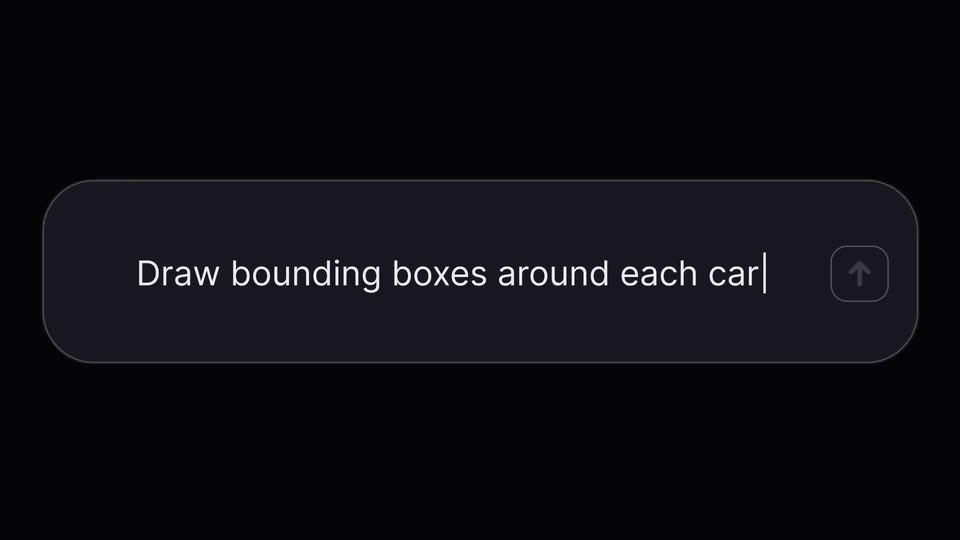
A dark rounded input field with an up-arrow button sits centered on black. A blinking caret appears at the left, then the prompt types out letter by letter until the full sentence fills the field.
On-screen text: “Draw bounding boxes around each car”
Techniques: Kinetic type
Camera: Static
A plain black background holds a single line of small white text, centered and perfectly still. The locked-off frame shows no motion, no camera move, and no other element.
On-screen text: “Draw bounding boxes around each carl”
Camera: Static
A rounded video player window fades in on black, playing night F1 footage: two cars streak past with motion blur while magenta bounding boxes lock onto each. A lower-third bar shows driver names and live speed figures.
Camera: Static
A dark video player window on black shows night Formula 1 footage. Pink bounding boxes track the cars as they turn, and a bottom bar lists driver names with MPH and KM/H figures. The player's pause and volume controls sit at the lower edge.
Camera: Push in
A solid black frame holds for the full duration, a static blank with no visible content, motion or text, staged as a fade or cut point between scenes.
Camera: Static
A dark rounded text field on black. A blinking caret types “Wait,” deletes back to “W,” then types a prompt classifying labels into teams, listing Red Bull and Mercedes. A small up-arrow send button sits in the field's lower-right corner.
On-screen text: “Wait, classify the labels into these teams:”, “- Red Bull”, “- Mercedes”
Techniques: Kinetic type, Cursor demo
Camera: Static
A dark chat panel holding a classification prompt and two team names slides upward out of frame, leaving a black screen.
Camera: Static
A video player window on a black background plays night F1 footage. Two cars, tagged MERCEDES and RED BULL, round a lit corner and recede, while a telemetry bar tracks their falling speeds.
Camera: Push in
A black screen holds, then the word Need fades in centered in light gray sans-serif, staying static.
On-screen text: “Need”
Techniques: Kinetic type
Camera: Static
The word Need in white type sits centered on a plain black background. The frame is locked off and the text stays static for the full duration of the clip.
On-screen text: “Need”
Camera: Static
A black screen holds as the word Need fades in at center, holds, then dissolves. Faster fades in in the same spot and dissolves out, leaving black. Each word is static and centered.
On-screen text: “Need”, “Faster”
Techniques: Kinetic type
Camera: Static
The word Inference? sits centered in white on a black background, perfectly still across the clip. No motion, no camera move, just the static headline holding the frame.
On-screen text: “Inference?”
Camera: Static
The clip opens on black, then fades into a four-by-four mosaic of dimmed Formula 1 racing clips. The word “Inference?” holds still over the grid as the frame locks off.
On-screen text: “Inference?”
Camera: Static
A 4 by 4 grid of F1 race clips fills the frame, each cell showing a different camera angle with broadcast overlays such as driver standings, a track map and lap counters. The grid is locked off and static, with no motion between frames.
Techniques: Split screen
Camera: Static
A 4x4 grid of dimmed F1 race footage fills the screen, each panel showing a different track angle. A large pixelated white headline reads 'Train a Model in 1 Click' across the center, holds, then fades out as the grid brightens.
On-screen text: “Train a Model in 1 Click”
Camera: Static
A 4x4 grid of Formula 1 race clips plays at once, each cell a separate camera angle of cars on circuit, marked with pink tracking boxes and a driver standings list. The cells cut between day and night track views as the cars lap.
On-screen text: “Train a Model in 1Click”
Techniques: Split screen
Camera: Static
On a black background a soft radial glow fades in at the center. Small text “aramco” holds still while “MSC” scales up and slides into position.
On-screen text: “aramco”, “MSC”
Techniques: Kinetic type
Camera: Static
A black frame holds the white URL overeasy.sh centered; it fades in near the start and stays locked still for the rest of the clip.
On-screen text: “overeasy.sh”
Camera: Static
A light gray URL, overeasy.sh, holds centered on a pure black background for the first second, then the screen goes black and stays dark for the remainder of the clip.
On-screen text: “overeasy.sh”
Camera: Static