0:52
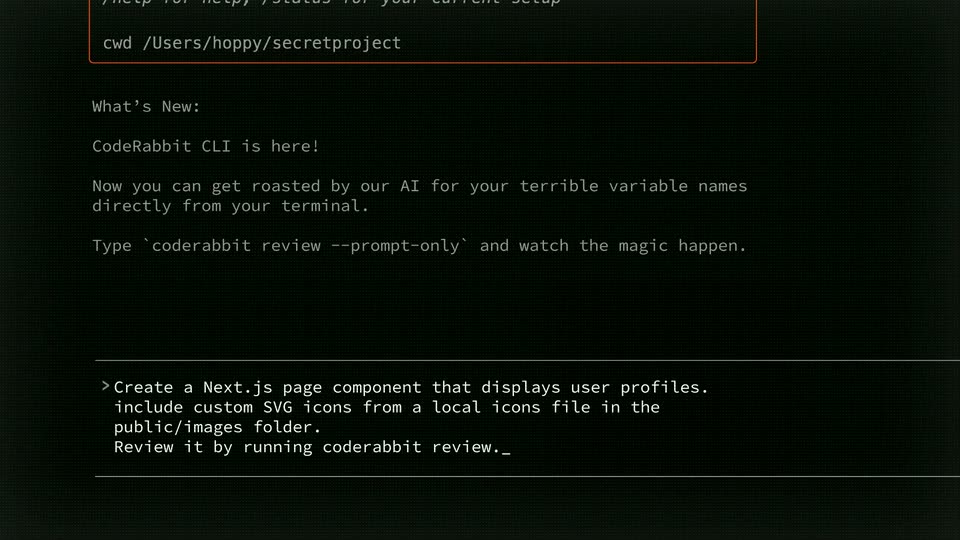

CodeRabbit - Introducing CodeRabbit CLI! 🎉 CodeRabbit's smart CLI reviews act as
CodeRabbit · Sep 2025
Google Gemini · Nov 2025 · 1:00 · AI-annotated
Google Gemini’s 1:00 launch film runs 34 scenes, about 1.8 s each. The product is on screen from the first frame and 3 features are revealed. The call to action lands at 0:57 (96% in), over a voiceover. A dark, minimal stage where a single chat prompt field drives the whole story: a typed query scales up to fill the frame, then a generated image or video card drops in, repeating as a rapid montage of escalating prompts. The signature moves are the letter-by-letter typing with a blue caret, the zoom-through of prompt text, and the rounded result cards framed on pure black, all cut at a fast, even tempo.
Is this your launch? to your site or press kit.
CodeRabbit · Sep 2025
Cardinal · B2B · Jul 2026
Films whose music sounds like this one, voice left out
Apple · Light, upbeat electronic and orchestral hybrid
Google · Upbeat, modern electronic background music with a positive and optimistic mood.
Invertix · Modern electronic, ambient
A dark rounded prompt field with the gray placeholder “Ask Google Gemini” and a blue caret sits on a black background. Above it, a small four-pointed star with a pink, blue and green gradient scales up and brightens into a glowing spark.
Camera: Static
A dark Gemini input panel with a rainbow sparkle logo and a blinking cursor sits on black. Two photos, a seated person in plaid and a child in a gray sweater hugging a yellow teddy bear, fade in at the top right. The frame stays locked off.
Camera: Static
A dark prompt card with a photo of a sleeping child and a stuffed animal. The photo shrinks into the thumbnail slot while “find this stuffed animal” types in letter by letter, then the camera zooms onto the text with a blinking blue cursor.
Techniques: Kinetic type, UI zoom
Camera: Static
A rounded photo of a sleeping child hugging a beige plushie sits top left on a dark background. A blue caret types the white line find this stuffed animal to buy ASAP, the line slides left and scales up through the words, then shrinks into a smaller Identifying plushie...
On-screen text: “Tools”, “find this stuffed animal to buy ASAP”, “Identifying plushie...”
Techniques: Kinetic type
Camera: Static
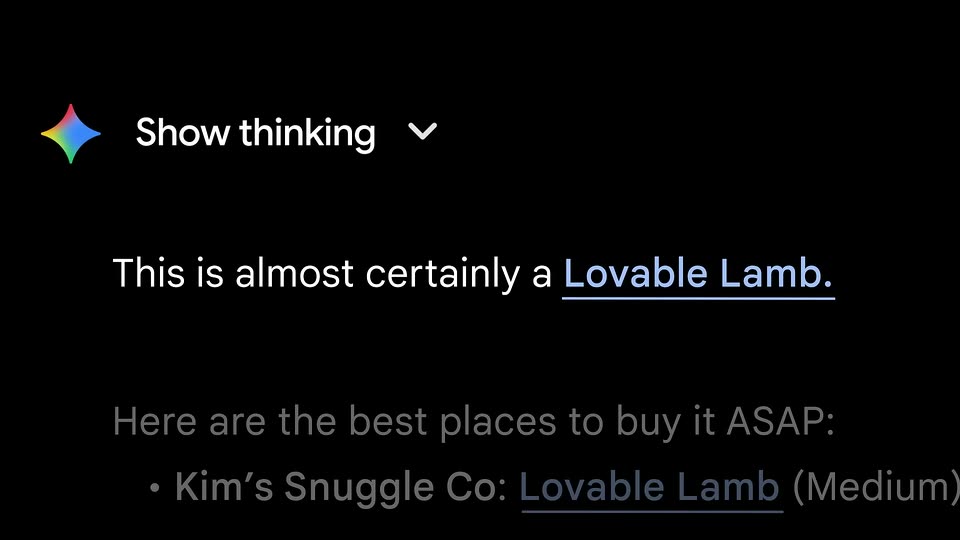
A rainbow sparkle logo and the caption “Identifying plushie...” slide in on black, then the interface loads: a “Show thinking” row appears at the top and the answer “This is almost certainly a Lovable Lamb.” fades in with a blue underlined link, above a shop list.
Camera: Static
A product grid of plush toys holds, then the view zooms in on the Lovable Lamb card, enlarging its red backorder badge and price label until the single card fills the frame.
Techniques: UI zoom
Camera: Push in
A photo of a child hugging a white lamb plush under grey bedding sits at the top of a dark screen with a blue text caret below it. The view then reframes to a rounded chat card showing the thumbnail, the typed prompt and a bottom toolbar.
On-screen text: “LOVABLE LAMB”, “$33”, “BACKORDER~2 WEEKS”, “Sequences shortened throughout. Compatibility and availability varies. 18+. Results for illustrative purposes.”
Techniques: Kinetic type, UI zoom
Camera: Static
A dark chat panel on black types the prompt 'make a photo of the lamb on his next flight' beside a child-and-lamb photo chip. It cuts to a generated image of a cream lamb plushie sitting in an airplane seat by a window.
Techniques: Kinetic type
Camera: Static
A still photo of a cream plush lamb seated in an airplane seat beside the window, clouds outside, framed in a rounded rectangle on black. A small multicolor sparkle logo sits top-left, its red-yellow arc fading out by the second mark. The frame stays locked off.
On-screen text: “make a photo of the lamb on his next flight”, “Image ×”
Camera: Static
On a dark gray field, white sans-serif text types out left to right as a blue caret bar follows the last character, the line scaling up to fill the frame.
On-screen text: “the Grand Canyon”
Techniques: Kinetic type
Camera: Static
A rounded-corner photo of a plush lamb in a yellow raincoat with a camera, standing on a cliff edge above the Grand Canyon, holds on a locked-off frame as a caption scales up in place.
On-screen text: “the Grand Canyon”
Techniques: Kinetic type
Camera: Static
A plush sheep in a red beret and striped shirt holds a selfie pose in front of the Eiffel Tower under a clear blue sky. The shot sits in a rounded frame on black with a small rainbow sparkle logo top left.
Camera: Static
A dark rounded card holding a blurred baby photo and the line “put the lamb” sits on the left. A postcard of a saddled camel before the pyramids slides in from the right, overlapping the card, its EGYPT lettering scaling up as it arrives.
Camera: Static
A dark prompt card shows two rounded thumbnails: a sleeping child hugging a lamb and an Egypt postcard with a camel. A blue spinner spins over the postcard, then clears as it loads. Below, the white prompt ends in a blinking blue cursor. The card scales up gently.
Camera: Static
A postcard frame on black shows a camel in the desert, a white lamb plush in a straw hat and sunglasses on its back, pyramids behind. Greetings from EGYPT sits top left, its letters filled with landmark photos, scaling gently. A small four-point star marks the corner.
On-screen text: “Greetings from”, “EGYPT”, “put the lamb on the camel”
Techniques: Kinetic type
Camera: Static
On a flat dark gray field, white lowercase text types out letter by letter behind a blinking blue caret, ending on the phrase family reunion. The line sits left of center with its first word cropped at the left edge, and the frame stays locked off.
On-screen text: “family reunion”
Techniques: Kinetic type
Camera: Static
A rounded-corner frame on black holds a 3D render of plush sheep in a barn, a white one in front extending an arm like a selfie. A gradient sparkle logo sits top left while the caption scales in over the photo.
On-screen text: “family reunion”
Techniques: Kinetic type
Camera: Static
A dark input field fills the frame as the word snowboarding types out behind a blue caret, then the caret vanishes. A bottom toolbar holds a slider icon, a clapperboard labeled Video, and an X.
Techniques: Kinetic type, Cursor demo
Camera: Static
A rounded video player on a black background plays a 3D-rendered snowboarding clip, cutting from a sunset mountain run to a water splash, under a white headline and a rainbow sparkle icon.
On-screen text: “Your video is ready!”, “Subscription required.”
Camera: Static
On a black screen, a gradient four-point star sits beside the white caption “Your video is ready!” above a rounded video player. The player shows a stuffed rabbit paddling an orange raft through whitewater rapids, the footage shifting between frames. A small “Veo” watermark marks the corner.
On-screen text: “Your video is ready!”, “Subscription required.”
Camera: Static
A black screen shows the product's result view. A gradient four-point star logo and the white headline “Your video is ready!” sit at the top left, both still. Below, a rounded video player holds a live-action clip of a white plush toy in a blue harness on a selfie stick, with a small plane and clouds behind it.
Camera: Static
A plush toy in a white shirt and red neckerchief sprints toward the camera down a dusty cobblestone street, a large brown bull chasing close behind. Dust billows around their feet as blurred figures and buildings line the background.
On-screen text: “Your video is ready!”, “M”
Camera: Static
A cream plush sheep in a white tee and red neckerchief sprints right, mouth open, as a dark bull chases it, hooves kicking up dust on a sunlit street with blurred onlookers. The action slows to a freeze mid-sprint.
Techniques: Speed ramp
Camera: Static
On a dark field, a line of white text types out letter by letter with a blinking blue caret, ending in “in a tranquil place.” A bottom toolbar holds a settings icon, a clapperboard labeled Video, and a close X.
Techniques: Kinetic type
Camera: Static
A dark product screen pairs a small multicolor sparkle icon with the white headline “Your video is ready!” above a rounded video frame. Inside, a 3D render of plush animals meditating on a coastal meadow slowly pushes in at sunset.
On-screen text: “Your video is ready!”
Camera: Push in
On a black screen, a rainbow sparkle icon and the caption “Your video is ready!” sit above a rounded frame. Inside, a white plush sheep with closed eyes sits on a yoga mat in a sunset meadow, other plush toys meditating behind it.
On-screen text: “Your video is ready!”, “Veo”
Camera: Static
On a dark charcoal background, a large white sentence types itself out letter by letter behind a blue caret, the line cut off at the left edge and ending on “hot tub”.
On-screen text: “Your video is ready!”, “Veo”, “ng in a hot tub”
Techniques: Kinetic type
Camera: Static
A product result screen on black shows a rounded video frame playing a plush sheep floating on its back in a bubbling hot tub, the clip's camera drifting closer. A four-point star logo and the line “Your video is ready!” sit top left, a gray “Veo” tag sits bottom right.
On-screen text: “Your video is ready!”, “Veo”
Camera: Static
A dark Gemini chat panel shows a photo thumbnail and the gray placeholder Ask Google Gemini, which clears into a blinking blue text cursor. The panel then slides off to the right, revealing large white Veo type entering from the left on black.
On-screen text: “Veo”, “Your video is ready!”
Camera: Static
A plain dark background holds large white lowercase text that types out word by word, ending on a blinking blue vertical bar cursor. The frame stays locked off while the words appear in sequence.
On-screen text: “on the moon”
Techniques: Kinetic type
Camera: Static
A black loading screen shows a rainbow star spinner inside a red and yellow ring on the left, rotating and morphing, next to the static white text “Generating video...”. The frame stays locked off for the short clip.
On-screen text: “on the moon|”, “Generating video...”, “Your video is ready!”
Camera: Static
A rounded-corner preview on black shows a 3D sheep in a white spacesuit on the lunar surface, waving then opening its arms before a lander and Earth. A sparkle icon and 'Your video is ready!' sit top left. It cuts to black with 'A new kind of help from Google'.
On-screen text: “Your video is ready!”, “A new kind of help from Google”
Camera: Static
A plain black frame holds one centered line of white text, which lingers for a beat and then fades out to full black.
On-screen text: “A new kind of help from Google”
Camera: Static
On a black background, the Google Gemini lockup, a rainbow four-point star beside the white wordmark, fades in at center. A small white tagline sits below it, and a headline line holds above, all static on a locked-off frame.
On-screen text: “A new kind of help from Google”, “Google Gemini”, “Get Google's AI app”
Camera: Static