1:34
Explore
CodeRabbit - Introducing CodeRabbit CLI! 🎉 CodeRabbit's smart CLI reviews act as
CodeRabbit · Sep 2025 · 0:52 · AI-annotated
- Length
- 0:52
- Scenes
- 21 · 2.5 s avg
- Product on screen
- 0:15
- Features shown
- 2
- Call to action
- 0:44 · 84%
- Voiceover
- Yes
00:00:00 / 00:52:19
CodeRabbit’s 0:52 launch film runs 21 scenes, about 2.5 s each. The product shows up at 0:15 and 2 features are revealed. The call to action lands at 0:44 (84% in), over a voiceover. The video alternates a live terminal and a failing browser in short hard cuts, then lands on black title cards and a final terminal install screen, all paced to a steady beat around 129 BPM. Its signature moves are character-by-character typing with a blinking underscore, orange accent text on near-black, and an orange callout badge sliding in over live output.
No filming indicatedEstimated needs: 4 capture groups — your screens or recordings · 1 official logo — reused across the film
Is this your launch? to your site or press kit.
More like this

CodeRabbit - Introducing CodeRabbit CLI! 🎉 CodeRabbit's smart CLI reviews act as, scene by scene
· 21 scenes as text
01 · Problem · 0:00–0:02
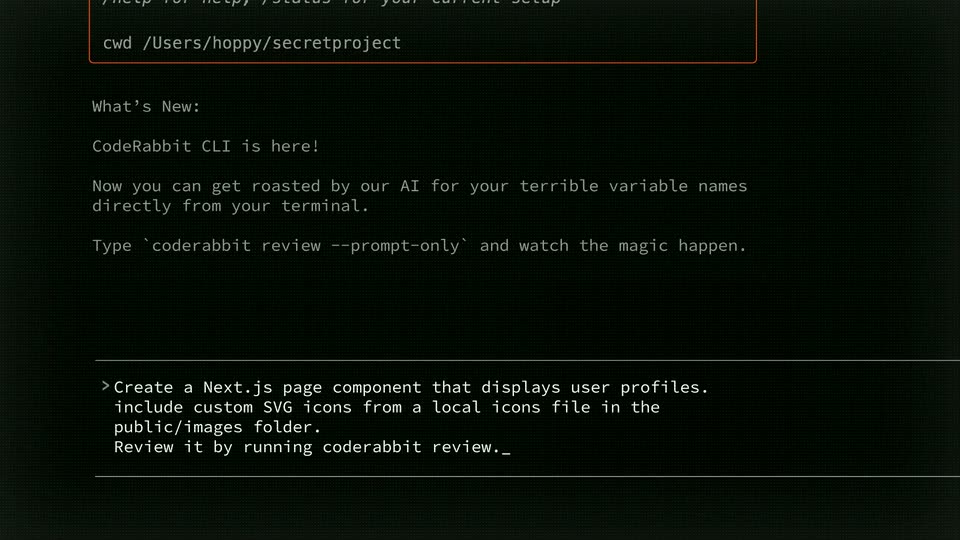
A dark terminal window shows a red-outlined welcome box and release notes. At the bottom, a prompt types out a command about a Next.js page component, then the view scrolls up and the prompt line clears to an empty cursor.
Techniques: Cursor demo
Camera: Push in
02 · Problem · 0:02–0:03
A dark terminal screen shows a What's New announcement for CodeRabbit CLI in light monospace text, while a prompt line types out a Next.js request character by character with a blinking underscore cursor.
Techniques: Cursor demo
Camera: Static
03 · Problem · 0:03–0:04
A dark terminal screen holds a static block of release notes at the top while a command prompt types out a request line character by character, finishing with a blinking caret.
Techniques: Kinetic type
Camera: Static
04 · Problem · 0:04–0:05
A flat browser window sits on a black background. A white cursor hovers over the open tab as the empty page fills with a centered error message. A red issue badge pops in at the bottom left corner.
Techniques: Cursor demo
Camera: Static
05 · Problem · 0:05–0:07
A static dark browser window shows a centered Next.js error overlay card with red error text, a code block, and a call stack, while a white cursor hovers near the top-left tab. The frame stays locked off with no motion.
Camera: Static
06 · Problem · 0:07–0:09
A dark terminal in gray monospace shows a red-bordered welcome box and release notes; the view scrolls up as Create a Ne is typed at the prompt.
Camera: Push in
07 · Problem · 0:09–0:12
A full-screen black terminal shows a static release note at the top announcing the CodeRabbit CLI, while a prompt line at the bottom types out a Next.js request character by character.
Camera: Static
08 · Problem · 0:12–0:12
A black terminal screen holds a static block of white monospace text announcing the CodeRabbit CLI at the top. A bordered prompt line at the bottom shows a fully typed command ending in a blinking caret. The frame stays still with no camera move.
On-screen text: “What's New: CodeRabbit CLI is here! Now you can get roasted by our AI for your terrible variable name directly from your terminal. Type `coderabbit review --ppt”
Camera: Static
09 · Problem · 0:12–0:13
A dark browser window displays a runtime error card with red text and a code block. A white cursor rests on the reload icon in the toolbar; the tab title switches to 'Untitled - Mock App' and the frame stays locked off.
Techniques: Cursor demo
Camera: Static
10 · Problem · 0:13–0:15
A browser window displays a Next.js runtime error overlay with red type and a code snippet. A white cursor glides to the reload icon in the address bar and clicks it, while the page background fades from light gray to black.
Techniques: Cursor demo
Camera: Static
11 · Product intro · 0:15–0:15
A black screen with orange text typing the word Inter character by character, followed by a blinking underscore cursor.
On-screen text: “1/1”, “Call Stack”, “npm insall react-icons”, “Next.js 15.5.3 Webpack”, “1 Issue X”
Techniques: Kinetic type
Camera: Static
12 · Product intro · 0:15–0:18
On a black background, the orange monospace word Introducing sits centered while a second line types out CodeRabbit CLI character by character, ending on a blinking underscore cursor.
On-screen text: “Introducing”, “CodeRabbit CLI_”
Techniques: Kinetic type
Camera: Static
13 · Product intro · 0:18–0:19
Orange monospace text on a black background reads 'Introducing CodeRabbit CLI' with an underscore cursor at the end of the second line. The frame is locked-off and the text holds still.
On-screen text: “Introducing”, “CodeRabbit CLI_”
Camera: Static
14 · Feature reveal · 0:19–0:23
A dark terminal stays locked off as a prompt types a Next.js task line by line, then a second line with a review command, before the prompt clears to an empty cursor. A static What's New block sits above.
On-screen text: “Introducing”, “CodeRabbit CLI”
Techniques: Kinetic type
Camera: Static
15 · Feature reveal · 0:23–0:30
A dark terminal fills the frame as the CodeRabbit agent works through a checklist, the red status line changing and items gaining strikethroughs while new lines scroll in. An orange callout slides in from the bottom right and types out a short flow.
On-screen text: “Code -> Review -> Fix”
Camera: Static
16 · Feature reveal · 0:30–0:34
A dark terminal fills the frame with code-review output and green checkmarks; an orange rounded badge in the lower right types out white monospace text, first 'Code -> Review -> Fix' then 'Ship production-ready code from CLI'.
On-screen text: “Code -> Review -> Fix”, “Ship production-ready code from CLI”
Techniques: Kinetic type
Camera: Static
17 · Feature reveal · 0:34–0:36
On a black background, orange text types out letter by letter, forming the phrase 'Works with' with a trailing underscore cursor. The frame stays locked off as the typing completes.
On-screen text: “Works with”
Techniques: Kinetic type
Camera: Static
18 · Feature reveal · 0:36–0:39
A black frame holds a static orange monospace headline, Works with, with a blinking underscore. Beneath it, four white partner lockups, Claude, CODEX, Gemini and CURSOR, fade in one after another from left to right.
On-screen text: “Works with”, “Claude”, “CODEX”, “Gemini”, “CURSOR”
Techniques: Kinetic type
Camera: Static
19 · Other · 0:39–0:43
On a black background, orange monospace text is typed out letter by letter with a blinking underscore cursor. The lines build left-aligned in the lower-middle, first Stop shipping slop. then Start shipping quality.
On-screen text: “Stop shipping slop.”, “Start shipping quality.”
Techniques: Kinetic type
Camera: Static
20 · Other · 0:43–0:44
A near-black screen holds two static lines of text, with a small orange underscore cursor blinking at the end of the second line.
On-screen text: “Stop shipping slop.”, “Start shipping quality._”
Camera: Static
21 · CTA · 0:44–0:52
A dark terminal window holds a pixel Coderabbit wordmark at the top. An orange monospace tagline types out line by line, followed by an install command with a blinking caret, while a row of shortcut hints runs along the bottom bar.
On-screen text: “Vibe check your code, now in CLI.”, “curl -fsSL http://cli.coderabbit.ai/install.sh | sh”
Techniques: Kinetic type
Camera: Static