1:21

Introducing Claude Design by Anthropic Labs
Anthropic · AI · Apr 2026
Origami’s 0:46 launch film runs 12 scenes, about 3.9 s each. The product is on screen from the first frame and 2 features are revealed, with social proof. There is no explicit call to action. A 47 second product launch built as one continuous workflow: a named intro, an animated 'Origami is ready' checklist, a locked-off dashboard that fills, approves and sends, a replies-and-calendar payoff with a contribution-graph gag, a 100x counter, then a logo card. The style is defined by a near-white field with soft pink corner blurs, rounded white cards, a pink accent for the active word and a green for completed states, and gentle pop-in / cross-fade / typing motion at a steady 120 bpm with
Is this your launch? to your site or press kit.
Anthropic · AI · Apr 2026
Gradon · B2B · Oct 2026
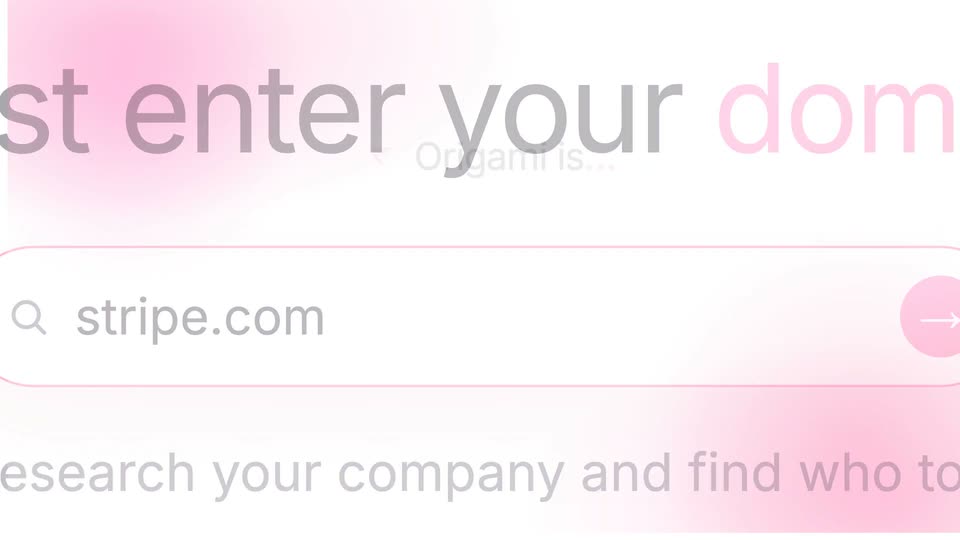
On a white background with soft pink blurs, the orange Claude starburst logo pops in beside “Introducing Claude for Sales”, which fades out as the headline “Just enter your domain” appears. A search field drops in below, and “stripe.com” types itself in as a pink focus ring appears.
On-screen text: “Introducing Claude for Sales”, “Just enter your domain”, “I'll research your company and find who to sell to”, “stripe.com”
Techniques: Kinetic type
Camera: Push in
A white field with soft pink blobs holds a gray headline and a white search bar typed with stripe.com. The layout cross-fades out as a small pink origami bird and the line Origami is... fade in at center.
On-screen text: “Just enter your domain”, “I'll research your company and find who to sell to”, “Origami is...”
Camera: Push in
On a soft pink gradient, the headline 'Origami is...' sits above three rounded cards that pop in one by one, each spinner turning into a green check. The headline then completes with pink 'ready' as the layout gives way to a full dashboard screen.
On-screen text: “Origami is...”, “Researching your customer base”, “Building your customer lists”, “Writing your outreach sequences”, “Origami is ready”
Techniques: Kinetic type
Camera: Static
A product screen on a pink gradient shows a chat panel and a contacts table. The assistant message types out word by word while the table fills with rows of names, companies and drafts, then scrolls up. The whole frame stays locked off.
On-screen text: “Researching your customer base”, “Building your customer lists”
Techniques: UI zoom
Camera: Static
A sales outreach interface shows a chat panel, a 20-row contact table, and a right detail card. The right card slides in from a ghosted double-exposure, revealing a drafted email and LinkedIn note for Rachel Torres with a pink Approved button.
Camera: Static
A two-pane outreach tool on a pink gradient. In the left chat, a command is typed into the input box and sent; the right table's status badges flip from pink Draft ready to green Scheduled and the counter reads 20 sent.
Camera: Static
A product interface with a contacts table and chat panel fades to white under a static dark headline at the top. Soft pink gradients sit in the corners as the screen empties out.
On-screen text: “Replies roll in. Meetings get booked.”
Camera: Static
On a pink gradient, a chat card pops in and three more stack below it while a calendar fills with colored event dots. A horizontal wipe then reveals a code editor card under a scaling headline.
On-screen text: “Replies roll in. Meetings get booked.”, “Your coding looks like this”
Techniques: Masking
Camera: Static
On a white field with soft pink corners, a green contribution heatmap fills left to right inside a rounded card under the first caption. A second red heatmap fills below as a new caption fades in, then both fade to white.
On-screen text: “Your coding looks like this”, “With Origami, your calendar now does too”
Camera: Static
A pink counter ticks from 93x to 100x above the black caption 'your pipeline' on a white, pink-tinted background. Right, a flat phone mockup shows a 9:41 lock screen while LinkedIn, Stripe, Calendar and Gmail notification cards stack up; a small pink origami bird fades in at the end.
On-screen text: “93x your pipeline”, “100x your pipeline”, “Your coding looks like this”, “With Origami, your calendar now does too”
Techniques: Kinetic type
Camera: Static
A pink faceted origami bird mark sits centered on a white field with soft pink blurs in the corners. The wordmark below darkens from gray to black, then a pink tagline with an orange starburst icon fades in beneath it.
On-screen text: “Origami.Chat”, “Claude for Sales”
Camera: Static
A pink folded-bird logo hovers above the black wordmark Origami.Chat and a pink tagline Claude for Sales preceded by a small orange asterisk, centered on a light gray field with soft pink blurs in two corners. The static card holds, then fades to black.
On-screen text: “Origami.Chat”, “Claude for Sales”
Camera: Static