1:08
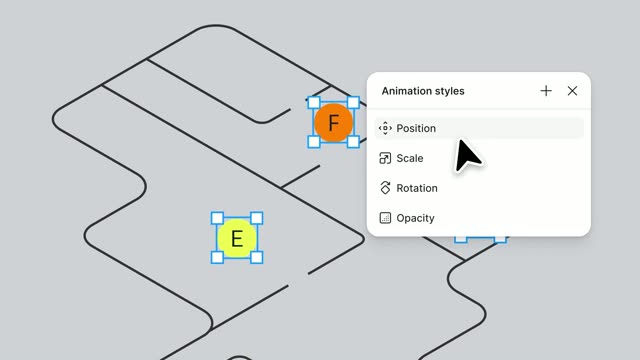

Introducing Figma Motion: Your canvas now has a timeline
Figma · Design · Jun 2026
Ollie · Jun 2026 · 1:50 · AI-annotated
Ollie’s 1:50 launch film runs 69 scenes, about 1.6 s each. The product shows up at 0:21, with social proof. The call to action lands at 1:41 (92% in), over a voiceover. The video moves from a live-action founder skit into a cream-colored motion-graphics world, where 3D phone mockups and flat UI cards demonstrate each capability in short, caption-led beats. Signature moves are the hand-drawn hand icon, orbiting app badges, red highlight boxes on key messages, and a dark backdrop that marks the overnight-monitoring section.
Is this your launch? to your site or press kit.
Figma · Design · Jun 2026
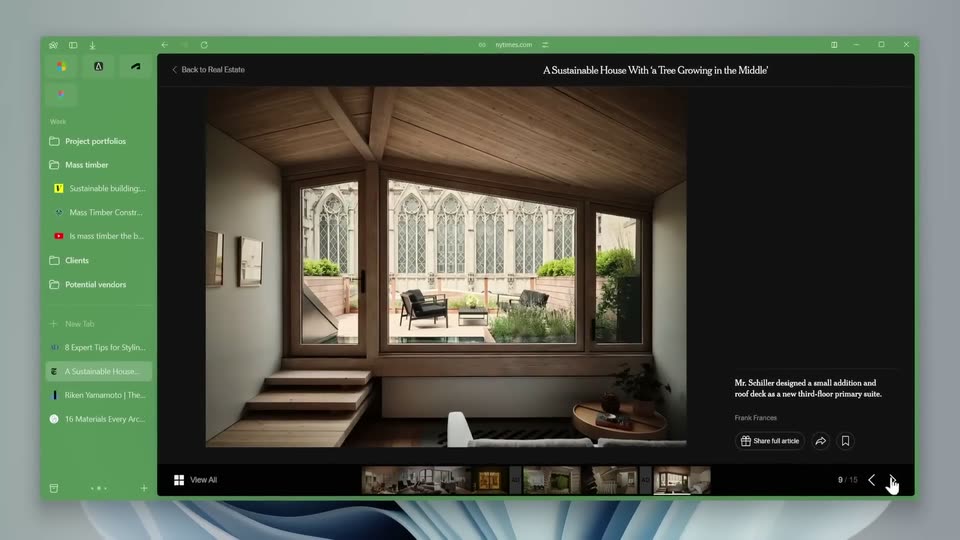
The Browser Company · Productivity · Apr 2024
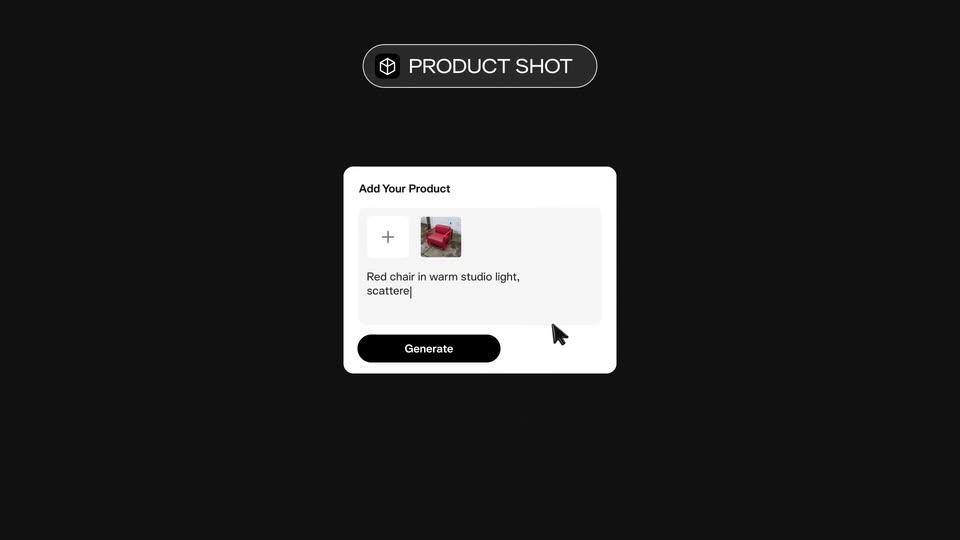
Pika · AI · Sep 2026
Two founders sit in orange chairs by a bright window, talking to camera. Lower-third name chips slide in for each, then white chat-message bubbles slide and scale in over the center as the man checks his phone.
On-screen text: “Hi, I'm Bill and today...”, “Bill Lennon”, “Founder of Ollie”, “Christy Shannon”, “Co-Founder of Ollie”, “Oh, sh#t.”
Techniques: Kinetic type
Camera: Static
Behind-the-scenes studio set: a man in a maroon polo, a man in a black shirt and cap with arms crossed, and a man in a blue shirt holding a script stand among camera and lighting gear. The camera whips across the set as captions appear at the bottom.
On-screen text: “Oh, sh#t.”, “Bill, we're filming right now.”, “Yeah. Oh. Just a second.”
Camera: Pan
The camera whips in from a blur and locks off on a bright office set: a man in a gray polo sits in a tan chair checking his phone, a woman seated opposite him, boom mics and a camera rig in frame. A caption bar sits at the bottom.
On-screen text: “Yeah. Oh. Just a second.”
Camera: Push in
A man and a woman sit in tan chairs by a bright window; the man holds a phone to his ear, the woman talks. An iMessage-style chat thread overlays the center, bubbles scaling in and scrolling as the assistant Ollie handles the user's requests.
Camera: Static
A man and a woman sit in orange chairs by a bright window, speaking, as a translucent chat line fades out over them. A red Oreo ring and a white product card then slide in from the right.
On-screen text: “Well, that wasn't real, but you get the point.”
Camera: Static
A diagonal cream panel wipes over a live-action office shot; on it, a red person icon morphs into a red O logo as beige curves drift behind. Captions read 'Well, that wasn't real, but you get the point.' then 'Introducing Ollie,'.
On-screen text: “Well, that wasn't real, but you get the point.”, “Introducing Ollie,”
Techniques: Masking, Morph
Camera: Static
A lowercase orange “ollie:” wordmark slides into the center of a cream field, layered over a faint oversized echo of the same word. A dark rounded caption pill at the bottom holds the tagline while the logo settles.
On-screen text: “Introducing Ollie,”, “the world's first AI family assistant”
Techniques: Kinetic type
Camera: Static
The orange 'ollie:' wordmark slides left across a cream stage with a faint heart shape behind it. At the right, a circular sunburst icon forms and gains a pointing-cursor glyph plus two small colored dots, while a dark pill caption stays still below.
On-screen text: “ollie:”, “the world's first AI family assistant”
Techniques: Kinetic type, Morph
Camera: Static
A red segmented ring with a hand-drawn peace-sign hand at its center sits on a cream background; app icons with red badges orbit the ring while soft pink ribbons drift in the corners. A caption bar below carries the tagline.
On-screen text: “the world's first AI family assistant”, “that runs your entire household.”
Camera: Push in
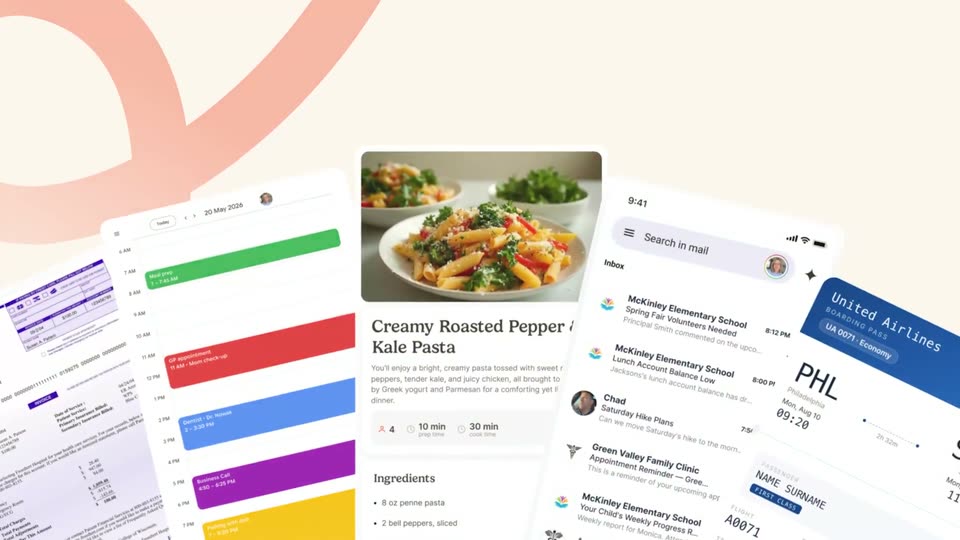
A red circle with a hand icon and orbiting app icons shrinks to a dot on a phone, revealing a recipe app screen. Tilted calendar, inbox and boarding-pass screens straighten in the background while bottom captions swap in.
On-screen text: “that runs your entire household.”, “Let me show you how it works.”
Techniques: 3D mockup, Parallax
Camera: Pull out
A white iPhone mockup on a cream background scales up and settles into the center, its screen showing a Family group with a row of action icons and a grid of circular member avatars. A dark rounded caption box sits at the bottom.
On-screen text: “Let me show you how it works.”
Camera: Push in
A front-facing phone mockup on a beige background shows the Contacts app. The screen shifts from a contact list with a search bar to a New Contact form with empty fields, while a dark caption box sits at the bottom.
On-screen text: “Let me show you how it works.”
Techniques: 3D mockup
Camera: Push in
A 3D iPhone mockup sits at a slight angle on a cream backdrop with a faint curve. On screen, the New Contact avatar swaps from a blue placeholder to a red waving-hand icon and the check button turns blue. A dark caption bar at the bottom carries the line.
On-screen text: “First, we'll add Ollie to the family group chat”
Techniques: 3D mockup
Camera: Pull out
A tilted iPhone mockup rotates to a flat front view, revealing a Family group chat with a grid of circular contact photos and a hand cursor over the add slot. A dark caption bar at the bottom states the action.
On-screen text: “First, we'll add Ollie to the family group chat”
Techniques: 3D mockup, Cursor demo, UI zoom
Camera: Push in
A smartphone mockup of a Gmail inbox floats in 3D perspective before a calendar card, with a red-orange and green-blue ribbon curving behind. A tap-hand icon hovers over the email list. A dark rounded caption bar holds the subtitle along the bottom edge.
On-screen text: “and connect it to your emails, calendars,”
Techniques: 3D mockup
Camera: Static
A mail inbox and a color-block calendar app float side by side in 3D perspective over a pink backdrop with soft circles. A hand cursor taps an event block on the calendar as a black caption bar sits at the bottom.
On-screen text: “and connect it to your emails, calendars,”
Techniques: 3D mockup, Cursor demo, Parallax
Camera: Pan
A flat phone mockup shows a WhatsApp group chat whose messages scroll upward, while a hand-drawn pointing finger taps from the left. The phone sits over a green topographic map background, and a dark caption pill reads at the bottom.
On-screen text: “and even WhatsApp.”
Camera: Static
A black line-drawn hand on a cream background snaps from a motion blur into a pointing gesture. A dark rounded caption bar at the bottom swaps its line of text.
On-screen text: “and even WhatsApp.”, “Ollie deploys an army of agents”
Camera: Static
A black line-drawn fist on a cream background opens into a palm-up hand, releasing three rounded triangles in green, red and purple. A soft pink radial fan of curved white lines expands from the bottom. A dark caption box sits at the base.
On-screen text: “Ollie deploys an army of agents”
Techniques: Morph
Camera: Static
A hand-drawn black hand at the top tosses small colored heart shapes down onto a fanned 3D grid of UI cards. The grid pulses between sharp and faded white as the hearts scatter across it. A dark caption bar stays fixed at the bottom.
On-screen text: “Ollie deploys an army of agents”
Techniques: 3D mockup
Camera: Push in
A front-facing phone mockup shows a soccer team group chat as a red triangular agent pointer slides across the messages. An email window from a school slides in from the right to sit beside the phone. A dark caption bar stays at the bottom.
On-screen text: “to scan all of the accounts you just connected.”
Techniques: Cursor demo, Split screen
Camera: Pan
An email client window zooms in on an open message titled 'Last Day to Register for Soccer Camp,' the body glowing pink with a FLAGGED tag while a red cursor hovers over the text. A dark caption bar sits at the bottom.
On-screen text: “to scan all of the accounts you just connected.”
Techniques: UI zoom, Cursor demo
Camera: Static
A tilted calendar card in 3D perspective on a cream abstract background populates with colorful event blocks. The view zooms to the 2 PM row as an orange cursor clicks the dentist event, opening a white detail popup, while the backdrop shifts to blue.
On-screen text: “Here, Ollie pulls up your schedule for tomorrow.”, “you have a dentist appointment at 2:00 pm.”
Techniques: 3D mockup, UI zoom, Cursor demo
Camera: Push in
A tilted iPhone mockup floats against a soft blue abstract backdrop, its iMessage thread scrolling upward to reveal a dentist appointment reminder and a thank-you reply.
Techniques: 3D mockup
Camera: Static
A close-up of an iMessage thread pulls back to reveal a phone in 3D perspective on a blue background. The screen shows an Inbox view, and a dark notification banner slides in at the bottom noting that Jackson has a late start at school.
Techniques: UI zoom, 3D mockup
Camera: Pan
A 3D phone mockup on a cream wavy background cycles its screen from a Gmail inbox list to an opened email header and body. A red Ollie Agent tag with a cursor arrow hovers at the lower right, and a dark caption bar at the bottom carries the spoken line.
On-screen text: “Your son Jackson has a late start at school,”
Techniques: UI zoom
Camera: Static
A 3D phone mockup on a beige background shows an email highlighted in pink with an urgent tag. A red arrow points to an orange Ollie Agent pill, and the screen scrolls up to reveal an Ollie notification as the pill slides off to the right.
On-screen text: “Your son Jackson has a late start at school,”, “Ollie Agent”
Techniques: 3D mockup
Camera: Static
A phone mockup in 3D perspective on a cream backdrop shifts from an email from Ollie to a chat where a partner shares a fridge photo. A side panel lists Ollie's steps, scanning image and detecting ingredients, as a caption reads 'and it's also planning dinner'.
On-screen text: “and it's also planning dinner”
Techniques: 3D mockup, Split screen
Camera: Static
A phone on the left shows a chat with a fridge photo, while a panel on the right lists detected ingredients with red checkmarks appearing line by line. A dark subtitle bar at the bottom carries the voiceover text.
On-screen text: “and it's also planned dinner”, “with what's in the fridge.”
Camera: Static
A phone chat list scrolls down while an expanded recipe panel sits to its right, then the panel folds into the chat as a card. The conversation ends on a thank-you bubble and a dark caption bar reads “But planning your day is just the start.”
On-screen text: “But planning your day is just the start.”
Techniques: Split screen
Camera: Pan
A 3D smartphone mockup sits centered against a dark background, displaying a family group chat interface. A red rectangular outline highlights a specific message bubble while the chat list shifts slightly. A white caption is fixed at the bottom of the frame.
On-screen text: “While you sleep, Ollie is constantly monitoring”
Techniques: 3D mockup
Camera: Push in
Two angled phone mockups on a dark background slide into a side-by-side layout. The left screen shows a chat with red-highlighted scam messages; the right shows a clean Family group chat. A white caption bar holds at the bottom.
On-screen text: “While you sleep, Ollie is constantly monitoring”
Techniques: 3D mockup
Camera: Pan
A row of 3D phone mockups on a dark backdrop pans right; the sharp phone shows a family group chat, a blurred phone sits at the left, and a third phone with a color-coded daily calendar slides in from the right. A white caption bar runs along the bottom.
On-screen text: “While you sleep, our AI constantly monitors”, “to make sure nothing falls”
Techniques: 3D mockup, Parallax
Camera: Pan
Three smartphone mockups slide left across a dark background in 3D perspective. The view shifts from a blurred chat interface to a colorful calendar app in the center, while a third phone enters from the right.
On-screen text: “through the cracks.”
Techniques: 3D mockup, Parallax
Camera: Pull out
Two iPhone mockups float in 3D perspective on a black background. The focused right phone shows an email inbox with three messages tinted red, the blurred left phone shows a color-blocked calendar with a green Verified pill. The camera eases left, widening the depth-of-field gap between the two devices.
Techniques: 3D mockup
Camera: Pull out
Two tilted phone mockups sit on a dark background. The right phone's inbox shows a MedicalBill alert that expands into a full email card, while the left phone blurs out. A white caption line sits at the bottom.
On-screen text: “It notices that you have an outstanding medical bill.”
Techniques: 3D mockup, UI zoom
Camera: Static
A flat email client window on a dark background shows a medical bill reminder. A red outline box highlights the subject line, then moves down to the attached bill as the view scrolls slightly.
On-screen text: “It notices that you have an outstanding medical bill.”
Camera: Push in
Two email cards stack vertically on a dark backdrop. The snack-contribution card moves to the top while red highlight boxes appear around its greeting and a key line. A black caption pill at the bottom updates phrase by phrase.
On-screen text: “You need to bring a snack”, “for your daughter's class party,”
Camera: Pan
A rounded white email client sits centered on a dark backdrop, displaying a school snack request. The window stays static as a dark caption bar at the bottom swaps its text line by line, matching the narration.
On-screen text: “for your daughter's class party,”, “and tomorrow is the last day to”
Camera: Pan
An email inbox on a dark background shows a class-party snack message, then the view shifts to a soccer-camp registration email. White caption bars at the bottom carry the narration line by line.
On-screen text: “and tomorrow is the last day”, “to register for soccer camp.”
Camera: Pan
A white email card from Local Soccer Camp fills the frame on a dark background, then the view zooms in on the body text listing camp dates, location and a registration link. A dark subtitle pill at the bottom reads When you wake up
On-screen text: “to register for soccer camp.”, “When you wake up,”
Techniques: UI zoom
Camera: Push in
A 3D iPhone mockup rises over a cream wavy background, its screen showing a chat titled “Parents Stuff” where messages from Ollie and Hubby scroll in, while an email panel about soccer camp sits above. Bottom captions read “When you wake up,” then “Ollie sends you a detailed message.”
On-screen text: “When you wake up,”, “Ollie sends you a detailed message”
Techniques: 3D mockup
Camera: Pan
A tilted iPhone in 3D perspective sits on a cream backdrop. The iMessage thread inside scrolls upward, revealing a long summary message, while the phone rotates gently. A dark caption bar at the bottom updates with the narration line.
On-screen text: “Ollie sends you a detailed message”, “with everything that you missed overnight,”
Techniques: 3D mockup
Camera: Push in
A phone mockup showing a chat bubble exits upward as a white email card with a toolbar rises from the bottom. A dark caption box at the base swaps from one phrase to the next.
On-screen text: “with everything that you missed overnight,”, “but it also flagged an issue.”
Camera: Static
A tilted Gmail email mockup floats on a cream background with soft blob shapes. A blue highlight box marks the subject line as a cartoon hand points to it with a red arrow. A dark caption bar at the bottom updates with the narration.
On-screen text: “but it also flagged an issue”, “Your spouse's flight got delayed”, “and now arrives at 11 a.m.”
Techniques: 3D mockup, UI zoom
Camera: Pull out
A 3D phone mockup on a cream backdrop shows an iMessage thread scrolling upward as a black caption bar at the bottom changes its text. The camera then zooms into the screen and the bar fades out.
On-screen text: “and now arrives at 11 a.m.”, “This means you're on carpool duty.”
Techniques: 3D mockup, UI zoom
Camera: Push in
A phone mockup in 3D perspective displays a text conversation on a cream background. A calendar panel slides in from the right edge, and a dark caption bar with white text appears along the bottom.
On-screen text: “Ollie reschedules your morning zoom”
Techniques: 3D mockup
Camera: Static
A 3D-angled phone mockup displays an iMessage thread beside a Google Calendar view. A red cursor tagged Ollie Agent hovers over the purple Business Call event as the calendar blocks shift, and a caption sits at the bottom.
On-screen text: “Ollie Agent”, “Ollie reschedules your morning zoom”
Techniques: 3D mockup, Cursor demo
Camera: Pull out
A smartphone showing a chat thread and a Google Calendar day view float in 3D perspective, an orange Ollie Agent badge with a cursor icon hovers over a purple event, and a dark caption bar runs along the bottom.
On-screen text: “Ollie reschedules your morning zoom”
Techniques: 3D mockup
Camera: Pan
A 3D phone mockup rests on a beige background, its screen showing a chat thread with a map card for Pizzeria Maria. The phone tilts slightly as the map pin comes into view. A dark caption reads suggests a closer lunch spot at the bottom.
On-screen text: “suggests a closer lunch spot”
Techniques: 3D mockup
Camera: Push in
A light street map fills a rounded tablet frame, showing a Pizzeria Maria place card with pizza photos, stars and a blue pin. The map drifts slightly while a dark caption bar reads “suggests a closer lunch spot” along the bottom.
On-screen text: “with Confabulation, I pushed it back 2”, “suggests a closer lunch spot”
Camera: Pull out
A 3D iPhone mockup on a cream background shows an iMessage thread with an Apple Maps card for Pizzeria Maria. The map card scales down into the conversation as a new message about a permission slip slides in, while a caption bar sits at the bottom.
On-screen text: “and reminds you to pack the permission”
Techniques: 3D mockup, UI zoom
Camera: Pull out
A flat phone mockup of a chat thread dissolves into a full-screen email reminder about a field trip, while a dark rounded caption at the bottom swaps its text to follow the narration.
On-screen text: “and reminds you to pack the permission”, “slip for your kid's field trip.”
Camera: Static
A Gmail thread about a field-trip permission slip fills the screen with a gray message bubble; the view pulls back to a row of cards while a serif line, 'Your morning crisis is averted,' lands in the center.
On-screen text: “slip for your kid's field trip.”, “Your morning crisis is averted.”, “Now your morning crisis is averted.”
Techniques: UI zoom
Camera: Pull out
White chat cards with colored pill labels drift slowly downward over a cream background, framing a static center headline. A dark caption pill repeats the line at the bottom edge.
On-screen text: “Your morning crisis is averted.”, “Now your morning crisis is averted.”
Techniques: Parallax
Camera: Pull out
A circle of white oval badges, each with a small colored bot or chat icon, sits in 3D perspective on a cream field. The prior screen's cards and headline crossfade out as the ring settles, and a dark caption box appears at the bottom.
On-screen text: “Unlike other AI chat bots.”
Camera: Pull out
A ring of small bot icons lies on a tilted 3D plane against a dark backdrop. The center icon, an orange circle with a waving hand, glows red and casts a vertical light beam. The ring dims and recedes as that icon drops toward the bottom.
On-screen text: “Unlike other AI chat bots.”, “Ollie is a proactive partner”
Techniques: Parallax
Camera: Static
A red circular icon with a white hand sits on a cream field as photo avatars pop into a ring around it and the word Family types in below. The view then reframes to a front-facing phone mockup showing the group chat header, as the bottom caption changes.
On-screen text: “Ollie is a proactive partner”, “that lives in your group chat”
Camera: Static
A black phone mockup on a white background shows a chat titled Family with a red hand icon. The camera zooms into the screen as the list scrolls to a highlighted allergy warning and a blue recommendation bubble. A dark bottom caption swaps with the voiceover.
On-screen text: “that lives in your group chat”, “and remembers more about your family”
Techniques: 3D mockup, UI zoom
Camera: Pull out
A close crop of a group chat in a phone frame zooms out to a small centered phone, while profile cards with names and personal facts slide in along the left and right edges. A dark caption bar reads 'than any human can.' at the bottom.
On-screen text: “than any human can.”
Techniques: UI zoom
Camera: Pull out
A blurred smartphone rests at the center of a white field of pastel data cards, each pairing a circular avatar with a name and a short preference line. The cards drift independently while a black caption bar at the bottom carries the voiceover.
On-screen text: “than any human can.”, “Thousands of families from companies”
Techniques: Parallax
Camera: Pull out
A loose grid of rounded photo tiles and pastel text cards drifts and crossfades on a white field, family snapshots and labels fading in and out. A dark caption bar at the bottom holds the line about families from companies.
On-screen text: “Thousands of families from companies”
Camera: Pull out
A charcoal serif headline builds word by word across a cream field of drifting beige organic shapes, reading from companies like, while a dark rounded caption box at the bottom scales in with like Apple.
On-screen text: “Thousands of families from companies”, “from companies like...”, “like Apple,”
Techniques: Kinetic type
Camera: Static
A black ribbon with the white word “Apple” spins in a loop on a cream background, the word turning with the band. A rainbow sheen glides across the ribbon as small subtitle captions play along the bottom.
On-screen text: “from companies like...”, “Apple”, “like Apple,”, “Google, and OpenAI are already using Ollie”
Techniques: Kinetic type, Light sweep
Camera: Static
A rainbow ribbon sweeps diagonally across a cream background carrying the white Google wordmark, then shifts to an orange ribbon with the OpenAI wordmark. The ribbon clears, and a blurred device with a red button fades in at the bottom. A caption sits at the base.
On-screen text: “Google, and OpenAI are already using Ollie”
Techniques: Morph
Camera: Static
A 3D phone mockup displays a family group chat while oversized red ribbon letterforms spelling the launch line rotate around it. A dark caption bar holds still along the bottom edge.
On-screen text: “Google, and OpenAI are already using Ollie”
Techniques: 3D mockup, Kinetic type
Camera: Pull out
A Twitter post interface is angled in 3D perspective on a white field, edges softly blurred, with a cursor resting at the lower right. A white caption in a dark rounded box at the bottom swaps through launch lines.
On-screen text: “Google, and OpenAI are already using Ollie”, “To celebrate our launch.”, “We're giving away a free month of Ollie Premium.”
Techniques: 3D mockup
Camera: Push in
A cursor types a comment into a social media post and clicks the Reply button. The view reframes to the full post, where a reply from Bill Lennon appears with a red card showing a one-month Premium upgrade. A dark caption pill at the bottom states the giveaway.
On-screen text: “We're giving away a free month of Ollie Premium.”, “Just reply below and we'll send you a setup link.”
Techniques: Cursor demo, UI zoom
Camera: Pull out
On a maroon field with drifting wavy shapes, the white rounded ollie wordmark assembles in the center. The serif tagline fades in beneath it while a coral pill with the cursor sits below, and a small testimonial caption scales in at the bottom.
On-screen text: “the most powerful family assistant”, “ollie.ai”, “Give me access to Ollie this would work great for my family!”
Camera: Pull out