0:30
NFTs are Officially Live on Uniswap!
Uniswap · Feb 2023
Moonshot AI · Apr 2026 · 0:44 · AI-annotated
Moonshot AI’s 0:44 launch film runs 27 scenes, about 1.6 s each. The product is on screen from the first frame and 2 features are revealed. The call to action lands at 0:40 (91% in). A product launch built as a title card, a fast montage of generated sites, one end to end build from prompt to database, and a closing call to action on the opening planet. Its signature moves are 3D tilted interface cards drifting at different depths, word by word text builds, and a locked off dark stage lit with blue and orange rim light.
Is this your launch? to your site or press kit.
Uniswap · Feb 2023
Moonshot AI · Oct 2026
A 3D planet sphere, rim-lit in blue on the left and orange on the right, turns slowly against a dark blue field. The white title holds still across the center of the frame.
On-screen text: “Introducing Kimi K2.6”
Camera: Static
A laptop on a dim desk shows the KIMI home screen; the camera slowly pushes in while the prompt field types “I want to build a...l”, above a row of task options.
On-screen text: “Introducing Kimi K2.6”
Techniques: 3D mockup, UI zoom, Cursor demo
Camera: Push in
Tight close-up of a chat input field on a pale lavender background. Black text types out left to right, ending on an ellipsis with a blinking cursor, while the frame stays locked off.
On-screen text: “I want to build a...”
Techniques: Kinetic type
Camera: Static
A 3D sesame bagel floats in a starfield inside a rounded frame. Bold white caps read IT'S ALL JUST A BAGEL and slide across it while the view zooms into the hole, revealing THE WEIGHT below. A dark pill badge reads Immersive 3D Scrolling at lower left.
On-screen text: “IT'S ALL JUST”, “A BAGEL”, “Immersive 3D Scrolling”, “THE WEIGHT”
Techniques: 3D mockup, Kinetic type
Camera: Pan
A rounded panel of animating ASCII characters fills the frame against a dark background. Large black serif text reading TYPE IS A LIVING THING overlays the center, while a dark pill-shaped label at the bottom left displays Interactive ASCII Turbulence in white.
On-screen text: “TYPE IS A LIVING THING”, “Interactive ASCII Turbulence”
Camera: Static
A tilted 3D panel showing a house framed by a glowing pink and cyan ring, with the headline LIGHTS!! CAMERA!! CHAOS!!! overlaid, slides left to reveal a purple weather dashboard, then a red panel enters from the right.
On-screen text: “LIGHTS!! CAMERA!! CHAOS!!!”
Techniques: 3D mockup, Kinetic type
Camera: Pan
A horizontal pan slides right across a product layout. A purple weather widget exits left while a cream hero card with a bold black headline centers; floating 3D black-and-yellow cards drift forward, and a grid of pinecone images enters from the right.
Techniques: 3D mockup, Parallax
Camera: Pan
A white landing-page panel, with a bold headline, body copy, two yellow buttons and 3D GRAIL cards, slides left off-frame. A grid of sepia natural-history illustrations with the serif title THE ORIGIN OF expands to fill the frame.
Camera: Pan
A white page card with a grid of antique natural-history prints and the centered serif title THE ORIGIN OF zooms forward until the grid fills the frame. The page header and footer labels crop out as the title fades.
On-screen text: “THE ORIGIN OF”, “AFTER THE VOYAGE. THE ORIGIN. 1838”
Techniques: UI zoom
Camera: Push in
A dark sepia card with faint pencil-sketch lines. White serif quote words begin scattered and tilted, then slide and rotate into a tidy centered paragraph beneath a small copper label.
On-screen text: “A PATTERN EMERGES”, “One might really fancy that from an original paucity of birds, one species had been taken and modified for different ends.”
Techniques: Kinetic type
Camera: Pull out
A flat grid of website design thumbnails drifts slowly upward on a black field, each card a different layout, palette and typeface, from a yellow kinetic-state hero to a bird-illustration page and a retro forum window.
Camera: Pull out
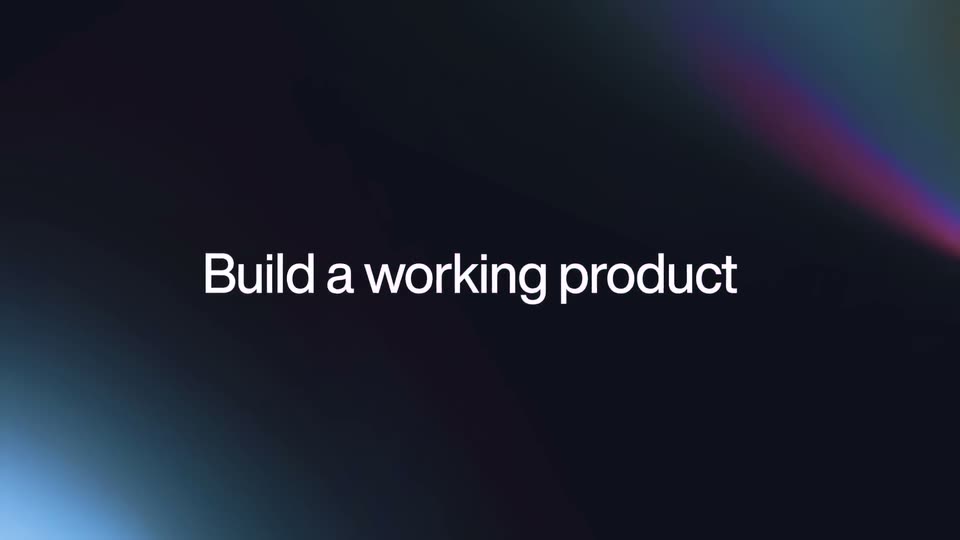
On a near-black background with a pink diagonal streak top right and a blue glow bottom left, the phrase builds up word by word, starting with a blue “Build” that turns white as the rest of the line joins, leaving “product” in pink, centered.
On-screen text: “Build a working product”
Techniques: Kinetic type
Camera: Static
A dark rounded chat input box is centered over a soft blue background that resolves into a sunlit city street with a cyclist. White text types out a prompt line by line, a blinking caret follows, and the send button and agent label stay fixed.
Camera: Static
A 3D-tilted browser mockup of a cycling site sits below the headline “Cinematic Websites” on a dark gradient. The camera pushes into the page, a cursor clicks the account icon, and a sign-in modal pops up over the blurred hero video.
On-screen text: “Cinematic Websites”
Techniques: 3D mockup, UI zoom, Cursor demo
Camera: Push in
A white login modal floats over a blurred rider as the cursor clicks the dark Sign in with Kimi button. The button spins, then the card shrinks into a small badge reading Clipped In! Redirecting...
Techniques: Cursor demo
Camera: Static
A dark prompt field types “Add a Checkout Experience” while a cursor glides in and presses the send button. The field shifts to the lower left as a checkout card with a cyclist, a yellow BOOK TRIAL pill and a star-rated John Terry review slides in on the right.
Techniques: Cursor demo
Camera: Static
Split layout on a dark gradient. Left: a white caption sits above an agent chat column whose steps brighten in, with a dark input bar labeled K2.6 Agent at the bottom. Right: a white browser mockup of a bike store scales down into place, its cyclist hero giving way to a four-card product grid.
Camera: Static
A row of four bike product cards sits on a pale gray background. The cursor hovers the Velocity Pro card, which lifts onto a white panel with a drop shadow; spec labels and size chips fade in over the bike image and the cart button flips to lime green.
On-screen text: “K2.6 Agent”
Techniques: Cursor demo
Camera: Static
A light checkout card on a dark gradient shows a shipping form. The card scrolls up as the Standard Shipping radio fills yellow, then a dark code chip slides in at the bottom reading the order data.
On-screen text: “{ name: ”
Camera: Pull out
A white rounded database card on a dark gradient background shows an orders table whose rows scroll upward, revealing new entries. A large white headline reading Transactional Database sits to the left, static.
On-screen text: “Transactional Database”
Camera: Pull out
A white database card listing names, emails and Pending status slides in from the left over a live-action shot of hands typing on a laptop that displays a Citywide Service Hubs page with a map.
Techniques: Split screen
Camera: Pan
A person types at a laptop on a wooden desk, its screen showing a chat and a shared document. A white Share panel with a contact list slides out to the left while the screen content zooms from the document view into a 3D city map.
Techniques: 3D mockup, UI zoom
Camera: Pan
Interface panels in white and dark cards float at angles in 3D space over a dark blue background, the center one playing footage of a cyclist on a road bike. The panels drift at different depths while a headline and a service-hubs card slide into view.
Techniques: 3D mockup, Parallax
Camera: Static
A cyclist photo anchors a dark blue stage, ringed by five tilted UI mockups floating in 3D perspective. The headline builds line by line while the cards drift at slightly different speeds.
On-screen text: “The greatest road”, “line-up ever”, “created”
Techniques: 3D mockup, Kinetic type, Parallax
Camera: Pull out
A dark navy field holds a ring of small UI cards, website thumbnails and photos. In the center, white headline lines build up: Advancing, then Open Source, then Coding. The cards brighten and the camera pulls back, spreading the collage across the frame.
On-screen text: “Advancing”, “Open Source”, “Coding”
Techniques: Kinetic type
Camera: Pull out
A dark 3D-rendered planet fills the frame, its left edge rimmed with an orange-to-blue atmospheric glow. Centered white text reads “Now available on Kimi.com, App & API.” with App Store and Google Play badges below, all held on a locked-off frame.
On-screen text: “Now available on Kimi.com, App & API.”, “Download on the App Store”, “GET IT ON Google Play”
Camera: Static
The KIMI sign-off holds on a black field: a rounded-square icon with a white K, a small blue dot and a speckled white base sits left of the bold white KIMI wordmark, all centered and static.
On-screen text: “Now available on Kimi.com, App & API .”, “Download on the”, “GET IT ON”, “App Store”, “Google Play”
Camera: Static