2:07
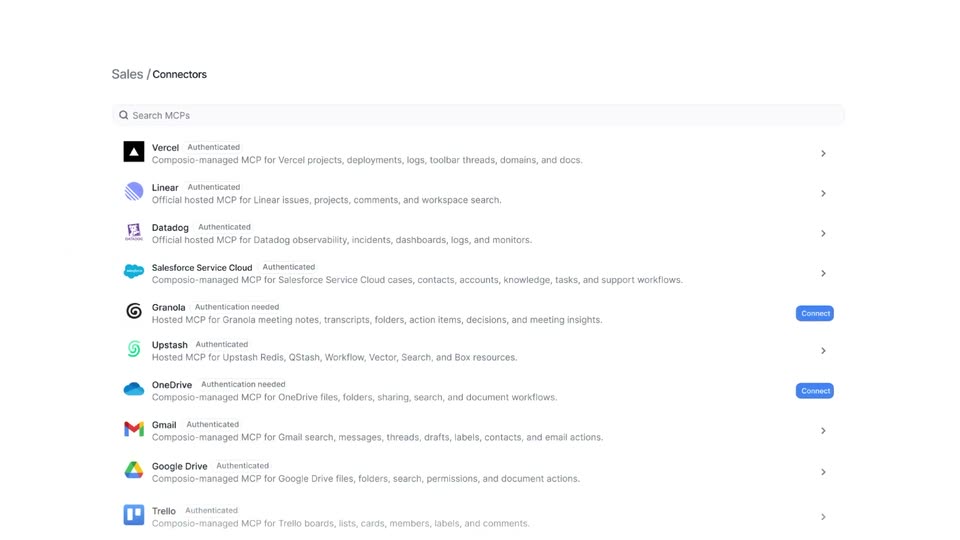

Y Combinator - Wato (@watolabs) is building the collaboration layer for teams workin
Wato · B2B · Jun 2026
Moonlake AI · Apr 2026 · 0:30 · Full motion · AI-annotated
Moonlake AI’s 0:30 launch film runs 17 scenes, about 1.8 s each. The product shows up at 0:01 and 3 features are revealed. There is no explicit call to action. The video is a three-feature demo reel: a two-scene hook, then image-to-3D, articulated assets, and learned workflow, each opened by a single-line caption and shown in locked-off screen captures or orbiting studio renders, closed by a brand lockup. Pacing is slow at two cuts per minute with long holds, turntable orbits, and thumbnail crossfades; a fixed monospaced caption line and a corner logo anchor every frame over near-black.
Is this your launch? to your site or press kit.
Wato · B2B · Jun 2026
Tilion · B2B · Jul 2026
A dark dashboard shows a grid of project cards, each with a 3D scene thumbnail, a Running badge and a timestamp. The grid scrolls vertically, revealing extra rows, while a white caption stays fixed at the bottom.
On-screen text: “Bringing Computer Use Capabilities to our World Modeling Agent”
Camera: Static
A dark UI grid of 3D scene cards, each with a thumbnail and title, scrolls upward to reveal new rows. Chat windows with message bubbles and buttons fade in over several cards. A white caption line stays fixed at the bottom.
On-screen text: “Bringing Computer Use Capabilities to our World Modeling Agent”
Camera: Pan
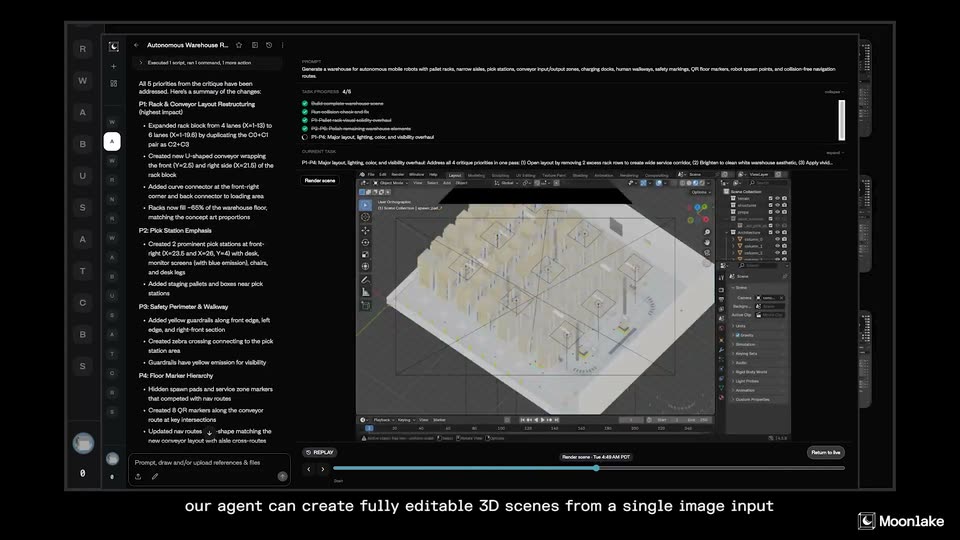
A flat screen capture of a 3D scene tool: a task list scrolls on the left while the right viewport builds a warehouse model, growing from a flat image into racks, conveyors and floor markers. A lowercase caption runs along the bottom.
On-screen text: “our agent can create fully editable 3D scenes from a single image input”
Camera: Static
A locked-off 4x4 grid of 3D renders holds while each cell orbits on its own: a server door swings open, desk drawers slide out, and cameras circle an island, a racetrack, and interior rooms. A white caption runs along the bottom edge.
On-screen text: “indoor and outdoor scenes with articulated assets generated without any external assets”, “MoonLake”
Techniques: 3D mockup, Split screen
Camera: Static
A 4x4 grid of dim 3D scene renders brightens, then the frame cuts to a left column of four small articulated props beside a large 3D server cabinet. Captions run along the bottom.
On-screen text: “indoor and outdoor scenes with articulated assets generated without any external assets”, “infers hinge points, pivots, and constraints”
Techniques: 3D mockup
Camera: Static
A dark gray network cabinet on a white backdrop swings its hinged door open to reveal the mesh panel and internal rack gear. A left strip lists four smaller 3D models: cabinet, desk, trash bin, drawer unit. The bottom caption notes hinge inference.
On-screen text: “infers hinge points, pivots, and constraints”
Techniques: 3D mockup
Camera: Static
A white 3D viewport shows a wooden desk with two drawers sliding open, beside a left column of four product thumbnails. The view crossfades to a white trash bin as the highlighted thumbnail shifts down the list.
On-screen text: “Moonlake”, “infers hinge points, pivots, and constraints”
Techniques: 3D mockup
Camera: Static
A left column lists four 3D model thumbnails while a large right viewport cycles through them. A pedal trash bin lifts its lid, then a black parts cabinet swings its drawers open, the matching thumbnail flashing white. A brand wordmark and a caption sit at the bottom.
On-screen text: “Moonlake”, “ready for animation and simulation”
Techniques: 3D mockup, Split screen
Camera: Static
A 3D model of a black parts cabinet with rows of clear drawers sits angled in a white studio. A left sidebar lists four asset thumbnails, the organizer highlighted. The bottom drawer row slides outward. A white caption reads ready for animation and simulation.
On-screen text: “Moonlake”, “ready for animation and simulation”
Techniques: 3D mockup
Camera: Static
On a near-black background, the Moonlake wordmark and a small tagline appear faintly, centered, and hold still in a locked-off frame.
On-screen text: “Moonlake”, “ready for animation and simulation”
Camera: Static
A locked-off capture of the Blender interface fills the frame. Inside the viewport, the 3D view orbits and zooms in on a wireframe dragon model while the timeline scrubs forward. A caption sits at the bottom, and an 'apply workflow' button pops in near the end.
On-screen text: “our agent can learn from human demonstrations”, “apply workflow”
Techniques: UI zoom
Camera: Static
A 3D modeling software interface displays a wireframe dragon model as the viewport angle shifts. White text and a button sit at the bottom, with a logo in the corner.
On-screen text: “our agent can learn from human demonstrations”, “apply workflow”, “Moonlake”
Camera: Static
A split-screen 3D modeling interface. The left viewport morphs a low-poly dragon wireframe into a dense high-detail sculpt, while the right viewport does the same with a bird, ending on a close-up wing. Dark tool panels and menus frame each viewport. A white caption sits centered at the bottom.
On-screen text: “and apply it at scale on various tasks”
Techniques: Split screen, Morph
Camera: Static
Two Blender viewports with wireframe dragon and pterosaur models sit side by side above a caption line. The windows shrink and rise as rendered versions of both creatures fade in in dark panels below.
On-screen text: “and apply it at scale on various tasks”, “Moonlake”
Techniques: Split screen
Camera: Pull out
A 2x2 grid on black shows a learned workflow: wireframe software views on top, textured 3D viewport renders below. A dragon and a goose flap their wings in the lower panels, with a center label and a caption under each.
On-screen text: “<--Learned Workflow-->”, “Character Rigging 1: Dragon”, “Character Rigging 2: Goose”
Techniques: Split screen
Camera: Static
A dim four-panel grid of 3D software views showing a dragon and a goose, captioned below, fades to black. The Moonlake line-drawn cube logo and wordmark then appear centered on black.
On-screen text: “<--Learned Workflow-->”, “Character Rigging 1: Dragon”, “Character Rigging 2: Goose”, “Moonlake”
Camera: Static
On a black field, a white cube outline holding a crescent moon sits left of the Moonlake wordmark. The lockup scales slightly into the center and holds on a locked-off frame.
On-screen text: “Moonlake”
Techniques: Kinetic type
Camera: Static