
0:23
Explore
00:00:00 / 00:40:04
- Length
- 0:40
- Scenes
- 18 · 2.2 s avg
- Product on screen
- 0:00
- Features shown
- 5
- Call to action
- 0:33 · 83%
- Voiceover
- No
- Views
- 51K on YouTube
as of November 26, 2026
Moneco’s 0:40 launch film runs 18 scenes, about 2.2 s each. The product shows up at 0:00 and 5 features are revealed. The call to action lands at 0:33 (83% in). A flat green-and-white brand film that opens on a defocused word, names the logo, then marches through features as alternating headline cards and rising phone mockups, each entry snapping from motion blur into focus at a steady 120 bpm. The signature moves are the blur-to-sharp text reveals, the phone sliding up from the bottom edge, and the green curved line that ties the transfer and family beats together before the logo and store badges close the loop.
Footage neededEstimated needs: 4 capture groups — your screens or recordings · 1 official logo — reused across the film · 2 filmed passages — shoot, supply or replace · 2 3D passages — build or supply
Is this your launch? to your site or press kit.
More like this

0:48

Ethena Pay - Introducing Earn+: 12% rewards on your dollars in a single tap. Avai
Ethena Pay · Oct 2026
1:17


Sygaldry: Quantum-Accelerated AI Servers
Sygaldry Technologies · Industrials · May 2025
Similar soundtrack
Films whose music sounds like this one, voice left out
1:10


Introducing workspace agents in ChatGPT
OpenAI · Funk, electronic funk
0:32

Hemut launch film
Hemut · Electronic dance / Big beat
0:30

Meta Ray-Ban Display: AI Glasses With an EMG Wristband
Meta · Electronic dance music with funk and disco influences
Teaser Moneco, scene by scene
· 18 scenes as text
01 · Hook · 0:00–0:00
The word “Découvrez” sits centered on a flat green field. It opens soft and out of focus, then snaps to a crisp, sharp state over the first half of the clip and holds still.
On-screen text: “Découvrez”
Techniques: Kinetic type
Camera: Static
02 · Product intro · 0:00–0:03
A green rounded-square mark with a white N glyph scales in at center on a white field as the black wordmark moneco builds up letter by letter below it. The lockup then softens with a defocus blur and fades to white, where the headline Découvrir appears.
On-screen text: “Découvrez”
Techniques: Masking
Camera: Static
03 · Product intro · 0:03–0:04
A hand holds a phone showing the app dashboard against a flat green background. Large white words frame the device, top and bottom, settling from a soft blur into focus.
On-screen text: “L'application”, “Financière”
Techniques: Kinetic type
Camera: Static
04 · Product intro · 0:04–0:05
A hand holds a tilted smartphone showing a banking app against a flat green field. The device rotates with heavy motion blur while large white words slide across the frame, reading L'application Financière then des Africains.
On-screen text: “L'application”, “Financière”, “des”, “Africains”
Techniques: Kinetic type, 3D mockup
Camera: Pan
05 · Product intro · 0:05–0:06
A Black woman in a yellow patterned top looks at her phone inside a rounded frame on a green field, while two white payment cards drift across her. Large white words sit at the top-left and bottom-right corners. The whole frame whips into a horizontal motion blur at the end.
On-screen text: “des”, “Africains”
Techniques: Speed ramp
Camera: Pan
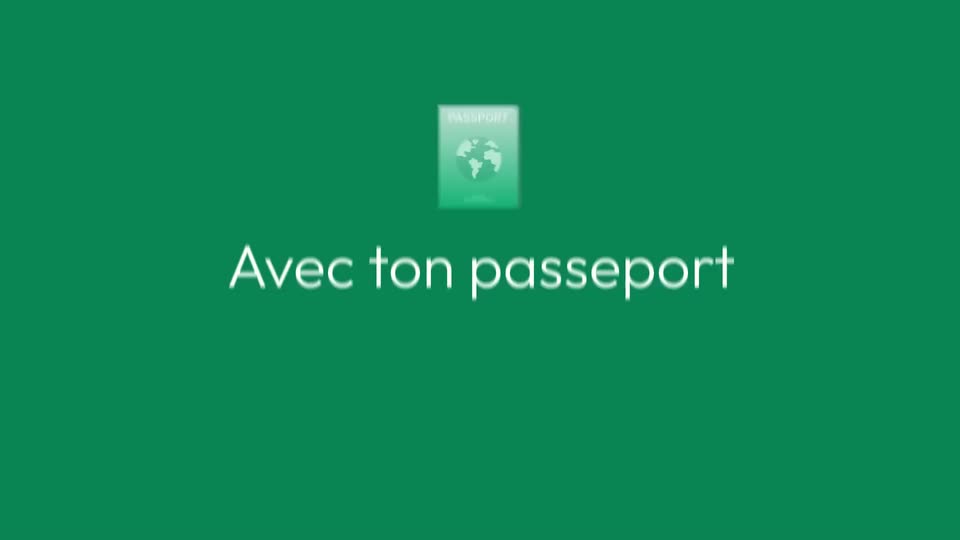
06 · Feature reveal · 0:06–0:07
A small green passport icon with a globe sits above two lines of white text on a solid green background. The text slides up into place as the second line sharpens from motion blur.
On-screen text: “Avec ton passeport”, “Ouvre un compte Moneco”
Techniques: Kinetic type
Camera: Static
07 · Feature reveal · 0:07–0:08
On a flat green field, a small green passport booklet sits above two white lines. The whole block slides upward and fades as a phone mockup rises from the bottom edge, revealing a chat screen that reads Hey Samy.
On-screen text: “Avec ton passeport”, “Ouvre un compte Moneco”
Techniques: Kinetic type
Camera: Static
08 · Feature reveal · 0:08–0:10
On a dark green backdrop, a white smartphone mockup of a banking app rises into frame under the headline Compte EURO. A second phone slides in from the left as the blurred caption Virements bancaires sweeps across, leaving the two devices side by side.
On-screen text: “Compte EURO”, “Ouvre un compte gratuitement”, “Virements bancaires”
Techniques: Kinetic type, 3D mockup
Camera: Static
09 · Feature reveal · 0:10–0:13
Deep green background. A bold white headline and a lighter subline fade in on the left with a soft blur, while a flat phone mockup showing a money-transfer menu slides up into place on the right, then holds.
On-screen text: “Virements bancaires”, “Virements standards & instantanés”
Techniques: Kinetic type
Camera: Static
10 · Feature reveal · 0:13–0:16
A flat phone mockup eases in from the left onto a green background, its screen showing a card selection page with a green VISA card and a gray card. On the right, the white headline 'Carte VISA' and a lighter subtitle fade and drift up into place, then hold.
On-screen text: “Carte VISA”, “Carte physique et virtuelle”
Techniques: Kinetic type
Camera: Static
11 · Feature reveal · 0:16–0:19
A front-facing phone mockup shows a money transfer screen with 500 EUR converting to MAD, set over green curved lines. A row of circular national flag icons sweeps left to right across the screen, passing in front of then behind the phone, while the headline cross-fades from one phrase to the next.
On-screen text: “Transferts vers l'Afrique”, “Dans 11 pays africains”
Techniques: Kinetic type
Camera: Static
12 · Feature reveal · 0:19–0:25
A thin green curved line with small dashes sits on a white background. A large dark blue headline appears, then a rounded photo card of a family slides up over the text. The photo changes to a second family scene, ending with a fast horizontal blur.
On-screen text: “Envoie de l'argent à tes proches”
Camera: Pan
13 · Feature reveal · 0:25–0:26
A light blue rounded card on cream shows dark navy words Destination France on two right-aligned lines. A white circle with the French flag sits lower left, a small white airplane lower right. The frame stays locked off and the text remains still.
On-screen text: “Destination France”
Camera: Static
14 · Feature reveal · 0:26–0:29
A dark blue headline sits centered on white while blurred step cards drift slowly around the edges. A green brush underline draws under the second line, then the frame blurs out and a teal box icon with a sparkle pops in above a gray Welcome pack title.
On-screen text: “La référence”, “pour tes procédures de migration”, “Welcome pack”, “Les meilleurs partenaires pour finaliser ton installation”
Techniques: Kinetic type, Masking
Camera: Push in
15 · Feature reveal · 0:29–0:31
A locked-off frame shows a blurred app list behind a centered welcome card. A green gift icon with sparkles tops the title “Welcome pack”, a French subtitle, and four green icons labeled Garant, Ass. habitation, Rés. étudiante, Carte SIM.
Camera: Static
16 · Other · 0:31–0:33
A deep green field holds a two-line French headline. The bold line and the thin line below it assemble as their words slide in from the right, locking into place by the half second mark and holding still.
On-screen text: “L'application financière”, “qui te ressemble”
Techniques: Kinetic type
Camera: Static
17 · CTA · 0:33–0:34
A green angular mark scales up from a small fragment into the Moneco N logo on a white background. The dark wordmark moneco fades in below it, followed by the line Télécharge Moneco dès maintenant sur and the App Store and Google Play badges.
On-screen text: “Télécharge Moneco dès maintenant sur”
Techniques: Morph
Camera: Static
18 · CTA · 0:34–0:40
A green Moneco logomark and black wordmark sit centered above a French download tagline, with App Store and Google Play badges beneath, all held static on a plain off-white background.
On-screen text: “Télécharge Moneco dès maintenant sur”
Camera: Static