0:57
What's new for 2D in Unity 6.7 and Unity 7
Unity · Nov 2026
Mirelo’s 0:55 launch film runs 29 scenes, about 1.9 s each. The product is on screen from the first frame and 4 features are revealed. The call to action lands at 0:48 (88% in), over a voiceover. The video opens with a dim live action shot that names the product, then runs four feature beats, each opened by a plain white title card and demoed by pairing a chat prompt with the same city chase footage. Pacing is quick at about 25 cuts per minute, with hard cuts between white cards, UI close ups and cinematic shots, and it closes on the logo and the URL.
Is this your launch? to your site or press kit.
Unity · Nov 2026
Berachain · Jan 2025
monday.com · Jul 2026
Films whose music sounds like this one, voice left out
ChatGPT · Electronic dance / Funk
Insta360 Ace Pro 2 · Electronic dance music
OpenAI · Modern cinematic electronic
A locked-off medium shot shows a woman with curly red hair, glasses, and headphones around her neck speaking behind a laptop in a dark room. The word Introducing appears centered over her chest and stays still.
On-screen text: “Introducing”
Camera: Static
A woman with curly red hair and glasses sits at a laptop in a dim room. A glowing green ghost character with headphones floats around her, leaving a swirling particle trail. The caption switches from “Introducing” to “Mirelo Sound Agent” as she smiles, then the frame fades to white.
On-screen text: “Introducing”, “Mirelo Sound Agent”
Techniques: Particles
Camera: Static
A plain white card shows a centered two-line headline that fades in from light gray to solid black. The line reads “Sound design, just by prompting” and stays static once fully revealed.
On-screen text: “Sound design, just by prompting”
Camera: Static
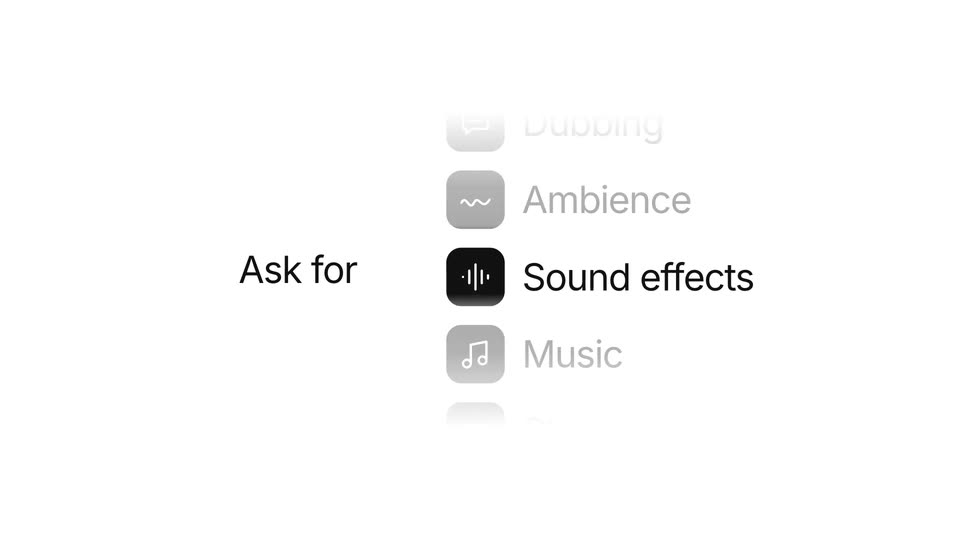
On a plain white background, the static label “Ask for” sits at left while a vertical column of rounded audio icons with labels scrolls upward at right. The centered item switches from Music to Ambience, turning its icon black and its label bold while the other rows fade to light gray.
On-screen text: “Ask for”
Camera: Static
A black sans-serif line on white reads “Ambience” with a thin vertical cursor, then extends to “Ambience and SFX” and slides left so the first letters exit the left edge of the frame.
On-screen text: “Ambience”, “Ambience and SFX”
Techniques: Kinetic type
Camera: Static
On a plain cream background, a rotating circular spinner sits left of the dark gray status text Creating sounds..., which fades to light gray. Above it, the gray sentence Let me watch the picture before I change anything. fades in. Locked-off frame, slow pace.
On-screen text: “Creating sounds...”, “Let me watch the picture before I change anything.”
Camera: Static
A product interface centers on a white background, with a video player on top showing a police car driving toward a bridge and an audio timeline below with three labeled tracks. A vertical playhead line sweeps left to right across the timeline as colored clip blocks sit on the SFX, Ambience, and Vehicles rows.
Techniques: UI zoom
Camera: Pull out
A video clip of a city street plays above a three-track audio timeline. A playhead sweeps across the tracks as the clip cuts from a car to a speeding police car, then the screen cuts to a plain off-white field holding a centered title.
On-screen text: “Edit sound”
Camera: Static
A black heading reads centered on a plain white background, then the frame cuts to a light gray rounded pill holding a gray caption line. The layout stays locked off and static throughout the short clip.
On-screen text: “Edit sound”, “Make the pothole sound more impactful”
Camera: Static
A light chat screen holds a gray message bubble on the right reading “Make the pothole sound more impactful.” Below it, a small circular spinner rotates while the gray status label switches from “Thinking” to “Analyzing the impact.” The frame stays locked off.
Camera: Static
Low-angle tracking shot hugging the road: a police car wheel rolls past, a yellow taxi blurs by, then the frame settles behind an NYPD cruiser and a black sedan. The Manhattan Bridge and skyline sit hazy in the background.
On-screen text: “Make the pothole sound more impactful”, “Analyzing the impact”
Camera: Push in
A gray rounded chat bubble holding the prompt about removing honking and adding sirens sharpens from blur into focus on a white field. A small circular spinner and the faded word Thinking sit at lower left, locked in place.
Camera: Static
A yellow taxi speeds down a city street, the camera tracking past it as a police car and a black sedan block the road ahead. The view cuts to the car's back seat, where two men ride, one holding a phone.
On-screen text: “Remove the honking at O:12. Add sirens!”
Camera: Push in
From behind two front-seat occupants in an old car, the windshield frames a city street where a yellow taxi slides past and a bridge spans the horizon. The camera holds steady between the two heads as the traffic moves.
Camera: Static
Static black text reads 'Seperate and dub speech' centered on a plain white background, held for the full duration with no motion or animation.
On-screen text: “Seperate and dub speech”
Camera: Static
From the back seat of a moving car, a driver in a maroon top holds the wheel while a passenger in a beige suit rests an arm on the dashboard. The passenger's arm swings across the windshield, then settles as the city street and a bridge pass by outside.
Camera: Static
A close-up of a bald man with a gray goatee, wearing a beige jacket, white shirt and dark tie, sits in a car and shouts with an angry expression. The blurred background and soft daylight suggest a moving vehicle. The camera holds on his face with a slight handheld drift.
Camera: Static
Close-up of a bald man with a gray goatee, in a beige jacket and tie, seated in a car. He glances to the side, then snaps his head forward, mouth falling open in shock against a blurred window background.
Camera: Static
A result card with two audio track rows blurs and slides out, then a gray message bubble with the dubbing prompt appears on the right. A small circular spinner and the word Thinking fade in at the lower left.
Camera: Static
A white chat screen holds a gray prompt bubble reading “Dub the dialogue to spanish” on the right. On the left, a circular spinner spins beside a status label that switches from “Thinking” to “Analyzing dialogue”, then both fade out.
Camera: Static
Rear view inside a moving car shows the driver and a bearded passenger, the Manhattan Bridge visible ahead. The shot cuts to a tight close-up of the passenger as he turns and shouts, mouth wide open, while a caption stays locked in frame.
On-screen text: “Dub the dialogue to spanish”
Camera: Static
A man in a maroon suit sits at the wheel of a moving car, his hand resting on the steering wheel. He turns his head to speak to the passenger, whose out-of-focus shoulder and head fill the right foreground. The camera holds a static over-the-shoulder frame inside the cabin.
Camera: Static
Tight close-up of a man with an afro and a mustache in a soft-lit interior. He holds a faint, closed-mouth smile, then his eyes snap wide open and his mouth parts slightly in a sudden reaction of surprise.
Camera: Static
A white screen holds the heading 'Add music', then a rounded input field slides in with the prompt 'Add a gritty 1970s funk instrumental' as a spinner and the word 'Thinking' appear below it.
On-screen text: “Add music”
Camera: Static
The chat view shows the user prompt in a gray bubble on the right. A spinner with cycling status text runs below it, then the view scrolls up as a white response card with an audio player slides in from the left.
Camera: Static
Aerial view looks down a dense city grid with an elevated rail line cutting through it. The white title 'Sound' holds left of center as 'Agent' fades in beside it, then two caption lines slide in describing the agent adding a 70s funk track.
On-screen text: “Sound Agent”, “Add a gritty 1970s funk instrumental”, “Added an energetic upbeat 70s funk song”
Techniques: Kinetic type
Camera: Static
A black sedan powers through a tight turn on a cobblestone street, kicking up dust as the camera tracks its rear. Heavy motion blur and a lens flare streak the frame.
On-screen text: “Agent”, “Sound”
Camera: Static
A locked-off wide shot of a New York street: an NYPD police car sits mid-road with a white box truck behind it, the Manhattan Bridge and Empire State Building hazy in the distance. The words Now and available appear on either side of the frame.
On-screen text: “Now”, “available”
Camera: Static
The black Mirelo mark and wordmark sit centered on a white field, hold, then give way to the still text Now available and the lowercase URL mirelo.ai, all locked off.
On-screen text: “Now”, “available”, “mirelo.ai”
Camera: Static