1:04

AnyAlpha: The Agentic Trading Platform
AnyAlpha · Fintech · Oct 2026
Microsoft · Nov 2019 · 1:13 · Full motion · AI-annotated
Microsoft’s 1:13 launch film runs 33 scenes, about 2.2 s each. The product shows up at 0:01. The call to action lands at 1:00 (83% in). A dark brand sting names the product, then the piece moves into a bright white 3D world where paper, discs and ribbons assemble the interface before the real UI takes over. The demos stay short and rhythmic, cutting between abstract metaphor and on-screen product, and close on a black Microsoft logo plus a looping Subscribe end card.
Is this your launch? to your site or press kit.
AnyAlpha · Fintech · Oct 2026
DJI · Hardware · Jul 2024
Films whose music sounds like this one, voice left out
TAL · Electronic, cinematic sound design
Perplexity · Electronic dance music with Afro-Cuban percussion elements
Dark metallic concentric rings with thin blue glowing edges rotate on a black background, shifting from a partial arc into a full circular tunnel. A short blue wedge flashes at the center as the rings turn.
Techniques: Parallax
Camera: Pull out
The headline scales into focus on the right of a dark 3D field of curved black panels edged with blue light lines. The camera rotates through the space and locks off, the blue Yammer steady while the gray lines scale in.
On-screen text: “The new”, “Yammer”, “in Microsoft 365”
Techniques: Kinetic type, Parallax
Camera: Static
On a dark background, the 3D headline sits center-right, 'Yammer' in blue and the rest in silver, scaling subtly into place. A blurred white and blue ribbon curves along the bottom edge. The frame stays locked off throughout.
On-screen text: “The new”, “Yammer”, “in Microsoft 365”
Techniques: Kinetic type
Camera: Static
A matte gray 3D surface curves across the frame with blue text printed on it. A band of light sweeps across the form, brightening the surface so the words read clearly, then a shadow falls and the text dims again.
On-screen text: “The new”, “Yammer”, “Communities.”, “Knowledge.”, “Engagement.”
Techniques: Light sweep, 3D mockup
Camera: Static
Extreme close-up of a grainy blue surface; a white rounded form slides into view from the lower right as the camera drifts slowly across the textured field.
Camera: Pan
A blue Y logo on a rounded square builds up from stacked layers against a white tiled wall, a blue speaker shape unfolding beside it. The 3D mark then glides toward the lens and sweeps past, exposing a white plane traced with blue wavy lines.
Techniques: Morph
Camera: Static
A blue 3D extruded shape sits in the foreground, its edges soft, while a white plane covered in a grid of iridescent looping lines fills the background. The camera drifts slowly across the scene, holding the blue form in focus and blurring the grid behind it.
Camera: Push in
A white 3D maze of curved walls with thin iridescent edges recedes as the camera pushes forward through the winding corridors. Foreground loops blur past while deeper paths stay sharp, the colored rims shifting from blue to pink and gold.
Techniques: Parallax
Camera: Static
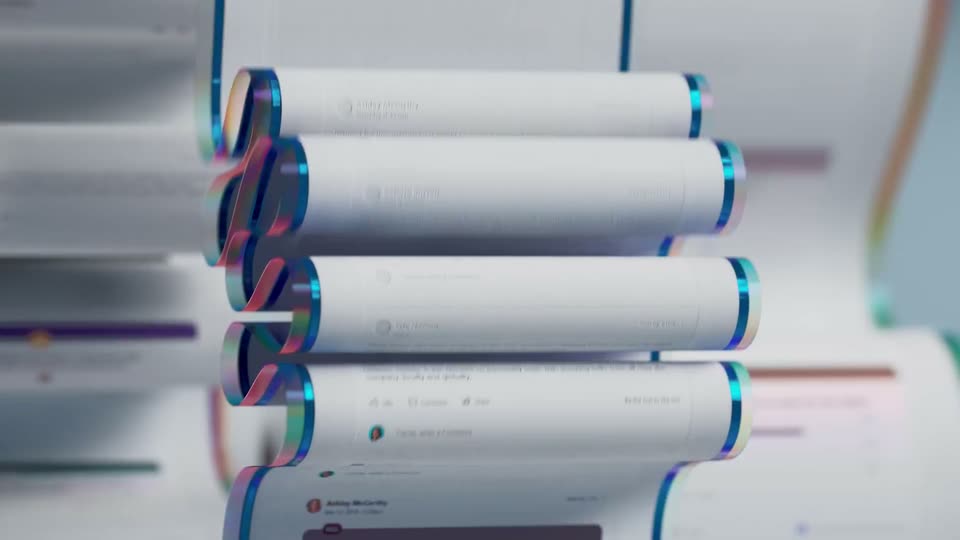
A vertical stack of social feed cards floats in 3D perspective over a blurred office, framed by a wavy iridescent ribbon. The camera swings from an angled view to a flatter front-on angle as the cards sharpen into focus.
Techniques: 3D mockup
Camera: Static
A tablet in 3D perspective displays a community feed on a light gray screen. The view pushes in as the interface scrolls down past a purple header, user posts and threaded comments.
Techniques: 3D mockup, UI zoom
Camera: Push in
A wall of tilted social feed panels floats in 3D perspective, the center card showing a post with a VR headset photo. The panels drift slowly at different depths, one right edge glowing blue.
Techniques: 3D mockup, Parallax
Camera: Push in
Tilted close-up of gray and blue rounded panels, each with a small colored dot button, floating in 3D perspective. The camera pulls back and levels out to a flat top-down grid of the same panels on a white surface.
Techniques: 3D mockup, Parallax
Camera: Pull out
A tilted 3D grid of rounded panels in white, light blue, pink and purple slides past the camera. Small circular avatars and gray discs rest on the panels, and a thin blue line traces one panel edge.
Techniques: 3D mockup, Parallax
Camera: Static
Colored 3D discs in red, blue, yellow and grey float and rotate through a white space, several masking portrait photos of people. The camera drifts forward as the discs pass at different depths.
Techniques: Parallax
Camera: Pan
Colorful 3D discs, some printed with faces and initials, fall past a white tiled wall and land on the tiled floor. The camera tilts down as the last discs drop out of frame, leaving the empty floor.
Camera: Static
The camera pulls back from an angled close-up of a disc grid to a flat top view as a white card rises into the center with two blue play buttons.
Techniques: 3D mockup
Camera: Pull out
Top-down flat lay of multicolor bottle caps on a pale gray surface frames a raised gray card with a blue play button. The card lifts to reveal the Yammer interface behind it, while the caps slide into an arch above the screen.
Techniques: Masking
Camera: Pull out
A flat Yammer interface fills the frame, showing a live Monthly Q&A video with a presenter on stage. The view scrolls down past the live badge and event details into the community feed, where employee questions and answers about rewards and vendor names appear.
Camera: Pull out
A static social feed displays a blue highlighted box with the text Praised Carole Polland and Celeste Burton. A new comment card featuring a yellow circular avatar and gray text lines slides up from the bottom edge into the frame.
On-screen text: “Praised Carole Polland and Celeste Burton.”
Camera: Pan
A flat white sheet with abstract gray text lines and colored dots unrolls across a white surface, its edges rippling like an iridescent blue and pink ribbon. A vertical social feed panel stands behind it in 3D perspective.
Techniques: 3D mockup
Camera: Static
A white paper sheet carrying a wireframe interface, marked with yellow, purple and blue dots, rotates slightly to settle flat over a blue card, its lower corner curled.
On-screen text: “10”
Techniques: 3D mockup
Camera: Static
A vertical comment feed scrolls downward past several user replies, then the frame locks and zooms in on one comment about a conference flight and a neighbor doing email the whole way.
Techniques: UI zoom
Camera: Pull out
A 3D phone mockup rotates from an angled tilt to front-on, showing a social post with a photo of people in VR headsets. The screen then switches to a message view, where “Any additional thoughts after the all-hands?” types into a card, and the frame zooms onto the tilted card.
Techniques: 3D mockup, UI zoom
Camera: Static
Abstract 3D scene: a white sheet with blue edges folds down over a white floor, piling into a growing stack of horizontal rolls as small colored dots and a tiny blue tag settle nearby. A static caption reads “Any additional thoughts after the all-hands?”
On-screen text: “Any additional thoughts”, “after the all-hands?”
Camera: Static
On a textured gray field, a blue question-mark speech bubble sits at top. Three colored discs and gray bars slide in from the left, flattening into a three-row list. The rows then reorder, purple rising to the top, where a small orange check badge pops in at the corner.
Camera: Static
A dark Q&A interface card tilts up from the bottom over a paper-textured backdrop with colored dots and gray bars. The card reveals a question thread and comments, while the blue Relecloud logo fades in at the top right.
On-screen text: “Relecloud”
Techniques: 3D mockup
Camera: Static
A dark Yammer question thread fills a screen shown in 3D perspective. The top bar and left rail morph into the purple Microsoft Teams layout as the camera pulls back to reveal the full screen.
Techniques: Morph, 3D mockup
Camera: Static
A dark Teams question feed sits in 3D perspective, angled to the right. The panel rotates left like a turning page, peeling back to expose a second SharePoint feed column behind it.
Techniques: 3D mockup
Camera: Static
A dark, tilted SharePoint question feed floats in 3D space. A white panel slides in from the right edge, covering the right half and swapping the comment list for a LinkedIn Elevate thread.
Techniques: 3D mockup
Camera: Pull out
The Yammer feed, a post with two threaded comments, fills a laptop screen in close-up, then the camera pulls back to reveal the open laptop on a dark desk with a phone and pens, set in a dim office.
Techniques: UI zoom, 3D mockup
Camera: Pull out
On a black background, a small four-square Microsoft mark scales up at center as the white Microsoft wordmark appears to its right. A blue vertical bar then slides in from the left edge.
On-screen text: “Microsoft”
Camera: Static
Three vertical bars in black, light gray and blue slide horizontally across the frame, the blue bar carrying the word Subscribe. The bars shift one position to the right as the clip runs.
On-screen text: “Microsoft”, “Subscribe”
Camera: Static
A static blue panel on the left holds the white word Subscribe while, on the black right, a white dashed line draws the outlines of two stacked rectangles, settles to solid, erases, and redraws in a loop.
On-screen text: “Subscribe”
Techniques: Split screen
Camera: Static