0:56
Explore
Lottielab - Introducing Bento Blocks! 🍱 A brand new template pack with bento-sty
Lottielab · Jan 2026 · 0:31 · AI-annotated
- Length
- 0:31
- Scenes
- 16 · 2.0 s avg
- Product on screen
- 0:04
- Features shown
- 6
- Call to action
- 0:28 · 90%
- Voiceover
- Yes
00:00:00 / 00:31:50
Lottielab’s 0:31 launch film runs 16 scenes, about 2.0 s each. The product shows up at 0:04 and 6 features are revealed. The call to action lands at 0:28 (90% in), over a voiceover. The video is built as a card showcase: a 3D grid of white feature cards opens the piece, each card is then isolated with a tilt and settle reveal on a colored gradient, the editor is shown making live text and color edits, and the logo with URL closes it. Pacing is fast at roughly 172 bpm with shallow depth of field, blur to focus pulls and tilt reveals as the signature moves.
No filming indicatedEstimated needs: 2 capture groups — your screens or recordings · 1 official logo — reused across the film · 10 3D passages — build or supply
Is this your launch? to your site or press kit.
More like this
1:42
Live Action meets Motion Graphics | SaaS Explainer Video | Astra
Astra · Sep 2026
1:16
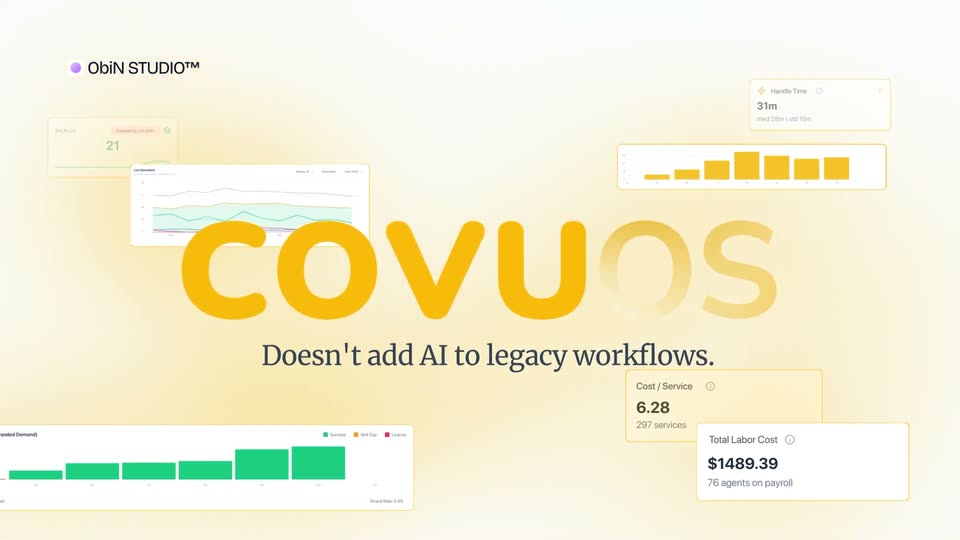

Best AI SaaS Product Launch Video | Covu
Covu · Apr 2026
Lottielab - Introducing Bento Blocks! 🍱 A brand new template pack with bento-sty, scene by scene
· 16 scenes as text
01 · Hook · 0:00–0:00
A row of white feature cards floats in 3D perspective against a soft gray background. The camera dollies across them, shifting focus from a purple Task Overview card to an orange card with a color gauge, then to a purple Global Sync card.
Techniques: 3D mockup, Parallax
Camera: Static
02 · Hook · 0:00–0:02
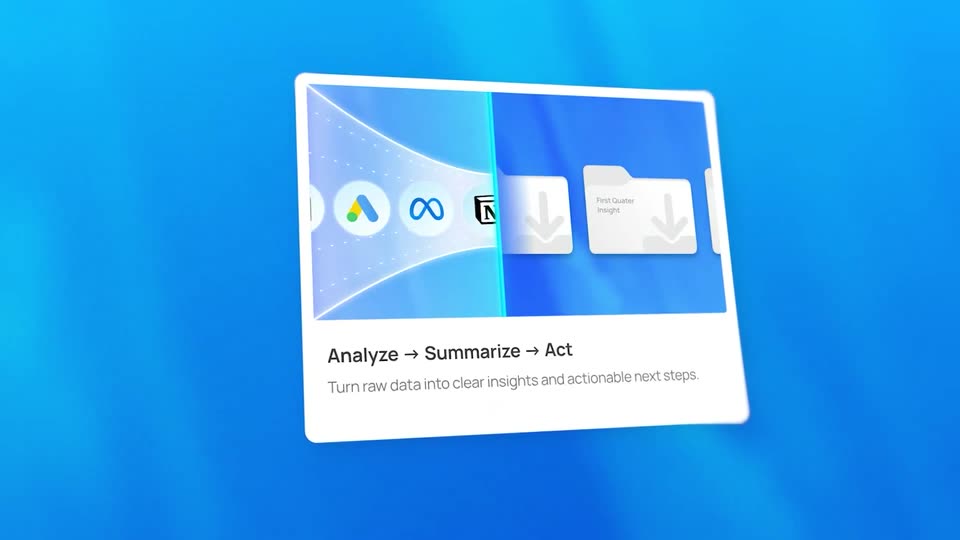
A grid of white feature cards sits in 3D perspective on a white background; the front card pairs app icons and folder tiles with the line “Analyze → Summarize → Act”. The camera drifts right, revealing a purple Global Sync card and an orange search card through a shallow depth of field.
Techniques: 3D mockup
Camera: Pull out
03 · Hook · 0:02–0:03
A grid of white feature cards floats in 3D perspective on a white background, each pairing a colored header with a chart or icon and short copy. The camera glides across the grid, shallow depth of field blurring the edges and foreground.
Techniques: 3D mockup, Parallax
Camera: Pull out
04 · Hook · 0:03–0:04
A 3D grid of feature cards drifts slowly, the central purple Global Sync card with a globe icon in sharp focus while the surrounding blue, orange and chart cards blur into the background. A Task Overview card below shows a kanban item marked Complete.
Techniques: 3D mockup, Parallax
Camera: Pull out
05 · Feature reveal · 0:04–0:06
A white feature card floats at an angle over a blue gradient, tilting as it settles. Its top half holds three app icons and two folder tiles; below, a three-part headline slides in with arrows above a small gray subline.
On-screen text: “Analyze → Summarize → Act”, “Turn raw data into clear insights and actionable next steps.”
Techniques: 3D mockup
Camera: Static
06 · Feature reveal · 0:06–0:09
A white card tilts in 3D on an orange gradient, pulling from blur into focus. A search bar and a list of project results fill the card, with the headline Quick Info Access and a gray caption beneath.
On-screen text: “Quick Info Access”, “Get what you need in no time, no more endless scrolling or guessing!”
Techniques: 3D mockup
Camera: Static
07 · Feature reveal · 0:09–0:11
A white card floats at a slight angle on a green background. A rainbow semicircular gauge shifts to green and its needle swings upward. Black headline and gray subtext remain locked below the gauge.
On-screen text: “Where Satisfaction Shows”, “Discover why professionals rely on our”, “platform daily.”
Techniques: 3D mockup
Camera: Static
08 · Feature reveal · 0:11–0:13
A white card titled Sales analytics floats tilted on an orange-red gradient and snaps into focus from a blur. Its rounded bar chart animates while one bar rises in glowing yellow.
On-screen text: “Sales analytics”, “Browse and list residential and commercial properties effortlessly with detailed profiles images and virtual tours.”, “Where Satisfaction Shows”, “Discover why professionals rely on our platform daily.”
Techniques: 3D mockup
Camera: Static
09 · Feature reveal · 0:13–0:16
A white UI card floats in 3D perspective on a green-to-blue gradient. It shows a Task Overview heading and body copy, with a stack of task cards below. The top card updates from Dashboard Design to Optimise Render, its status pill changing from In progress to Complete.
Techniques: 3D mockup
Camera: Static
10 · Feature reveal · 0:16–0:18
On a soft purple gradient, a white feature card with a purple globe icon sharpens and flattens from a blurred, slightly curved state. The card holds the title Global Sync over a two-line gray caption.
On-screen text: “Global Sync”, “Changes propagate instantly across your entire workspace,”, “everywhere, all at once.”
Camera: Static
11 · Demo · 0:18–0:19
Two floating UI cards sit in 3D perspective on a gradient field that shifts from blue to magenta. A cursor drags the hue slider on the color picker, and the left card's globe image and accent color update to match.
Techniques: 3D mockup, Cursor demo
Camera: Static
12 · Demo · 0:19–0:22
A blurred close-up of an editor panel pulls back to reveal a card preview. A text caret types “Quality you can see” into the Card Title field, and the same words appear live on the card beneath a colored gauge.
On-screen text: “Changes propagate instantly across your entire workspace,”
Techniques: UI zoom, Cursor demo
Camera: Pull out
13 · Demo · 0:22–0:24
A motion design tool canvas fills the frame with a grid of colorful gradient cards, one outlined in blue. The camera drifts and zooms across the layout as the timeline playhead advances, revealing the layers panel on the left and a properties panel on the right.
Techniques: UI zoom
Camera: Pull out
14 · Demo · 0:24–0:28
A defocused grid of six white feature cards pulls into focus, each pairing a colored UI mockup with a title and caption. The charts, gauge and task list animate as their values update, then a purple diamond wipes across the frame.
Techniques: Masking
Camera: Pull out
15 · CTA · 0:28–0:29
A violet rounded square with a white border and a white curved stroke rotates from a diamond tilt to upright at center, a soft purple beam crossing horizontally behind it on a pale lavender field.
On-screen text: “lottielab.c”, “motion”
Camera: Static
16 · CTA · 0:29–0:31
A purple rounded-square logo with a white cursive l sits centered on a pale lavender field, a horizontal light beam sweeping across it as the URL fades in beneath, then the frame holds still.
On-screen text: “lottielab.com/templates”
Techniques: Light sweep
Camera: Static