1:22
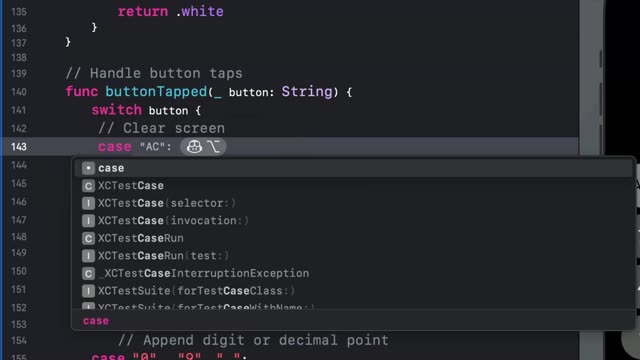

Introducing GitHub Copilot in Xcode
GitHub · Developer tools · Nov 2024
Linear’s 1:58 launch film runs 22 scenes, about 5.4 s each. The product shows up at 0:11 and 4 features are revealed. The call to action lands at 1:44 (88% in), over a voiceover. A dark-mode launch film that opens on a multiplying wall of Slack cards, resolves it into a logo schematic, then walks one continuous screen recording from /asks command to triage issue to synced reply. Pacing is steady at about 8 cuts per minute with a single white circle cursor driving every action, and the signature move is the smooth zoom-and-dissolve that hands off from abstract graphics to live UI.
Is this your launch? to your site or press kit.
GitHub · Developer tools · Nov 2024
Raycast · Productivity · Feb 2025
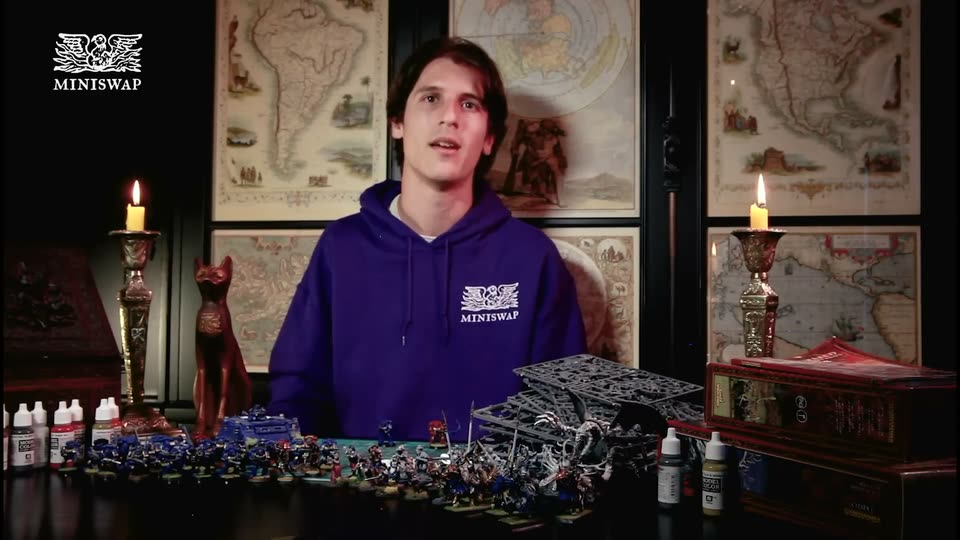
Miniswap · Consumer · Nov 2025
Films whose music sounds like this one, voice left out
Embo · Corporate promotional video
Audun · Modern electronic
ObsessionDB · Modern electronic
On a black background, dark gray Slack message cards fade in and stack vertically. The first card shows a photo avatar, the name Edgar and a request line; a second card with a cartoon avatar and the name Julian appears below, then a third card slides in between them.
Camera: Static
Three highlighted message cards sit centered over a dimmed field of messages. The view zooms out, the surrounding cards brighten, and the trio settles into a dense grid of message cards that fills the frame.
Techniques: UI zoom
Camera: Pull out
A wall of dark chat message cards fills the frame, then the wall dissolves into three centered message bars beside a faint four-lobed logo, and the screen fades to black.
Camera: Static
A black schematic centers the gray Arc logo between a left cluster of rounded bars and a right striped circle. Thin connector lines draw outward from the center, and small dots drift along them.
Camera: Static
A dim arch-shaped logo mark on black brightens and dissolves into a dark workspace interface, revealing a left channel list, a bar chart, and a schedule card on the right.
Camera: Static
A dark-themed chat window fades in from a dimmed state to full brightness against a deep purple backdrop. The support channel view shows a bar chart and a document image posted above a user's question message.
Camera: Static
A dark chat app window shows the support-eng channel with a message from erin and two image attachments. A white circular cursor moves along the message composer toolbar, then the view zooms in on the input box as a slash is typed.
Techniques: Cursor demo, UI zoom
Camera: Push in
A dark-mode Slack channel shows an open command menu above the message box. A cursor types a slash command into the input field, and the dropdown list of suggestions filters and updates as the characters appear.
Techniques: Cursor demo
Camera: Static
A dark Slack channel shows a message from erin asking about API docs. The command /asks is typed in the input box, a blue suggestion bar appears, then a Create new Ask modal fades in over the chat.
Camera: Pull out
A dark modal titled Create new Ask sits over a dimmed chat screen. A white circle cursor clicks the dropdown, picks Bug report, types a title and description, then clicks Submit as a loading spinner appears.
Techniques: Cursor demo
Camera: Static
A dark chat interface holds a static view of a message thread. A blue bar chart and a spreadsheet sit side by side above a question about API docs, with reaction icons and a reply line. The screen stays still.
Camera: Static
A dark chat view holds a tight close-up on a Bug report card posted by the Asks app. The frame pulls back to reveal the full app window and its channel sidebar, then the window scales down and centers on a black stage with a soft purple glow.
Camera: Pull out
A dark issue tracker fills the frame, then zooms into the list and detail panes. A circular cursor clicks the top issue, swapping the detail view, and scrolls to the activity feed where a Slack-linked comment box types out a reply.
Techniques: UI zoom, Cursor demo
Camera: Push in
A dark two-pane chat interface stays static. A white circular cursor clicks into the reply field, types a short message, then hovers the green send button, adding a new reply to the thread.
Techniques: Cursor demo
Camera: Static
A dark Linear issue screen shows a Slack chat pane on the right with a reply box. The view reframes onto the activity timeline, where a Slack thread connection and a short reply slide into place.
Techniques: UI zoom
Camera: Static
A dark issue tracker opens on a close-up of the Activity feed, then zooms out to the full window. A cursor opens the status dropdown, picks Done, the label turns purple, a toast confirms the move, and a new activity line appears.
Techniques: UI zoom, Cursor demo
Camera: Pull out
A dark Slack-style issue view with a right-hand thread panel. New messages drop into the thread, ending with a status-changed-to-Done notice, while a green check appears beside the issue. A white circular cursor hovers the reply box, then the frame shifts left to the issue card.
Techniques: UI zoom, Cursor demo
Camera: Pan
The frame starts on a dimmed close-up of a single message thread, then pulls back to reveal the full dark chat window. The channel sidebar sits on the left, the support-eng conversation fills the center, and a reply box opens on the right.
Techniques: UI zoom
Camera: Static
The full Vascraft chat window zooms into the #support-eng channel. A cursor hovers a message, opens the more actions menu, highlights the Create new Ask item, then moves to the ticket emoji reaction, which shows a tooltip.
Techniques: UI zoom, Cursor demo
Camera: Push in
A dark support inbox is framed in close-up as a black tooltip labeled ticket hovers over the emoji button in the message toolbar, then the whole frame fades to black.
Camera: Static
A dark settings screen for the Asks integration fills the frame. The view zooms in and scrolls down a list of Slack channels, each paired with a default team, then fades to black.
Techniques: UI zoom
Camera: Push in
A near-black background with a faint blue glow holds the centered URL LINEAR.APP/ASKS, which fades up to white, holds while a thin horizontal line appears behind it, then fades out.
On-screen text: “LINEAR.APP/ASKS”
Camera: Static