
1:20
Explore
Introducing Lightpanda: the first browser built for machines
Lightpanda · Jun 2025 · 1:22 · AI-annotated
- Length
- 1:22
- Scenes
- 24 · 3.4 s avg
- Product on screen
- 0:34
- Call to action
- 1:15 · 91%
- Voiceover
- Yes
- Views
- 4.2K on YouTube
as of November 24, 2026
00:00:00 / 01:22:11
- Length
- 1:22
- Scenes
- 24 · 3.4 s avg
- Product on screen
- 0:34
- Call to action
- 1:15 · 91%
- Voiceover
- Yes
- Views
- 4.2K on YouTube
as of November 24, 2026
Lightpanda’s 1:22 launch film runs 24 scenes, about 3.4 s each. The product shows up at 0:34, with social proof. The call to action lands at 1:15 (91% in), over a voiceover. The video holds one dim 3D office set and morphs the monitor through browser eras, then projects the logo and metrics on the back wall before cutting to a black end card. Signature moves are slow locked-off push-ins, the monitor-to-laptop morph, and monospace text typed with a block cursor over rippling blue waveforms.
Footage neededEstimated needs: 1 official logo — reused across the film · 3 filmed passages — shoot, supply or replace · 1 graphic passage — draw or supply · 18 3D passages — build or supply
Is this your launch? to your site or press kit.
More like this
1:00

Trident (YC S26) - Introducing Trident (YC S26), the security engineer that never sleeps
Trident · B2B · Aug 2026
1:23

Firecrawl - Introducing Alexandria. We raised a $75M Series B led by Smash Capit
Firecrawl · Sep 2026
Similar soundtrack
Films whose music sounds like this one, voice left out
2:25

Roy - introducing @cluely. today is the start of a world where you never h
Cluely · Upbeat electronic
2:47
Jerry Liu - Today we’re introducing ParseBench-2 - our most ambitious document pa
LlamaIndex · Electronic
4:32

Qantum · L'ERP financier IA natif · Présentation
Qantum · Modern electronic corporate background
Introducing Lightpanda: the first browser built for machines, scene by scene
· 24 scenes as text
01 · Hook · 0:00–0:01
A black screen holds for most of the clip, then a small teal square fades in at the exact center near the end.
Camera: Static
02 · Hook · 0:01–0:02
A near-black frame holds a small glowing teal square at center. As the clip opens, faint outlines of a desk, a lamp shade, and a chair slowly emerge from the darkness on the right, with a hint of magenta light on the left.
Camera: Static
03 · Hook · 0:02–0:06
A dark 3D office set fades up from black as the lights come on, revealing a desk with a retro green-screen computer, a chair, filing cabinets, and a floor lamp, while a window grid is projected on the back wall. The camera holds locked off.
Camera: Static
04 · Hook · 0:06–0:09
A dim 3D office with a wooden desk, beige computer, chair, cabinets and floor lamp; a window light grid falls on the back wall. The camera slowly pushes in, bringing a framed painting on the left wall into view.
On-screen text: “A”
Techniques: Parallax
Camera: Static
05 · Problem · 0:09–0:11
A cream tablet mockup sits at a three-quarter angle, its mint screen holding a white code window with a black title bar and a right-side scrollbar. The camera drifts slightly, turning the device toward a flatter, more frontal view.
Techniques: 3D mockup
Camera: Static
06 · Problem · 0:11–0:15
A beige retro monitor in 3D perspective shows a teal screen with a windowed text document and folder icons. The camera slowly pushes in, tightening the frame on the display.
Techniques: 3D mockup
Camera: Static
07 · Problem · 0:15–0:17
A 3D rendered office desk holds a vintage beige computer under hard window light that throws a cross-shaped shadow on the wall. The monitor screen shifts from a single teal text window to a dense multi-panel application interface.
Techniques: 3D mockup
Camera: Push in
08 · Problem · 0:17–0:18
A 3D rendered desk scene shows a beige desktop computer with a newspaper webpage on its screen, flanked by a mug, keyboard, lamp and stacked books. The monitor gently scales down while the camera holds on the dim room.
Techniques: 3D mockup
Camera: Push in
09 · Problem · 0:18–0:20
A sunlit wooden desk in 3D render holds a desktop monitor showing a browser. The monitor morphs into an open laptop as the camera pushes in and lowers. The browser screen updates to a video thumbnail.
Techniques: 3D mockup, Morph
Camera: Push in
10 · Problem · 0:20–0:21
A 3D laptop on a wooden desk in a dim room, its screen casting a pink and purple glow around a video player window. The camera slowly pushes in toward the machine. A lamp, stacked books and a small mug fill the desk.
Techniques: 3D mockup
Camera: Push in
11 · Problem · 0:21–0:24
A black robotic hand with two arms types on a laptop keyboard from a high angle, fingers tapping keys as the screen glows pink with a code editor and a feed. The camera stays locked off on the dark desk.
Techniques: 3D mockup
Camera: Push in
12 · Problem · 0:24–0:31
A laptop sits on a dark desk beside a speckled mug, its screen showing a terminal window filling with log lines and a browser window with music search results. The camera pushes in slowly toward the screen.
Techniques: 3D mockup
Camera: Push in
13 · Problem · 0:31–0:34
A silver laptop sits in 3D perspective against a black background, its screen showing a terminal with scrolling log lines and a browser results page. A white FATAL ERROR dialog with an Aw, Snap! message pops in over the browser as the camera slowly pushes in.
Techniques: 3D mockup
Camera: Push in
14 · Product intro · 0:34–0:39
A dim 3D office with desks and a floor lamp. A panda-on-wave logo glows onto the back wall, then the wordmark Lightpanda fades in beneath it, letters emerging left to right.
On-screen text: “FATAL ERROR”, “Aw, Snap!”, “Lightpanda”
Techniques: Kinetic type
Camera: Static
15 · Social proof · 0:39–0:47
A dark 3D office room with desks and pink-glowing laptop screens. Blue waveform lines ripple across the wall while white text lines fade in one by one, then clear to a monospace “10x faster” with a typing block.
On-screen text: “Built from scratch”, “Doing only what machines require”, “Removing unnecessary rendering for humans”, “10x faster”
Techniques: Kinetic type, 3D mockup
Camera: Pull out
16 · Social proof · 0:47–0:49
A dim 3D office with desks and a floor lamp holds still as glowing blue wave lines drift across the frame. White monospace text reads 10x faster and 10x lighter on the left, the second line revealed by a moving white block.
On-screen text: “10x faster”, “10x lighter”
Techniques: Kinetic type, Masking
Camera: Static
17 · Social proof · 0:49–0:52
A dark office room with desks and a floor lamp; a thin blue waveform undulates across the wall behind three lines of white monospace text. The first two lines slide and scale in, then the third types out letter by letter with a block cursor.
On-screen text: “10x faster”, “10x lighter”, “100x more efficient”
Techniques: Kinetic type
Camera: Static
18 · Demo · 0:52–0:53
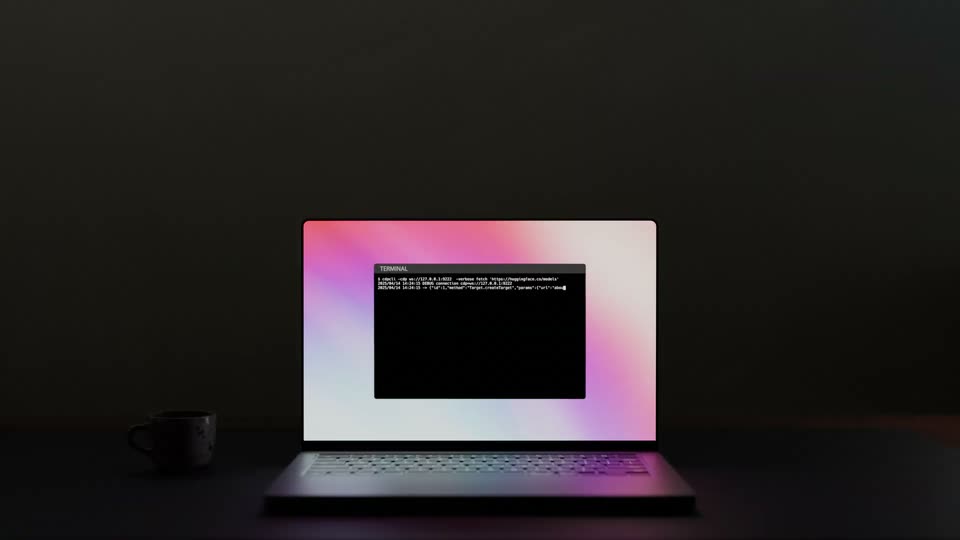
A front-facing laptop on a dark desk with a mug at left, screen showing a pastel gradient and a black terminal where a curl command types out. Stat lines appear in turn over the locked-off shot.
On-screen text: “10x faster”, “10x lighter”, “100x more efficient”
Techniques: Kinetic type
Camera: Static
19 · Demo · 0:53–0:57
A laptop rests on a dark desk, a speckled mug blurred to the left, its screen showing a soft pink-and-white gradient behind a black terminal window. White monospace log lines fill the window as the camera pushes in, tightening on the terminal until it dominates the frame.
Camera: Push in
20 · Demo · 0:57–1:09
A dim 3D office with a desk, chair, glowing laptop and filing cabinets. White lines draw across the room into a dense web, linking small app icons and letter nodes. The camera slowly pulls back as the network thickens and reorganizes.
Techniques: 3D mockup, Particles
Camera: Pull out
21 · Outro · 1:09–1:10
A dark office holds a small glowing laptop on a desk. White lines connect tiny app icons above it, then the constellation fades to a single panda icon hovering over the screen. The frame stays locked off.
Techniques: 3D mockup
Camera: Static
22 · Outro · 1:10–1:13
A dim office with a desk and floor lamp; a glowing panda-surfing logo on a white circle is projected on the back wall, its halo pulsing as the camera slowly pushes in.
Camera: Pull out
23 · Outro · 1:13–1:15
A waving panda logo in a white circle with a blue wave sits centered as a dim office set fades to black, then the letters Li begin typing in at the lower left.
On-screen text: “Li”
Camera: Static
24 · CTA · 1:15–1:22
A panda logo in a white circle with blue waves sits centered on black. The Lightpanda wordmark fades in letter by letter beneath it, then the URL and a GitHub link appear below. The lockup holds, then everything fades to black.
On-screen text: “Lightpanda”, “lightpanda.io”, “lightpanda-io/browser”
Techniques: Kinetic type
Camera: Static