0:30
Concrete - The Future of Finance is Here. Visit the new website.🗿
Concrete · Feb 2026
Leonardo AI · Sep 2026 · 0:47 · AI-annotated
Leonardo AI’s 0:47 launch film runs 29 scenes, about 1.6 s each. The product shows up at 0:41 and 5 features are revealed. There is no explicit call to action; a voiceover carries the film. The video is built as one continuous creative workflow: a typed prompt in a dark chat box triggers a grid of generated assets, which then zoom into real-world mockups like billboards, a subway poster, and a cel-shaded band performance. Its signature moves are the typewriter prompts, the lift-and-scale of a single card out of a dim grid, and the hard cut from UI to live-action, all on a near-black canvas with a single purple accent.
Is this your launch? to your site or press kit.
A close-up of a person in a purple jacket and plaid shirt strums a turquoise electric guitar with a white pickguard. The frame pulls back slightly to widen the view of the body and the green wall behind.
Camera: Static
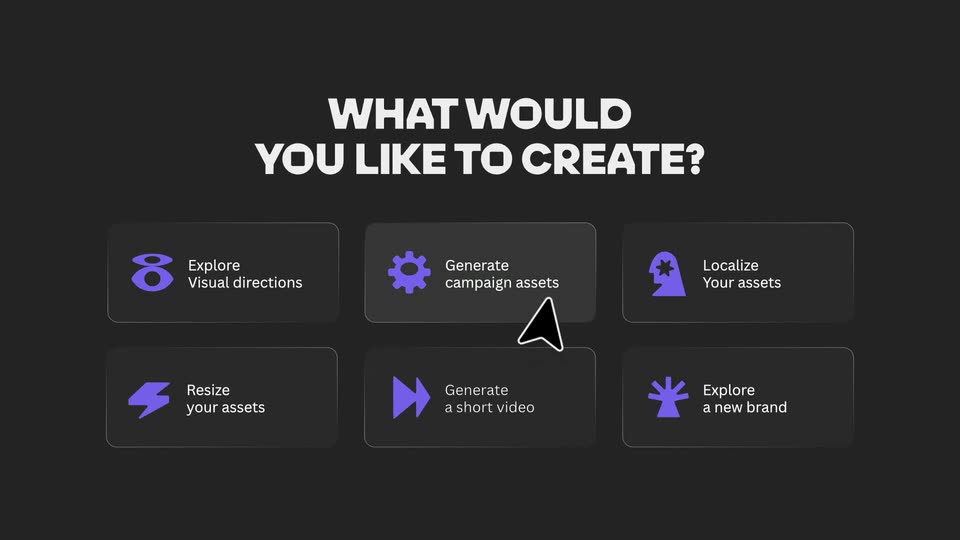
A dark screen shows the bold white headline above a 2x3 grid of option cards, each with a purple icon and a gray label that animates into place. A white cursor then glides in and hovers over the center card.
On-screen text: “WHAT WOULD YOU LIKE TO CREATE?”
Techniques: Cursor demo
Camera: Static
A dark product screen shows a grid of six purple-icon option cards under a bold headline, with a cursor hovering over one card, then dissolves into a chat prompt holding two image thumbnails and a cursor over a white play card.
Techniques: Cursor demo
Camera: Push in
A cursor drops a third image into a dark chat input, then types a prompt about album art as the frame zooms into the field; the cursor then moves to the purple send button.
Techniques: Cursor demo, UI zoom
Camera: Static
A grid of album covers, each stamped with the INFERENCE logo in a different color, fades in on a dark background. A cursor glides to the center tile, which lifts and scales up with a drop shadow while the others dim and recede.
On-screen text: “ference's album 'Mortal Koi'l”
Techniques: Cursor demo, UI zoom, Parallax
Camera: Push in
A dark collage of album cards; the camera pushes in on the central card with a wireframe koi and the yellow INFERENCE logo, then cuts to a wider field of scattered koi cover cards. A white caption types out at the bottom.
On-screen text: “We need some ads for the EP launch”
Camera: Push in
A dense grid of poster mockups for the INFERENCE MORTAL KOI release fills the frame, each tile pairing the stylized logo with koi fish line art and the date 23.09.26. The grid drifts slowly while a white mouse cursor hovers over a central card.
Techniques: Cursor demo
Camera: Static
A dense masonry grid of album posters fills the frame, a white cursor hovering over the center. The view zooms and reframes onto one central poster while the surrounding tiles blur out of focus.
On-screen text: “INFERENCE”, “MORTAL KOI”, “EP OUT: 23 SEPTEMBER 2026”
Techniques: Cursor demo, UI zoom
Camera: Push in
A billboard on a graffiti-covered wall under a bridge shows the orange INFERNO wordmark, the white title MORTAL KOI, and a wireframe koi fish on the right. Two silhouetted figures walk past from right to left. The camera stays locked off.
On-screen text: “INFERNO”, “MORTAL KOI”, “EP OUT: 23 SEPTEMBER 2026”
Camera: Static
A locked-off wide shot frames an illuminated vertical poster on a central pillar of a subway platform. The poster shows the INFERENCE cover: an orange gothic title above a dark circular mechanical skull. A train streaks past in motion blur along the tracks behind the platform.
Camera: Static
On a flat dark gray background, white sans-serif text types out left to right, beginning with “Let's” and completing to the full line “Let's localize these” by the second frame.
On-screen text: “Let's localize these”
Techniques: Kinetic type
Camera: Static
A dark billboard on a sunlit stone facade holds an orange wordmark, a white title, and a line-drawn koi over a brown wash. The wordmark scales gently while a pedestrian walks past on the right.
On-screen text: “INFERENCE”, “MORTAΛ KOI”, “ΕΠ ΚΥΚΛΟΦΟΡΙΑ: 23 ΣΕΠΤΕΜΒΡΙΟΥ 2026”
Camera: Static
A street-level shot of a bus shelter displaying a black poster with red gothic lettering and a monochrome scorpion graphic. A man in a brown jacket and flat cap walks past on the right while pedestrians and cars move in the background.
On-screen text: “INFERENCE”, “MORTAL KOI”, “EP WYCHODZI: 23 WRZEŚNIA 2026”
Camera: Static
A night city street frames a large billboard seen in 3D perspective, lit by a row of spotlights. The board shows an orange brand word, white Japanese title, a release date line, and a white line-drawn koi with ink splatter on the right.
On-screen text: “INFERENCE”, “モータル・コイ”, “EP リリース: 2026年9月23日”
Techniques: 3D mockup
Camera: Static
A locked-off wide shot of a dusk street frames a corner building's giant billboard, which shows an album cover with an orange stylized title, a skeletal figure in a circular machine, and a Korean release date. Cars and pedestrians cross the foreground.
Camera: Static
A dark interface shows four rounded portrait thumbnails in the upper right. White text types out character by character at the left, ending with a blinking caret. The thumbnails dim and two empty placeholder boxes fade in on the left as the line completes.
On-screen text: “Now create a new look for our band in a comic style.”
Techniques: Kinetic type
Camera: Static
Four rounded cards fade in on a dark background, revealing comic-style character illustrations: a bald man in a green jacket, a red-haired woman in a red coat, a man in black, and a woman in purple. The caption 'How do these look?' appears at bottom left.
On-screen text: “Now create a new look for our band in a comic style.”, “How do these look?”
Camera: Static
On a near-black background, white text types itself out with a blinking cursor, the line scrolling left as it extends past the frame. The sentence reads “Great! Put the band in a real-world setting.”
On-screen text: “How do these look?”, “Great! Put the band in a real-world setting.”
Techniques: Kinetic type
Camera: Static
A dark grid of rectangular cards holding band concept art, from a car rooftop to a stage and a train, brightens from shadow to full color while a white outlined cursor glides from the lower right toward the upper middle.
On-screen text: “he band in a real-world setting.”
Techniques: Cursor demo
Camera: Static
A dark app screen shows a band illustration in a rounded frame, a cursor hovering over it and a small thumbnail at the corner. The image brightens, the cursor and thumbnail vanish, and a prompt line types out beneath the frame.
On-screen text: “Turn this image into a music video.”
Techniques: Kinetic type, Cursor demo
Camera: Push in
An illustrated rock band in a green-lit room, framed in a rounded card on a dark background with a caption below. The card scales up to fill the frame as the caption fades out.
On-screen text: “Turn this image into a music video.”
Camera: Push in
A cel-shaded drummer with dark curly hair and a torn black vest swings his sticks into the drums, the motion leaving a translucent afterimage. He sits before two black toms and cymbals against a painted orange and green backdrop, the camera holding a steady medium shot.
Camera: Static
A dark-haired figure in a purple jacket and plaid shirt strums a teal electric guitar, head tilted and mouth open mid-note. The hands shift along the fretboard as the camera holds a tight medium shot against a green and orange backdrop.
Camera: Static
Cel-shaded close-up of a bearded man in orange visor sunglasses against a blurred green and orange background. He shifts his head slightly and his mouth opens as he speaks while a horizontal light bar slides across the backdrop.
Camera: Static
A cel-shaded band performance, a red-haired singer at a microphone with guitarists behind her, fills the frame, then pulls back to reveal it as a rounded card beneath a top strip of character thumbnails.
On-screen text: “Characters”
Techniques: UI zoom
Camera: Pull out
A dark collage of artwork panels pulls back to reveal the full layout: a central panel of a red-haired singer performing with her band, flanked by smaller panels of a city street, a suited man and a drum kit, as the labels Characters, Music Video and Band Visuals scale in.
On-screen text: “Characters”, “Music Video”, “Band Visuals”
Camera: Pull out
A dark collage of floating image cards drifts across the frame as the camera pans out, revealing more thumbnails. White category labels such as Characters, Music Video and Band Visuals scale in beside their cards.
On-screen text: “Characters”, “Global Assets”, “Music Video”, “Band Visuals”, “Ads”, “Album Art”
Techniques: Parallax
Camera: Pull out
On a black field, a small white 'Introducing' sits above a huge purple wordmark 'LEONARDO AGENT' with a 3D extruded edge and a head-silhouette logo whose eye opens. The wordmark glitches and slides into a clean hold.
On-screen text: “Introducing”, “LEONARDO”, “AGENT”
Techniques: Kinetic type
Camera: Pull out
A near-black frame holds the centered white line “One idea. Every asset.” The type opens with a horizontal motion blur and tracking offset that sharpens and locks into a clean static line over the first seconds.
On-screen text: “One idea. Every asset.”
Techniques: Kinetic type
Camera: Static