1:26
Mireye | Infrastructure for Physical World AI Agents
Mireye · B2B · Nov 2026
Kubi · Nov 2026 · 0:50 · Full motion · AI-annotated
Kubi’s 0:50 launch film runs 25 scenes, about 2.0 s each. The product shows up at 0:05 and 7 features are revealed. The call to action lands at 0:43 (87% in), over a voiceover. The video is a chain of single-claim beats: a flat UI mockup under a white headline with one green keyword, cut every couple of seconds to a steady 105 bpm pulse. Its signature moves are flat-to-3D camera tilts that lift interface panels into perspective, hexagon and mask wipes between states, and a recurring wall of screens that opens and closes the piece.
Is this your launch? to your site or press kit.
Mireye · B2B · Nov 2026
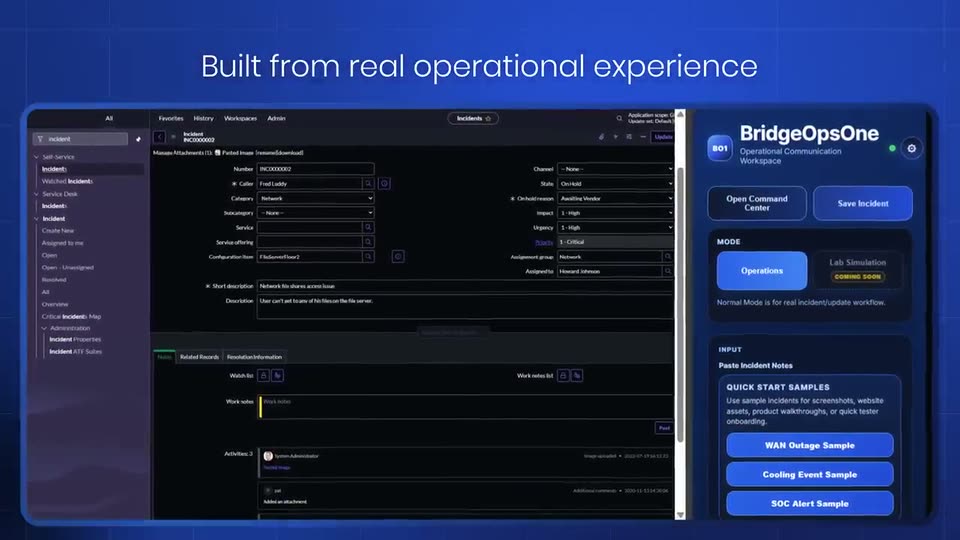
BridgeOpsOne
Films whose music sounds like this one, voice left out
Graphon Labs · Electronic
Superlinked · Upbeat electronic
Click · Corporate tech promo
A plain white terminal screen holds still while a small light-blue monospace prompt, ~/prices$, appears in the top-left corner and remains in place.
Camera: Static
A terminal window on a dark green Linux desktop shows a command that copies a script and prints 38 lines. The view reframes and scales to center the window as a second window slides out of frame and a soft white band rises at the bottom.
Techniques: UI zoom
Camera: Pull out
A close-up of a terminal window with a typed command pulls back to reveal a grid of terminal panels on a dark green desktop, the white tagline fixed at the bottom.
On-screen text: “One computer for your agent.”
Techniques: UI zoom
Camera: Pull out
A 3D wall of Mac desktop windows pulls back from a tight cluster to a vast grid, then tilts to a diagonal angle. White captions sit at the bottom, and the kubi wordmark with a green cube fades in centered over the field.
On-screen text: “One computer for your agent.”, “Then a hundred.”
Techniques: Kinetic type, 3D mockup
Camera: Pull out
The white kubi wordmark and tagline hold over a tilted grid of dim desktop screens, then fade out. A green cube rises in the center and its faces open into small dashboard panels showing stats and labels.
On-screen text: “kubi”, “Cloud desktops for AI agents.”
Techniques: Kinetic type, 3D mockup
Camera: Static
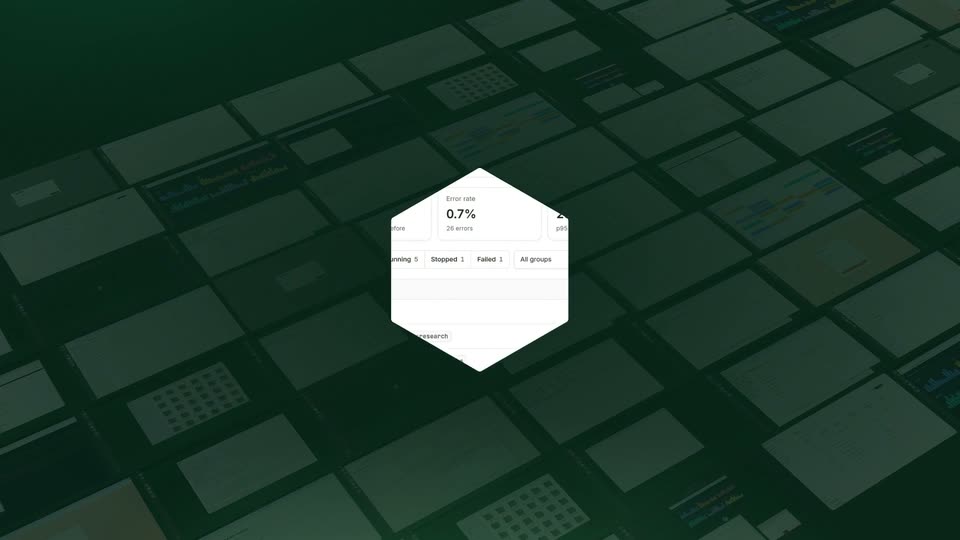
A 3D perspective field of dim dashboard cards fills a dark green space. A white hexagon at center grows, masking open a flat analytics view with error metrics and a list of service names.
Techniques: 3D mockup, Masking
Camera: Static
A dashboard UI resolves from a ghosted blur into a crisp flat screen under the headline “Launch a screen in seconds.” A “New screen” modal pops over the dimmed table, a name field fills in, and the cursor settles on the “Create screen” button.
On-screen text: “Launch a screen in seconds.”
Techniques: Cursor demo
Camera: Push in
A dark green screen holds a bold white headline, the price in green. A white dashboard panel slides up into center from an offset position, its stats cards and instance table settling into place. A green row highlights in the list.
On-screen text: “$20 a month for 4 CPU and 8 GB RAM.”
Camera: Pull out
A 3D-tilted desktop window labeled worker Kubi screen rotates flat to face the camera on a dark green background. The headline appears above it, and a small caption pill fades in at the bottom edge.
On-screen text: “A full desktop of its own, always on.”, “Day 1 · up 0 days, same disk”
Techniques: 3D mockup
Camera: Static
A locked-off shot on a dark green field: a white headline sits above a flat desktop mockup displaying a dashboard of six colored bar charts, with a green pill caption at its base.
On-screen text: “A full desktop of its own, always on.”, “Day 3 up 2 days, same disk”
Camera: Static
A dark green backdrop holds a still headline above a flat desktop window mockup showing a code editor with Python text. A light green pill at the bottom reads a day counter whose digits tick down from 28 to 26.
On-screen text: “A full desktop of its own, always on.”, “Day 28 up 28 days, same disk”, “Day 26 up 26 days, same disk”
Camera: Static
A dark green backdrop frames a browser window titled Kubi screen, showing a desktop with a left dock and a file manager grid of gray folders. A white headline with a green tail sits above; a green pill caption at the bottom reads Day 29 and fades out.
On-screen text: “A full desktop of its own, always on.”, “Day 29 up 28 days, same disk”
Camera: Pull out
A file-manager window mockup fades out behind a glowing green cube logo centered on a dark green field, ringed by a dotted elliptical orbit. Two agent app icons, Claude Code and Codex, slide in along the orbit at right as a headline appears at the top.
On-screen text: “Works with every agent you use.”
Camera: Static
Against a dark green field, a glowing green cube sits at the center of an ellipse. Eight labeled agent icons scale up and brighten as thin green lines draw from the cube to each. A white headline with green words holds at the top.
On-screen text: “Works with every agent you use.”
Camera: Pan
A dark green network diagram shows agent icons orbiting a central cube beneath the headline. The view tilts into 3D perspective, revealing terminal windows, as the headline switches to a new line.
On-screen text: “Works with every agent you use.”, “It drives the screen over MCP, SDK or API.”
Techniques: 3D mockup
Camera: Pull out
Two flat interface windows sit side by side on a dark green field: a Claude Code terminal on the left and a worker screen on the right. A dashed line labeled screenshot joins them as a green dot travels across, and a cursor clicks on the right panel.
On-screen text: “It drives the screen over MCP, SDK or API.”, “screenshot”
Techniques: Split screen, Cursor demo
Camera: Static
On a dark green field, a terminal types a command log on the left while a browser dashboard on the right zooms out from one chart to a six-chart grid. Green MCP, SDK and API pills pop in below, then the whole panel tilts back into 3D.
On-screen text: “It drives the screen over MCP, SDK or API.”, “MCP”, “SDK”, “API”
Techniques: UI zoom, 3D mockup
Camera: Pull out
A white headline with green highlights sits above two side-by-side panels: a calendar app on the left and a dark accessibility-tree code view on the right. Both panels scale and fade into place while the tree text types in line by line.
On-screen text: “Control it by pixels or accessibility tree.”
Techniques: Split screen
Camera: Push in
Split view on dark green: a calendar app in a browser on the left, a monospace accessibility-tree panel on the right, under a white-and-green headline. A cursor clicks a cell showing pixel coordinates, then the matching tree row highlights green as the bottom caption switches to the tree command.
On-screen text: “Control it by pixels or accessibility tree.”, “Pixels: click 1026, 506”, “Tree: click cell “Planning” [e5]”
Techniques: Split screen, Cursor demo
Camera: Pull out
A terminal window with a tailscale status command sits under a white headline on a dark green field. The flat layout rotates into 3D perspective, the window and text tilting away to the right.
On-screen text: “SSH in over your own Tailscale.”
Techniques: 3D mockup
Camera: Static
A dark terminal window sits under a white headline on a dark green field. Commands type out line by line, an orange pixel mascot and the Claude Code prompt appear, then a green caption pill slides in at the bottom right.
On-screen text: “SSH in over your own Tailscale.”, “Claude Code keeps working on worker”
Techniques: Kinetic type
Camera: Static
A dark terminal showing a tailscale status and ssh command, with a pixel orange creature, crossfades into a white audit-log table of events. A small terminal window sits at the right. The headline swaps from SSH to See every step it took.
On-screen text: “SSH in over your own Tailscale.”, “See every step it took.”
Techniques: Morph
Camera: Static
A log table with a step panel on the right tilts into 3D as the camera pulls back, revealing a grid of screens receding into the distance. The headline “See every step it took.” sits above, then the tagline “One screen or a hundred.” appears at the bottom.
On-screen text: “See every step it took.”, “One screen or a hundred.”
Techniques: 3D mockup
Camera: Pan
A dense grid of product interface windows sits in 3D perspective on a dark green field, receding diagonally. The view pulls back to reveal the full field of screens. A white caption line sits centered at the bottom.
On-screen text: “One screen or a hundred.”, “Each one $20 a month, on all month.”
Techniques: 3D mockup
Camera: Pull out
A green isometric cube floats centered on a dark green field, then shrinks and slides up-right to become the dot of the i in the white kubi wordmark. The tagline fades in below, followed by trykubi.com and a white Get early access pill; the lockup holds to the end.
On-screen text: “kubi”, “Cloud desktops for AI agents.”, “trykubi.com”, “Get early access”
Techniques: Morph
Camera: Static