1:00


let agents buy things
Agentcard · Fintech · Aug 2026
Krea · May 2026 · 1:07 · AI-annotated
Krea’s 1:07 launch film runs 41 scenes, about 1.6 s each. The product shows up at 0:01 and 4 features are revealed. The call to action lands at 0:51 (77% in), over a voiceover. The video is built as a series of white-background modules, each pairing centered type with a burst of generated imagery that demonstrates one capability. Its pacing is quick and rhythmic, relying on scatter, orbit, scale-up and slider-morph moves to keep the interface feeling playful rather than explanatory.
Is this your launch? to your site or press kit.
Agentcard · Fintech · Aug 2026
MusicFirst · Oct 2026
A collage of square image tiles, photos and illustrations, on a white background starts clustered at the center, then drifts outward and spreads toward the frame edges while the whole group scales up.
On-screen text: “00”
Camera: Push in
A scatter of small image thumbnails, a gummy bear, a masked person, a truck, a black cat, an anime eye, drifts outward off a plain white background, leaving the word This alone in the center.
On-screen text: “This”
Camera: Push in
A plain white frame holds the centered phrase in black sans. The text starts small and scales up rapidly, growing until the letters overflow and crop at the frame edges.
On-screen text: “This is CREO2”
Techniques: Kinetic type
Camera: Static
A plain off-white field holds the black wordmark 'Krea 2' centered. It fades out, then the tagline 'An image model made for aesthetics' fades in line by line in the same spot.
On-screen text: “Krea 2”, “An image model”, “made for aesthetics”
Techniques: Kinetic type
Camera: Static
Extreme close-up of a human eye with a star-shaped glint in the pupil; a bright light burst flares from the iris, then the shot cuts to a macro view of metal fork tines as a light sweep crosses them. White text holds centered.
On-screen text: “made for aesthetics”
Techniques: Light sweep
Camera: Static
A tight close-up of a face in dark reflective sunglasses and large metallic hoops holds, then cuts to a rear silhouette in a dark jacket against a pale smoky backdrop. The caption stays centered throughout.
On-screen text: “made for aesthetics”
Camera: Static
A static centered caption sits over two quick-cut illustrations: an anime girl with a butterfly on her fingertip and lens flares, then a rider on a horned creature beside a sheep.
On-screen text: “made for aesthetics”
Camera: Static
Two anime illustrations cut in sequence behind a fixed white caption. First a spiky-haired boy leans on a bridge railing beside a vintage TV and cherry blossoms, then a hand holds a glass of red wine over a tiled roof. The text stays centered and still throughout.
On-screen text: “made for aesthetics”
Camera: Static
A glitching collage of scattered image fragments, including a face, circuit boards and figures, warps and pulses around a central portrait. The white text made for aesthetics holds steady in the center while the background distorts rapidly.
On-screen text: “made for aesthetics”
Camera: Static
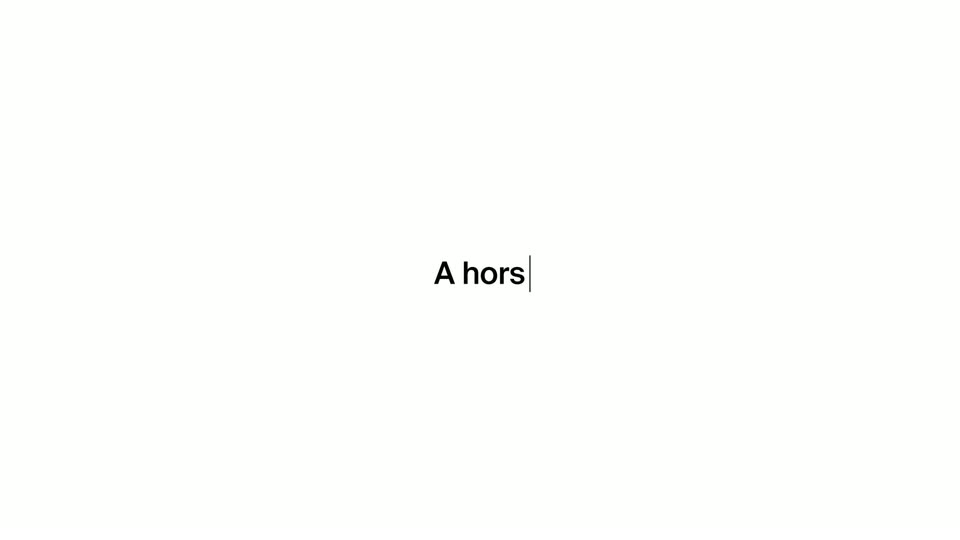
On a plain white field, the word Create appears centered in black sans-serif, then in any style joins it word by word. The line cuts to a smaller typed prompt, A horse, with a blinking caret at the end.
On-screen text: “made for aesthetics”, “Create in any style”, “A horse”
Techniques: Kinetic type
Camera: Static
On a white background, a dark gray panel holding a black horse silhouette in profile scales up from a small centered card to a large frame. A small caption reads “A horse” as the panel grows.
On-screen text: “A horse”
Camera: Static
A white background holds two rounded frames: a wide one above playing a brown clay horse prancing on green grass, and a smaller square one below with an orange clay dinosaur carrying a small rider. Both clips move gently.
Camera: Static
A large illustration of a black horse with a fiery orange mane gallops against a pink-to-blue gradient sky, yellow and pink paint splashing at its hooves. Below, a row of three small thumbnails scrolls left, swapping in new artworks.
Camera: Static
A cartoon still of a braying donkey fills a large frame centered on a white background. Below it, a row of four small rounded thumbnails, a sunset, a blue grid, a cartoon boy and a white tiger, slides left and overlaps.
Camera: Static
A blue dot-matrix horse illustration fills a large rounded card at the top, while three smaller thumbnail cards sit in a row below. The main card scales up and its outline fades as the clip runs, with the stacked thumbnails shifting slightly.
Camera: Static
On a white background, a large card with a blue dotted horse slides up and out of the top of the frame while a row of small artwork thumbnails below scrolls left, revealing a white tiger card.
Camera: Static
On a white background, halftone blue images of faces, a horse, flowers and bubbles drift in from the edges while the bold dark text Show it in the center grows to Show it a moodboard, then is replaced by a rounded Upload a file button.
On-screen text: “Show it a moodboard”
Techniques: Kinetic type
Camera: Pull out
A rounded rectangle reading “Upload a file” holds the center of a white canvas. Small blue-tinted thumbnails of flowers, a castle, a portrait, a sunburst and a horse drift in and out around it, swapping positions alongside blue dot grids.
Camera: Pull out
A plain white frame shows a small rounded-square outline in the center and a tiny blue square icon at upper right. The outline gives way to bold black text, 'It gets it', which then swaps to 'It gets you', centered and locked off.
On-screen text: “It gets it”, “It gets you”
Techniques: Kinetic type
Camera: Static
On a plain white background, the black text “It gets you” sits centered with a small circular cartoon-avatar icon at its right edge. The text is then swapped for a larger circular photo of a bearded man in a tan jacket, with the small avatar icon beside it.
On-screen text: “It gets you”
Camera: Pull out
A circular photo of a bearded man anchors the center, flanked by two small avatar circles, as a ring of colorful media thumbnails orbits slowly around them on a plain white background.
Camera: Pull out
A ring of tilted pink-themed photos, a car, a couch, a cake and a phone, orbits a central circular portrait of a white-haired person against a plain white background.
Camera: Pan
Eight tilted artwork cards slowly orbit a circular avatar on a white background. The avatar and two cards fade out, then the words “The more” appear in the center.
On-screen text: “The more you use it”
Techniques: Kinetic type
Camera: Push in
A blue highlight bar sweeps across the phrase “The more you use it” on white, as two small clips, a red card with a hanging spider and a subway rider, rise from the bottom. The phrase exits and large text “The better” is typed with a cursor.
On-screen text: “The more you use it”, “The better”
Techniques: Kinetic type
Camera: Static
Large black sans-serif text on a plain white background types out the phrase as the line scrolls left, a vertical cursor bar trailing the last word. The camera is locked off.
On-screen text: “The better it gets”
Techniques: Kinetic type
Camera: Static
On white, the black sans text 'tter it gets' with a trailing cursor scales down, then the frame cuts to a man in a gray suit, beanie and sunglasses standing still with a flat gray shadow.
On-screen text: “tter it gets”
Techniques: Kinetic type
Camera: Static
A vertical white panel holding a man in a black suit, beanie and sunglasses rotates in 3D perspective against a white background. The man dances, raising his arms as the panel spins edge-on and back.
Techniques: 3D mockup
Camera: Pull out
On a white background, a vertical stack of short video clips of a woman in various blazers unwinds into a row of four panels, then reflows as the clip of her cheering with arms raised in a car scales up to fill the right side.
Camera: Pull out
A vertical clip sits centered on a white background. A man in a light gray suit, black bucket hat and sunglasses raises both arms while looking up at a high-angle camera, an outdoor wall and plant behind him. The clip holds steady with a faint border.
Camera: Static
A vertical clip of a man in a light suit, black bucket hat and sunglasses, filmed from above with his arms raised, sits centered on a plain white field, then the frame cuts to solid white.
Camera: Static
Black text “With unique controls” builds word by word on white, then a slider UI slides in with three labels on the left. A dog photo on the right shifts into a blue-and-pink illustration as the handle moves from 41% to 100%.
On-screen text: “With unique controls”
Techniques: Kinetic type, Morph
Camera: Static
On a white field, three control labels sit at left, Creativity in bold black above gray Randomness and Style strength, a thin line crossing to a square dog portrait. The portrait swaps from a green dot style to a spotted style as its percentage reads 71 then 59.
Camera: Static
A square pop-art illustration of a cream and black spotted dog on a blue field holds center, crossed by a thin horizontal line marked 56%. To the left, three parameter labels sit stacked, the top one black and the rest gray, each sliding into place on a locked-off frame.
Camera: Static
A light gray UI panel shows three slider labels on the left, Creativity active in black, while a square dalmatian illustration on the right cycles through line-art, painterly and cartoon styles as a percentage value on a horizontal line drops from 59 to 55.
Techniques: Morph
Camera: Static
A square green panel with a painted dalmatian head morphs into a circular black-and-white photo of two jumping dalmatians, ringed by dial tick marks. On the left, the active label shifts from Creativity to Randomness while the percentage readouts change.
Techniques: Morph
Camera: Static
On white, a circular masked photo of a dalmatian swaps through shots, then morphs into a rounded square holding a pop-art dalmatian. Left labels highlight Randomness, then Style strength, while right percentages with leader lines tick from 80 and 77 down to 62.
On-screen text: “Creativity”, “Randomness”, “Style strength”, “80%”, “77%”, “73%”, “66%”, “62%”
Techniques: Morph
Camera: Static
A rounded square on the right shows a multi-color dachshund illustration whose stylization shifts as the bold Style strength slider line on the left moves, its percentage readout updating. Three labels, Creativity, Randomness and Style strength, sit beside horizontal lines on a plain white background.
Camera: Static
A white screen shows a square card of a colorful dog illustration with a dark gradient over its top, beside three left-aligned labels and two horizontal slider lines. The card shrinks to the center as a field of small generated thumbnails scatters across the frame.
Camera: Static
A swarm of small image thumbnails drifts across a white background, a few scaling up at the center, then the whole cloud contracts and shrinks until only the black Krea logo remains.
Techniques: Particles
Camera: Pull out
A small black K-shaped mark holds center on a plain white field, then scales down and disappears as the gray URL krea.ai/k2 fades in at the same spot.
On-screen text: “krea.ai/k2”
Camera: Static
A plain off-white frame holds the black URL centered, static and locked off for the full duration of the shot.
On-screen text: “krea.ai/k2”
Camera: Static