2:48
Explore
00:00:00 / 02:15:02
- Length
- 2:15
- Scenes
- 64 · 2.1 s avg
- Product on screen
- 0:00
- Features shown
- 3
- Call to action
- 2:04 · 92%
- Voiceover
- Yes
- Views
- 4.9M on X
as of November 14, 2026
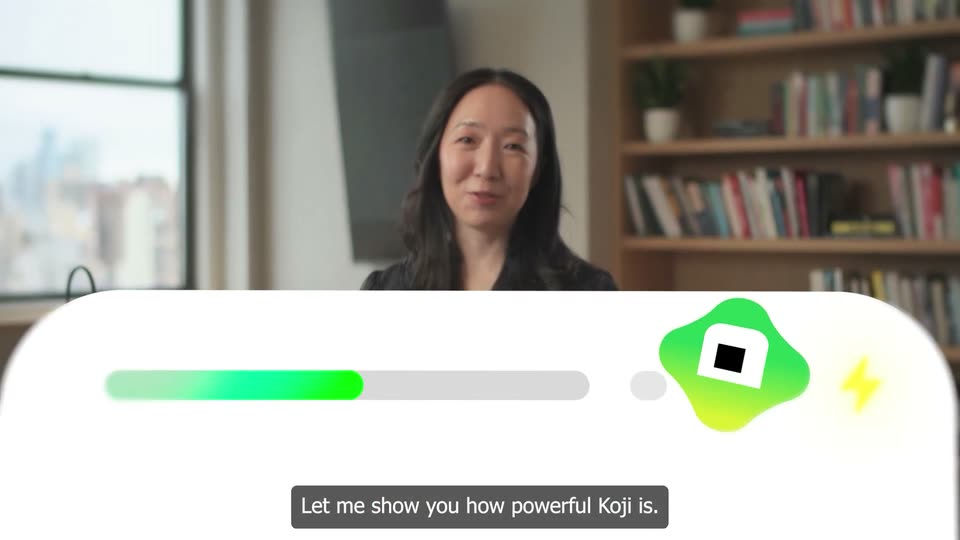
Koji’s 2:15 launch film runs 64 scenes, about 2.1 s each. The product is on screen from the first frame and 3 features are revealed, with social proof. The call to action lands at 2:04 (92% in), over a voiceover. A fast-cut launch film that alternates live-action founder shots, flat 2D illustration, glossy 3D renders and clean UI mockups to pitch Koji as a thinking-first AI tutor. Its signature moves are the morphing green blob mascot, the named cursor performing every UI action, and dark caption bars that carry the narration across every style.
Footage neededEstimated needs: 7 capture groups — your screens or recordings · 1 official logo — reused across the film · 15 filmed passages — shoot, supply or replace · 12 graphic passages — draw or supply · 14 3D passages — build or supply
Is this your launch? to your site or press kit.
More like this

Sue - AI is making kids dumber. It should be making them geniuses. Introd, scene by scene
· 64 scenes as text
01 · Product intro · 0:00–0:02
A woman in a black blouse talks to camera in a home office with a bookshelf. The 'Smartest AI Tutor' headline and 'Introducing Koji' badge fade out as two green blobs merge into the Brilliant logo, and the 'Brilliant' wordmark with a name lower-third slides in.
On-screen text: “Brilliant”, “Smartest AI Tutor”, “Introducing Koji”, “Sue Khim”, “CEO and Co-founder of Brilliant”, “Brilliant”
Techniques: Morph
Camera: Pull out
02 · Product intro · 0:02–0:03
Two white product cards sit on a peach background: a block-code editor on the left, a marble-volume graph on the right. A black cursor labeled Emily drags a code block, then taps the graph. A green blob icon hovers above the right card, and a dark caption reads the world's smartest AI tutor.
On-screen text: “the world's smartest AI tutor.”, “Brilliant”
Techniques: Cursor demo
Camera: Pull out
03 · Product intro · 0:03–0:05
Three app cards show coding and math exercises with a green blob mascot and a black cursor. As each task completes, green Nice job! bubbles and +15 badges pop in while the view pans right across the row. A dark caption reads the world's smartest AI tutor.
On-screen text: “the world's smartest AI tutor.”
Techniques: Cursor demo
Camera: Push in
04 · Problem · 0:05–0:07
A flat illustration of a factory line: stylized people stand on a conveyor belt under a lamp marked AI projecting a green beam with rising sparks onto the central figure. The shot opens blurred and close, then pulls back to reveal the row as the AI label scales in.
On-screen text: “Right now, AI is killing our kids ability”
Techniques: Particles
Camera: Pull out
05 · Problem · 0:07–0:08
Flat grayscale illustration of rows of people walking in profile along horizontal belt-like lines that scroll left with motion blur at the start. Dark pill captions appear in sequence at the bottom center as the crowd keeps moving.
On-screen text: “Right now, AI is killing our kids ability”, “AI”, “to think”
Camera: Pull out
06 · Problem · 0:08–0:11
A flat illustration of a teal-haired person with headphones stands before a grid of faint gray chat icons. They raise a hand, a pink squiggle pops in, and the headline 'AI can do that' scales up beside them while a bottom caption bar swaps lines.
On-screen text: “when it should be, making them geniuses.”, “AI can do that”, “Our students have gotten into MIT at 15,”
Techniques: Kinetic type
Camera: Push in
07 · Social proof · 0:11–0:12
A fisheye webcam view of a curly-haired young man in a dim room, both hands pressed over his face, mouth open mid-yawn. A tiled grid border frames the distorted shot. A white caption line sits along the bottom edge.
On-screen text: “do that”, “Our students have gotten into MIT at 15,”
Camera: Static
08 · Social proof · 0:12–0:12
A 3x3 grid of video call tiles shows nine students reacting in surprise, covering their mouths and raising their arms, then a black blob mask wipes across the screen to close the shot. A white caption line sits along the bottom edge.
On-screen text: “Our students have gotten into MIT at 15,”
Techniques: Split screen, Masking
Camera: Static
09 · Social proof · 0:12–0:13
Aerial view of a city riverfront: a road, green lawns and trees in the midground, low buildings behind, all under a fine horizontal scanline texture. The frame drifts slowly rightward. A white subtitle sits on a black bar along the bottom edge.
On-screen text: “Our students have gotten into MIT at 15,”
Camera: Static
10 · Social proof · 0:13–0:13
Students walk toward a columned classical building under bare trees, then the frame tightens to the entrance where blue banners hang between the pillars. Subtitles run along the bottom edge throughout.
On-screen text: “Our students have gotten into MIT at 15,”, “one countless Olympiad medals”
Camera: Static
11 · Social proof · 0:13–0:14
The frame tilts down from the columned stone facade of a museum to its wide steps, where pedestrians walk and sit. A white subtitle line sits at the bottom of the frame throughout.
On-screen text: “one countless Olympiad medals”
Camera: Static
12 · Social proof · 0:14–0:15
A close-up of metal trophies on a shelf cuts to a rack of hanging medals, both soft-focused and slightly grainy. A white subtitle line sits along the bottom edge throughout.
On-screen text: “one countless Olympiad medals”
Camera: Static
13 · Social proof · 0:15–0:15
A dim trophy shelf with a woman holding a golden cup, overlaid with white hand-drawn math symbols, a star, and a lightbulb sketch. It cuts to a soft close-up of a whiteboard covered in formulas. Subtitles run along the bottom edge.
On-screen text: “one countless Olympiad medals”, “and built billion-dollar companies”
Camera: Static
14 · Social proof · 0:15–0:16
A classroom of students writes at a long white table, then a cut shows a young man in a tie, arms crossed, before a dark screen of glowing stock numbers. A locked subtitle runs along the bottom.
On-screen text: “and built billion-dollar companies”
Camera: Static
15 · Social proof · 0:16–0:16
A young man speaks on a scan-lined screen, then a hard cut to two men in dark suits shaking hands against a bright, blurred background, framed inside a circular vignette. A caption stays locked at the bottom throughout.
On-screen text: “and built billion-dollar companies”
Techniques: Masking
Camera: Static
16 · Other · 0:16–0:17
A white field of drifting green dots. A green gradient blob holding a white rounded-square mark with a black square glides to the center as a dark circular video thumbnail exits the right edge. A caption bar sits at the bottom.
On-screen text: “and built billion-dollar companies”, “Koji is built on the secrets”
Techniques: Particles
Camera: Static
17 · Other · 0:17–0:19
A green gradient blob with white rounded squares and a black dot morphs on a plain white background, the two floating dots above merging into the shape as it rotates. A dark gray caption box at the bottom displays the subtitles.
On-screen text: “Koji is built on the secrets”, “of how they learned.”
Techniques: Morph
Camera: Static
18 · Feature reveal · 0:19–0:20
A woman in a black robe speaks to camera in a home office with a bookshelf behind her. A white rounded panel slides up from the bottom, carrying a green progress bar, a small gray dot and a yellow lightning bolt, while a green blob holding a white card icon travels from the left to the right side of the panel. A subtitle sits at the bottom.
On-screen text: “of how they learned.”, “0”, “Let me show you how powerful Koji is.”
Techniques: Morph
Camera: Pull out
19 · Feature reveal · 0:20–0:21
A white UI card with a green mascot icon, progress bar and lightning bolt overlays a blurred shot of a woman in a home office. The card animates out, revealing her as she speaks, while a caption box updates at the bottom.
On-screen text: “Let me show you how powerful Koji is.”, “Let's say you're in middle school”
Camera: Push in
20 · Feature reveal · 0:21–0:22
A young woman with long dark hair sits centered against a plain white wall, looking down then up as she speaks. A black caption bar with white text sits at the bottom of the frame.
On-screen text: “Let's say you're in middle school”
Camera: Push in
21 · Feature reveal · 0:22–0:23
A close-up of a stylized 3D face, pink skin, teal eyebrows, purple eyes, begins blurred inside a teal border, then sharpens as the view pushes in. A pink nose shape sits center. White subtitles on a dark bar read at the bottom.
On-screen text: “Let's say you're in middle school”, “wanting to understand an ace geometry.”
Camera: Static
22 · Feature reveal · 0:23–0:25
A flat teal-haired figure in a black hoodie stands centered on a pale lavender field of falling binary digits, arms shifting from outstretched to lowered with thin violet lines. Large purple numbers drift and scale around the body. A white caption sits on a dark bar at the bottom.
On-screen text: “wanting to understand an ace geometry.”
Techniques: Particles
Camera: Push in
23 · Feature reveal · 0:25–0:26
A white math-graph card fills the frame, showing a grid, a blue circle and the prompt 'Graph the curve.' A green avatar blob glides to the corner as a named cursor labeled Emily appears beside the circle and the equation fades in below. A caption runs along the bottom.
On-screen text: “Right now,”, “Koji can see every move you make.”
Techniques: UI zoom
Camera: Pull out
24 · Feature reveal · 0:26–0:29
A white card shows a graphing problem with a blue circle on a grid, while a green blob mascot slides around it, casting a soft beam of light on the graph. The card then scales down to a small centered panel as a bottom caption changes.
On-screen text: “Koji can see every move you make.”, “He's coached millions of people”
Camera: Pull out
25 · Feature reveal · 0:29–0:32
The view opens on a few interface cards showing math graphs, face avatars and green check badges, then pulls back to a wide grid of dozens of the same cards. White captions on dark bars sit at the bottom.
On-screen text: “He's coached millions of people”, “through math problems.”, “Just like this one.”
Techniques: UI zoom
Camera: Static
26 · Feature reveal · 0:32–0:43
A math app screen shows a cursor dragging a blue circle on a coordinate grid while the equation updates below. A yellow chat bubble and two buttons slide in, a student's video call circle appears at right, then the view cuts to her full screen.
On-screen text: “Here, you shifted the circle up one,”, “then you moved it left”, “when it should have gone right.”, “Is this right now?”, “That minus is tricking you.”
Techniques: Cursor demo
Camera: Static
27 · Problem · 0:43–0:44
A woman in a dark blouse speaks to camera in a bright room with a window and bookshelf, then the frame cuts to a green rounded logo holding a white arch and black square, ringed by concentric blue bands.
On-screen text: “But here's what makes Koji different.”
Camera: Static
28 · Problem · 0:44–0:45
A green gradient blob with a white square and black center rests on a white pedestal, ringed by concentric blue circles on a pale lavender field. A caption sits at the bottom. The camera tilts down, the blob exits the top of the frame and the rings widen.
On-screen text: “But here's what makes Koji different.”
Camera: Pan
29 · Problem · 0:45–0:48
Three AI chat panels sit side by side, each with a logo and prompt chips. The view zooms into the middle panel, where a math equation types out its solution. The row then blurs out as a dark caption at the bottom finishes the line.
On-screen text: “Other AI tools would have”, “making you dumber.”
Techniques: Split screen, UI zoom
Camera: Push in
30 · Problem · 0:48–0:49
A blurred close-up of a geometry practice test title zooms out to reveal the full sheet, marked with a circled red F. Two duplicate copies then appear on either side, forming a row of three at different depths. A dark caption reading making you dumber. sits at the bottom.
On-screen text: “making you dumber.”
Techniques: Parallax
Camera: Pull out
31 · Problem · 0:49–0:51
A grid of white document mockups, each with a subject title and a red circular stamp, scrolls across a light gray background.
Camera: Pull out
32 · Feature reveal · 0:51–0:52
A line-drawn brain at center scales up as white nodes and teal links light up across it. A second, dimmer brain with yellow dashed lines appears to the right, labeled without AI, while the first keeps its with AI label.
On-screen text: “Your brain with Al”, “Koji knows your brain needs to think”, “Your brain without Al”
Camera: Pull out
33 · Feature reveal · 0:52–0:53
Two glowing brain diagrams sit side by side on a dark field, the left wired with blue lines, the right with multicolored lines. A gradient bar between them fills from low to high connectivity as the connection lines pulse.
On-screen text: “Koji knows your brain needs to think”, “Your brain with AI”, “Low connectivity”, “Your brain without AI”, “to develop this skill,”, “High connectivity”
Camera: Push in
34 · Feature reveal · 0:53–0:54
Two glowing brain-network spheres on a black background, a sparse blue one left and a dense multicolored one right, above a purple-to-yellow gradient scale bar. The view zooms into the bar as a small green light dot travels along it, while a subtitle stays at the bottom.
On-screen text: “Low connectivity”, “High connectivity”, “Your brain with AI”, “Your brain without AI”, “so he coaches you to solve the problem”, “to develop this skill,”
Camera: Push in
35 · Feature reveal · 0:54–0:55
A chat interface on a dark background: a white bubble scales in with the coaching message above an input field reading 'How can I help?' with a mic icon. A green blob logo morphs at left. A black caption bar sits at the bottom.
On-screen text: “so he coaches you to solve the problem”
Techniques: Morph
Camera: Static
36 · Feature reveal · 0:55–0:56
A cream assistant bubble reads “Close, but that minus sign is tricking you.” above a green blob icon and a “How can I help?” input row with a mic icon. The UI blurs and fades to a pale gray-green as the bottom caption continues.
On-screen text: “so he coaches you to solve the problem”, “yourself.”
Camera: Static
37 · Feature reveal · 0:56–1:10
A tutoring app UI: chat panel left, circle graph on a grid canvas right. A green blob mascot slides across as black test points pop in on the x-axis. A circular webcam inset of a student fades in; a cursor tagged Emily points at the plotted points.
On-screen text: “Koji draws test points on your canvas”, “and asks you to explain your thinking.”, “Look at the points I just added.”, “Which one fits the equation of the circle?”, “Oh, so all of these have Y equals 0.”, “So X equals 6 works”, “Emily”
Techniques: UI zoom, Cursor demo
Camera: Push in
38 · Feature reveal · 1:10–1:12
A close-up of a coordinate grid with a circle pulls back to reveal the full app window, chat panel on the left. The circle turns green, a +15 badge pops in, and a You got it! caption appears at the bottom as the cursor hovers the Continue button.
On-screen text: “You got it!”
Techniques: UI zoom, Cursor demo
Camera: Pull out
39 · Feature reveal · 1:12–1:13
A glossy green blob wobbles and rotates in the foreground of a 3D scene, set in front of a desktop monitor displaying green code. Green code symbols rain down the dark background. A caption sits at the bottom.
On-screen text: “Next, we'll look at coding.”
Techniques: 3D mockup, Particles
Camera: Static
40 · Feature reveal · 1:13–1:14
A glossy green blob hovers in front of a 3D desktop monitor and keyboard, its screen filled with green code on black. The camera pushes in as the background code rain blurs, and the blob deforms.
On-screen text: “Next, we'll look at coding.”
Techniques: 3D mockup, UI zoom
Camera: Push in
41 · Feature reveal · 1:14–1:15
A dark 3D tunnel of cascading green and white binary digits surrounds a glowing green blob at center, which holds a small white square icon. The blob shifts into a four-pointed star as the digits stream past. A white caption sits at the bottom.
On-screen text: “Next, we'll look at coding.”
Techniques: Particles, Morph
Camera: Push in
42 · Feature reveal · 1:15–1:16
A tilted 3D view of the Brilliant courses page scrolls up from Learning Paths to the Python section. A cursor glides to the Functions in Python card and an Emily tooltip pops up. A dark caption at the bottom reads Here, your kid logs in.
On-screen text: “Here, your kid logs in”
Techniques: 3D mockup, Cursor demo
Camera: Push in
43 · Feature reveal · 1:16–1:19
A course-platform screen shows a grid of math and Python cards. A cursor tagged Emily glides down to the Variables lesson and clicks the purple Start button as the view zooms in. A caption reads for an introductory lesson in Python.
On-screen text: “for an introductory lesson in Python.”
Techniques: UI zoom, Cursor demo
Camera: Push in
44 · Feature reveal · 1:19–1:22
A browser window showing a coding course syllabus zooms into the numbered lesson list while a green organic blob carrying a white document icon slides across from left to right. Dark caption boxes appear at the bottom.
On-screen text: “Koji knows he shouldn't teach them”, “with a Hello World tutorial,”
Techniques: UI zoom
Camera: Push in
45 · Feature reveal · 1:22–1:24
A flat AI chat interface shows a typed Python prompt. The prompt is highlighted, a code response card pops in, and a cursor clicks the send button as the rest of the UI fades and a green abstract shape wipes in from the left.
On-screen text: “because AI writes all the code now.”
Techniques: Cursor demo, UI zoom
Camera: Static
46 · Feature reveal · 1:24–1:24
A two-panel interface shows a “Hello World” document on the left and a Python chat on the right. A green blob with a black diamond in a white square slides up across the chat. A caption reads “because AI writes all the code now.”
On-screen text: “because AI writes all the code now.”
Camera: Static
47 · Feature reveal · 1:24–1:26
A white chat card with a CacheCoins prompt and a green blob mascot sits on a lavender gradient. The view pulls back to reveal a code editor and output console beside it, and the bottom caption switches to the second line.
On-screen text: “Instead, Koji teaches them”, “how to deeply understand code.”
Techniques: UI zoom
Camera: Pull out
48 · Feature reveal · 1:26–1:28
A tilted app window with a chat column and a Python code editor floats on a lavender background. The camera pushes in on the code panel while a cursor hovers over the Try again button and the bottom caption changes to stuck in an infinite loop.
On-screen text: “Instead, Koji teaches them”, “how to deeply understand code.”, “stuck in an infinite loop.”
Techniques: 3D mockup, UI zoom, Cursor demo
Camera: Push in
49 · Feature reveal · 1:28–1:32
A coding tutor UI fills the frame: a chat log left, a Python editor with a looping output panel right. A black cursor hovers the Get help and Try again buttons as a green square logo glides across the code, then the view pulls back to show the full window.
On-screen text: “You're stuck in an infinite loop.”, “Emily”
Techniques: Cursor demo
Camera: Pan
50 · Feature reveal · 1:32–1:36
A white learning-app card shows a dark code editor with a green mascot and a chat sidebar; a cursor clicks Check then Continue as an output panel fills with green results. The card then tilts into 3D with a glowing green border while a caption scales in.
On-screen text: “And catch the machine when it's wrong.”, “Your classmates,”
Techniques: Cursor demo, 3D mockup
Camera: Pull out
51 · Problem · 1:36–1:41
A dark violet head-shaped shell fills the frame, its interior holding drifting glowing orbs and blue capsules that fade in and out. A small purple panel with a grid sits at the center while white subtitles roll along the bottom.
On-screen text: “Your classmates,”, “who only know how to vibe-code,”, “will be unemployable”, “because they don't know how to think.”, “Koji is the tutor”
Techniques: Particles
Camera: Pull out
52 · Problem · 1:41–1:43
A dark void of floating 3D capsules in blue, teal, purple and green drifts past. A glowing yellow circle with a person icon labeled You pops in at center with a small green camera badge, while subtitle captions appear at the bottom.
On-screen text: “Koji is the tutor”, “who will make you irreplaceable by AI.”
Techniques: Parallax
Camera: Push in
53 · Pricing · 1:43–1:45
A dark panel holds floating blue pills and hexagons above a glowing green grid. A small purple spark ignites at the grid's top edge, then the frame resolves to a white disc carrying a purple three-blade mark beside a diagonal beam.
On-screen text: “who will make you irreplaceable by AI.”
Camera: Push in
54 · Pricing · 1:45–1:50
A vertical list of tutor profile cards with colored avatars and hourly rates scrolls, the camera zooms in on one card, then rotates into 3D so the cards fan out diagonally with depth blur. Green HIRED badges pop onto two cards while captions sit at the bottom.
On-screen text: “The best tutor is used to cost $300”, “an hour,”, “and very few people could have one.”
Techniques: UI zoom, 3D mockup, Parallax
Camera: Push in
55 · Pricing · 1:50–1:51
A 3D isometric network of glowing tablet screens on a dark plane, linked by thin lines, stays in a fixed frame as the lighting drops from bright to dark and several screens switch from white diagrams to yellow and green shapes. Subtitle captions sit at the bottom.
On-screen text: “and very few people could have one.”, “Koji is built on the teaching data”
Techniques: 3D mockup
Camera: Pull out
56 · Pricing · 1:51–1:56
A dark 3D grid of glowing colored nodes recedes as a green blob mascot rises on a pulsing ring, then morphs into the cap of a green bar. A cost chart builds beside it: blue, red, and purple bars topped with illustrated avatars and dollar labels.
On-screen text: “Koji is built on the teaching data”, “for millions of students,”, “costs less than a dollar a day,”, “$1/d”, “$110/h”, “$300/h”, “$240/h”
Techniques: Parallax, Morph
Camera: Pull out
57 · Pricing · 1:56–1:59
A 3D bar chart comparing $110/h, $300/h, $240/h to a green $1/d bar sits over a blurred skill map. The chart exits and the map pulls into focus as the camera pushes in across checkmarked topic cards.
On-screen text: “costs less than a dollar a day,”, “and understands”, “exactly where your kid struggles.”
Techniques: 3D mockup, Parallax, UI zoom
Camera: Pan
58 · Social proof · 1:59–2:00
A blurred app screen fills the frame as four dark topic cards with progress bars and plus badges (Functions, Linear functions, Quadratic equations, Quadratic functions) drift slowly up-left. A caption pill at the bottom reads Over 10 million learners and 5000 schools.
On-screen text: “Over 10 million learners and 5000 schools”
Techniques: Parallax
Camera: Pan
59 · Social proof · 2:00–2:04
A dotted 3D globe rotates on a dark gradient backdrop, its surface studded with circular photo pins of faces and school buildings hanging on thin lines. A glowing green-to-yellow four-lobed logo blob drifts across the sphere as the camera orbits. A caption bar sits at the bottom.
On-screen text: “Over 10 million learners and 5000 schools”, “already use Brilliant to learn.”
Techniques: Parallax
Camera: Pull out
60 · CTA · 2:04–2:05
A woman in a black blouse sits in a bright office with a window and bookshelves, speaking to camera. A white subtitle on a dark rounded box scales in at the bottom center.
On-screen text: “already use Brilliant to learn.”, “To celebrate the launch,”
Camera: Pull out
61 · CTA · 2:05–2:06
A woman stands in a sunlit room as a semi-transparent tutoring interface fades in over her, then solidifies into a centered panel showing a circle graph, a cursor tag, and a small circular tutor video avatar.
On-screen text: “To celebrate the launch,”, “we're tutoring the next 1000 learners”
Camera: Pull out
62 · CTA · 2:06–2:08
A green logo hovers over a white network of UI cards, math graphs and avatar circles linked by thin lines. The camera pulls back past blurred foreground shapes to reveal the full map while caption lines swap at the bottom.
On-screen text: “we're tutoring the next 1000 learners”, “for free this summer.”
Techniques: UI zoom, Parallax
Camera: Pull out
63 · CTA · 2:08–2:09
A bright, blurred collage of overlapping interface cards with charts and avatars resolves into a single centered social post card. The dark lower-third caption swaps from one phrase to the next as the frame focuses on the post.
On-screen text: “Who want to see”, “how far they can go”, “for free this summer.”
Techniques: UI zoom
Camera: Push in
64 · CTA · 2:09–2:15
A flat social media post card on a light background zooms in. A cursor clicks the repost icon, turning it green, then types Algebra in the reply box and hovers the Comment button, which glows green. White captions in dark boxes swap at the bottom.
On-screen text: “Who want to see”, “how far they can go”, “in math and coding”, “Comment what you want your kid to learn”, “And we'll send you a free invite”
Techniques: UI zoom, Cursor demo
Camera: Push in