0:51
Software Mansion AI Labs - Introducing Reverb-TTS, a state-of-the-art voice-cloning text-to-spee
Software Mansion · Nov 2026
Kodo · Mar 2026 · 0:45 · Full motion · AI-annotated
Kodo’s 0:45 launch film runs 20 scenes, about 2.3 s each. The product shows up at 0:06. The call to action lands at 0:42 (92% in). The video opens on dark abstract line work, flips to a warm cream palette, then runs one continuous product demo from typed prompt to exported template grid, bookended by locked-off centered type cards. Signature moves are letter-by-letter typing, smooth zooms into the interface, and quick crossfades between form steps at a steady 100 bpm.
Is this your launch? to your site or press kit.
Software Mansion · Nov 2026
Reve · Sep 2025
On a black background, a white outlined cursor glides to a blue wireframe corner marked by square handles and drags it, pulling the lines from a right-edge corner into an L shape. One smooth drag, no other elements.
Techniques: Cursor demo
Camera: Static
Curved beige lines arc across a dark charcoal field, each marked with small square nodes. The nodes flash from gray to white with a blue glow, then slide along the curves as the lines drift.
Camera: Pull out
A bold black word Designing holds center on a white canvas, framed by a thin blue selection rectangle with small square corner handles and a blue size badge beneath it. The view stays locked and static throughout.
Camera: Pull out
Centered white text on a near-black background reads “Designing takes”, with “Designing” static and “takes” sliding in from the right. A second word “to” then slides in to complete the line.
On-screen text: “Designing”, “takes”, “to”
Techniques: Kinetic type
Camera: Static
A locked-off cream frame holds a row of oversized black lowercase o letters running off the left edge. At the right end the letter n fades in, then g, so the long word ends in ng. The letters appear one by one from the left.
On-screen text: “Designing”, “poong”
Techniques: Kinetic type
Camera: Static
On a warm cream gradient, the phrase What if designing builds word by word, then felt instant appears with two small tan sparkles. The background fades to white as Meet Kodo fades in in warm tan, with a small mark popping above the final o.
On-screen text: “What if designing”, “felt instant”, “Meet Kodo”
Techniques: Kinetic type
Camera: Static
The title “Meet Kodo” in black sits centered on a white field, separated by a six-point starburst mark. The type eases from light gray to solid black, then holds still.
On-screen text: “Meet Kodo”
Camera: Static
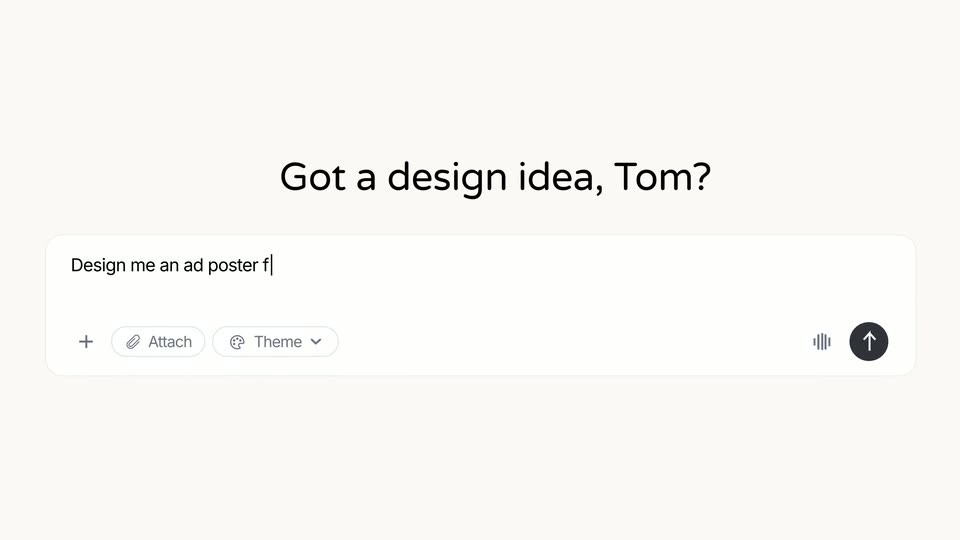
The full Kodo app screen with a left icon rail and credit counter zooms into the prompt box. The text “Design me an ad poster for my pizza shop” types out letter by letter under the heading “Got a design idea, Tom?” and the send button turns from gray to black.
On-screen text: “Meet Kodo”
Techniques: UI zoom
Camera: Static
A light chat interface fills the frame. A rounded input box holds the prompt text, then a Thinking label and a paragraph of reasoning text type in line by line beneath it. The camera stays locked off on the static layout.
Camera: Static
A white onboarding form shows a question card asking for a pizza shop name. A cursor selects the third radio option, types Tony Pizza into the field, then clicks the blue Next button. The card crossfades to the next question listing three style options.
Techniques: Cursor demo
Camera: Push in
A light gray form card lists a vibe question with radio options. A cursor clicks the Fun & bold row, which highlights with a filled radio, then the cursor slides to the blue Next button.
Techniques: Cursor demo
Camera: Static
The Kodo editor shows a pizza-shop poster fading in on the left canvas as a question panel with a cursor on the Next button dissolves away. On the right, the chat panel fills with the design description and action buttons.
Techniques: Cursor demo
Camera: Pull out
A prompt field types out a sentence while a cursor moves up to the send button. A deal card then appears with a headline and a scaling price.
On-screen text: “TODAY ONLY”, “PIZZA”, “SPECIAL”, “$15”
Techniques: Cursor demo, Kinetic type
Camera: Static
A design tool window shows a pizza poster on the left and a chat panel on the right. The poster gains a Tony Pizza title and an orange address footer as the AI reply fills the panel, while the input field switches to Add a logo.
Camera: Pull out
A pizza flyer sits on a white design canvas. A cursor selects the orange $15 starburst badge, a text toolbar slides in from above, the bold button is clicked, and a color picker panel drops down as the cursor hovers over a blue swatch.
On-screen text: “PIZZA”, “SPECIAL”, “$15”, “TODAY ONLY”
Techniques: Cursor demo
Camera: Push in
On a white field, a gray Present button, a dark Export button and a circular avatar sit in a row. The Present button and avatar slide out, the Export button scales, then it morphs into a rounded frame holding two images: a dark slide and an orange pizza poster.
Techniques: Morph
Camera: Static
A black rounded frame slides off screen to open a full-bleed grid of design templates, posters and interface mockups. The grid then scrolls vertically, panning past a pizza poster, a travel card and a conference layout.
Techniques: Masking
Camera: Push in
A dense grid of colorful design mockups, posters and app screens fills the frame on a white background. The camera slowly zooms in, the cards scaling up and the rows tightening until individual layouts dominate the view.
Camera: Push in
A soft peach-to-white gradient fills the frame while a centered black sans-serif phrase reads, then the letters scramble and resolve into a second centered phrase. The camera stays locked off as the two lines swap in place.
On-screen text: “Design anything”, “Faster Than Ever”
Techniques: Kinetic type
Camera: Static
The black Kodo wordmark and starburst icon hold centered on a plain white background, then the tagline Faster Than Ever appears, then the URL usekodo.ai takes its place. Each element stays static on a locked-off frame.
On-screen text: “Faster Than Ever”, “usekodo.ai”
Camera: Static