1:39

Perplexity - Today we're releasing Personal Computer. Personal Computer integrate
Perplexity · AI · Apr 2026
Jinba · Feb 2026 · 0:49 · Full motion · AI-annotated
Jinba’s 0:49 launch film runs 24 scenes, about 2.1 s each. The product shows up at 0:06 and 6 features are revealed. The call to action lands at 0:43 (87% in), over a voiceover. The video opens on a credibility stat, names the product with a 3D pull-back, then walks through features one by one with tight rack-focus UI close-ups, and ends on a static end card. Its signature moves are the zoom-in and zoom-out reframes, the pull-back reveals from screen to laptop, and the repeating grids of devices and panels.
Is this your launch? to your site or press kit.
Perplexity · AI · Apr 2026
Samsung · Aug 2026
Films whose music sounds like this one, voice left out
Item · Modern electronic
Magic Patterns · Modern electronic, lo-fi hip-hop
A black frame gives way to a soft dark gray gradient, and faint blurred white shapes begin to form a wordmark in the center of the frame.
Camera: Static
A split-flap counter on a light gray background rolls through random characters and locks onto 40000+, its tiles shifting from black to gray. The caption Enterprise Employees fades in beneath the counter.
On-screen text: “40000+”, “Enterprise Employees”
Techniques: Kinetic type
Camera: Push in
A blurred gray stat, 40000+ Enterprise Employees, sits out of focus on a light background as bold black GLOBAL and gray FORTUNE scale up in the center.
On-screen text: “40000+”, “Enterprise Employees”, “GLOBAL”, “FORTUNE”
Techniques: Kinetic type
Camera: Push in
A black uppercase title, GLOBAL FORTUNE 500, sits centered on a pale gray background. The block slowly scales up and racks out of focus, the digits growing largest as the frame blurs.
On-screen text: “GLOBAL FORTUNE 500”
Techniques: Kinetic type
Camera: Push in
A 3D laptop mockup on a desk against a purple gradient. The camera pulls back from a close crop of the screen to the full device, revealing the app home view: a purple logo, the prompt 'What do you want to create today?' and a grid of automation cards.
Techniques: 3D mockup
Camera: Pull out
A gold laptop floats in 3D perspective, its white screen showing a chat prompt. The camera pulls back to reveal a dense grid of identical laptops receding into the distance, all set against a soft pink and yellow gradient.
Techniques: 3D mockup
Camera: Pull out
A repeating diagonal grid of open laptops in 3D perspective, each screen showing a white app interface, set over a purple-to-orange gradient. The sharp array blurs out as the clip ends.
Techniques: 3D mockup
Camera: Static
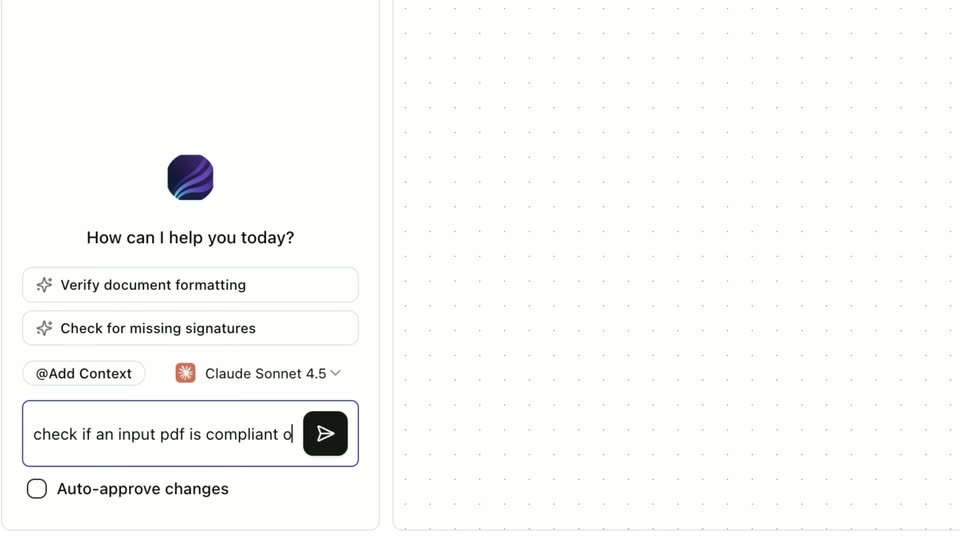
A light chat panel fills the left half beside an empty dotted canvas. A query is typed into the input box, then sent as a gray bubble; a black loading dot appears under the purple icon as the model responds.
Camera: Static
A chat panel on the left holds a workflow message and a tool-calling card, next to an empty dotted canvas. The interface scales out a touch to widen the canvas view.
Camera: Pull out
A three-panel workflow interface: the left chat log updates, the center canvas draws a five-node flow diagram, and the right code editor fills with lines of code. A black cursor glides from the node graph to the code panel.
Techniques: Cursor demo
Camera: Pull out
A workflow builder screen shows a node graph and a code panel. The view zooms into the compliance rules input field as a numbered list of rules is typed line by line, then zooms out while the cursor moves to the close button.
Techniques: UI zoom, Cursor demo
Camera: Pull out
A workflow builder fills the screen: documentation panel left, node canvas center, code panel right. The view zooms into the code panel, then tightens further onto the YAML lines as a cursor hovers over them.
Techniques: UI zoom
Camera: Push in
A blurred product screen pulls into focus, reframing from a wide code-and-panel view to a close-up of an input form where 'Ticket Summary' and 'output.xlsx' sit in labeled fields with helper text.
Techniques: UI zoom
Camera: Static
A light gray settings form crossfades from an Input panel with Sheet Name and Output Filename fields to a Config panel showing Version, Temperature and Api Key, a cursor hovering over the model field.
Techniques: Cursor demo
Camera: Pan
A white config card on a pale gray field. A cursor opens the Version dropdown, a model list blurs in, the cursor selects gpt-5.2-pro, then the card pulls back to show Temperature, API Key rows and a black New Secret button.
Techniques: UI zoom, Cursor demo
Camera: Pull out
A tight view of a white config panel with a model dropdown and API key fields pulls back to reveal a 3D laptop on a desk. On its screen the Agent Builder prompt assembles word by word, inserting two integration chips, as the camera dollies out.
Techniques: UI zoom, 3D mockup
Camera: Pull out
A laptop mockup on a desk displays the Agent Builder page while a row of integration icons scrolls left across the top. The frame starts close on the screen, widens to the full laptop, then blurs out.
Techniques: UI zoom, 3D mockup
Camera: Pull out
A white terminal window titled audit_stream.log fades in over a soft gray gradient. Its log lines appear one after another in colored monospace type, each with a bracketed tag in purple, blue or orange.
Camera: Push in
A horizontal architecture diagram centers on a dark JINBA icon flanked by ON-PREM and PRIVATE cards, joined by thin lines with arrows. A log window titled audit_stream.log slides in from the right, then out. Labels scale in on a soft gray background.
Camera: Static
A white rounded card on a pale gray background holds a three-part diagram: a server icon labeled ON-PREM, a purple JINBA logo, and a cloud icon labeled PRIVATE, linked by blue arrows. The card scales up while the PRIVATE label slides in.
On-screen text: “ON-PREM”, “JINBA”, “PRIVATE”
Camera: Static
A Team Permissions card tilts in 3D perspective, two duplicate cards fading behind it, then rotates flat to face the camera. The three permission toggles flip to green as a smaller deployment card with a cloud icon slides off to the left.
Techniques: 3D mockup, Morph
Camera: Push in
A collage of product UI panels resolves from a heavy blur into sharp focus on a near-white field. The framing eases out to a wide grid: a chat thread, connector tiles, a permissions list, an app-icon strip, a three-node diagram and a log window.
Camera: Pull out
On a light gray grid background, the tagline types in word by word on the left, then the frame centers as the large serif Jinba wordmark appears above it, with the Y Combinator backing line and jinba.io URL below.
On-screen text: “Build something your colleagues want”, “Jinba”, “Backed by Y Combinator”, “jinba.io”
Techniques: Kinetic type
Camera: Static
A dark end card holds still: the Jinba wordmark sits center, a tagline reads above it, and a Y Combinator credit with the URL jinba.io anchors the bottom. The frame is locked off with no motion.
On-screen text: “Build something your colleagues want”, “Backed by”, “YCombinator”, “jinba.io”
Camera: Static