0:20
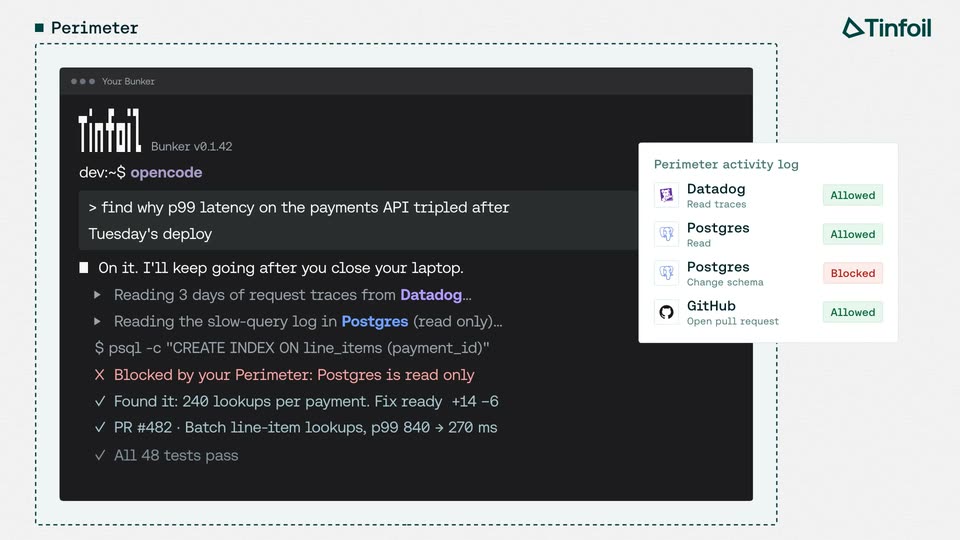

Tinfoil - Today, we launch Tinfoil Bunkers. More of a fortress than a sandbox,
Tinfoil · B2B · Nov 2026
ICONO’s 0:59 launch film runs 14 scenes, about 4.3 s each. The product is on screen from the first frame and 4 features are revealed. There is no explicit call to action; a voiceover carries the film. The video opens on the animated Icono wordmark, then tours the product screen by screen: typing a natural-language query, filtering results, previewing clips, saving to a project, and exporting to Premiere Pro. Its style is a clean white-and-blue interface with a rounded sans, steady screen recordings, and a bookending logo animation that scales and morphs.
Is this your launch? to your site or press kit.
Tinfoil · B2B · Nov 2026
ElevenLabs · AI · Nov 2026
A blue Icono wordmark sits centered on a white background, scaling up slightly. The tagline fades in below it around the two-second mark, settling into sharp focus by the end of the clip.
On-screen text: “The ai video search engine”
Camera: Static
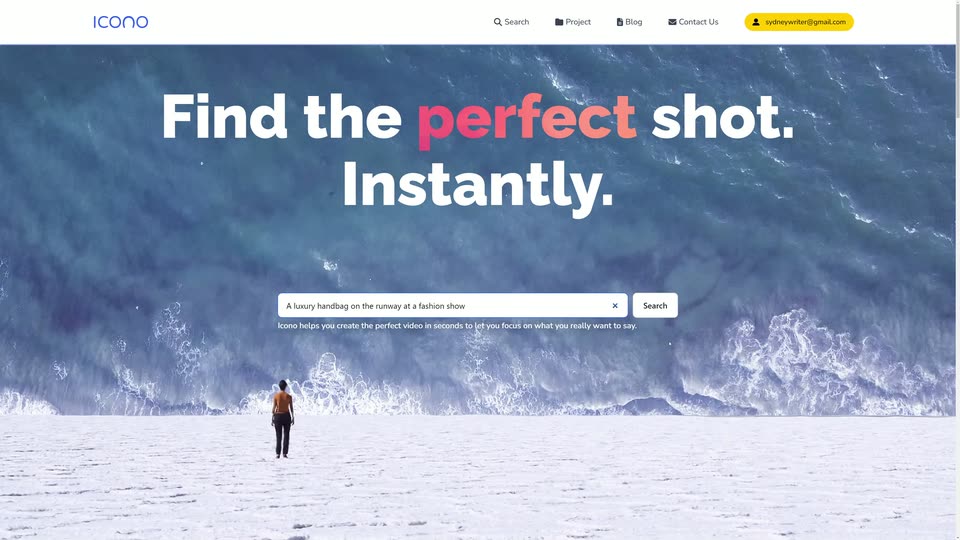
The Icono landing page crossfades from a washed-out state to a full-color video of a person standing on a beach before a breaking wave. The large blue ICONO wordmark scales and fades out while the white headline and search bar with typed query hold in place.
On-screen text: “Find the perfect shot.”, “Instantly.”, “The ai video search engine”
Techniques: Kinetic type
Camera: Static
A website hero over a looping video of a man on a beach facing a breaking wave. The headline Find the perfect shot. Instantly. shows perfect in a red-orange gradient above a search field that types example prompts, then a focus ring appears on the Search button.
Camera: Static
A light web interface lists runway handbag clips in a card grid, the blank thumbnails fading in as images. A cursor clicks the Duration filter, opens a 0 to 60 s slider, and drags the handle to 3 s.
On-screen text: “Find the perfect shot.”, “Instantly.”
Techniques: Cursor demo
Camera: Static
A white search results page with a grid of runway handbag clips stays static while the cursor moves over the open Duration filter. The blue slider panel collapses and the filter returns to its compact dropdown state.
Techniques: Cursor demo
Camera: Static
A product search screen stays static while the left result card loads a YouTube player. The embedded runway video begins playing, models walking, as a cursor hovers over it. The right column keeps a grid of thumbnail results.
Techniques: Cursor demo
Camera: Static
A shot-search interface shows a grid of runway handbag thumbnails under a search bar. A cursor checks two cards, a selection bar slides up from the bottom, then turns green to confirm the shots were added to the project.
Techniques: Cursor demo
Camera: Static
A white project list shows rows of labeled video thumbnails. The view scrolls up to reveal the top navigation bar, the Projects title and a search field. A cursor rests at the right edge.
Camera: Static
A light project dashboard lists three video projects with thumbnail rows; the Luxury handbags card is outlined in blue. A cursor moves to the Export 2 videos to XML button and clicks it.
Techniques: Cursor demo
Camera: Static
A locked-off screen capture of Premiere Pro with a File Explorer window floating above it. The cursor rests over the project panel as the folder list scrolls and an Import Files tooltip appears. The voiceover describes dragging the XML file into the editing software.
Techniques: Cursor demo
Camera: Static
A screen recording of Adobe Premiere Pro shows the project panel populating with clips and the timeline assembling a sequence, while the program monitor plays fashion show footage of models and handbags. The cursor moves through the panels.
Techniques: Cursor demo
Camera: Static
A Premiere Pro workspace shows a fashion clip of a person carrying shopping bags in the program monitor, then the screen washes to white as a large purple 10 scales up at the center.
On-screen text: “10”
Techniques: Kinetic type
Camera: Static
On a plain white background, a blue mark of a vertical bar and a ring scales up at center, then resolves into the full lowercase Icono wordmark. The wordmark holds, and the n and o morph into two overlapping rings.
On-screen text: “Icono”
Techniques: Morph
Camera: Static
A blue “10” mark, a rounded vertical bar beside a thick open ring, sits centered on a plain white field. The frame stays locked off and the mark holds completely still for the full shot.
Camera: Static