
2:26
Explore
00:00:00 / 02:26:19
- Length
- 2:26
- Scenes
- 65 · 2.3 s avg
- Product on screen
- 0:02
- Call to action
- 2:07 · 87%
- Voiceover
- Yes
- Views
- 300K on YouTube
as of November 26, 2026
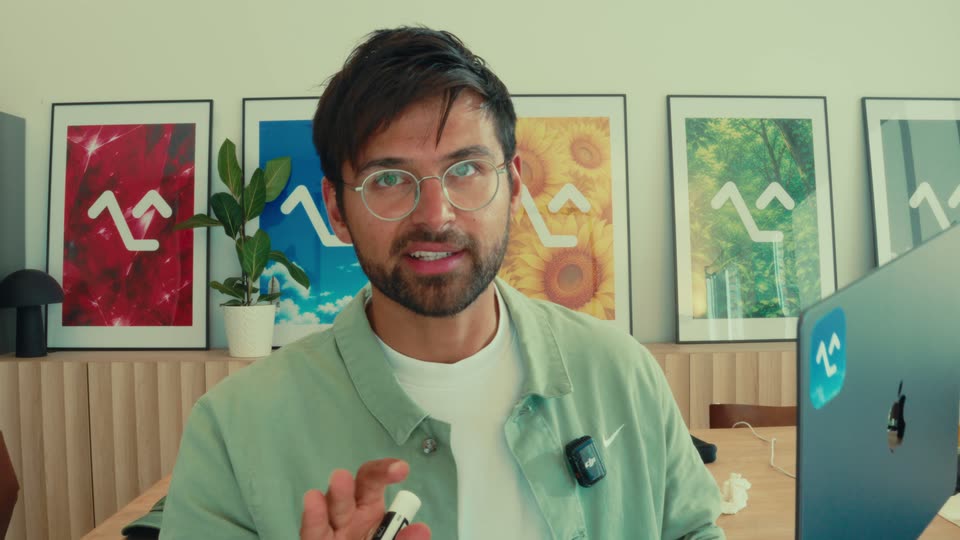
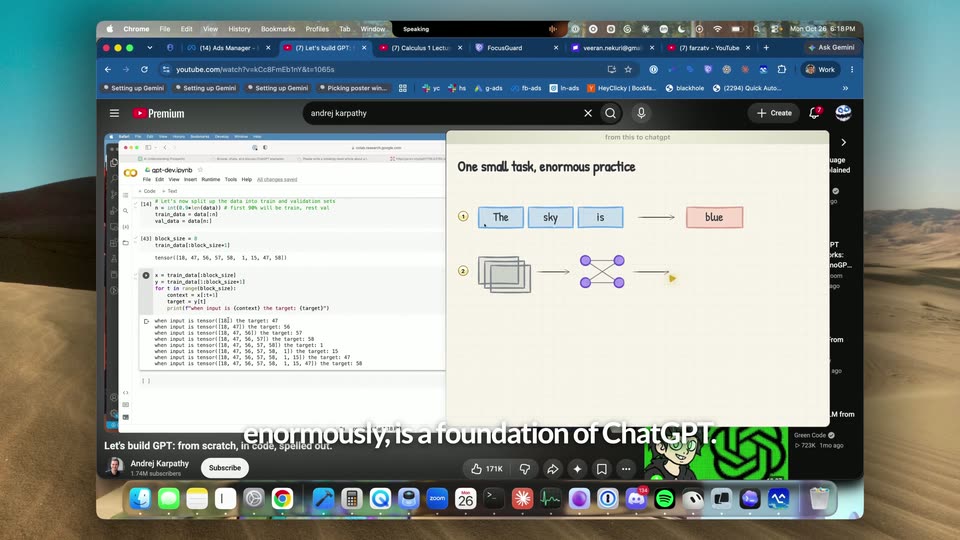
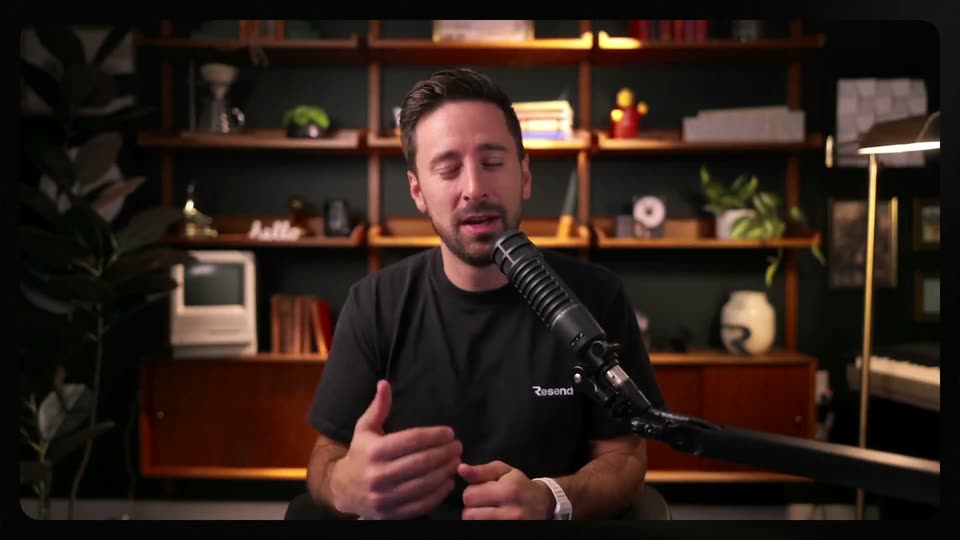
HeyClicky’s 2:26 launch film runs 65 scenes, about 2.3 s each. The product shows up at 0:02, with social proof. The call to action lands at 2:07 (87% in), over a voiceover. The video alternates locked-off shots of the presenter holding a sticker-covered laptop with flat screen recordings where hand-drawn diagram cards and 3D models draw themselves over the content being watched. Each use case follows the same beat: a spoken prompt, an on-screen generation, and a reaction, cut at roughly 22 cuts per minute.
Footage neededEstimated needs: 6 capture groups — your screens or recordings · 1 official logo — reused across the film · 28 filmed passages — shoot, supply or replace · 4 3D passages — build or supply
Is this your launch? to your site or press kit.
More like this

Similar soundtrack
Films whose music sounds like this one, voice left out
2:26
Farza 🇵🇰🇺🇸 - Today, we're shipping real-time graphics. Using Sol 6.1 Ultrafast we
Sol · Upbeat electronic music
3:17

3:39
Ledger - Your everyday apps. Ledger security for the moments that matter. One
Ledger · Modern electronic, corporate tech launch
introducing real-time graphics., scene by scene
· 65 scenes as text
01 · Hook · 0:00–0:02
A man in a green shirt and glasses sits at a wooden table in a bright room with framed prints behind him. It opens on an extreme close-up of his face with the caption “today i wanna”, then cuts to a medium shot as he talks to camera.
On-screen text: “today i wanna”
Techniques: Kinetic type
Camera: Static
02 · Product intro · 0:02–0:04
A bearded man in glasses and a green shirt speaks to camera in a bright studio, framed posters with a white angular logo behind him. A large number 11 scales in, then a 1 slides in over the shot.
On-screen text: “11”, “1”
Techniques: Kinetic type
Camera: Static
03 · Product intro · 0:04–0:06
A man with glasses sits at a desk and holds a small white and blue object up to the lens. The hand pushes the object toward the camera until it fills the foreground out of focus, then pulls back. The camera stays locked off while the digits 11 and 1 animate over the shot.
On-screen text: “11”, “1”
Techniques: Kinetic type
Camera: Static
04 · Product intro · 0:06–0:06
A hand holds a small black and white component at the lens, out of focus. The hand shifts and focus racks to a bearded man in glasses behind it, seated in a room with framed prints on the wall.
Camera: Static
05 · Product intro · 0:06–0:07
A man with glasses and a beard sits at a table, talking. A black, blurry shape moves over his face.
Camera: Static
06 · Demo · 0:07–0:08
A bearded man in a green shirt gestures with a marker at a desk, then the view cuts to a full-screen chat app where a generated card titled “A dynasty across generations” sits beside a Faker photo card, with a line chart and a file list in the margins.
Camera: Static
07 · Demo · 0:08–0:09
A bearded man in glasses and a black polo sits left of a screen capture. On the right, a macOS viewer shows a photo of five players in white jackets, while an infographic card draws itself in, plotting a yellow curve and a timeline of championship titles. A file browser and a chat panel flank it.
Camera: Static
08 · Demo · 0:09–0:10
A screen capture shows a browser with an X post of an F-35 hovering, above a hand-drawn diagram of the jet labeled with a lift fan and swivel nozzle. A man in a webcam on the left gestures while the diagram stays still.
Camera: Static
09 · Demo · 0:10–0:11
A browser window shows a Raspberry Pi product page with a board diagram and component labels. A presenter sits at left, looking down, while the page remains static.
Techniques: Split screen
Camera: Static
10 · Demo · 0:11–0:13
A man in a black polo and glasses sits at left against a sunflower wall, while a browser window at right shows an X post of an F-35 jet. Labeled callouts with arrows appear one by one over the jet as the voiceover speaks.
Techniques: Split screen
Camera: Static
11 · Demo · 0:13–0:15
A dark-mode social feed fills the browser window, centered on a post that displays a 3D cutaway of a jet engine with colored labels naming its parts. The desktop frame stays static, with a navigation sidebar on the left and a trending column on the right.
Camera: Static
12 · Demo · 0:15–0:16
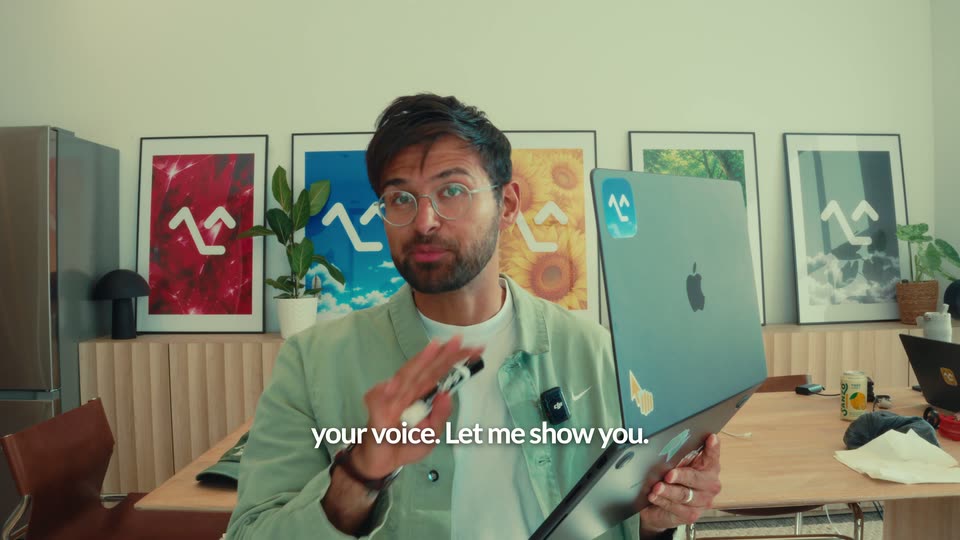
A bearded presenter in a green shirt holds a sticker-covered MacBook lid in one hand and a white marker in the other, gesturing as he talks to a locked-off camera in a bright room with framed art on the wall.
Camera: Static
13 · Demo · 0:16–0:19
A bearded man in a light quarter-zip sweater holds an open dark laptop toward the camera, its lid showing a blue app icon sticker, while he gestures with his free hand in an office with framed art. A cut reframes closer as he looks at the lid.
Camera: Static
14 · Demo · 0:19–0:21
A man with glasses and a beard holds a dark laptop lid toward the camera, a blue Arc icon sticker and a yellow sticker on it, while he talks and taps the edge. Framed posters, one with the white Arc logo on red, line the wall behind him.
Camera: Static
15 · Demo · 0:21–0:23
A locked-off screen capture of a Mac desktop. A Chrome window plays a YouTube tutorial: a GitHub code editor with Python lines fills the left, a small webcam feed of the presenter sits at the bottom right, and a column of recommended video thumbnails runs down the right edge.
Camera: Static
16 · Demo · 0:23–0:26
A Jupyter notebook cell shows Python code splitting data into context and target tensors, with printed output lines below. A yellow hand-drawn oval highlight slides from the code block down to the output. The YouTube player bar and video title sit along the bottom.
On-screen text: “Let's build GPT: from scratch, in code, spelled out.”
Camera: Static
17 · Demo · 0:26–0:27
A man with glasses and a beard in a gray zip-up sweater holds a dark laptop lid toward the camera, showing a blue icon with a white zigzag mark and an Apple logo, while talking in a bright office with framed art on the wall.
Camera: Static
18 · Demo · 0:27–0:29
A locked-off Mac desktop displays a Chrome window on a YouTube lecture; the player shows Python code on the left and the talking presenter on the right, with a column of related videos on the far right.
Camera: Static
19 · Demo · 0:29–0:38
A Mac desktop shows a YouTube coding tutorial with a white overlay card on the right. Blue input boxes [18] and [18, 47] slide in, arrows point to red target boxes 47 and 56, then a Guess, Compare, Adjust node flow builds. Cut to a man holding a laptop.
Techniques: Cursor demo
Camera: Push in
20 · Demo · 0:38–0:40
A man with glasses and a beard holds a laptop up in his hands, tilting the screen toward the camera as he talks. Behind him, framed posters with the Arc logo hang on a white wall above a wooden table. The laptop screen shows a blue app interface.
Camera: Static
21 · Demo · 0:40–0:41
Locked-off screen recording of a Mac desktop with a Safari window playing a YouTube lecture. The video pane splits side by side: a Python code editor on the left and a diagram titled Make a question and its answer on the right, with blue input tensor boxes pointing to pink target boxes. No motion in the frame.
Techniques: Split screen
Camera: Static
22 · Demo · 0:41–0:44
A flat browser view holds a grid-paper card titled 'tensors and targets' with two input boxes pointing to target numbers and a Guess, Compare, Adjust flow. A yellow hand-drawn line traces a loop around the card, then fades out.
Camera: Static
23 · Demo · 0:44–0:45
A macOS desktop shows a Chrome window playing Andrej Karpathy's GPT tutorial, code editor on the left and a question-to-target diagram on the right. A YouTube search results panel slides in over the right half of the screen.
Camera: Static
24 · Demo · 0:45–0:55
A static shot of a laptop on a desk shows a screen recording: code on the left, a chat panel on the right whose diagram builds row by row with token boxes, a small network and labels. It cuts to the presenter holding the laptop.
Camera: Push in
25 · Demo · 0:55–0:59
A presenter in a grey zip sweater holds a dark sticker-covered laptop, gesturing and tilting it as he talks in front of framed posters. The locked-off shot cuts to a Mac screen recording of a browser window showing a tweet about an F-35 hovering.
Camera: Static
26 · Demo · 0:59–1:01
A static macOS desktop with a sandy beach wallpaper shows a Chrome window on an X post. Its embedded video plays, a jet approaching and growing larger against a plain blue sky.
Camera: Static
27 · Demo · 1:01–1:05
A man in a mint zip-up holds a dark laptop showing a code editor, presenting it to the camera in an office with framed posters. He looks at the screen, laughs, and tilts the laptop upward as he keeps talking.
Camera: Static
28 · Demo · 1:05–1:10
A locked-off Mac desktop shows Chrome open to an X post about an F-35 hovering in SF. The embedded video plays: a jet hovers in a blue sky, drifting past a building roof and a yellow smoke trail. A desert wallpaper and the dock frame the window.
Camera: Static
29 · Demo · 1:10–1:15
A screen capture of a browser showing an X post with a video of an F-35 hovering. On the right, a diagram panel draws itself in: a side-view jet outline, then labels for the lift fan and engine, then blue and orange arrows for air down and swivel nozzle.
Camera: Static
30 · Demo · 1:15–1:18
A tilted smartphone in 3D shows a social post: a video of jets hovering over a rooftop beside a hand-drawn diagram card. A gray Weight arrow and label appear, then the handwritten line “Lift = weight” is written in as the next line begins.
Techniques: 3D mockup, Kinetic type
Camera: Static
31 · Demo · 1:18–1:20
A bearded man in round glasses and a gray zip sweater holds a dark laptop up toward the camera, tilting and steadying it as he speaks. Behind him, framed posters with white arc logos hang on a wall beside a refrigerator and a wooden table.
Camera: Static
32 · Demo · 1:20–1:23
A bearded man in a gray zip-up holds a laptop tilted up toward the camera, one finger on the trackpad. He watches the screen and speaks, his head shifting slightly. Framed posters and a steel fridge fill the room behind him.
On-screen text: “1”
Camera: Static
33 · Demo · 1:23–1:24
A flat Mac desktop shows a browser on a social post about a hovering F-35. A translucent white fighter jet flies across the screen from right to left while the side panel swaps from an aircraft diagram to a people list, and a cursor hovers over it.
Techniques: Cursor demo
Camera: Static
34 · Demo · 1:24–1:27
A Mac desktop frames a browser open to an X post; the post's video shows a gray 3D F-35 model that rotates, then morphs into a cutaway schematic as colored part labels pop in.
Techniques: 3D mockup, Morph
Camera: Static
35 · Demo · 1:27–1:28
A browser window on a macOS desktop shows an X post featuring a 3D cutaway of an F-35 jet. Callout labels for lift fan, compressor, burn fuel, turbine and swivel nozzle point to engine parts as the model shifts and rotates slightly.
Techniques: 3D mockup
Camera: Static
36 · Demo · 1:28–1:29
A bearded man in glasses holds a laptop toward camera, its screen showing a blue 3D jet model with annotation callouts; he gestures at the keyboard with an open-mouthed reaction. Framed posters and a fridge fill the office background.
Camera: Static
37 · Demo · 1:29–1:30
A locked-off desktop shows a browser open to a tweet. Inside the post, a gray 3D model of an F-35 jet rotates in space while white and pink labels track its parts against a blue sky.
Techniques: 3D mockup
Camera: Static
38 · Demo · 1:30–1:34
A man in a gray zip-up sweater holds an open laptop up to the camera, gesturing with his free hand. The screen shows a blue wireframe airplane inside a 3D modeling app. He turns his head to look at the display while speaking.
Camera: Pull out
39 · Demo · 1:34–1:37
A desktop browser window shows a Twitter post with a 3D F-35 model; the embedded clip plays while colored callout labels mark the lift fan, compressor, and nozzle.
Camera: Static
40 · Demo · 1:37–1:37
A man in a light gray zip sweater holds a black laptop up at eye level, his free hand cupped beneath it. He looks at the screen, which shows a blue 3D CAD assembly, and speaks. The locked-off medium shot keeps the office background, posters and table in frame.
On-screen text: “1”
Camera: Static
41 · Demo · 1:37–1:39
A bearded man in a gray sweater holds a dark laptop toward the camera, lid facing out, then turns his head to look at the screen as it swings toward the lens showing a browser page. A small 16GB RAM label scales in beside the laptop. Locked-off medium shot.
On-screen text: “16GB RAM”
Camera: Static
42 · Demo · 1:39–1:41
A bespectacled man in a light gray zip-up holds a laptop up to the camera, its screen displaying a webpage. The frame cuts to a flat full-screen capture of that page in a browser, where the title and spec labels scale into place.
Camera: Static
43 · Demo · 1:41–1:44
A full-screen Chrome window on a macOS desktop displays the Raspberry Pi 5 product page. The page scrolls upward, moving the headline out of view and centering a labeled 3D diagram of the green circuit board with GPIO, RAM and Processor tags.
Camera: Static
44 · Demo · 1:44–1:45
A screen recording of a Mac desktop shows a web browser open to the Raspberry Pi 5 product page. The page displays a diagram of the board with labels for its components.
Camera: Static
45 · Demo · 1:45–1:47
A bearded man in a light gray zip-up holds a laptop in both hands, tilting it toward the camera while its screen shows a 3D building model. He glances between the screen and the camera. Framed posters, a plant and a table sit behind him.
Camera: Static
46 · Demo · 1:47–1:51
A bearded man in a gray zip-up holds a laptop upright in one hand, tapping the trackpad with the other as he speaks. The screen shows a blue 3D design app with blocky models. Framed posters and a projector sit on the wall behind him.
Camera: Static
47 · Demo · 1:51–1:52
A macOS desktop shows a Safari window on the Raspberry Pi 5 product page. The page scrolls slowly upward, bringing a 3D render of the green board and a black camera connector with a 22-pin end label into view. The frame stays locked off.
Camera: Static
48 · Demo · 1:52–1:57
A 3D render shows a Raspberry Pi board in perspective as a green camera module lowers and seats into its connector. Callout lines mark the camera and the 22-pin end, with an RP1 heading and body copy set below the diagram.
On-screen text: “$305.”, “RP1”
Techniques: 3D mockup
Camera: Push in
49 · Demo · 1:57–2:00
A bearded man in a light sweater holds a laptop up with both hands, tilting it toward the camera as he looks at the screen and talks. The display shows a Raspberry Pi page. Framed posters and a wooden table fill the room behind him.
Camera: Static
50 · Demo · 2:00–2:02
A macOS desktop shows a Safari window on the Raspberry Pi 5 product page. A 3D board with a camera module sits mid-right, a yellow sticky note reads Power off, Unplug first, and the RP1 section begins below. The frame is locked off.
Camera: Static
51 · Social proof · 2:02–2:05
A bearded man in a gray quarter-zip holds a dark laptop covered in stickers, pointing with his free hand as he speaks, then turns his head to look at the screen. Framed prints with a white arrow logo line the wall behind him. The camera stays locked off.
Camera: Static
52 · Social proof · 2:05–2:05
A man in a pale hoodie sits at a desk holding a laptop, partially hidden behind a large tweet card on the right. The card shows a post from Qaisar Roonjha with an embedded video of a 3D heart diagram on a purple gradient.
Camera: Static
53 · Social proof · 2:05–2:06
Two interface screens float over a blurred live-action desk: a vertical phone feed on the left and a tweet with an embedded video-call window on the right, the latter showing a 3D heart model and a small self-view of a man. The background hands tilt a laptop open.
Techniques: Split screen
Camera: Static
54 · Social proof · 2:06–2:07
A person with glasses sits at a desk holding a phone while a phone screen mockup and two X posts float as static cards over the footage. The phone mockup plays a short design clip and the posts stay fixed on the right.
On-screen text: “Qaisar Roonjha @Qroonjha · Oct 24”, “I also asked @heyclicky دل کیسے کام کرتا ہے؟ How heart works.”, “@FarzaTV”, “Surya M @techsensei008”, “My first try at editing a video with AI.”, “Claude helped plan (opus 5.5) and execute (sonnet 5.5) the edits.”, “I've been using @heyclicky for a while, and watching my doodles turn into 3D still feels like magic.”, “Doodle → 3D”, “6:04 AM · Oct 28, 2026 · 70 Views”
Camera: Static
55 · CTA · 2:07–2:10
A bearded man in glasses and a light gray zip sweater sits at a wooden table, talking and gesturing with both hands toward the camera. Framed prints with a white arrow logo line the wall behind him, with a black case and marker on the table.
Camera: Static
56 · CTA · 2:10–2:13
A bearded man in a light gray quarter-zip sits at a wooden table in a bright office, gesturing with his hand as he speaks. A large numeral 1 scales in and slides across the frame while framed logo prints line the wall behind him.
On-screen text: “1”
Techniques: Kinetic type
Camera: Static
57 · CTA · 2:13–2:18
A bearded man in glasses and a light gray zip sweater sits in a bright office, talking to the camera and gesturing with both hands. Behind him, a row of framed posters with a white zigzag logo on red, blue, yellow and green backgrounds lines the wall.
Camera: Static
58 · CTA · 2:18–2:22
A bearded man in a gray quarter-zip with a clipped mic sits in a bright office, five framed logo posters on the wall behind him. He lifts both hands in a shrug, then lowers them and nods to the camera. The shot stays locked off.
Camera: Static
59 · Other · 2:22–2:22
A screen recording of a video player with a whiteboard panel in front. A yellow pen writes the year 2025 and the label beneath it on a championship timeline, while a team photo and a player card sit behind.
Techniques: Kinetic type
Camera: Static
60 · Other · 2:22–2:23
A green board hovers in 3D perspective at center while colored callout lines tag its USB ports, GPIO, processor, RAM and microSD storage. A dark chip graphic with a raspberry mark sits left, and a white card of body copy sits below over a forest strip.
On-screen text: “USB ports”, “GPIO: electronics”, “Processor”, “RAM”, “microSD storage”
Techniques: 3D mockup
Camera: Static
61 · Other · 2:23–2:23
A white presentation slide on a dark interface displays a jet diagram with labels and blue arrows. The text “Air downward” is typed out character by character next to a hand cursor.
On-screen text: “Push air down → jet gets pushed up”, “Lift fan”, “Swivel nozzle”, “Air downward”
Techniques: Kinetic type, Cursor demo
Camera: Static
62 · Other · 2:23–2:24
A gray 3D jet model hovers in perspective over a dark X feed, with colored sticky-note callouts pointing to its engine, lift fan and downturned exhaust. The model turns slightly as the feed stays static behind it.
On-screen text: “Engine”, “Lift fan”, “Downturned exhaust”
Techniques: 3D mockup
Camera: Static
63 · CTA · 2:24–2:24
On a black background, the white lowercase wordmark builds up, starting with “hey”, then “heyclicky”, and finally the full “heyclicky.com” lockup settles in the center of the locked-off frame.
On-screen text: “heyclicky.com”
Techniques: Kinetic type
Camera: Static
64 · CTA · 2:24–2:25
The URL heyclicky.com is centered in white text on a black background. The static text holds before the frame goes completely black.
On-screen text: “heyclicky.com”
Camera: Static
65 · Outro · 2:25–2:26
A white angular logo mark, measured as the numeral 1, sits centered on a black background and holds still in a locked-off frame.
On-screen text: “1”
Camera: Static